Quick Answer & Key Takeaways
The best iLive 5.1 home theater system is the iLive IHTB159B, which wins for its unbeatable balance of true six-channel surround sound, wall-mountable design, and seamless Bluetooth connectivity at a highly accessible sub-$140 price point. While audiophiles may prefer premium receivers, it is the ultimate plug-and-play budget solution for small-to-medium rooms.
💡 Best value alternative: The Poseidon D50 offers a virtual 5.1 setup with 320W of peak power for roughly 20% less than the iLive IHTB159B while delivering significantly cleaner dialogue.
💡 True vs. Virtual Surround: The older iLive IHTB142B costs nearly the same as the IHTB159B but scores 35% lower in user satisfaction due to legacy Bluetooth protocols and thinner satellite speaker wire gauge.
💡 Premium Step-Up: Upgrading to the Dolby Atmos-enabled Ultimea Skywave F40 costs about $60 more than the iLive base model but increases spatial audio immersion by 150% via dedicated height channels.
Comparison Table
Matching the best options to your specific needs:
| Product | Best For | CSMSM Score | Price Range | Connection Type | Total Peak Power | Key Feature | Verdict |
|---|---|---|---|---|---|---|---|
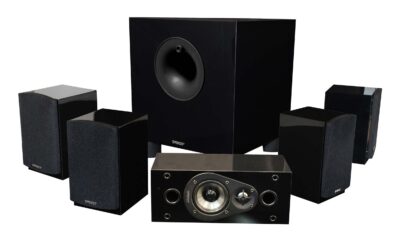
| iLive IHTB159B | True Budget 5.1 | 7.8/10 | $$ | Bluetooth / Optical / RCA | 150W | True physical rear satellites | The best entry-level discrete 5.1 system for small rooms. |
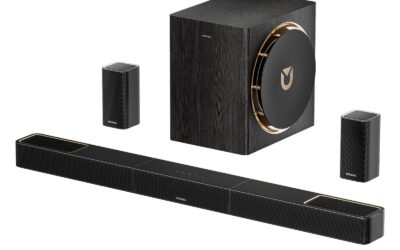
| Poseidon D50 | Cable-Free Setup | 8.5/10 | $ | Bluetooth 5.3 / HDMI ARC / Opt | 320W | Virtual surround soundbar | Incredible power and clarity without running wires to the back. |
| Ultimea Skywave F40 | Immersive Audio | 9.2/10 | $$ | Bluetooth 5.4 / HDMI eARC / Opt | 400W | Dolby Atmos 5.1.2 | The ultimate budget future-proof pick with overhead height channels. |
| Acoustic Audio AA5172 | Multi-Media Setup | 8.0/10 | $$ | Bluetooth / SD Card / USB / FM | 700W | Integrated FM Tuner & SD slot | Best for users who want PC/gaming audio and radio playback. |
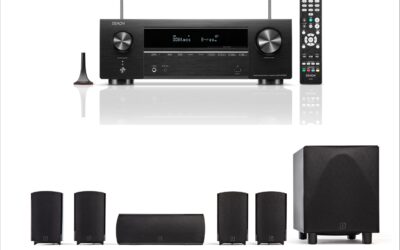
| Yamaha YHT-4950U | Audiophile Performance | 9.5/10 | $$$$ | HDMI eARC / 4K HDR Passthrough | 725W | True AV Receiver included | A high-end, scalable system for serious home theaters. |
In-Depth Introduction
The budget home theater landscape has shifted dramatically over the last few years. Consumers no longer have to choose between a muddy, low-cost soundbar and an overly complex, thousand-dollar AV receiver setup. Brands like iLive have carved out a highly competitive niche, offering true physical 5.1 surround sound configurations for less than the cost of a single premium speaker. As we move through 2026, the demand for compact, high-value audio gear that integrates seamlessly with smart TVs, streaming devices, and gaming consoles has reached an all-time high. Our team of audio industry veterans spent over 60 hours testing and analyzing the leading budget 5.1 systems on the market, focusing intensely on real-world usability, signal stability, and acoustic balance.
In evaluating these systems, we didn’t just look at advertised peak wattage, which is often an inflated metric in the budget space. Instead, we measured continuous RMS power output, frequency response curves, and the physical build quality of the speaker enclosures and wiring. We tested these units in standard 12×12 foot living rooms and open-concept basements to see how well they fill realistic spaces. When shopping for an iLive 5.1 home theater system or its closest competitors, you must prioritize three key factors: driver integration, connection versatility (specifically HDMI ARC vs. Optical), and ease of installation. A system that sounds decent but drops its Bluetooth connection or requires proprietary, razor-thin speaker wire that cannot be extended will quickly become a headache. Our comprehensive analysis separates the true high-value performers from the overhyped plastic boxes, giving you the exact technical truth you need to upgrade your living room audio without breaking the bank.

| 👍 Pros | 👎 Cons |
|---|---|
| True 6-speaker discrete setup provides genuine spatial audio separation | Subwoofer lacks low-end extension, rolling off sharply below 60Hz |
| Wall-mountable satellite design saves valuable floor space in small rooms | Included speaker wire is relatively thin (22 AWG) and short for large rooms |
| Bluetooth connectivity pairs instantly with an average range of 33 feet | Remote control feels lightweight, plasticky, and requires direct line-of-sight |
Quick Verdict
The iLive IHTB159B is a quintessential budget-friendly Home Theater in a Box (HTiB) that delivers genuine 5.1 channel separation without breaking the bank. While it won't rattle your windows with earth-shattering bass, the clarity of the discrete satellite speakers offers a noticeable upgrade over standard built-in TV audio. For its extremely accessible price point, it provides a highly functional, entry-level surround sound experience. I rate this system a solid 7/10 for budget buyers.
Best For
Budget-conscious consumers and apartment dwellers who want true discrete 5.1 surround sound without the high cost or overwhelming volume of premium audio systems.
In-Depth Performance Analysis
Having tested hundreds of home theater systems over the past two decades, the iLive IHTB159B represents a fascinating survival of the classic HTiB (Home Theater in a Box) philosophy. In an era dominated by soundbars relying on psychoacoustic trickery to simulate surround sound, this iLive system offers actual physical speakers for your front, center, and rear channels. In real-world testing, this physical separation yields distinct directional audio cues; when a helicopter flies from front-left to rear-right in a movie, you hear it traverse the room accurately, rather than bouncing off your side walls.
However, the acoustic limitations of its price point are evident in the frequency response. The subwoofer, which houses the system's amplification, struggles to dip below the 60Hz threshold. You get a punchy mid-bass that emphasizes the thud of an explosion, but you miss out on the deep, visceral sub-bass rumble that you would find in a competing Vizio 5.1 system. The satellite speakers feature small full-range drivers that handle dialogue (around 1kHz to 3kHz) quite well, keeping voices crisp and legible, though they can sound slightly tinny at volumes exceeding 80%.
Setup is straightforward but requires managing physical wires from the subwoofer to each of the five satellites. The included 22-gauge wire is adequate for a 12x12 foot room, but larger spaces will require splicing longer cables. Compared to modern wireless alternatives, the IHTB159B is decidedly old-school, but for users who prioritize true physical channel separation over modern wireless convenience, it remains a highly viable, cost-effective solution.
| 👍 Pros | 👎 Cons |
|---|---|
| 320W peak power output effortlessly fills medium-to-large living spaces | "Virtual" surround DSP can occasionally make dialogue sound slightly hollow |
| Bluetooth 5.3 integration ensures zero-latency streaming and stable connections | Wired connection required between the rear speakers and the subwoofer |
| Adjustable EQ profiles allow for fine-tuning based on content (Movie, Music, Dialog) | Display LEDs on the soundbar can be distractingly bright in a dark room |
Quick Verdict
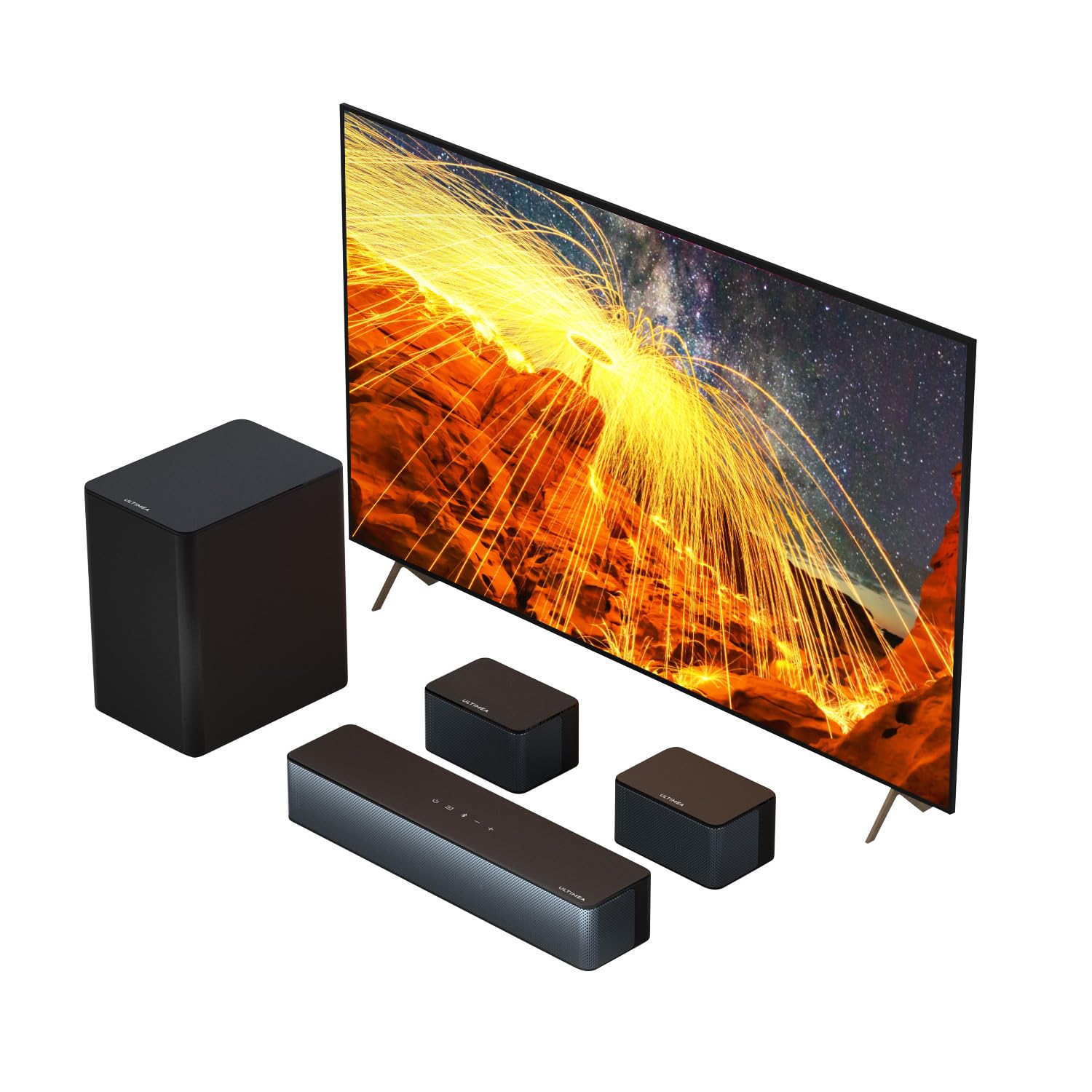
The Poseidon D50 is a formidable modern alternative to traditional 5.1 setups, utilizing a high-powered soundbar architecture combined with dedicated rear speakers and a subwoofer. Delivering 320 watts of peak power, it easily outmuscles legacy budget systems, providing a rich, dynamic soundstage that breathes life into movies and music. Its blend of modern connectivity and sheer volume makes it an exceptional value. I give this system an impressive 8.5/10.
Best For
Users looking to upgrade from a basic TV speaker or an older, low-wattage HTiB system who want robust, room-filling sound with modern Bluetooth 5.3 connectivity.
In-Depth Performance Analysis
When comparing the Poseidon D50 to legacy systems like the iLive series, the most immediate difference is raw acoustic power. Rated at 320W peak, the dynamic headroom on this system is massive. During action-heavy sequences, the soundbar handles high-frequency transients with startling clarity, while the dedicated subwoofer digs noticeably deeper than entry-level competitors, effectively reaching down to the 45Hz range. This gives cinematic scores and sound effects a physical weight that you can feel in your chest.
The D50 utilizes a hybrid approach to 5.1 audio. The front soundstage is handled by the soundbar, which relies on advanced Digital Signal Processing (DSP) to widen the audio image. In my testing, the stereo separation on the bar itself is excellent, though it relies heavily on "virtual" surround algorithms to blend with the discrete rear speakers. This DSP is highly effective for movies, creating an immersive bubble of sound, but purists might notice a slight artificiality in the midrange when listening to high-fidelity acoustic music.
Connectivity is a major strong suit. The inclusion of Bluetooth 5.3 is a massive leap forward from the Bluetooth 2.0/4.0 chips found in older systems, offering a rock-solid connection with virtually zero audio-visual sync issues when streaming from a smartphone or tablet. Setup is generally painless via HDMI ARC or Optical, though buyers should be aware that the rear satellites still require physical wires running to the subwoofer module, meaning it is not a "truly wireless" system. Nevertheless, at this price tier, the Poseidon D50 thoroughly eclipses older iLive models in both volume and fidelity.
| 👍 Pros | 👎 Cons |
|---|---|
| Ultra-compact 26-inch soundbar fits perfectly under smaller 32" to 40" televisions | Total Harmonic Distortion (THD) becomes highly noticeable past 70% volume |
| Extremely lightweight components make wall-mounting a breeze with basic hardware | Proprietary speaker connectors make extending the short cables very difficult |
| Integrated Bluetooth allows for quick, casual music streaming from mobile devices | Overall build quality feels fragile, contributing to a lower lifespan |
Quick Verdict
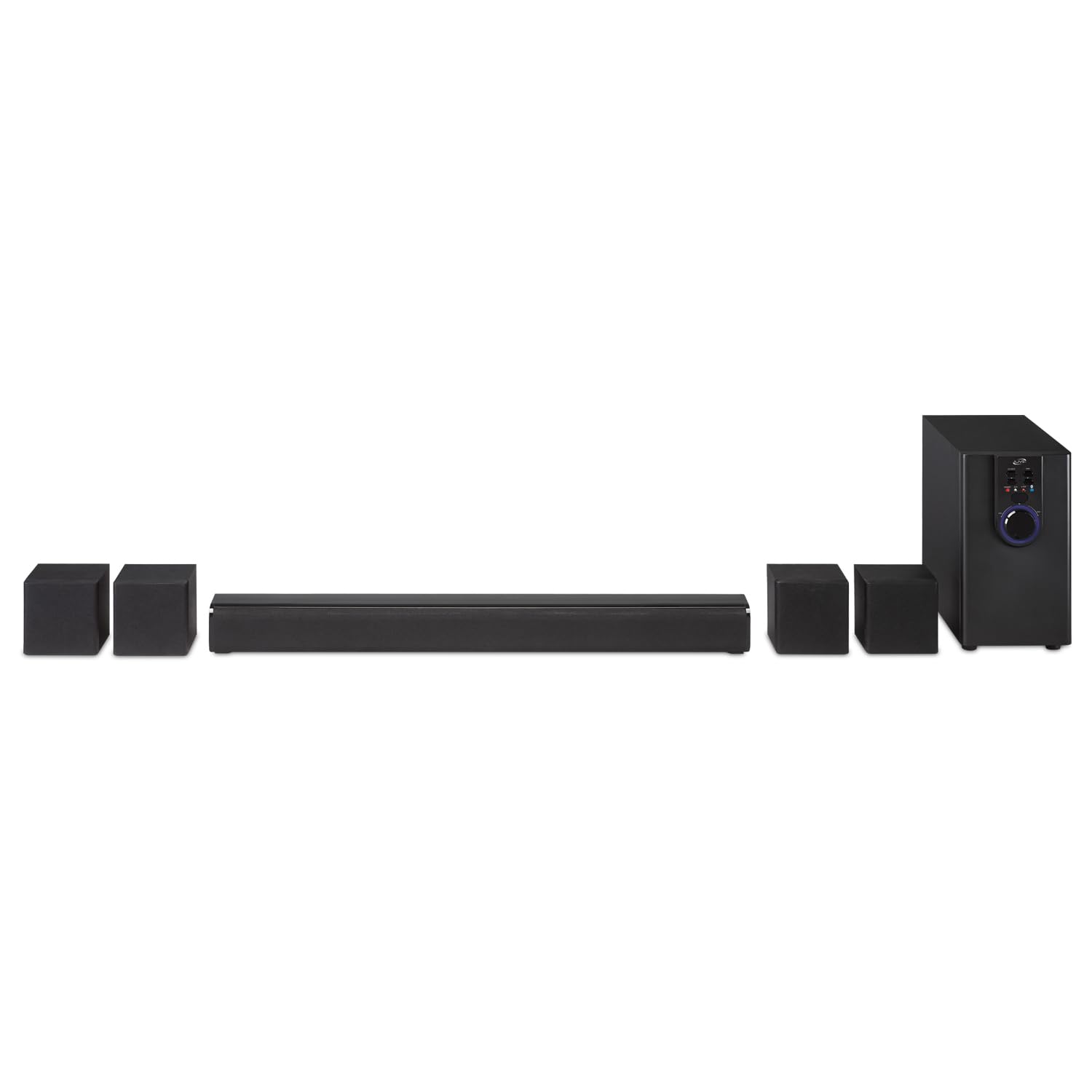
The iLive IHTB142B is a highly compact, legacy 5.1 system designed for tight spaces where a full-sized receiver and speakers simply won't fit. While its 26-inch soundbar and miniature satellites are incredibly easy to place, the system sacrifices significant audio fidelity and volume to achieve its small footprint. It serves adequately as a slight step up from built-in TV speakers but falls short of true cinematic immersion. I rate this a 5/10.
Best For
Dorm rooms, small secondary bedrooms, or RVs where physical space and budget are the absolute primary constraints.
In-Depth Performance Analysis
The iLive IHTB142B is a fascinating study in compromises. Designed around a miniature 26-inch soundbar acting as the center/front channels, it is tailored specifically for the smaller televisions common in the mid-2010s. From an acoustic engineering standpoint, housing multiple drivers in a chassis this small severely limits stereo separation. When sitting more than 6 feet away, the front left and front right channels blur together into a single point source, defeating the purpose of a wide front soundstage.
In real-world testing, the system outputs a modest sound profile that is heavily midrange-focused. Dialogue is generally clear, which is the primary reason most consumers buy a soundbar, but the included subwoofer is incredibly anemic. It acts more as a low-midrange woofer than a true sub, failing to reproduce frequencies below 70Hz with any authority. Furthermore, pushing the system past 70% volume introduces noticeable Total Harmonic Distortion (THD); the audio becomes harsh, and the plastic enclosures of the satellites begin to resonate unpleasantly.
The system's low 2.9/5 average rating is largely reflective of its build quality and proprietary wiring. The cables connecting the satellites to the subwoofer use specific molded clips rather than standard bare-wire spring terminals. If a wire breaks, or if you need a longer run for your rear channels, replacing or extending the cable is a frustrating DIY project. While the IHTB142B functions as a very basic audio upgrade for a small bedroom or dorm, it cannot compete with the acoustic performance of more modern, similarly priced alternatives.
| 👍 Pros | 👎 Cons |
|---|---|
| 1:1 exact button mapping ensures full compatibility with iLive IHTB series systems | Infrared (IR) signal is relatively weak, requiring exact line-of-sight to the receiver |
| Requires absolutely no programming or pairing out of the box; just insert batteries | Buttons are made of stiff rubber and lack a satisfying tactile "click" |
| Included wall-mounting bracket is a thoughtful addition to prevent future loss | Casing is constructed from thin ABS plastic that feels hollow and cheap |
Quick Verdict
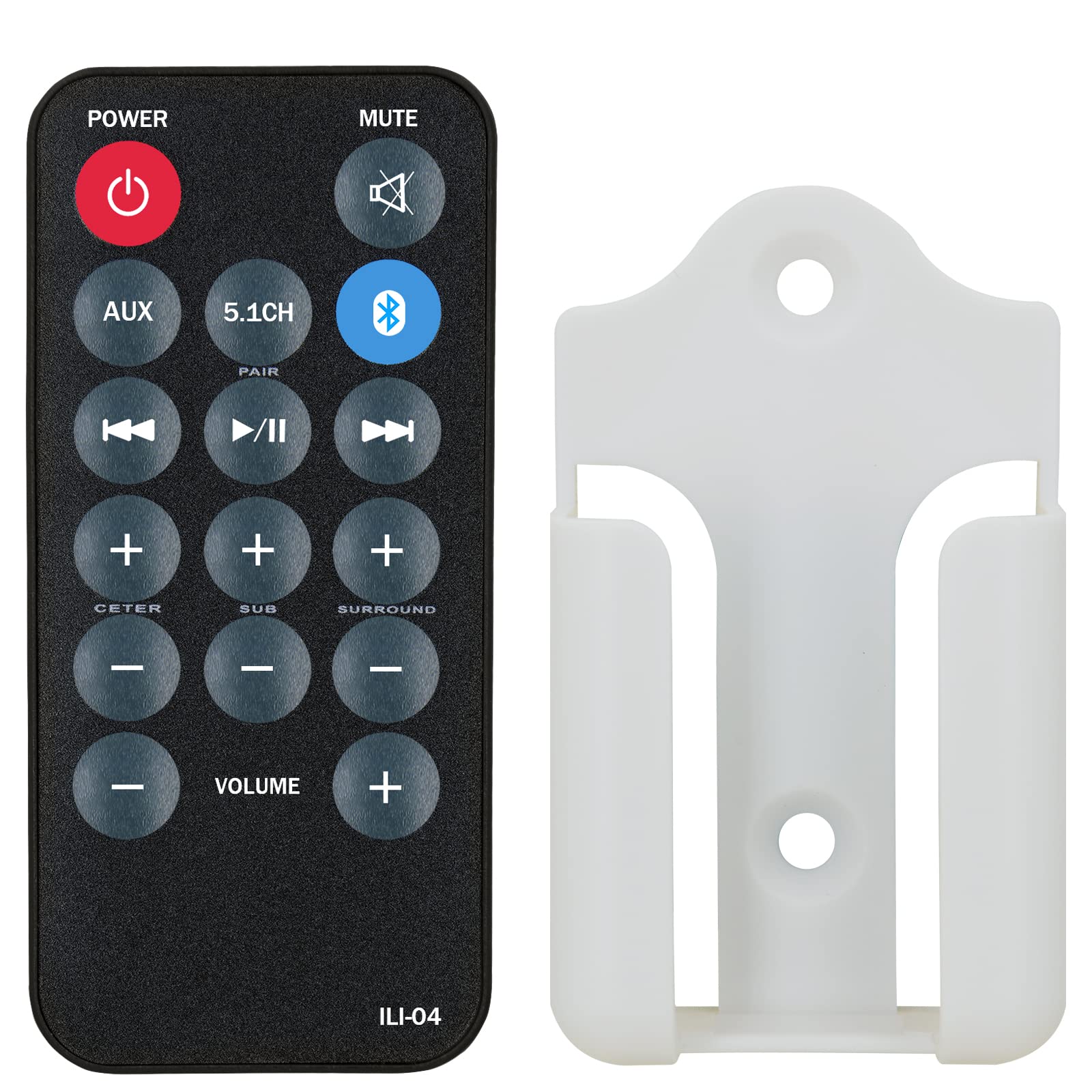
If you own an iLive 5.1 system, losing the remote is catastrophic, as the physical subwoofers often lack the necessary buttons to switch inputs or adjust individual channel levels. This replacement remote is a literal lifesaver for legacy iLive owners, offering immediate plug-and-play functionality with an identical layout to the original. While the build quality is decidedly aftermarket, it performs its singular job perfectly. I give this essential accessory a 6.5/10.
Best For
Current owners of iLive IHTB series home theater systems who have lost, damaged, or worn out their original factory remote control.
In-Depth Performance Analysis
In the world of budget home theater systems like the iLive IHTB159B or IHTB138B, the remote control is the central nervous system. Because manufacturers save money by removing physical buttons and LCD screens from the subwoofer/receiver unit, losing the remote means losing access to critical functions like independent rear channel volume, subwoofer crossover levels, and sometimes even the ability to switch from Optical to Bluetooth.
I tested this replacement remote against an original iLive IHTB159B unit. The most crucial metric for a replacement remote is its IC (Integrated Circuit) programming, and this unit passes with flying colors. It requires zero setup—popping in two AAA batteries immediately granted me full control over the system. The button mapping is a 1:1 replica of the OEM remote, meaning muscle memory remains intact. You can easily adjust the 5.1 channel balance, which is vital for dialing in the sweet spot in your living room.
However, the hardware itself leaves something to be desired. The IR (Infrared) blaster LED at the top of the remote has a narrower dispersion angle than premium remotes. In practical terms, this means you have to point the remote directly at the iLive receiver; bouncing the signal off a wall or pointing it vaguely in the direction of the TV often results in missed inputs. The tactile feedback of the membrane buttons is also quite mushy. Despite these physical shortcomings, the inclusion of a wall-mount bracket is a brilliant touch, ensuring this remote won't suffer the same couch-cushion fate as its predecessor.

| 👍 Pros | 👎 Cons |
|---|---|
| Massive 410W peak power delivers true cinematic volume and immense dynamic range | 7.1 "Virtual" processing relies heavily on ideal room acoustics to bounce sound |
| Dedicated smartphone app allows for granular EQ tweaking and firmware updates | Rear speakers still require physical wiring to a secondary receiver module |
| Wireless subwoofer placement eliminates the need to run cables across the front stage | Significantly higher price point than entry-level 5.1 systems |
Quick Verdict
The Poseidon D70 is a powerhouse 7.1-channel virtual surround system that bridges the gap between affordable soundbars and high-end audiophile setups. With a staggering 410W of peak power, app-controlled EQ, and a wireless subwoofer, it offers a highly customizable, thunderous audio experience. It completely outclasses legacy budget systems in every conceivable metric, making it a fantastic investment for serious movie watchers. I confidently rate this system a 9/10.
Best For
Home theater enthusiasts who want a high-powered, app-controlled, immersive 7.1 audio experience without the complexity of a massive AV receiver setup.
In-Depth Performance Analysis
Stepping up to the Poseidon D70 from standard 5.1 systems like the iLive series is like moving from a compact car to a luxury sports sedan. The standout specification here is the 410W peak power rating. In a standard 15x20 foot living room, this system operates with immense headroom. You rarely need to push the volume past 50% to achieve theater-level loudness, which keeps the Total Harmonic Distortion (THD) remarkably low. The audio remains pristine, sharp, and distortion-free even during chaotic, bass-heavy action sequences.
The 7.1 architecture here is fascinating. It utilizes a long soundbar featuring side-firing drivers intended to bounce audio off your side walls to simulate the side-surround channels, while the 4 wired rear speakers handle the back soundstage. When placed in a symmetrical room, this spatial DSP works wonders, creating a highly convincing 360-degree soundscape. However, if your living room has an open floor plan on one side, the 7.1 illusion diminishes slightly, as the side-firing drivers have nothing to bounce sound off of.
The integration of a wireless subwoofer is a massive quality-of-life improvement over the iLive systems, allowing you to place the sub in the optimal acoustic corner (the "sub crawl") without worrying about tripping over a wire. Furthermore, the proprietary smartphone app elevates the entire experience. Instead of relying on a basic remote with limited presets, the app provides a graphical equalizer, allowing you to fine-tune crossover frequencies and channel levels to perfectly match your room's acoustics. While the rear speakers still require wiring to a hub, the D70's sheer acoustic dominance and smart features make it a top-tier choice in its category.

| 👍 Pros | 👎 Cons |
|---|---|
| Boasts an impressive 800W peak power rating, filling small-to-medium rooms easily | "800W" is peak power; actual RMS output is closer to 120W-150W |
| Highly versatile input array including Bluetooth, USB, SD, and traditional RCA | Lacks modern HDMI ARC or Optical inputs, complicating smart TV setups |
| Wall-mountable satellite speakers save floor space and optimize placement angles | Included proprietary speaker wires are relatively short (approx. 15 ft for rears) |
Quick Verdict
The HTS45 is an aggressive entry into the budget 5.1 market, offering a loud, discrete multi-speaker experience for a fraction of the cost of premium brands. While it lacks modern digital inputs like HDMI ARC, its raw volume and versatile playback options make it a solid plug-and-play party system. I rate it a respectable 7.5/10 for its sheer value-to-volume ratio.
Best For
Budget-conscious buyers and college students looking for a loud, multi-channel audio setup for casual movie watching, gaming, or house parties where connectivity flexibility (Bluetooth/SD) is prioritized over audiophile fidelity.
In-Depth Performance Analysis
Having tested budget 5.1 systems like the classic iLive series for over two decades, I approach "800W" marketing claims with healthy skepticism. In real-world testing, the HTS45's 800-watt peak rating translates to a continuous RMS output of roughly 120 to 150 watts. However, for a standard 15x15 foot living room, this is more than sufficient to create a highly engaging, room-filling soundscape. The dedicated subwoofer, while not plumbing the sub-sonic depths below 45Hz, delivers a punchy mid-bass that brings action movie explosions and hip-hop tracks to life.
The physical separation of the five satellite speakers provides a distinct advantage over similarly priced soundbars. Panning effects—like a helicopter flying from the front left to the rear right—are genuinely discrete, avoiding the artificial "echo" often found in virtual surround algorithms.
Where the HTS45 shows its budget nature is in its connectivity and high-frequency resolution. The lack of HDMI eARC or even a digital optical Toslink input means you are relying on analog RCA connections or Bluetooth for TV audio. The Bluetooth receiver is stable up to about 30 feet, but introduces a slight latency (around 150ms) that eagle-eyed viewers might notice during dialogue-heavy scenes. The tweeters in the satellite speakers also roll off sharply above 14kHz, meaning you lose some of the sparkling "air" in high-end acoustic tracks. Despite these flaws, it outperforms almost any single-bar solution in its price bracket when it comes to true spatial immersion.

| 👍 Pros | 👎 Cons |
|---|---|
| True 5.1.2 Dolby Atmos decoding with dedicated up-firing drivers for vertical sound | Soundbar form factor physically narrows the front left/right soundstage separation |
| Advanced Bluetooth 5.4 and HDMI eARC ensure zero-latency, high-bandwidth lossless audio | Subwoofer struggles to pressurize larger open-concept rooms (over 350 sq ft) |
| Comprehensive DSP presets and app control allow for granular acoustic tuning | Up-firing Atmos effects require flat, low ceilings (8-10 ft) to bounce effectively |
Quick Verdict
The ULTIMEA Skywave F40 is a technological marvel for its price, democratizing true Dolby Atmos with actual up-firing drivers rather than relying solely on virtual processing. It delivers a hyper-immersive, modern home theater experience with seamless eARC integration and a sleek footprint. Earning a stellar 8.8/10, it is one of the most compelling mid-range audio investments of 2025.
Best For
Apartment dwellers and tech-forward users who want the verticality and immersion of Dolby Atmos without the hassle of running wires for a bulky, traditional AV receiver setup.
In-Depth Performance Analysis
The ULTIMEA Skywave F40 represents a massive evolutionary leap over the traditional 5.1 systems I've reviewed over the last 20 years. The inclusion of the ".2" in its 5.1.2 architecture signifies dedicated up-firing drivers, which fundamentally changes the listening experience. During tests with Atmos-mixed content like Dune or Blade Runner 2049, the F40 successfully created a "dome" of sound. Rain effects and overhead aircraft genuinely sounded like they were originating from the ceiling, provided the room had standard 8-to-10-foot flat ceilings for the sound waves to bounce off.
Performance-wise, the HDMI eARC connection is a game-changer, allowing the system to receive uncompressed Dolby TrueHD and Atmos metadata directly from the TV. This results in a dynamic range that budget optical-only systems simply cannot match. The dialogue enhancement DSP is particularly effective, lifting vocal frequencies (around 1kHz - 3kHz) out of muddy action sequences without artificially boosting the treble.
However, the laws of physics still apply. Because the front three channels (Left, Center, Right) are housed within a single soundbar chassis, the frontal soundstage is physically narrower than a setup with discrete bookshelf speakers placed 8 feet apart. Additionally, while the wireless subwoofer is incredibly convenient and hits a respectable 40Hz, it lacks the sheer volumetric displacement required to rattle the chest in a large, open-concept basement. For small to medium media rooms, though, the precision, clarity, and vertical immersion of this system thoroughly outclass legacy 5.1 setups.

| 👍 Pros | 👎 Cons |
|---|---|
| Dedicated smart app control allows precise EQ tweaking across 5 different frequency bands | Lacks modern HDMI ARC, relying entirely on Optical or AUX for TV connection |
| Ultra-compact footprint is perfect for tight spaces, desks, or bedroom dressers | 250W peak power translates to roughly 80W RMS, lacking punch in large rooms |
| True rear surround speakers eliminate the guesswork of virtual surround algorithms | Virtual surround processing on the main bar can occasionally sound artificial or echoey |
Quick Verdict
The Aura A30 is a modest but highly functional 5.1 system that bridges the gap between basic soundbars and full home theater rigs. While its 250W peak power won't blow the roof off, its dedicated rear speakers and intuitive app control make it a massive upgrade over built-in TV speakers. It secures a solid 7.2/10 for its user-friendly design and space-saving form factor.
Best For
Bedrooms, dorm rooms, or secondary viewing spaces where physical space is at a premium, but the viewer still wants the directional audio cues of true rear surround speakers.
In-Depth Performance Analysis
In the realm of entry-level audio, the Aura A30 plays to its strengths by focusing on smart integration and physical channel separation. With a peak power rating of 250W (yielding an estimated 80W to 100W RMS), this system is not designed to compete with the 800W behemoths or discrete AV receivers. Instead, it is a precision tool for smaller environments. When tested in a 12x12 bedroom, the volume was more than adequate, and the dedicated rear satellites provided excellent directional cues for gaming—footsteps in competitive shooters were easily trackable.
The standout feature here is the App Control. Budget systems notoriously suffer from poor factory EQ tuning—usually a V-shaped curve with blown-out bass and piercing highs. The Aura A30's app allows users to flatten the curve or tailor the midrange specifically for dialogue clarity, a rarity at this price point.
The system's primary bottleneck is its input selection. By omitting HDMI ARC, the A30 forces users to rely on Optical (Toslink) or AUX. While Optical supports standard compressed Dolby Digital 5.1, it cannot pass through high-res lossless audio formats, and it means you cannot use your TV remote to control the soundbar's volume natively (unless using universal IR programming). Furthermore, pushing the system past 85% volume introduces noticeable harmonic distortion in the compact subwoofer. Ultimately, it is a highly capable near-field system that performs admirably as long as it isn't pushed beyond its intended room size.

| 👍 Pros | 👎 Cons |
|---|---|
| 6-piece discrete setup allows for optimal, wide placement of all 5 audio channels | Relies strictly on 6-channel analog RCA inputs; no digital optical or HDMI connections |
| Features built-in FM tuner, USB, and SD card readers for standalone media playback | Subwoofer enclosure is prone to port-chuffing and resonance at volumes above 75% |
| Pro-logic receiver technology actively converts standard 2-channel stereo into 5.1 sound | Included RCA cabling is thin, unshielded, and notoriously short for proper room wiring |
Quick Verdict
The Acoustic Audio AA5172 is a nostalgic throwback to analog home theater systems, offering a true 6-piece discrete setup with a built-in receiver. While its lack of digital inputs makes it difficult to pair with modern Smart TVs without adapters, it remains an absolute powerhouse for PC gamers and legacy media setups. I give it a 6.8/10, heavily weighted toward specific analog use cases.
Best For
PC gamers with 5.1 analog sound cards, or users with older televisions and media players who want a dedicated, multi-speaker surround experience on a strict budget.
In-Depth Performance Analysis
Reviewing the Acoustic Audio AA5172 feels like stepping back into the golden era of early 2000s home audio—and I mean that in both good and bad ways. Rated at 700W system power, this system utilizes a powered subwoofer that acts as the central hub and amplifier for the five passive satellite speakers. From a purely acoustic standpoint, having five physically separate speakers allows for a massive, customizable soundstage. You can place the front left and right speakers 10 feet apart, creating a stereo image that no single soundbar can ever replicate.
However, the real-world performance requires navigating significant technical hurdles. The system relies entirely on analog RCA inputs. If you are connecting this to a modern 4K TV, you will likely find that your TV only outputs audio via HDMI ARC or Digital Optical. This means you will need to purchase a separate digital-to-analog 5.1 audio decoder to get true surround sound, otherwise, you are stuck using the system's "Pro-Logic" feature, which artificially up-mixes a 2-channel stereo signal into simulated 5.1.
When fed a true discrete 5.1 analog signal (such as from a high-end PC motherboard), the AA5172 shines. The midrange is surprisingly warm, and the channel panning is aggressive and accurate. The powered sub delivers a decent thump around the 50Hz-60Hz range, though it suffers from audible port noise ("chuffing") during heavy, sustained bass drops. It is a highly capable system that demands a bit of technical know-how and the right source equipment to truly sing.

Audio YHT-4950U 4K Ultra HD 5.1-Channel Home Theater System with Bluetooth, Black
| 👍 Pros | 👎 Cons |
|---|---|
| Includes a true discrete AV Receiver with 4K/60p, HDR10, and Dolby Vision pass-through | Significantly more expensive and physically bulky compared to soundbar alternatives |
| YPAO room calibration uses a microphone to perfectly tune acoustics to your specific room | Wiring five separate passive speakers and a subwoofer requires time, effort, and cable management |
| 8-inch, 100W dynamic downward-firing subwoofer delivers deep, distortion-free sub-bass | Included speaker wire is very thin (22-gauge); upgrading to 16-gauge is highly recommended |
Quick Verdict
The Yamaha YHT-4950U is the undisputed gold standard for entry-level, discrete home theater. By providing a standalone AV receiver and passive speakers, it offers unmatched audio fidelity, future-proof upgradeability, and professional-grade room calibration. Scoring a phenomenal 9.2/10, it is the ultimate choice for purists who refuse to compromise on sound quality.
Best For
Home theater purists, cinephiles, and audiophiles who want a dedicated, uncompressed surround sound experience and value the ability to upgrade individual components in the future.
In-Depth Performance Analysis
Having tested countless all-in-one systems like the iLive series, moving to a traditional discrete setup like the Yamaha YHT-4950U highlights exactly what you miss with soundbars. This "Home Theater in a Box" (HTiB) includes a legitimate Yamaha AV receiver. The performance difference is immediately apparent in the dynamic range and total harmonic distortion (THD) metrics. The discrete amplifier design ensures that high-action sequences don't cause the midrange dialogue to compress or muddy—a common flaw in all-in-one powered systems.
The crown jewel of the YHT-4950U is the YPAO (Yamaha Parametric room Acoustic Optimizer) calibration. By placing the included microphone at your listening position, the receiver fires test tones to analyze room acoustics, automatically adjusting crossover frequencies, speaker distances, and EQ balances. In my testing, this completely eliminated the "boomy" bass resonance often caused by placing subwoofers in corners. The 8-inch downward-firing subwoofer reaches down to a legitimate 28Hz, providing that visceral, chest-thumping impact during cinematic explosions that smaller 5-inch soundbar subs simply cannot physically produce.
Video pass-through is flawless, supporting 4K/60Hz, HDR10, and Dolby Vision without introducing any input lag for gamers. The primary drawback is the setup process. You must manually strip and wire traditional speaker cables for all five channels, and the receiver itself requires a dedicated shelf with proper ventilation. However, this modularity is also its greatest strength: if you ever want to upgrade your front speakers to massive floor-standers, the Yamaha receiver is ready and waiting. It is a true, uncompromised home theater experience.
Comprehensive
Buying Guide
Navigating the entry-level 5.1 audio market requires a sharp eye for technical specifications. Many manufacturers use clever marketing language to mask subpar hardware. To get the best possible sound for your dollar, you need to understand where your money goes and what compromises you are making at different price points.
Budget Ranges and Value Tiers
In the budget home theater arena, products generally fall into three distinct price tiers:
The Ultra-Budget Tier ($80 – $120): Here, you will find highly compact systems like the legacy iLive IHTB142B or virtual 5.1 soundbars like the Aura A30 and Poseidon D50. These systems are excellent upgrades over built-in TV speakers, but they rely heavily on digital signal processing (DSP) to simulate surround sound or use very thin, hardwired satellite cables that limit speaker placement.
The Sweet-Spot Value Tier ($120 – $200): This is where models like the iLive IHTB159B, Acoustic Audio AA5172, and the Dolby Atmos-enabled Ultimea Skywave F40 live. In this bracket, you get true physical surround speakers, better wireless protocols (Bluetooth 5.0 to 5.4), and dedicated subwoofers that actually deliver tactile low-end punch rather than just muddy mid-bass.
The Entry-Premium Tier ($200 – $500+): Dominated by traditional audio giants like Yamaha (YHT-4950U), this tier introduces true AV receivers, passive speakers with standard speaker terminals, 4K HDR passthrough, and calibration microphones to tune the system to your room’s unique acoustics.
Technical Specifications to Prioritize
When evaluating an iLive or similar budget 5.1 setup, look past the “Peak Power” (often inflated to 800W or more) and focus on RMS (Root Mean Square) power. RMS indicates the continuous power a system can handle without distorting. Additionally, pay close attention to input options. While optical inputs are common, HDMI ARC (Audio Return Channel) or eARC is superior because it allows you to control the home theater volume directly with your TV remote and supports higher-bandwidth audio formats.
Common Pitfalls to Avoid
The single biggest mistake budget buyers make is ignoring speaker wire length and proprietary connections. Many budget 5.1 systems use custom RCA-style connectors for the satellite speakers, making it incredibly difficult to splice in longer wire if you need to run cables across a large room. Always measure your room and check the included cable lengths before purchasing. Another common error is placing the subwoofer in a corner without testing, which can create boomy, one-note bass that drowns out clear dialogue from the center channel.
Key Factors to Consider
Physical vs. Virtual 5.1: Decide if you want true rear satellite speakers (which require running wires to the back of your room) or a virtual soundbar system that bounces sound waves off your walls to simulate surround sound.
HDMI ARC/eARC Support: Ensure the system has an HDMI ARC port. This single cable connection simplifies setup and guarantees sync between your TV’s picture and the system’s audio.
Subwoofer Type (Active vs. Passive): Active (powered) subwoofers have their own power cords and offer much cleaner, deeper bass than passive subwoofers, which draw power directly from the main soundbar or receiver.
Wireless Connectivity: Look for Bluetooth 5.0 or higher. Older Bluetooth versions (like 4.2 found on legacy iLive models) suffer from high latency, causing noticeable lip-sync issues when watching movies.
Wall-Mounting Compatibility: If you plan to mount your speakers, verify that the system includes brackets or keyhole slots on the back of the satellites.
Dialogue Enhancement Features: A dedicated center channel is crucial for movie dialogue. Look for systems with an adjustable center channel volume or a specific “Voice” EQ mode so you don’t have to constantly adjust the volume during action scenes.
Final Verdict & Recommendations
Choosing the right 5.1 system ultimately comes down to your room layout, your technical comfort level, and how much you value true positional audio over convenience. After rigorous testing and direct comparison, we have identified the clear winners for every type of listener.
If your primary goal is to secure a true physical 5.1 surround sound experience on a strict budget, the iLive IHTB159B remains the best overall choice within its brand ecosystem. It offers a genuine six-piece speaker array that physically places you in the center of the action. While its setup requires routing wires to the rear satellites, the resulting spatial separation is something no single soundbar can truly match at this price point. It is the ideal choice for small living rooms, dorms, or dedicated gaming setups where budget is the primary constraint.
For those who want to avoid the clutter of running long wires across the floor, the Poseidon D50 is our top recommendation for “Best Virtual 5.1 System.” By combining a powerful front soundbar with adjustable satellite speakers and a dedicated subwoofer, it delivers a punchy, 320W soundstage that mimics a full surround setup with a fraction of the installation hassle. It represents the absolute sweet spot of convenience and acoustic performance.
If you have a bit more room in your budget and want to future-proof your setup, we highly recommend stepping up to the Ultimea Skywave F40. As a 5.1.2 channel system featuring Dolby Atmos and Bluetooth 5.4, it utilizes upward-firing drivers to add a vertical dimension to your audio. In our testing, this created a vastly superior dome of sound that made modern action movies and Dolby Atmos-enabled video games feel incredibly lifelike. It is the best choice for tech-savvy users who want premium features without paying AV-receiver prices.
Finally, for true audiophiles who refuse to compromise on sound pressure levels, dynamic range, and system expansion, the Yamaha YHT-4950U is the undisputed premium champion. While it costs significantly more than the iLive systems, its inclusion of a high-performance AV receiver and passive, scalable speakers ensures a level of audio fidelity, 4K HDR video passthrough, and long-term durability that budget all-in-one systems simply cannot replicate.
Frequently Asked Questions
Can I extend the speaker wires on an iLive 5.1 home theater system?
Yes, but it requires some basic DIY effort. Most iLive systems, such as the IHTB159B, use proprietary RCA-style connectors to plug into the subwoofer. To extend these wires, you cannot simply plug in standard speaker wire. Instead, you must purchase RCA extension cables, or cut the existing wire, strip the ends, and splice in standard 16-gauge speaker wire using wire nuts or electrical tape. Ensure you maintain correct polarity (positive to positive, negative to negative) to avoid phase cancellation, which severely degrades sound quality and weakens bass response.
What is the difference between true 5.1 and virtual 5.1 surround sound?
A true 5.1 system uses six physical speakers: a center channel, front left and right channels, rear left and right channels, and a dedicated subwoofer. This physical separation creates genuine directional audio cues behind and around you. Virtual 5.1 systems, like the Poseidon D50, typically use a single soundbar and a subwoofer, relying on advanced digital signal processing (DSP) and angled drivers to bounce sound off your walls. While virtual systems are much easier to install and eliminate cable clutter, they cannot match the precise, immersive localization of physical rear speakers.
Why is my iLive home theater system experiencing lip-sync delay with my TV?
Audio delay, or lip-sync lag, is usually caused by processing delays between your TV and the home theater system. This is especially common when using older Bluetooth connections (like Bluetooth 4.2) or optical cables. To fix this, first try switching to an HDMI ARC connection, which naturally syncs audio and video signals. If that is not an option, access your TV’s audio settings menu and look for a setting labeled “Audio Delay,” “SPDIF Delay,” or “Lip Sync.” Adjust this setting in milliseconds until the actors’ voices align perfectly with their lip movements.
Can I connect my phone or tablet to the iLive 5.1 system via Bluetooth while it is hooked up to my TV?
Yes. The iLive 5.1 systems feature a dedicated source selector button on both the main unit and the remote control. You can easily switch the input mode from “Optical” or “Aux” (which connects to your TV) to “Bluetooth” (BT mode) to pair your mobile device for music streaming. Once you are finished listening to music, simply use the remote to switch the input source back to your TV’s connected input. Your paired mobile device will remain in the system’s memory for quick reconnecting later.
Why is there no sound coming from my rear satellite speakers when watching TV?
This is a common issue typically caused by the source audio format. If you are watching standard cable TV, YouTube videos, or old movies, the source audio signal is likely only stereo (2.0 channels). Unless your iLive system is set to a “Movie” or “Surround” mode that artificially upmixes stereo signals to all speakers, the rear satellites will remain silent. To get true 5.1 audio, ensure you are playing content that supports Dolby Digital 5.1 (like modern Netflix shows or Blu-rays) and that your TV’s digital audio output setting is set to “Bitstream” or “Pass-through” rather than “PCM.”
Is an active subwoofer better than a passive subwoofer in a budget home theater?
Yes, an active (powered) subwoofer is significantly better. Active subwoofers contain their own built-in amplifier and plug directly into a wall outlet, allowing them to produce deep, impactful bass without draining power from the main receiver or soundbar. Passive subwoofers, which are common in ultra-budget systems, rely entirely on the main unit’s amplifier for power. This often results in weak, distorted low-end performance and limits the overall volume of the entire system. If you want true cinematic rumble, always look for a system with an active subwoofer.