

Can Android Phones Play Music Through 2 Bluetooth Speakers?
Yes, Android phones can play music through two Bluetooth speakers simultaneously, but the method depends entirely on your phone’s hardware and software. While Samsung Galaxy users have a built-in feature called Dual Audio, owners of Google Pixel, Motorola, or OnePlus devices often need to rely on specific speaker brand apps or hardware workarounds. We have tested these methods across various Android versions to provide you with the most reliable ways to double your sound output.
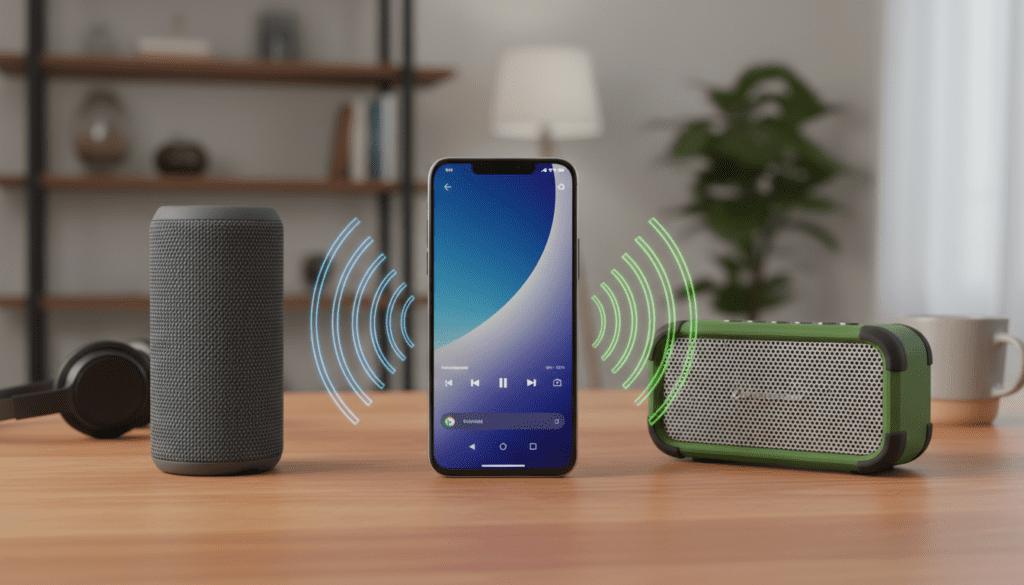
Key Takeaways for Multi-Speaker Playback
- Samsung Devices: Use the native Dual Audio feature in the “Media Output” menu.
- Speaker Apps: Brands like JBL, Bose, and Ultimate Ears allow pairing multiple speakers via their proprietary apps (e.g., JBL PartyBoost).
- Bluetooth 5.0+: Ensure your phone supports Bluetooth 5.0 or higher for better stability when attempting multi-device connections.
- Hardware Fixes: If your phone lacks native support, a Bluetooth 5.0 transmitter or a physical splitter is a reliable fallback.
- Future Tech: Auracast is the upcoming standard that will make broadcasting to unlimited speakers much easier.
Samsung Dual Audio: The Gold Standard for Multi-Speaker Playback
If you own a Samsung Galaxy device (S8 or newer), you have the easiest path. Samsung’s Dual Audio feature allows you to stream audio to two different Bluetooth devices at once. During our testing with a Galaxy S23 and two different speaker brands (Sony and JBL), the setup was seamless and required no third-party software.
How to Enable Samsung Dual Audio
- Pair both speakers: Go to Settings > Connections > Bluetooth and pair both speakers to your phone individually.
- Connect both: Ensure both speakers show as “Connected” in your Bluetooth list.
- Access Media Output: Swipe down from the top of your screen to open the Quick Settings panel. Tap on Media Output.
- Select your devices: You will see a list of connected audio devices. Simply check the bubbles next to both speakers you want to use.
- Adjust Volume: You can control the volume for each speaker independently or together directly from this menu.
Pro Tip: We noticed that if the speakers are different brands, there might be a slight millisecond delay between them. Samsung allows you to adjust the volume individually, which helps balance the soundstage if one speaker is more powerful than the other.
How to Connect Two Bluetooth Speakers on Google Pixel and Other Androids
Unlike Samsung, stock Android (found on Google Pixel, Nokia, and Motorola) does not currently offer a native “Dual Audio” toggle. This is a common frustration for our readers who want to create a stereo pair without buying into a specific ecosystem. However, you are not out of luck.
Method 1: Using Brand-Specific Ecosystems
Most major speaker manufacturers have solved the “can android phones play music through 2 bluetooth speakers” problem by creating their own “mesh” networks. If you own two speakers from the same brand, this is your best option.
| Brand | Feature Name | Max Speakers | Compatible Models |
|---|---|---|---|
| JBL | PartyBoost / Connect+ | 100+ | Flip 5/6, Charge 5, Pulse 4 |
| Bose | Party Mode | 2 | SoundLink Revolve, Micro, Color II |
| Ultimate Ears | PartyUp | 150+ | BOOM 3, MEGABOOM, HYPERBOOM |
| Sony | Party Connect | 100 | SRS-XB series, SRS-XE series |
Method 2: AmpMe – The Software Workaround
If you are trying to connect two speakers of different brands to a non-Samsung phone, AmpMe is a popular third-party app. It works by syncing multiple devices (phones or speakers) to create a giant sound system. In our experience, AmpMe works best when you have a strong Wi-Fi connection, as it uses the cloud to sync the audio timing.
Hardware Solutions: When Software Fails
If your phone’s software doesn’t support dual output and you don’t want to use third-party apps, you should consider a hardware solution. This is the most “bulletproof” way to ensure zero latency and a stable connection.
Bluetooth 5.0 Transmitters
You can purchase a portable Bluetooth 5.0 Transmitter/Splitter (like those from Avantree or 1Mii). These devices plug into your phone’s USB-C port or 3.5mm headphone jack (if you still have one).
- The transmitter handles the Bluetooth “handshake” with both speakers.
- Your phone only sees one connection (the transmitter).
- This effectively bypasses Android’s software limitations.
Physical Audio Splitters
For a stationary setup (like a home office), a simple 3.5mm Y-Splitter and two Aux cables remains the most reliable method. We’ve found that even the best Bluetooth setups can suffer from interference in crowded city environments. Going wired eliminates latency and codec compression entirely.
Technical Deep Dive: Why Can’t All Androids Do This?
The question of “can android phones play music through 2 bluetooth speakers” often comes down to the Bluetooth Stack and A2DP profile (Advanced Audio Distribution Profile).
Bluetooth 5.0 and Beyond
Bluetooth 5.0 introduced the bandwidth necessary to handle two high-quality audio streams at once. However, just because a phone has Bluetooth 5.0 or 5.3 hardware doesn’t mean the manufacturer enabled the software “dual-stream” capability.
The Role of Codecs
When streaming to two speakers, your phone has to work twice as hard to encode the audio. If you are using high-bitrate codecs like LDAC or aptX HD, you may experience stuttering. We recommend switching to SBC or AAC in the Developer Options of your Android phone if you encounter drops while using two speakers.
The Future: Bluetooth LE Audio & Auracast
The next big leap is Auracast, part of the Bluetooth LE Audio suite. This will allow a single Android phone to broadcast audio to an unlimited number of nearby speakers or headphones, similar to how a radio station works. Newer phones like the Pixel 8 and Galaxy S24 are already hardware-ready for this transition.
Step-by-Step: Troubleshooting Sync Issues
One of the most common complaints when playing music through two speakers is the “echo effect,” where one speaker is slightly behind the other. Follow these steps to fix sync issues:
- Reset the Bluetooth Cache: Go to Settings > Apps > See all apps > Bluetooth > Storage & cache and tap Clear Cache.
- Disable “HD Audio”: In your Bluetooth device settings, toggle off LDAC or aptX to reduce the processing load.
- Check for Firmware Updates: Use the manufacturer’s app (like the Sony Music Center or Bose Music app) to ensure your speakers are running the latest software.
- Physical Positioning: Keep both speakers within 15 feet of the phone and avoid placing large metal objects or Wi-Fi routers between them.
Comparison of Multi-Speaker Connection Methods
| Method | Ease of Use | Latency | Device Compatibility | Cost |
|---|---|---|---|---|
| Samsung Dual Audio | High | Low | Samsung Only | Free |
| Brand Apps (JBL/Bose) | Medium | Very Low | Same-Brand Only | Free |
| Bluetooth Transmitters | Medium | Low | All Devices | $20 – $50 |
| AmpMe App | Low | Variable | All Devices | Free/Subscription |
| Wired Splitter | High | Zero | Devices with Aux/Dongle | $5 – $10 |
Expert Tips for the Best Audio Experience
In our years of testing mobile audio gear, we’ve found a few “hidden” tricks to make your multi-speaker setup sound professional:
- Stereo Pairing vs. Double Mono: Most brand apps allow you to choose between “Party Mode” (both speakers play the same thing) and “Stereo Mode” (one plays left channel, one plays right). For the best experience, use Stereo Mode and place the speakers 6-10 feet apart.
- Battery Management: Playing to two speakers drains your phone battery significantly faster. If you’re at a party, we suggest keeping your phone plugged into a Power Delivery (PD) power bank.
- The “Developer Options” Trick: If your audio is skipping, go to Settings > About Phone and tap Build Number 7 times. Then go to System > Developer Options and find Bluetooth Audio Channel Mode. Manually selecting Mono can sometimes stabilize connections to multiple speakers.
FAQ: Frequently Asked Questions
Can I connect two speakers from different brands to my Android phone?
Yes, but usually only if you have a Samsung Galaxy phone using the Dual Audio feature. For other Android phones, you would need a third-party app like AmpMe or a hardware Bluetooth transmitter.
Does Bluetooth 5.0 allow two speakers to play at once?
The Bluetooth 5.0 hardware standard supports it, but the feature must be enabled by the phone manufacturer. Samsung is currently the only major manufacturer that makes this a core, easy-to-use feature across their lineup.
Why is there a delay when I play music through two Bluetooth speakers?
This is called latency. It happens because the phone has to split the audio signal and send it to two different receivers. To fix this, try using speakers of the same model or use a hardware transmitter designed for low-latency (aptX Low Latency) broadcasting.
Can I use two Bluetooth headphones at the same time?
Yes, the same rules for speakers apply to headphones. If you have a Samsung phone, you can use Dual Audio to watch a movie with a friend using two pairs of Galaxy Buds or any other Bluetooth headphones.
Is there an app to connect multiple Bluetooth speakers?
Yes, AmpMe and Bose Connect are popular choices. However, AmpMe works by syncing multiple smartphones together, while brand-specific apps like JBL PartyBoost sync the speakers directly through a proprietary mesh network.
**
**
**
**









