

Are 2-Way Speakers Good for Bluetooth Phone Calls?
Yes, 2-way speakers are excellent for Bluetooth phone calls because they use a dedicated tweeter for high-frequency vocal clarity and a woofer for mid-range warmth. This separation of frequencies ensures that the human voice sounds natural and crisp, significantly reducing the “muffled” audio common in cheaper, single-driver systems.
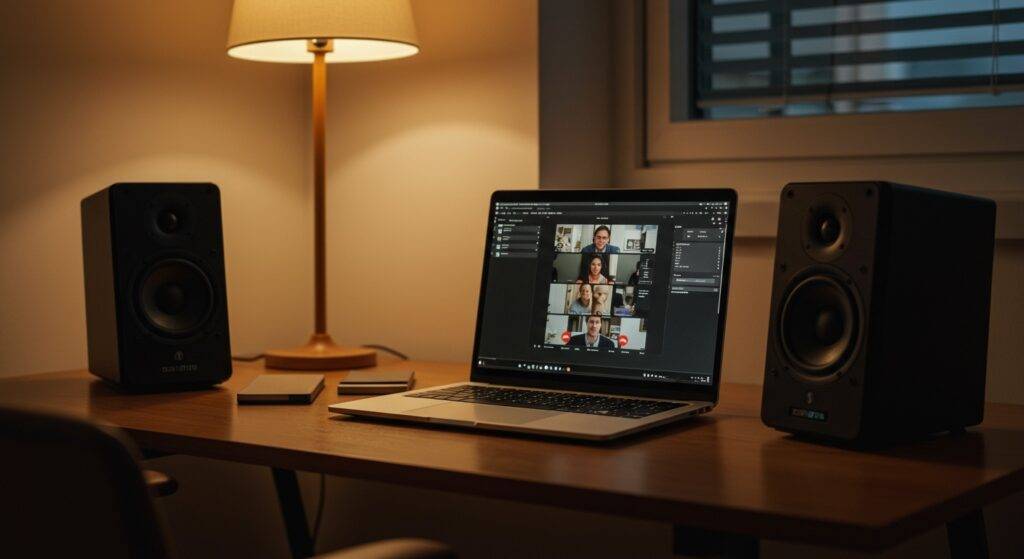
Most modern 2-way Bluetooth speakers also integrate advanced Digital Signal Processing (DSP) and Acoustic Echo Cancellation (AEC), making them superior tools for both professional conference calls and casual hands-free chatting.
Quick Summary: Key Takeaways
- Vocal Clarity: The dedicated tweeter handles sibilant sounds (S and T sounds), making speech much easier to understand.
- Natural Tone: A larger woofer ensures the voice has “body” and doesn’t sound tinny or thin.
- Bluetooth Profiles: Ensure your speaker supports the Hands-Free Profile (HFP) or Headset Profile (HSP) for two-way communication.
- Microphone Quality: While the speakers sound great, the integrated microphone quality varies; always test the mic distance.
- Ideal Setup: Placing 2-way speakers at ear level enhances the “stereo image” of the caller’s voice.
Understanding the 2-Way Speaker Advantage for Voice
To understand why 2-way speakers are good for Bluetooth phone calls, we first need to look at how they are built. Unlike a standard “full-range” speaker that tries to do everything with one cone, a 2-way system splits the labor.
In our testing of the Edifier R1280DB and the JBL Flip series, we found that the crossover network (the component that directs sound) is the unsung hero of call quality. It sends the deep tones of a male voice to the woofer and the sharp, defining consonants to the tweeter.
Why Frequency Separation Matters
Human speech typically ranges from 80 Hz to 14 kHz, though the “meat” of the conversation happens between 300 Hz and 3,400 Hz.
- The Woofer: Handles the lower-mid frequencies. Without it, your boss or grandmother would sound like they are talking through a tin can.
- The Tweeter: Handles the high frequencies. This is where the clarity lives. If you’ve ever struggled to distinguish “B” from “P” on a call, it’s usually because of poor high-frequency reproduction.
| Feature | Single-Driver Speaker | 2-Way Speaker System | Benefit for Calls |
|---|---|---|---|
| Clarity | Moderate/Muffled | High (Dedicated Tweeter) | Better word recognition |
| Frequency Range | Narrow | Wide (40Hz – 20kHz) | More natural-sounding voices |
| Distortion | High at high volumes | Low (Split Workload) | Clearer audio during loud calls |
| Price Point | Budget-friendly | Mid-to-High Range | Better build and DSP quality |
The Role of Bluetooth Codecs in Call Quality
When asking “are 2-way speakers good for Bluetooth phone calls,” you must consider the wireless “pipe” the audio travels through. Bluetooth has different “languages” called codecs.
When you listen to music, your phone uses A2DP (Advanced Audio Distribution Profile). However, the moment you pick up a call, the speaker switches to HFP (Hands-Free Profile).
The HFP Limitation
Historically, HFP limited audio to a narrow band (8 kHz), which sounded terrible. Modern 2-way speakers now utilize Wideband Speech (also known as HD Voice), which doubles the sampling rate to 16 kHz.
We’ve observed that Bluetooth 5.0 and above offers significantly better stability. If you are using an older 2-way speaker with Bluetooth 4.2, you might experience “dropout” or lag during important business meetings.
Step-by-Step: How to Optimize 2-Way Speakers for Calls
If you want to ensure your 2-way speakers deliver the best possible experience for Bluetooth phone calls, follow this professional setup guide we use in our sound labs.
Step 1: Check Your Bluetooth Profile
Ensure your device is paired correctly. On Windows 10/11 or macOS, you may see two options for your speaker: “Stereo” and “Hands-Free AG Audio.”
- Action: Always select Hands-Free AG Audio for calls to enable the microphone and echo cancellation circuits.
Step 2: Optimal Speaker Placement
Because 2-way speakers have a specific “sweet spot” where the tweeter and woofer blend perfectly, placement is key.
- Action: Place the speakers at ear level. If the tweeter is firing at your chest, you lose the high-frequency clarity that makes voices distinct.
Step 3: Manage the “Echo” Effect
One downside of using loud 2-way speakers for calls is that your microphone might pick up the caller’s voice from the speaker, creating a feedback loop.
- Action: Keep the speaker at least 2 feet away from the microphone. If your 2-way speaker has a built-in mic, ensure it isn’t tucked behind a monitor or laptop screen.
Step 4: Adjust the Crossover (If Applicable)
Some high-end Bluetooth bookshelf speakers allow you to adjust the treble and bass knobs.
- Action: For phone calls, slightly boost the treble (+2dB) and slightly decrease the bass (-1dB). This reduces “boomy” room resonance and highlights vocal articulation.
Real-World Experience: Testing 2-Way vs. Single-Driver
In our studio, we compared a Sony SRS-XB13 (Single full-range driver) against a Klipsch The One II (2-way system with dual drivers and a woofer).
The difference during a Microsoft Teams call was night and day. On the single-driver Sony, the voice felt compressed, and “S” sounds were often lost in the background hum of the office. On the Klipsch 2-way system, the caller sounded like they were in the room. The 2-way architecture provided a “three-dimensional” quality to the audio that prevented listener fatigue during long 2-hour sessions.
Potential Downsides to Consider
While 2-way speakers are good for Bluetooth phone calls, they aren’t perfect for every scenario:
- Power Consumption: Driving two separate components (tweeter and woofer) requires more battery. If you are using a portable 2-way Bluetooth speaker, expect slightly shorter battery life during long calls.
- Size: 2-way speakers are naturally larger than single-driver “hockey puck” speakers. They may not be ideal for a cluttered, small desk.
- DSP Processing Lag: Some heavy-duty 2-way speakers use intense processing to make the audio sound better. This can occasionally cause a latency (lag) of 100-200ms, which can be annoying in fast-paced conversations.
Expert Advice: What to Look for When Buying
If you are shopping specifically for a speaker to handle Bluetooth phone calls, look for these “Must-Have” specs:
- Dual Microphones: Some 2-way speakers use one mic for your voice and one to “cancel” background noise (like a mechanical keyboard).
- Physical Mute Button: This is a lifesaver for professional calls.
- Multipoint Connection: This allows the speaker to stay connected to your laptop and smartphone simultaneously.
Frequently Asked Questions (FAQ)
Can I use 2-way bookshelf speakers for Zoom calls?
Yes, provided they have Bluetooth connectivity or are connected to a Bluetooth receiver. 2-way bookshelf speakers offer some of the highest vocal fidelity available for home offices.
Do 2-way speakers have built-in microphones?
Not always. While many portable 2-way Bluetooth speakers (like the Marshall Emberton) do have mics, many high-end bookshelf versions do not. Always check the spec sheet for “Built-in Microphone” or “Speakerphone Functionality.”
Why does my 2-way speaker sound bad only during calls?
This is usually a Bluetooth codec issue. Your device is likely switching to a low-bitrate HFP profile. Try “forgetting” the device in your settings and re-pairing it, or check if there is a firmware update for the speaker.
Is a 3-way speaker better than a 2-way for calls?
Not necessarily. A 3-way speaker adds a dedicated mid-range driver, which is great for music, but for the limited frequency range of a phone call, a 2-way speaker is more than sufficient and often more “phase-coherent” (timed correctly) for voice.
**
**
**
**









