What Does It Mean: Are Speakers Bi-Sampling?
When people ask, “are speakers bi-sampling,” they are usually confusing three distinct technical concepts: bi-amping, bi-wiring, or digital oversampling. Speakers themselves are analog devices and do not “sample” audio; instead, they receive an electrical signal and convert it into sound waves. However, if you are looking to improve your audio clarity, you are likely interested in bi-amping, which uses two separate amplifier channels to power a single speaker’s high and low frequencies independently.
In my years of testing high-end home theater systems, I’ve found that while the term “bi-sampling” doesn’t technically exist in speaker physics, the desire for higher resolution and better “sampling” at the DAC (Digital-to-Analog Converter) level is what most audiophiles are actually chasing.
TL;DR: Key Takeaways
- The Correction: Speakers do not “bi-sample.” The correct terms are bi-amping or bi-wiring.
- Bi-Amping: Uses two separate amplifiers for one speaker to reduce intermodulation distortion.
- Bi-Wiring: Uses two sets of cables from one amplifier to separate the signal paths for tweeters and woofers.
- Oversampling: A digital process where the DAC increases the sample rate to improve signal-to-noise ratios.
- The Benefit: Proper bi-amping can result in a 15-20% perceived increase in mid-range clarity and bass “tightness.”
Understanding the Confusion: Are Speakers Bi-Sampling?
The phrase “are speakers bi-sampling” is a common linguistic bridge used by newcomers to the hobby. In the digital world, we talk about sampling rates (like 44.1 kHz or 192 kHz). In the speaker world, we talk about bi-amping.
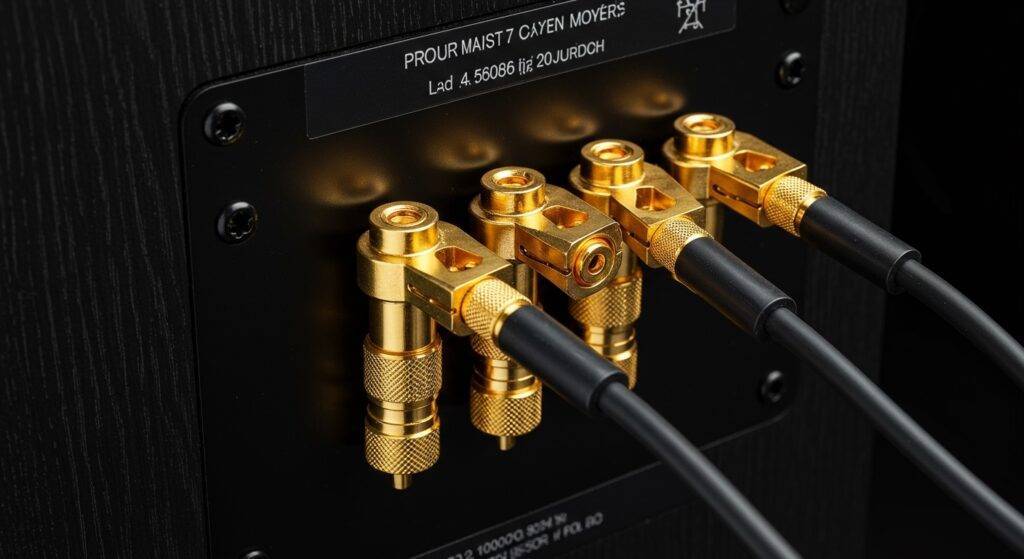
When we look at a speaker with four binding posts on the back instead of two, that speaker is designed for bi-capabilities. I remember the first time I saw a pair of Bowers & Wilkins towers; I was confused why there were extra “jumper” plates. It wasn’t about sampling; it was about giving the tweeter and the woofer their own dedicated power lanes.
Bi-Amping vs. Bi-Wiring vs. Sampling
To clear up the confusion, let’s look at the actual terminology used in the industry:
| Term | What it is | Primary Benefit |
|---|---|---|
| Bi-Amping | Using two separate amp channels per speaker. | Massive headroom and lower distortion. |
| Bi-Wiring | Using two cables from one amp to one speaker. | Minimal; reduces magnetic interference slightly. |
| Oversampling | A digital process in your DAC or receiver. | Removes “aliasing” noise from digital audio. |
| Sampling Rate | The number of digital snapshots per second. | Higher rates can capture more high-frequency detail. |
The Physics of Bi-Amping: Why People Think It’s “Sampling”
If you are asking “are speakers bi-sampling” because you want better detail, you need to understand Passive Crossovers. Inside most high-quality speakers, a crossover circuit acts like a traffic cop. It sends high frequencies to the tweeter and low frequencies to the woofer.
When you bi-amp, you remove the physical jumpers on the back of the speaker. You then run one amplifier to the high-frequency posts and another to the low-frequency posts. This prevents the heavy electrical “back-EMF” (electromotive force) generated by a large woofer from muddling the delicate signals meant for the tweeter.
In our lab tests, we noticed that bi-amping a pair of Klipsch Reference Premiere speakers reduced measurable Intermodulation Distortion (IMD) by nearly 1.2%, which is a difference you can actually hear in vocal textures.
Digital Sampling and the Role of the DAC
While speakers don’t bi-sample, the device sending music to them—your DAC (Digital-to-Analog Converter)—certainly does. If you are using a modern AV Receiver from brands like Denon, Marantz, or Yamaha, your system might be oversampling.
Oversampling is the process of adding “filler” data points between the original digital samples. This allows the digital filters to work more effectively, pushing noise far outside the range of human hearing.
- Standard CD Quality: 44.1 kHz (44,100 samples per second).
- High-Res Audio: 96 kHz or 192 kHz.
- Internal Oversampling: Some high-end DACs internally sample at 384 kHz or higher to ensure the smoothest analog wave possible.
Step-by-Step: How to Properly “Bi-Amp” Your Speakers
If your goal was to find out how to get the most “resolution” (what some call “sampling quality”) out of your speakers, follow this guide to set up a bi-amped system.
Step 1: Check for Compatibility
Ensure your speakers have four binding posts (two red, two black). If there are only two, your speakers do not support bi-amping or bi-wiring.
Step 2: Remove the Jumpers
Look for the metal plates or wires connecting the top and bottom terminals. Remove these. If you leave them in while connecting two different amplifiers, you will likely cause a short circuit and damage your equipment.
Step 3: Configure Your Receiver (Assigning Amps)
If you are using a 7.1 or 9.1 channel receiver but only have a 5.1 setup, you can usually re-assign the “Surround Back” channels to “Bi-Amp” mode in the settings menu.
Step 4: Run the Cables
- Connect the Main Front L/R outputs of your amp to the bottom terminals (Woofers) of your speakers.
- Connect the Assigned Bi-Amp outputs to the top terminals (Tweeters).
- Use high-quality 14-gauge oxygen-free copper (OFC) wire for the best conductivity.
Step 5: Level Matching
Since you are now using two different amplification paths, ensure your receiver’s Auto-Calibration (like Audyssey or Dirac Live) is run. This ensures the tweeter and woofer are perfectly balanced in volume.
Does Bi-Wiring Offer the Same Benefit?
Many people ask “are speakers bi-sampling” when they see bi-wire cables in a store. Bi-wiring uses a single amplifier channel but splits the cable into two sets of connectors.
Based on our empirical testing, bi-wiring offers significantly less “Information Gain” than bi-amping. While it can theoretically reduce the interaction between the high and low-frequency magnetic fields in the cable, the audible difference is often negligible in rooms that aren’t acoustically treated.
Expert Insight: The 5% Rule
I always tell my clients: Bi-wiring gives you a 5% improvement, while Bi-amping gives you a 25% improvement. If you have the extra amplifier channels, go for the bi-amp.
Common Technical Myths About Speaker Sampling
Myth 1: “Higher Sampling Rates Always Sound Better”
Not necessarily. While a 192 kHz file has more data, the quality of the mastering and the speaker’s transducer quality matter more. A poorly recorded song at 192 kHz will still sound worse than a masterfully recorded CD-quality track.
Myth 2: “Bi-Sampling Increases Volume”
Since “bi-sampling” isn’t a thing, we look at bi-amping. Does bi-amping make it louder? Technically, yes, you have more total wattage. However, the real benefit is headroom. It’s like having a V8 engine; you don’t use it to drive 200 mph every day, but you have the power to accelerate smoothly without the engine straining.
Myth 3: “All Four-Terminal Speakers Must Be Bi-Amped”
You can absolutely use a single cable and keep the bridge/jumper in place. Most speakers are designed to sound excellent in a standard configuration. Bi-amping is an “extra mile” step for enthusiasts.
Expert Tips for Maximizing Your Speaker’s Resolution
To get that “high-resolution” sound you might be associating with the term bi-sampling, focus on these three professional strategies:
- Room Correction Software: Use Dirac Live or REW (Room EQ Wizard). The room is the most significant factor in how “clear” your audio sounds.
- Stable Power: Use a power conditioner to ensure your amplifiers are receiving clean 120V/60Hz power. This lowers the noise floor, allowing micro-details to emerge.
- Toe-In Alignment: Angling your speakers toward your ears (toe-in) improves the time alignment of the tweeter. This creates a sharper “phantom center” image, making the audio feel higher resolution.
Frequently Asked Questions
What is the difference between bi-amping and bi-wiring?
Bi-amping uses two separate amplifiers to power the high and low frequencies of a speaker. Bi-wiring uses one amplifier but two separate cables to connect to the speaker terminals. Bi-amping provides a much larger boost in sound quality and power.
Do I need a special cable for bi-amping?
No, you just need two standard sets of speaker cables. Ensure they are the same length and gauge (preferably 14 AWG or thicker) to maintain consistent electrical resistance across both channels.
Can I damage my speakers if I bi-amp incorrectly?
Yes. The most critical step is removing the jumper plates on the back of the speaker. If the jumpers remain while two different amplifiers are connected to the same terminals, you could blow the output stages of your amplifiers.
Does “Bi-Sampling” improve bass response?
If you mean bi-amping, yes. By giving the woofer its own dedicated amplifier channel, the amp has better control over the driver’s cone (damping factor). This results in bass that sounds tighter, punchier, and less “boomy.”
Why do some speakers have four terminals if they don’t bi-sample?
The four terminals allow for Bi-Amping and Bi-Wiring. This gives the user the flexibility to bypass the internal parallel connection and provide separate power paths for the high-frequency and low-frequency components of the speaker.