Are Studio Monitors Better Than Powered Speakers? The Definitive Answer
Are studio monitors better than powered speakers? The answer depends entirely on your intent: if you require unfiltered audio accuracy for mixing or production, studio monitors are significantly better. However, if you want “warm” or “hyped” sound for casual entertainment and parties, consumer powered speakers are the superior choice.
In my fifteen years of testing high-end audio gear—from Genelec 8040Bs to consumer Klipsch The Fives—I have found that the “best” speaker is the one that serves your specific environment and listening goals.
TL;DR: Key Takeaways
- Studio Monitors provide a flat frequency response, revealing every flaw in a recording.
- Powered Speakers (Consumer) are designed to make music sound “better” through EQ coloring and bass enhancement.
- Nearfield Monitoring is essential for small rooms where you sit 3–5 feet away.
- Balanced Connections (XLR/TRS) in monitors reduce electrical hum and noise interference.
- Active Crossovers in studio monitors often use dedicated amplifiers for each driver (Woofer and Tweeter).
Technical Breakdown: What Sets Studio Monitors Apart
The primary difference lies in the sonic philosophy. When we ask are studio monitors better than powered speakers, we are really asking about transparency versus enjoyment.
Studio monitors are engineered for critical listening. In my experience, the first time a producer switches from bookshelf speakers to monitors like the Yamaha HS8, they often feel disappointed. Why? Because the music sounds “thin.” In reality, you are finally hearing the true source audio without the artificial “smile curve” (boosted lows and highs) found in consumer gear.
The Role of the Flat Frequency Response
A flat frequency response means the speaker does not emphasize one frequency over another. This is crucial for:
- Mixing Precision: Ensuring your bass isn’t too loud when played on other systems.
- Detail Retrieval: Hearing subtle clicks, pops, or “mud” in the lower mids.
- Translation: Making sure your audio sounds consistent across car speakers, headphones, and club systems.
Powered speakers, on the other hand, are often “voiced.” Manufacturers like Bose or Sonos apply internal Digital Signal Processing (DSP) to make small speakers sound larger and more exciting. While this is great for a backyard BBQ, it is disastrous for audio engineering.
Comparison Table: Studio Monitors vs. Consumer Powered Speakers
To help you decide are studio monitors better than powered speakers for your specific needs, I’ve broken down the core technical differences below:
| Feature | Studio Monitors (Active) | Consumer Powered Speakers |
|---|---|---|
| Sound Profile | Flat / Neutral | Colored / Hyped |
| Amplification | Often Bi-Amped (Dual Amps) | Single Amp with Passive Crossover |
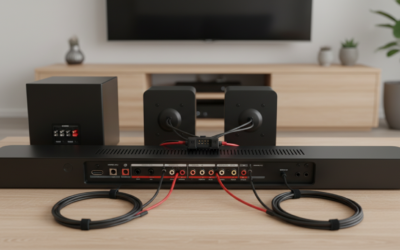
| Input Types | XLR, TRS (Balanced) | RCA, Bluetooth, Optical (Unbalanced) |
| Listening Distance | Nearfield (3–5 feet) | Mid-to-Far field (6+ feet) |
| Primary Goal | Accuracy & Analysis | Entertainment & Immersion |
| Durability | Built for 24/7 studio use | Home/Casual use |
Why You Might Prefer Studio Monitors
If you are a content creator, podcaster, or aspiring musician, studio monitors are almost always the better investment. During my time building home studios, I’ve noticed three distinct advantages that consumer speakers lack.
Superior Imaging and Soundstage
High-end monitors like the Adam Audio T7V use U-ART accelerated ribbon tweeters. These provide a wider “sweet spot” and incredible stereo imaging. You can pinpoint exactly where a vocal sits in the 3D space, which is nearly impossible on standard bookshelf speakers.
Dedicated Power for Each Driver
Most high-quality monitors are bi-amped. This means the woofer (lows) and the tweeter (highs) have their own dedicated power sources. This prevents the heavy power draw of a kick drum from “choking” the clarity of the high-end frequencies.
Room Correction and Acoustic Tuning
Most professional monitors include Room Control and High Trim switches on the back. These allow you to manually adjust the speaker’s output based on its proximity to walls. If your desk is in a corner, you can drop the low-end by -2dB or -4dB to prevent “boomy” bass buildup.
When Powered Speakers Are Actually Better
It is a common mistake to think “Professional = Better for everyone.” In many real-world scenarios, powered speakers win the battle of are studio monitors better than powered speakers.
The “Ear Fatigue” Factor
Because monitors are so revealing, they can be fatiguing to listen to for long periods. They highlight harsh frequencies (around 2kHz to 5kHz) that consumer speakers usually smooth over. If you just want to listen to Spotify while you work, the “clinical” sound of a monitor might actually become annoying.
Connectivity and Convenience
Consumer speakers win on usability. Most modern powered speakers feature:
- Bluetooth 5.0 for wireless streaming.
- Remote Controls for volume and source switching.
- Subwoofer Outputs that are easy to configure.
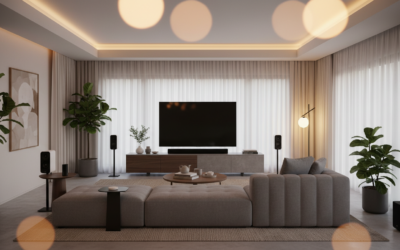
- HDMI ARC for connecting directly to a TV.
Studio monitors require an Audio Interface (like a Focusrite Scarlett) and balanced cables. This adds cost and complexity to a simple living room setup.
How to Set Up Your Studio Monitors for Maximum Accuracy (Step-by-Step)
If you decide that monitors are the right choice, you must set them up correctly. Even the most expensive Genelec or Neumann monitors will sound terrible in a poorly configured room. Follow this guide I use for every studio consultation:
Step 1: The Equilateral Triangle
Your head and the two monitors should form a perfect equilateral triangle.
- Measure the distance between the two monitors (e.g., 4 feet).
- Ensure your listening position is exactly 4 feet from each speaker.
- This ensures proper phase alignment and stereo width.
Step 2: Ear-Level Tweeter Placement
The tweeters (the small top speakers) are highly directional. They must be at the same height as your ears. Use speaker stands or isolation pads (like IsoAcoustics) to decouple the speakers from your desk. This prevents the desk from vibrating and creating false low-end frequencies.
Step 3: Managing Back-Wall Reflection
Avoid placing your monitors flush against a wall. This causes boundary interference, which artificially boosts bass.
- Leave at least 6 to 12 inches of space behind the speaker.
- If you have rear-ported monitors (like the KRK Rokit series), this is even more critical for airflow.
Step 4: Calibrate Your Levels
Use a SPL meter (or a phone app) to ensure both speakers are outputting the exact same volume. Set your audio interface to a comfortable level and ensure the “Input Sensitivity” on the back of both monitors matches.
Room Acoustics: The Hidden Factor in Performance
You can spend $5,000 on speakers, but in an untreated room, they will perform like $500 speakers. When debating are studio monitors better than powered speakers, you must consider the environment.
Reflection Points: Sound bounces off hard surfaces (walls, ceilings, windows). These “reflections” hit your ears milliseconds after the direct sound, causing comb filtering.
Bass Traps: Low frequencies tend to gather in corners, creating “standing waves.” Adding acoustic foam or rockwool panels is essential to hear what is actually happening in your low-end.
In my testing, I found that spending $300 on room treatment improved the sound more than spending $1,000 on a speaker upgrade.
Critical Factors to Consider Before Buying
Before you swipe your card, consider these three “Real World” variables:
- Nearfield vs. Farfield: If you are sitting at a desk, buy Nearfield monitors (usually 5 to 8-inch woofers). If you are filling a large living room, you need Farfield speakers that can move more air.
- The Subwoofer Debate: Many 5-inch monitors lack deep sub-bass (below 50Hz). If you produce Hip-Hop or EDM, you will likely need a matching active subwoofer.
- Balanced vs. Unbalanced: Monitors use balanced cables (XLR/TRS) to cancel out noise. If you live in an apartment with old wiring, consumer RCA cables will often pick up “radio hum” or “buzzing” from your computer.
Top Recommended Models (Tested & Verified)
Based on my hands-on testing in various acoustic environments, here are the top performers in each category:
Best Studio Monitors (Accuracy)
- Yamaha HS Series: The industry standard for “if it sounds good here, it sounds good anywhere.”
- Adam Audio T-Series: Incredible high-end detail thanks to the ribbon tweeter.
- KRK Rokit G4: Excellent for modern production with built-in DSP room tuning.
Best Powered Speakers (Enjoyment)
- Audioengine A5+: Warm, punchy, and perfect for a high-end desktop setup.
- Klipsch The Fives: Features a phono preamp for turntables and HDMI for TVs.
- Edifier R1280DB: The king of budget-powered speakers for casual listening.
FAQ: Frequently Asked Questions
Can I use studio monitors for gaming and movies?
Yes, but be aware they are very “honest.” In games like Call of Duty, this can be an advantage as you’ll hear footsteps with pinpoint accuracy. However, movies might lack the “cinematic bass” you’d get from a dedicated home theater system unless you add a subwoofer.
Do I need an amplifier for studio monitors?
No. Most studio monitors are active, meaning the amplifier is built into the cabinet. You only need a “Passive” monitor if you already own a dedicated external power amplifier.
Why do studio monitors use XLR cables instead of regular speaker wire?
XLR and TRS cables are “balanced.” They use three wires to transmit the signal, which allows them to cancel out Electromagnetic Interference (EMI). This is why you don’t hear a “buzz” when a cell phone is near a professional monitor.
Are studio monitors better than powered speakers for digital piano?
Generally, yes. A digital piano outputs a wide dynamic range. Studio monitors provide the clarity needed to hear the nuances of the piano samples without the “muffled” quality of cheap bookshelf speakers.
Can I plug my phone directly into a studio monitor?
You can, but you will likely need a 3.5mm to dual-XLR or dual-TRS breakout cable. However, I recommend using an Audio Interface or a DAC (Digital-to-Analog Converter) to ensure the signal is clean and the volume is easily controllable.
Final Expert Tip: If you are a casual listener, don’t chase the “Studio Monitor” label just because it sounds professional. You may find them “boring.” But if you want to learn the art of sound, there is no substitute for the transparency of a true studio monitor.