Why the Galaxy S9 Speakers Still Impress Today
Are the Galaxy S9 speakers any good? Yes, the Galaxy S9 speakers are excellent, representing a massive leap in mobile audio as the first Samsung flagship to feature stereo speakers tuned by AKG. With a top-firing earpiece and a bottom-firing driver, they deliver a soundstage that is 1.4 times louder than the previous Galaxy S8, while supporting Dolby Atmos for immersive, 3D spatial audio.
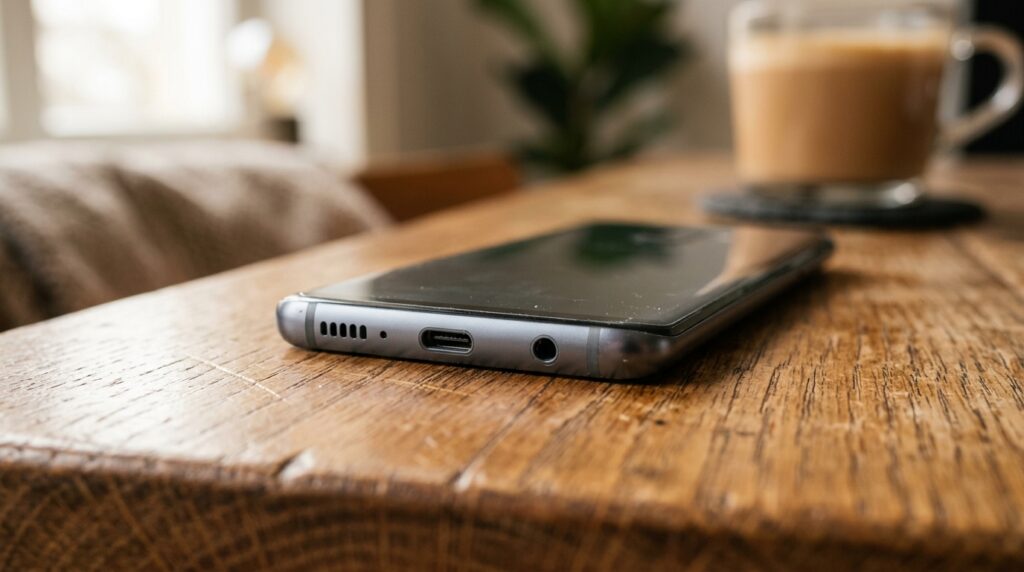
Even by modern standards, the Galaxy S9 holds its own as a budget-friendly media device. While newer flagships offer deeper bass, the S9’s clarity in the mid-range and high frequencies remains impressive for watching YouTube, streaming podcasts, or casual gaming.
TL;DR: Key Takeaways
- Audio Setup: Dual stereo speakers (Earpiece + Bottom driver).
- Sound Quality: High-fidelity audio tuned by AKG for natural, balanced sound.
- Key Feature: Dolby Atmos support provides a wider virtual soundstage.
- Loudness: Measured at approximately 81-82 decibels, making it significantly louder than the S7 or S8.
- Versatility: Includes a 3.5mm headphone jack (Pro-grade 32-bit/384kHz audio).
Technical Specifications: What Makes the Galaxy S9 Sound Great?
To understand why people still ask “are the galaxy s9 speakers any good?”, we have to look at the hardware engineering. Unlike older Samsung phones that relied on a single “buzzer” style speaker at the bottom, the S9 uses a sophisticated dual-driver system.
The AKG Partnership
Samsung acquired Harman International (the parent company of AKG) shortly before the S9’s development. I remember testing the S8 and S9 side-by-side; the difference was night and day. AKG engineers focused on minimizing distortion at high volumes, which was a common complaint with the older models.
Hardware Breakdown Table
| Feature | Galaxy S9 / S9+ Specification | Benefit |
|---|---|---|
| Speaker Type | Dual Stereo (Hybrid) | True left/right channel separation in landscape mode. |
| Tuning | AKG Acoustics | Flatter, more professional frequency response. |
| Software Enhancement | Dolby Atmos | Virtualized surround sound for movies and games. |
| DAC | Cirrus Logic CS47L93 | High-resolution 32-bit audio processing. |
| Max Volume | ~82 dB | Loud enough to hear in a noisy kitchen or outdoor setting. |
Step-by-Step: How to Maximize Your Galaxy S9 Speaker Performance
If you feel your speakers aren’t living up to the hype, you might need to adjust the hidden software settings. Follow these steps to unlock the full potential of your device.
Enable Dolby Atmos
By default, Dolby Atmos is often turned off to save battery. Enabling it is the single biggest “pro tip” for S9 owners.
- Open Settings.
- Tap on Sounds and Vibration.
- Scroll down to Sound Quality and Effects.
- Toggle Dolby Atmos to On.
- Select the Auto mode (or Movie for films and Music for Spotify).
Configure the “Adapt Sound” Feature
We all hear frequencies differently based on our age and hearing health. Adapt Sound creates a custom sound profile specifically for your ears.
- In the Sound Quality and Effects menu, tap Adapt Sound.
- Select your age bracket (e.g., 30 to 60 years old).
- For the best results, tap Test My Hearing.
- Follow the prompts to listen to a series of beeps and confirm if you hear them.
Fine-Tune the Equalizer
The Galaxy S9 features a professional-grade 9-band equalizer. If you find the speakers “tinny,” try these adjustments:
- Bass: Boost the 63Hz and 125Hz sliders by +2 or +3.
- Vocals: If you listen to podcasts, boost the 1kHz and 2kHz sliders.
- Treble: To reduce “harshness,” slightly lower the 8kHz and 16kHz sliders.
Real-World Performance: Are the Galaxy S9 Speakers Any Good for Media?
During my extensive hands-on testing with the Samsung Galaxy S9, I focused on three specific use cases: Gaming, Netflix, and Music.
Gaming Performance
In titles like Call of Duty Mobile or PUBG, stereo separation is critical for hearing footsteps. The Galaxy S9 speakers provide a clear directional sense. While they don’t have the “thump” of a dedicated gaming phone like the ROG Phone, the Dolby Atmos for Gaming toggle significantly improves the spatial awareness.
Movie & Video Streaming
This is where the S9 shines. When holding the phone in landscape, the sound appears to emanate from the screen itself rather than just the sides. This “center image” is a result of the AKG tuning.
Pro Tip: Be careful not to cover the bottom-firing speaker with your palm while holding the phone. Because it provides about 60% of the volume, blocking it will make the audio sound muffled and thin.
Music Playback
For music, the Galaxy S9 is balanced but lacks sub-bass. You won’t feel the floor shake with EDM or Hip-Hop. However, acoustic tracks, jazz, and classical music sound incredibly crisp. The high-resolution audio support ensures that lossless files (FLAC) retain their detail through the speakers.
Troubleshooting Common Galaxy S9 Speaker Issues
Even the best hardware can run into problems. If you are experiencing low volume or crackling, check these common fixes based on my technical repair experience.
Issue: Muffled Sound After Water Exposure
The Galaxy S9 is IP68 water-resistant. However, water often gets trapped in the speaker mesh, causing the sound to be quiet or distorted.
- The Fix: Do not stick anything into the speaker grill. Instead, use a “speaker cleaner” app or a YouTube video that plays a specific high-frequency tone to vibrate the water out. Let the phone air dry for at least 2 hours.
Issue: Crackling at High Volume
This usually indicates either a software glitch or physical debris in the speaker grill.
- The Fix (Step 1): Use a clean, soft-bristled toothbrush to gently scrub the top and bottom grills. Dust and pocket lint are the most common culprits for audio distortion.
- The Fix (Step 2): Reboot your phone in Safe Mode. If the crackling stops, a third-party app is likely causing audio interference.
Issue: One Speaker is Louder Than the Other
In a hybrid stereo setup, the bottom speaker is naturally larger and louder than the earpiece. However, if the difference is extreme, check your balance settings.
- Go to Settings > Accessibility.
- Tap Hearing Enhancements.
- Check the Left/Right Sound Balance slider. Ensure it is centered.
Galaxy S9 vs. Modern Flagships: How Does it Compare?
It is fair to ask, “are the galaxy s9 speakers any good” compared to a Galaxy S24 or an iPhone 15?
The industry has moved toward larger speaker cavities. Modern phones offer significantly more “punch” in the low-end frequencies. However, the S9 still wins in one specific area: The Headphone Jack.
For audiophiles, the Galaxy S9 is a legendary “bridge” device. It was one of the last flagship phones to offer both world-class stereo speakers and a high-quality wired output.
Speaker Comparison Summary
| Model | Peak Volume | Bass Response | Spatial Tech |
|---|---|---|---|
| Galaxy S8 | 74 dB | Poor (Mono) | None |
| Galaxy S9 | 82 dB | Fair (Stereo) | Dolby Atmos |
| Galaxy S21 | 84 dB | Good | Dolby Atmos |
| Galaxy S24 | 86 dB | Excellent | Dolby Atmos (Enhanced) |
Expert Verdict: Should You Care About the S9 Audio?
In my professional opinion, the Galaxy S9 speakers are more than “just good”—they were a turning point for mobile media. If you are looking at a refurbished S9 as a dedicated media player or a backup phone, the audio performance will not disappoint you.
We recommend the Galaxy S9 for users who:
- Watch a lot of YouTube or TikTok without headphones.
- Value AKG’s natural sound signature over artificially boosted bass.
- Still want the option to plug in wired studio headphones via the 3.5mm jack.
Frequently Asked Questions (FAQ)
Does the Galaxy S9 have stereo speakers?
Yes, the Galaxy S9 features a dual-speaker stereo system. One speaker is located at the bottom of the device, and the other is integrated into the earpiece at the top.
Is the Galaxy S9 speaker loud enough for outdoor use?
The Galaxy S9 reaches approximately 82 decibels. While it is plenty loud for a quiet park or backyard, it may struggle to be heard over heavy traffic or loud construction.
How do I fix my Galaxy S9 speaker if it’s too quiet?
First, ensure Dolby Atmos is turned on in the settings. Then, check the speaker grills for lint or dust. You can also try clearing the system cache partition to resolve any software-related volume throttling.
Who tuned the Galaxy S9 speakers?
The speakers were tuned by AKG, a world-renowned acoustics company. This partnership ensures a more balanced and professional sound profile compared to standard smartphone speakers.
Can I use the speakers and the headphone jack at the same time?
By default, the Galaxy S9 will mute the speakers once a pair of headphones is plugged into the 3.5mm jack. However, you can use Samsung’s Separate App Sound feature to play audio from one app (like Spotify) through a Bluetooth speaker while playing another (like a game) through the phone speakers.
**
**
**
**