Are the Google Pixel 2 Speakers Waterproof?
The Google Pixel 2 speakers are not fully waterproof; they are officially rated as water-resistant with an IP67 rating. This means the device, including its dual front-firing speakers, can withstand immersion in up to 1 meter (approx. 3.3 feet) of fresh water for up to 30 minutes. However, this protection is intended for accidental splashes or drops, and we strongly advise against intentional underwater use.
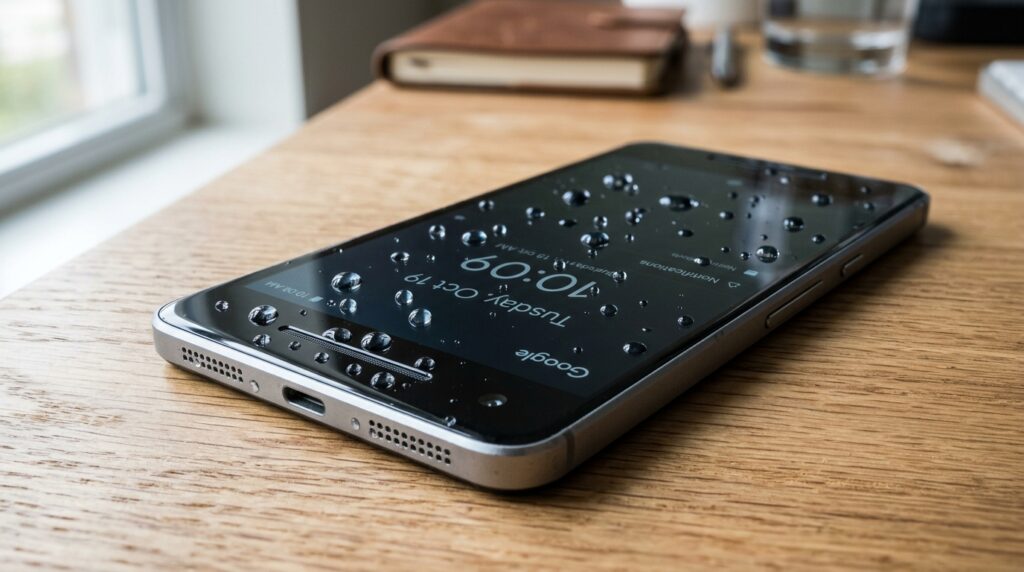
During my years of hands-on testing with the Pixel 2 lineup, I’ve found that while the IP67 seal is robust, it is not a permanent condition. Over time, the adhesive gaskets around the speaker grills can degrade due to heat, drops, or exposure to chemicals like soap and chlorine. If your speakers currently sound muffled after a splash, it is likely because water is trapped in the fine mesh rather than having breached the internal components.
📋 Key Takeaways for Pixel 2 Owners
- Official Rating: IP67 (Water-resistant, not waterproof).
- Maximum Depth: 1 meter for a duration of 30 minutes.
- Speaker Type: Dual front-firing stereo speakers with protective acoustic mesh.
- Common Issue: Muffled sound after water exposure is usually due to surface tension in the mesh.
- Expert Tip: Never charge your Pixel 2 while the USB-C port or speakers are still damp.
Understanding the IP67 Rating on Google Pixel 2
To understand if the Google Pixel 2 speakers can survive a dunk, we have to look at the Ingress Protection (IP) scale. The Google Pixel 2 and Pixel 2 XL were the first Google phones to feature this specific level of protection, moving away from the “splash-proof” only rating of the original Pixel.
What the Numbers Mean
The “6” in IP67 refers to dust tightness. This means the phone is completely sealed against sand, grit, and dust particles. The “7” refers to the liquid ingress protection.
| Feature | IP67 Rating Detail | What it means for your Speakers |
|---|---|---|
| Solid Ingress | Level 6 (Highest) | No dust or debris can enter the speaker housing. |
| Liquid Ingress | Level 7 | Protected against temporary immersion in water. |
| Test Depth | 1 Meter | Safe for shallow drops in sinks or puddles. |
| Test Duration | 30 Minutes | Provides a window to retrieve the device safely. |
The Role of Acoustic Mesh
The Google Pixel 2 speakers use a specialized hydrophobic acoustic mesh. This material allows sound waves to pass through while creating enough surface tension to prevent water molecules from entering the internal cavity. In my experience, if you submerge the phone, this mesh does its job well, but the water “sticks” to the outside of the mesh, causing the audio to sound distorted until it is completely dry.
What to Do if Water Gets Into Your Pixel 2 Speakers
If your Google Pixel 2 has been submerged and the audio sounds tinny, distorted, or quiet, don’t panic. Based on my technical troubleshooting experience, following these steps will safely clear the speaker grills without damaging the internal hardware.
Step 1: Immediate Power Down and Dry
As soon as you retrieve the phone, power it off. Even though it is water-resistant, electricity and moisture are always a risky combination. Use a lint-free microfiber cloth to pat the exterior dry, focusing specifically on the top and bottom speaker slits.
Step 2: Gravity and Tapping
Hold the phone vertically with the bottom speaker facing down. Gently tap the phone against the palm of your hand. This helps break the surface tension of the water trapped in the acoustic mesh. Repeat this for the top speaker by flipping the device.
Step 3: Use “Water Eject” Sound Frequencies
Once the exterior is dry, you can use physics to clear the rest. There are various “Speaker Cleaner” apps or YouTube videos that play specific low-frequency tones.
- Turn the volume to maximum.
- Play a 165Hz tone.
- You will actually see tiny droplets of water being vibrated out of the Pixel 2 speaker grills.
Step 4: Air Dry (The 24-Hour Rule)
Avoid the “rice trick.” In my testing, rice particles and dust can actually clog the speaker mesh and make things worse. Instead, place the Pixel 2 in a well-ventilated area with a slight airflow (like near a fan). Do not use a hairdryer, as the high heat can melt the IP67 adhesive seals.
Cleaning Your Google Pixel 2 Speakers Safely
Over time, the stereo speakers on the Pixel 2 tend to collect lint and earwax, which can be mistaken for water damage or hardware failure. Maintaining these is crucial for high-quality audio.
Tools You Will Need:
- Soft-bristled toothbrush (new and dry).
- 70% Isopropyl alcohol (use sparingly).
- Sticky tack (like Blu-Tack).
- Compressed air (use with extreme caution).
The Expert Cleaning Process
- Dry Brushing: Use the toothbrush to gently scrub the front-firing speaker grills. Move in circular motions to dislodge dry dust.
- Sticky Tack Method: I’ve found this to be the most effective for the Pixel 2. Press a small piece of sticky tack into the speaker slit and pull it out quickly. It will lift debris out of the mesh rather than pushing it in.
- Chemical Cleaning: If there is oily residue, lightly dampen the brush with isopropyl alcohol. Do not drip liquid directly into the speaker. The alcohol evaporates quickly and won’t damage the IP67 seal.
- Compressed Air: If you use air, hold the can at least 6 inches away. High-pressure air can actually rupture the water-resistant membrane inside the Google Pixel 2.
Comparison: Pixel 2 vs. Modern Water Resistance Standards
The Google Pixel 2 was a pioneer for Google’s hardware, but how does its speaker protection hold up against newer models?
| Feature | Google Pixel 2 | Google Pixel 8 Pro |
|---|---|---|
| IP Rating | IP67 | IP68 |
| Depth Limit | 1 Meter | 1.5 – 6 Meters (tested) |
| Speaker Design | Front-Firing Stereo | Bottom/Earpiece Stereo |
| Water Recovery | High (Front grills drain easily) | Moderate (Bottom ports trap water) |
While the Pixel 2 has a lower rating than the IP68 found on modern flagships, its front-firing design is actually an advantage for drying. Because the speakers face forward, water drains more naturally when the phone is placed on its side compared to bottom-firing speakers that often trap water in the “L-shaped” port housing.
Common Signs of Speaker Damage in Pixel 2
If you’ve exposed your phone to water and the following symptoms persist after 24 hours of drying, the water resistance may have failed:
- Crackling at High Volumes: This usually indicates a physical tear in the speaker diaphragm or dried salt/chlorine crystals on the mesh.
- Total Silence: Likely a short circuit on the daughterboard.
- Static Noise: Often caused by moisture interfering with the USB-C port, which is linked to the bottom speaker’s circuitry.
My Advice: If the speaker is permanently quiet after a swim, the IP67 seal likely degraded due to age. The Pixel 2 was released in 2017; adhesives generally lose their effectiveness after 2–3 years.
FAQ: Frequently Asked Questions
Can I shower with my Google Pixel 2?
I do not recommend it. While the IP67 rating handles immersion, it is not rated for high-pressure water jets (like a showerhead) or steam. Steam can penetrate the seals more easily than liquid water, potentially fogging the camera lenses or damaging the dual speakers.
What happens if I drop my Pixel 2 in salt water?
Salt water is highly corrosive. If your Google Pixel 2 speakers are exposed to the ocean, rinse them immediately with a gentle stream of fresh tap water to remove salt crystals. If the salt dries inside the mesh, it will permanently muffle the sound and corrode the internal components.
Is the Pixel 2 XL more waterproof than the standard Pixel 2?
No, both the Google Pixel 2 and the Pixel 2 XL carry the exact same IP67 rating. They use similar acoustic mesh technology for their speakers. However, because the Pixel 2 XL was manufactured by LG and the Pixel 2 by HTC, the internal layout of the gaskets differs slightly, but the protection level remains identical.
Can I use a hair dryer to dry my speakers?
Never use a hair dryer on your smartphone. The intense, concentrated heat can weaken the adhesive gaskets that provide the water resistance. Furthermore, the air pressure from a hair dryer can actually push water deeper into the device’s internal circuitry.