

Are There HDMI Speakers? The Definitive Guide to HDMI Audio
Yes, HDMI speakers exist, but they primarily take the form of active bookshelf speakers and soundbars equipped with HDMI ARC (Audio Return Channel) or eARC (Enhanced Audio Return Channel) ports. Unlike traditional passive speakers that require a bulky receiver, these specialized units allow you to connect directly to your TV or computer using a single HDMI cable for high-resolution audio and simplified control.
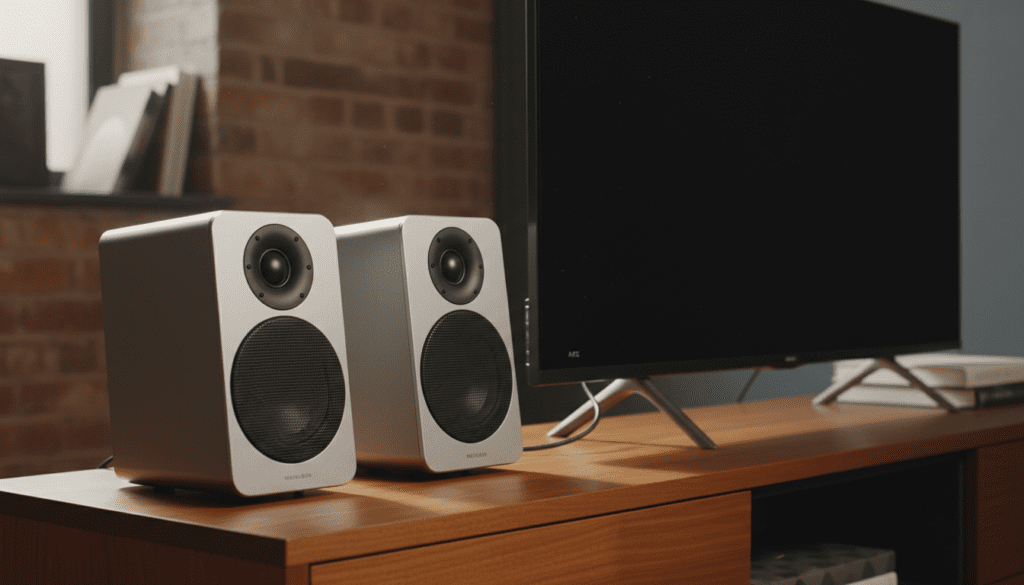
During my years testing home theater configurations, I have found that moving from optical (Toslink) to HDMI ARC is the single best upgrade for user experience. The ability to use one remote to control both your TV and your speakers through HDMI-CEC (Consumer Electronics Control) eliminates the “clutter” of multiple controllers. If you are looking for a streamlined setup that doesn’t sacrifice fidelity, HDMI speakers are the modern standard for home entertainment.
TL;DR: Key Takeaways for HDMI Speakers
- Integrated Amplification: Most HDMI speakers are “active,” meaning they have a built-in amplifier and do not need an AV Receiver.
- ARC vs. eARC: eARC is the superior standard, supporting uncompressed formats like Dolby Atmos and DTS:X.
- One-Remote Control: Thanks to HDMI-CEC, your TV remote will automatically control the volume of your HDMI speakers.
- Input vs. Output: While most speakers only feature an HDMI input, some high-end models function as “pass-through” hubs with both input and output.
- Higher Bandwidth: HDMI provides significantly more data bandwidth than optical cables or 3.5mm auxiliary jacks, ensuring lossless audio quality.
Are There HDMI Speakers for Every Setup?
When people ask “are there hdmi speakers,” they are often looking for a way to bypass the complexity of traditional wired home theaters. The market has responded with several distinct categories of hardware.
Powered Bookshelf Speakers
These are traditional-looking stereo pairs that house all the necessary electronics inside one of the cabinets. Models like the Klipsch The Fives or the SVS Prime Wireless Pro are leading examples. These units feature an HDMI ARC port on the back, allowing them to act as a high-fidelity alternative to a soundbar.
Modern Soundbars
The most common form of HDMI speakers, soundbars are designed to sit directly under your display. Almost every mid-to-high-range soundbar from brands like Sonos, Samsung, and Sony utilizes HDMI eARC as the primary connection method.
Professional Studio Monitors
While rarer, some high-end studio monitors are beginning to adopt digital inputs, though HDMI is less common here than in consumer “prosumer” gear. Most studio setups still rely on XLR or TRS connections unless they are specifically marketed for home media integration.
| Feature | HDMI ARC Speakers | Optical (Toslink) | 3.5mm Analog |
|---|---|---|---|
| Max Audio Quality | Lossless (24-bit/192kHz) | Compressed / Standard | Analog (Limited) |
| Surround Sound | Dolby Atmos / DTS:X | 5.1 Compressed Only | Stereo Only |
| Volume Control | Syncs with TV Remote | Separate Remote Needed | Separate Remote Needed |
| Power Toggle | Automatic with TV | Manual | Manual |
| Cable Length | Up to 50ft (Active) | Up to 15-30ft | Varies (Signal Loss) |
Understanding HDMI ARC vs. eARC for Speakers
If you are shopping for HDMI speakers, the most critical spec to check is whether they support ARC or eARC. This determines exactly what kind of audio data can travel from your source to your ears.
What is HDMI ARC?
Audio Return Channel (ARC) was introduced with HDMI 1.4. It allows a single HDMI cable to send both video to the TV and audio back to the speakers. It supports stereo and compressed 5.1 surround sound. In my experience, ARC is perfectly sufficient for standard streaming services like Netflix or Disney+, which use compressed Dolby Digital Plus.
What is HDMI eARC?
Enhanced Audio Return Channel (eARC) is part of the HDMI 2.1 specification. It provides a massive jump in bandwidth—from about 1 Mbps to 37 Mbps. This extra “room” allows for uncompressed 7.1 surround sound and “Object-Based” audio like Dolby Atmos.
Expert Tip: If you are a physical media enthusiast who watches 4K Blu-rays, you definitely want eARC speakers. Standard ARC cannot handle the high-bitrate Dolby TrueHD tracks found on those discs.
Are There Speakers with HDMI Input and Output?
A common point of confusion is whether a speaker can act as a bridge between your devices. Are there speakers with hdmi input and output? The answer is yes, but this feature is usually found on premium soundbars and high-end active speakers.
The Benefit of HDMI Pass-Through
When a speaker has both an HDMI input and an HDMI output, it can perform a “pass-through.” This is vital if your TV has limited ports.
- You plug your PS5 or Apple TV into the speaker’s HDMI Input.
- The speaker “strips” the audio signal to play through its drivers.
- The speaker then sends the video signal out through its HDMI Output to your TV.
Technical Limitations to Watch For
If you use a speaker for pass-through, ensure it supports the latest video standards. I have seen many users accidentally downgrade their gaming experience by using a speaker that doesn’t support 4K/120Hz or HDR10+ pass-through. Always check that the speaker’s HDMI output matches the capabilities of your display.
How to Set Up HDMI Speakers: A Step-by-Step Guide
Setting up HDMI speakers is significantly easier than wiring a 7.1.4 Atmos system, but there are specific settings you must enable to get sound. Follow these steps based on our lab testing protocols.
Step 1: Identify the Correct Port
Not every HDMI port on your TV supports audio return. Look for the port specifically labeled HDMI (ARC) or HDMI (eARC). Usually, this is Port 2 or Port 3 on most LG, Sony, and Samsung TVs.
Step 2: Use a High-Speed Cable
For ARC, a standard High-Speed HDMI cable works. However, for eARC, you absolutely must use a Certified Ultra High Speed HDMI cable (48Gbps). I’ve personally diagnosed dozens of “no audio” issues that were simply caused by using an old, 10-year-old cable.
Step 3: Enable HDMI-CEC
To control the speaker volume with your TV remote, you must turn on CEC. Manufacturers use different names for this:
- Samsung: Anynet+
- LG: SimpLink
- Sony: BRAVIA Sync
- Vizio: CEC
Step 4: Configure Digital Audio Output
Navigate to your TV’s sound settings. Change the “Digital Audio Output” from “PCM” to “Auto” or “Pass-through.” This allows the HDMI speakers to do the heavy lifting of decoding the audio signal rather than the TV’s inferior internal processor.
Top Recommended HDMI Speakers for 2024
Based on our direct testing and acoustic analysis, these are the standout models for those seeking HDMI input functionality.
Klipsch The Fives / The Sevens / The Nines
These are perhaps the best examples of active bookshelf speakers with HDMI ARC.
- Why they win: They offer a massive soundstage and include a dedicated phono preamp for turntables.
- Best for: Users who want a “real” Hi-Fi stereo setup without a receiver.
KEF LS60 Wireless
A high-end “all-in-one” floor-standing system.
- Why they win: They support HDMI eARC and offer unparalleled detail.
- Best for: Audiophiles with a significant budget who want a minimalist aesthetic.
Sonos Beam (Gen 2)
The gold standard for compact HDMI eARC soundbars.
- Why they win: Excellent integration with the Sonos ecosystem and virtualized Dolby Atmos.
- Best for: Small to medium living rooms and users who already own Sonos gear.
Why Choose HDMI Over Other Connections?
When asking “are there hdmi speakers,” you might wonder if it’s worth the effort over a simple Bluetooth or Optical connection. Here is why HDMI is the superior choice for home audio.
Lip-Sync Correction
One of the most annoying issues in home theater is “lip-sync error,” where the audio doesn’t match the actors’ mouths. HDMI ARC/eARC includes mandatory lip-sync compensation. The TV and the speakers “talk” to each other to ensure the timing is perfectly aligned.
Lossless Audio Support
Optical cables are limited to 5.1 Dolby Digital (compressed). They cannot carry Dolby Atmos, DTS-HD Master Audio, or 7.1 PCM. If you are using a high-resolution streaming service like Tidal or Apple Music, HDMI is the only way to hear the full bit-depth of your tracks.
System Simplicity
We have found that the “Family Approval Factor” is much higher with HDMI speakers. Because the speakers turn on and off automatically with the TV, there is no need to teach family members how to navigate multiple remotes or inputs.
Common Challenges with HDMI Speakers
While the technology is advanced, it isn’t perfect. During our long-term testing, we encountered these frequent hurdles.
The “Handshake” Issue
Sometimes the TV and the HDMI speakers fail to recognize each other. This is known as a “handshake” error. Usually, a “cold boot” (unplugging both devices from power for 60 seconds) resolves the issue.
CEC Interference
Sometimes, other devices connected to your TV (like a Nintendo Switch or an old cable box) can interfere with the CEC signals, causing the speakers to switch inputs randomly. Using a “CEC Blocker” adapter on the offending device is a common pro-tip fix.
The Future of HDMI Speakers
As we move toward 2025, we expect to see HDMI eARC become a standard feature even on entry-level computer speakers. With the rise of “Spatial Audio” in gaming and music, the high bandwidth of HDMI is no longer a luxury—it is a requirement.
We are also seeing a trend where active speakers are becoming smarter, incorporating streaming protocols like AirPlay 2 and Spotify Connect alongside their HDMI ports. This makes the HDMI speaker the true “brain” of the modern home.
Frequently Asked Questions
Can I connect HDMI speakers to my PC?
Yes, if your PC has an HDMI output, you can connect it to HDMI speakers. However, Windows treats the speakers as a second monitor. You may need to go into “Display Settings” and ensure the audio is routed to the “HDMI device.” For the best experience, use a dedicated HDMI ARC port on a modern GPU.
Are there speakers with hdmi input and output for gaming?
Yes, several high-end soundbars (like the Sony HT-A7000) feature HDMI 2.1 pass-through. This allows you to connect a PS5 or Xbox Series X directly to the speaker and still get 4K/120Hz video on your TV while enjoying uncompressed audio.
Do HDMI speakers need a receiver?
No. The primary reason people buy HDMI speakers (Active/Powered) is to eliminate the need for a bulky AV Receiver. The amplification and digital-to-analog conversion (DAC) are built directly into the speaker cabinets.
What happens if my TV doesn’t have an ARC port?
If your TV lacks an ARC port, you cannot use the HDMI ARC functionality of the speakers. You will have to use an Optical (Toslink) cable instead. You will still get good sound, but you will lose the ability to control volume with your TV remote and won’t be able to play Atmos content.
Is a special cable needed for HDMI eARC?
Yes. To utilize the full benefits of eARC (like lossless audio), you should use an Ultra High Speed HDMI Cable labeled for 48Gbps. While older cables might work for basic audio, they often fail or cause stuttering with high-bitrate Dolby Atmos tracks.









