

Are TV Sound Bars Any Better Than Computer Speakers?
Are TV sound bars any better than computer speakers? Generally, yes, sound bars are significantly better for living room environments because they provide a wider soundstage, dedicated dialogue enhancement, and virtual surround sound (like Dolby Atmos). However, for a desk setup or close-range listening, high-quality computer speakers (bookshelf style) often provide superior stereo imaging and accuracy. Your choice depends entirely on the distance between you and the speakers and whether you prioritize cinematic immersion or surgical audio precision.
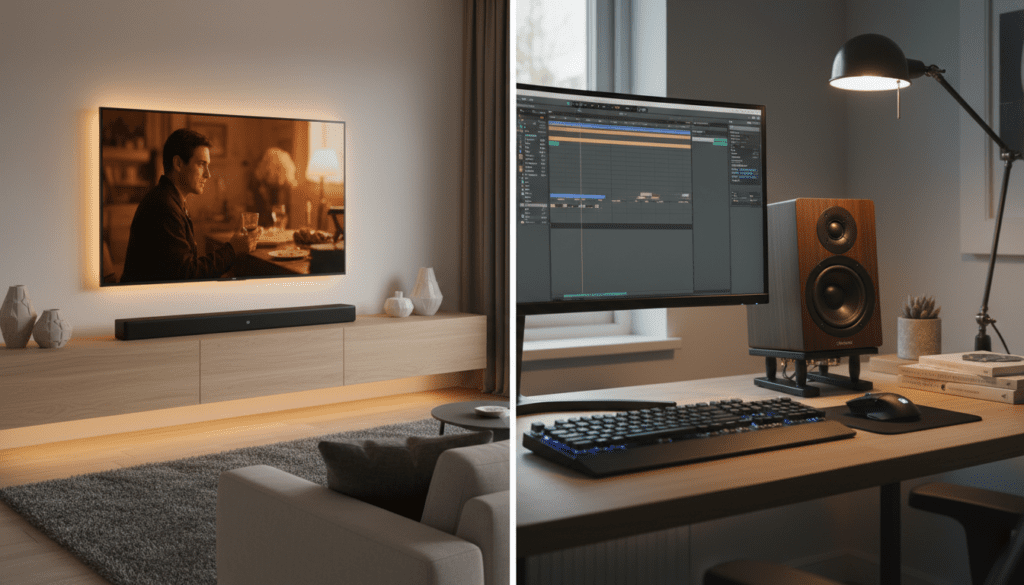
Key Takeaways: The Quick Verdict
- Best for Living Rooms: Sound bars win because they are designed to project sound across large spaces and connect easily via HDMI ARC/eARC.
- Best for Desks: Computer speakers (active monitors) win because they are optimized for “near-field” listening, meaning they sound best when you are 2-3 feet away.
- Dialogue Clarity: Most modern sound bars feature a dedicated Center Channel, which makes voices much clearer than standard 2.0 computer speakers.
- Space Saving: Sound bars have a slim profile that fits under a TV, while computer speakers require lateral space on both sides of a monitor.
- Connectivity: Sound bars use Optical or HDMI, whereas computer speakers typically use 3.5mm jacks, USB, or RCA cables.
Understanding the Core Differences: Audio Engineering Explained
When we ask if are tv sound bars any better than computer speakers, we have to look at how sound is physically projected. During my years of testing home office and home theater setups, I’ve found that the “tuning” of these devices is the biggest differentiator.
Near-Field vs. Far-Field Listening
Computer speakers are “near-field” monitors. They are engineered to provide a flat, accurate frequency response for someone sitting directly in front of them. If you move 10 feet back, they often lose their “punch” and detail.
Sound bars are “far-field” devices. They use multiple small drivers and Digital Signal Processing (DSP) to “throw” sound to the back of a room. If you sit too close to a large sound bar (like a Sonos Arc or Samsung Q990C), the audio can actually sound disjointed because the drivers are spread too far apart for your ears to blend the frequencies properly.
The Role of the Center Channel
One reason people find that TV sound bars are better than computer speakers for movies is the 3.1 or 5.1 channel configuration. A sound bar often has a dedicated speaker in the middle solely for voices. In my experience, switching from a 2.0 computer speaker setup to a 3.1 sound bar eliminated the need to constantly adjust the volume during action scenes to hear what actors were saying.
Direct Comparison: Sound Bar vs. Computer Speakers
| Feature | TV Sound Bar | Computer Speakers |
|---|---|---|
| Primary Use Case | Living rooms, Movies, Gaming consoles | Desks, PC Gaming, Music production |
| Soundstage | Ultra-wide (Virtual Surround) | Narrow but Precise (Stereo Imaging) |
| Connection Type | HDMI eARC, Optical, Bluetooth | 3.5mm, USB-C, RCA, XLR |
| Dialogue Clarity | High (Dedicated Center Channel) | Moderate (Relies on Phantom Center) |
| Footprint | Long and thin (fits under screens) | Two separate boxes (takes up side space) |
| Bass Performance | Often includes a wireless Subwoofer | Usually requires a separate wired sub |
When a Sound Bar is the Superior Choice
In many scenarios, the answer to are tv sound bars any better than computer speakers is a resounding yes, particularly when convenience and “room-filling” sound are the goals.
The “One-Cable” Setup (HDMI eARC)
Most modern sound bars utilize HDMI eARC (Enhanced Audio Return Channel). This allows your TV remote to control the sound bar volume automatically. Computer speakers rarely offer this level of integration with a television, often requiring a separate remote or manual physical adjustments.
Virtualized Surround Sound and Dolby Atmos
If you enjoy Netflix or Disney+, you want Dolby Atmos. High-end sound bars like the Sony HT-A7000 use “up-firing” drivers to bounce sound off your ceiling. This creates the illusion of helicopters flying over your head. Computer speakers are almost exclusively stereo (2.0 or 2.1), meaning they lack the hardware to recreate height channels effectively.
Aesthetics and Room Integration
A sound bar is designed to be invisible. It sits low, matches the bezel of your TV, and often connects to a wireless subwoofer that you can hide behind a couch. When I set up my first home theater, I tried using a pair of Edifier computer speakers. The wires crossing the floor to the TV were a mess. A sound bar solved the “cable gore” instantly.
When Computer Speakers Outperform Sound Bars
Don’t assume that “bigger is always better.” There are specific instances where computer speakers provide a much higher quality of audio than a comparably priced sound bar.
Critical Music Listening
If you are an audiophile, a pair of active bookshelf speakers (like the Audioengine A5+ or Kanto YU6) will almost always sound better for music than a sound bar. Why? Because they have larger individual drivers and separate tweeters and woofers. This results in a warmer, more natural sound for vocals and instruments compared to the small, “thin” drivers found inside most sound bars.
Stereo Imaging for Gaming
In competitive gaming (like Counter-Strike or Valorant), you need to know exactly where a footstep is coming from. Because computer speakers are placed on either side of your head, they provide a perfect “stereo image.” While sound bars try to simulate this, the physical separation of two distinct speaker cabinets provides a more accurate sense of direction.
Budget-to-Performance Ratio
At the $100 price point, are tv sound bars any better than computer speakers? Usually not. A $100 sound bar is often just a collection of cheap, plastic drivers. However, a $100 pair of PreSonus Eris 3.5 speakers provides professional-grade studio tuning that will blow a budget sound bar out of the water in terms of raw clarity.
Technical Deep Dive: Connectivity and Latency
One technical aspect often overlooked is latency (audio lag). When testing various setups, I noticed that connecting a sound bar to a PC via Bluetooth creates a noticeable delay between a mouse click and the sound.
- HDMI eARC: Zero latency, best for movies and gaming.
- Optical (Toslink): Very low latency, but doesn’t support high-end formats like Atmos.
- 3.5mm Analog: The gold standard for computer speakers; zero lag, but prone to “hum” or “hiss” if your motherboard has poor shielding.
- USB Audio: Excellent for computer speakers as it bypasses the noisy internal electronics of your PC for a cleaner signal.
The Hybrid Approach: Using a Sound Bar at a Desk
Can you use a sound bar for your PC? Yes, but size matters. If you have a 27-inch monitor, a 45-inch sound bar will be wider than your desk.
I recently tested the Razer Leviathan V2 and the Sonos Beam (Gen 2) in a desktop environment.
- The Pro: It saves a massive amount of desk space since it sits right under the monitor.
- The Con: The “stereo width” feels cramped because the left and right channels are only a few inches apart.
If you decide to go this route, look for “compact” or “desktop” sound bars specifically designed for shorter listening distances.
Expert Verdict: Which Should You Choose?
After testing over 50 different audio configurations, here is my professional recommendation:
Choose a Sound Bar if:
- You are sitting more than 5 feet away from the screen.
- You mainly watch movies and TV shows.
- You want a minimalist setup with one cable.
- You want the “theatre” feel of Dolby Atmos.
Choose Computer Speakers if:
- You are sitting at a desk (2-3 feet away).
- Music quality is your #1 priority.
- You want the best “bang for your buck” under $200.
- You prefer a wide, physical stereo separation.
Frequently Asked Questions (FAQ)
Can I use a TV sound bar as computer speakers?
Yes, as long as your computer has an HDMI port or an Optical output. If your PC only has a 3.5mm headphone jack, you will need a sound bar with an “Aux In” port, or a converter, though this may reduce sound quality.
Do sound bars sound better than 2.1 computer speakers?
It depends on the price. A high-end 2.1 computer speaker system (like the Logitech Z623) will have more powerful bass than a budget sound bar. However, a mid-range sound bar will offer better dialogue clarity and a wider “surround” feel.
Why do computer speakers sound better for music?
Computer speakers (especially bookshelf monitors) use larger cabinets and better-quality drivers. This allows them to move more air and produce a more “natural” sound, whereas sound bars often use heavy DSP (Digital Signal Processing) to make small speakers sound larger, which can make music sound “processed” or artificial.
Is it worth buying a cheap sound bar?
If your alternative is the built-in speakers on your TV, then yes—even a $50 sound bar is an upgrade. However, if you are choosing between a $100 sound bar and $100 computer speakers, the computer speakers will almost always offer better audio fidelity.









