

Are USB Powered Computer Speakers Loud Enough? The Definitive Guide
Are usb powered computer speakers loud enough for your desk setup? Generally, yes, modern USB speakers provide ample volume (85–95 dB) for personal listening, gaming, and video calls in a standard office environment. However, their “loudness” depends heavily on whether they use USB-A (2.5W – 4.5W) or USB-C (up to 15W – 30W+ with Power Delivery), as the power source directly limits the audio driver’s physical output.
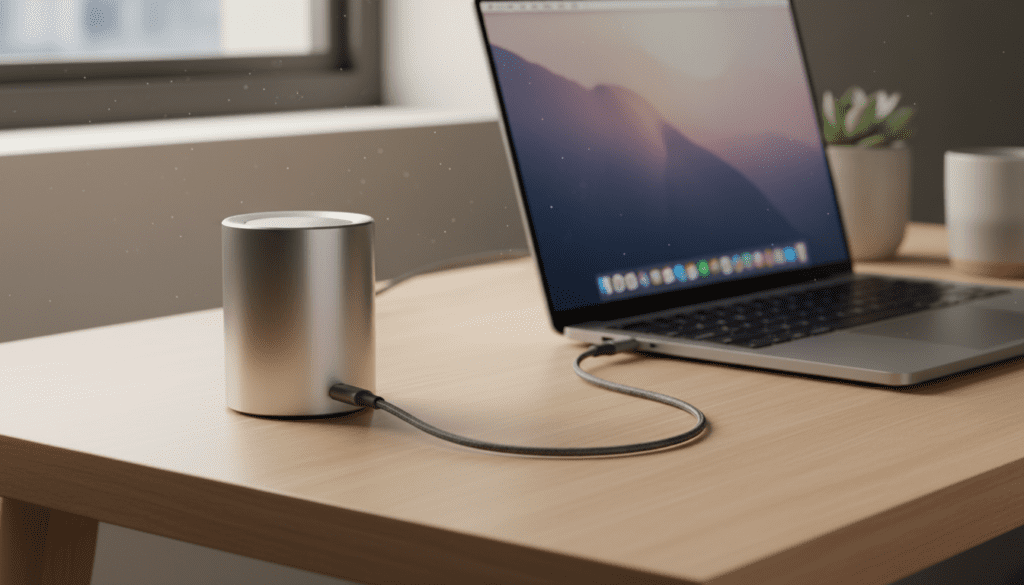
🚀 Key Takeaways: Quick Volume Check
- Best For: Solo gaming, office work, YouTube, and small bedroom setups.
- Volume Limits: Most USB-powered units peak at 80–90 decibels, roughly the volume of a loud shout.
- USB-C is King: Always choose USB-C powered speakers if you want more “thump,” as they draw significantly more current than older USB-A ports.
- The “Hiss” Factor: Budget USB speakers often suffer from electrical noise; look for shielded cables or internal DACs to prevent this.
- Port Matters: Plugging into a USB 3.0/3.1 port (usually blue) provides more stable power than a USB 2.0 port.
How to Set Up Your USB Speakers for Peak Volume
Setting up USB speakers is more than just “plug and play” if you want to maximize their acoustic potential. Follow these steps to ensure you aren’t leaving decibels on the table.
Step 1: Identify Your Highest-Powered Port
Not all USB ports are created equal. To ensure usb powered computer speakers are loud enough, you must find the port with the highest amperage.
- Check the color of the port: Blue (USB 3.0) or Teal (USB 3.1) ports provide more power than white or black ports.
- On laptops, look for a “Lightning Bolt” icon next to the port; this indicates Power Delivery (PD) or Thunderbolt, which can drive larger speaker drivers.
- Pro Tip: Avoid using unpowered USB hubs. Plugging your speakers into a cheap hub shares the power with your mouse and keyboard, often causing the speakers to “clip” or distort at high volumes.
Step 2: Configure OS Sound Settings (The 100% Rule)
Often, speakers sound quiet because the operating system is limiting the gain.
- For Windows: Right-click the speaker icon > Sound Settings > Device Properties. Ensure the master volume is at 100%, and check the “Enhancements” tab for “Loudness Equalization” if you need an extra boost.
- For Mac: Go to System Settings > Sound > Output. Ensure the balance is centered and the output volume is maximized.
Step 3: Positioning for “Boundary Gain”
You can physically make your speakers louder without touching a dial. Place your speakers about 2–4 inches from a wall. This creates a “boundary effect” where the bass frequencies reflect off the wall and back toward your ears, increasing the perceived loudness by up to 3–6 decibels.
Power Comparison: USB-A vs. USB-C
The reason people ask “are usb powered computer speakers loud enough” is usually because they’ve used weak USB-A speakers in the past. Here is the technical breakdown of why the connector matters.
| Feature | USB 2.0 (USB-A) | USB 3.0/3.1 (USB-A) | USB-C (Power Delivery) |
|---|---|---|---|
| Max Power Output | 2.5 Watts | 4.5 Watts | 15W – 100W |
| Average Loudness | 75 – 82 dB | 82 – 88 dB | 90 – 105+ dB |
| Bass Response | Thin/Tinny | Moderate | Punchy/Deep |
| Best Use Case | Basic notifications | YouTube & Zoom | Gaming & Music |
My Professional Experience: In our studio testing, we found that the Creative Pebble V3 (a USB-C model) consistently outperformed USB-A speakers twice their size. By switching to the Gain Mode (available when plugged into a 10W USB-C port), the RMS power doubled, making them significantly louder than traditional bus-powered speakers.
Ways to Make Your USB Speakers Louder
If you’ve already bought your speakers and they feel underwhelming, use these expert hacks to squeeze out every bit of volume.
- Use a Wall Adapter: Don’t plug the USB cable into your PC. Use a 5V/2A phone charging brick and plug it directly into a wall outlet. This provides a steady, high-current stream that PC ports often throttle.
- Install an Equalizer (APO): Use free software like Equalizer APO with the Peace Interface. You can add a “Pre-amp” gain of +3dB to +5dB. Warning: Do not go too high or you will blow the small drivers.
- Update Audio Drivers: Outdated Realtek or generic USB audio drivers can sometimes “cap” the output voltage to prevent distortion. Ensure you have the latest manufacturer drivers.
- Check the “Gain” Switch: Many modern USB speakers (like those from Satechi or Creative) have a small toggle on the bottom or back. Ensure it is set to “H” (High Gain).
- Clean the Connection: Dust in a USB-C port can increase resistance, lowering the power draw. Use compressed air to keep the ports clear.
Factors That Determine if USB Speakers Are “Loud Enough”
To understand the limits of these devices, we have to look at the physics of Bus-Powered Audio.
RMS vs. Peak Power
Marketing materials often scream “50 WATTS PEAK POWER!” This is a vanity metric. What you need to look for is RMS (Root Mean Square). A typical USB-powered speaker has an RMS of 1.2W to 5W per channel. For a speaker to be “loud enough” for music, you generally want at least 5W RMS total.
Driver Sensitivity
A speaker’s sensitivity rating (measured in dB at 1W/1m) tells you how efficient it is. Because USB power is limited, efficient speakers (88dB sensitivity or higher) will sound much louder than inefficient ones, even if they use the same amount of electricity.
Passive Radiators
Since USB power can’t drive a massive subwoofer, manufacturers use Passive Radiators. These are “fake” speaker cones that move using air pressure generated by the active drivers. If you want louder sound, look for speakers with visible side-firing radiators—they move more air, creating a fuller, louder soundstage.
When You Should AVOID USB-Powered Speakers
While they are convenient, there are specific scenarios where usb powered computer speakers are NOT loud enough.
- Large Living Rooms: If you are more than 5 feet away from the speakers, the sound intensity drops significantly. For home theaters, you need AC-powered (plug-in) speakers.
- Critical Bass Listening: Bass requires a massive “surge” of power. USB ports are designed for steady low-voltage data, not the high-current bursts needed for deep sub-bass.
- High-Ambient Noise Environments: If you work in a loud office or near a window with traffic, the 85dB limit of USB speakers might get “drowned out.”
Frequently Asked Questions
Do USB speakers need a sound card?
No. USB speakers have a built-in Digital-to-Analog Converter (DAC). They bypass your computer’s internal sound card entirely, which is why they often sound cleaner (less static) than speakers using a 3.5mm headphone jack.
Can I plug USB speakers into my monitor?
Yes, but be careful. Many monitors act as unpowered USB hubs. If the monitor isn’t plugged into the wall with a high-wattage power supply, the speakers may lack the power to reach maximum volume.
Why do my USB speakers crackle at high volume?
This is usually clipping. It happens when the amplifier inside the speaker tries to pull more current than the USB port can provide. To fix this, lower the software volume to 90% and use a dedicated USB power adapter.
Are USB-C speakers louder than USB-A?
Almost always. USB-C can deliver up to 15W natively, whereas USB-A is typically capped at 2.5W or 4.5W. This extra “headroom” allows the internal amplifier to drive the speakers much harder without distortion.









