

Can I Hook Axe FX II to Speakers Live?
Yes, you can hook an Axe FX II to speakers live using several different methods, including direct connection to a PA system, Active FRFR (Full Range Flat Response) monitors, or a power amp and traditional guitar cabinet. For the best results, most players use the XLR outputs to send a signal directly to the house mixing board while simultaneously monitoring through an on-stage speaker.
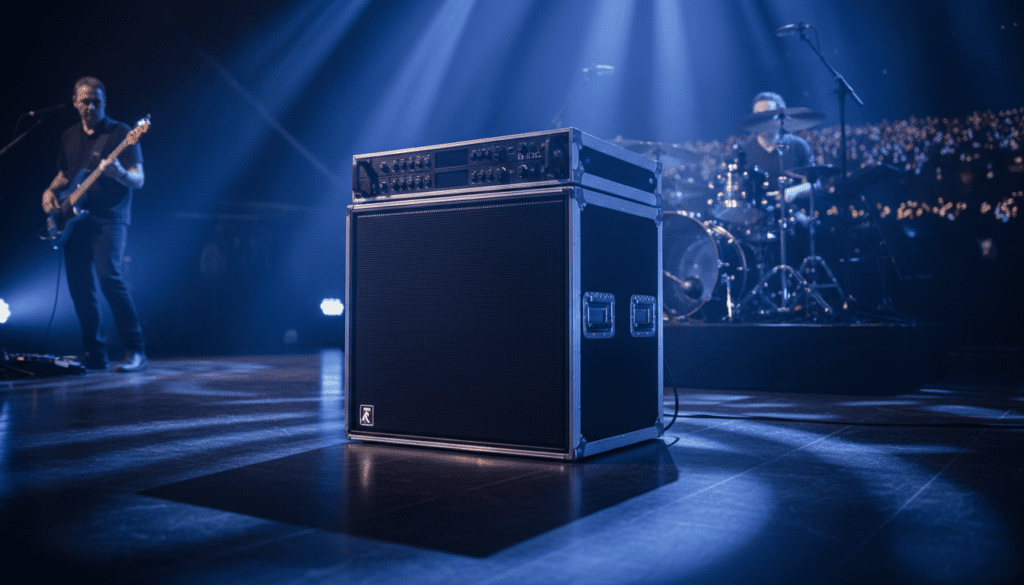
Whether you are performing at a small club or a massive festival, the Fractal Audio Axe FX II is designed to be the centerpiece of your live rig. Because it utilizes high-end cabinet emulation, you no longer need a bulky 4×12 cabinet to get a world-class tone. However, the way you connect your hardware depends entirely on whether you want your speakers to “color” your sound or provide a transparent representation of your digital presets.
Key Takeaways for Live Setup
- Direct to FOH: Use Output 1 (XLR) for the cleanest signal to the sound engineer.
- FRFR is King: Active FRFR speakers are the easiest way to hear your presets exactly as they sound in your headphones.
- Cab Sim Logic: Always disable the Cabinet Block if you are playing through a real physical guitar speaker.
- Output Levels: Keep your hardware Output knobs around 12 o’clock to 2 o’clock to avoid clipping the mixer.
- Redundancy: Always carry spare XLR and TRS cables, as these are the lifelines of your live rig.
Choosing Your Live Monitoring Strategy
Before you start plugging in cables, you must decide how you want to hear yourself on stage. In my experience touring with the Axe FX II, your choice of speakers will dictate how you program your presets.
Method 1: The FRFR Setup (Highly Recommended)
An FRFR (Full Range Flat Response) speaker acts like a high-powered studio monitor. Since the Axe FX II provides the amp and the speaker cabinet simulation, you want a speaker that doesn’t add its own EQ curve.
- Pros: Your tone stays consistent from the bedroom to the stage.
- Cons: It lacks the “thump” of a real guitar cabinet pushing air behind you.
Method 2: The Power Amp and Guitar Cab Setup
If you love the look and feel of a real cabinet, you can run the Axe FX II into a neutral power amp (like a Matrix or Crown) and then into a standard guitar cab (like a Marshall 1960B).
- Pros: Massive stage volume and a “real amp” feel.
- Cons: You must disable Cabinet Modeling in your signal chain, or the tone will sound muddy and muffled.
Step-by-Step: How to Hook Axe FX II to Speakers Live
Connecting to a PA or Active FRFR Speaker
This is the most common “pro” setup. It utilizes the XLR outputs for a balanced, low-noise signal.
- Locate Output 1 L/R on the back of the Axe FX II.
- Plug an XLR cable into the Left (Mono) output.
- Connect the other end to the input of your Active FRFR Speaker or the venue’s Stage Snake.
- Navigate to the I/O Menu on the front panel and ensure Output 1 is set to “Stereo” or “Sum L+R” depending on your needs.
- Slowly turn up the physical Output 1 knob on the front of the unit.
Connecting to a Traditional Guitar Cabinet
To use a real cabinet, you need an external power source because the Axe FX II is a pre-amp/processor only.
- Connect a 1/4″ TS cable from Output 1 (or Output 2) to the input of your Power Amp.
- Connect the Power Amp’s speaker output to your Guitar Cabinet using a dedicated Speaker Cable (not an instrument cable).
- CRITICAL STEP: Inside your Axe FX II preset, find the CAB block and bypass it. Alternatively, go to Global Settings and set Cabinet Modeling to OFF.
- If you leave the Cab Sim on while playing through a real speaker, the high-end frequencies will be “double-filtered,” resulting in a dark, lifeless sound.
Essential Hardware Comparison for Live Use
When people ask, “Can I hook Axe FX II to speakers live?”, they usually want to know which hardware provides the best “bang for your buck.”
| Speaker Type | Connection Type | Cab Sim On/Off? | Best For |
|---|---|---|---|
| Studio Monitors | XLR or TRS | ON | Small intimate gigs / Home use |
| Active FRFR (e.g., Headrush, CLR) | XLR | ON | Consistency and ease of setup |
| Power Amp + Guitar Cab | 1/4″ Instrument | OFF | Players who need “Amp in the Room” feel |
| Direct to House (PA) | XLR | ON | Professional venues and touring |
Configuring I/O Settings for the Stage
The Axe FX II hardware interface can be intimidating under stage lights. I recommend setting your Global EQ before the soundcheck starts.
The Global EQ Trick
Venues vary wildly in acoustics. Instead of editing every single preset to compensate for a boomy room, use the Global EQ:
- Press the Global button.
- Navigate to the Out 1 EQ tab.
- Use the sliders to cut frequencies around 100Hz (if it’s too bassy) or 4kHz (if it’s too piercing).
Setting Your Levels (Unity Gain)
To ensure you aren’t clipping the venue’s mixer:
- Open the Utility menu and go to the Status page.
- Watch the Output 1 level meters while playing your loudest patch.
- The bars should be hitting the 0dB mark but never staying in the “red.”
- I’ve found that keeping the physical front panel knob at 50% gives the sound engineer plenty of headroom to work with.
Expert Tips for a Flawless Live Performance
After hundreds of hours using the Axe FX II in live environments, I have learned a few hard lessons that will save your show.
Use Output 2 for Your Personal Monitor
You can send Output 1 to the audience (with Cab Sims ON) and Output 2 to a real guitar cabinet on stage (with Cab Sims OFF).
- Place an FX Loop Block in your grid right before the Cab Block.
- This sends the “unfiltered” signal to Output 2.
- This allows you to have the “feel” of a real amp while the audience hears a polished, studio-quality mic’d sound.
The “Hiss” Fix: Ground Lift
If you hear a loud hum when connecting to the PA, it is likely a ground loop. The Axe FX II has a physical Ground Lift switch on the back next to the XLR jacks. Flip it to instantly kill the noise.
Label Your Cables
In the dark at the end of a set, all cables look the same. Use colored electrical tape to mark which XLR goes to “Monitor” and which goes to “FOH.” It speeds up your teardown by minutes.
Frequently Asked Questions
Do I need a DI box to connect my Axe FX II to the PA?
No. The Axe FX II features balanced XLR outputs, which perform the same function as a DI box. You can plug directly into the stage snake without any signal loss or impedance issues.
What is the best FRFR speaker for the Axe FX II?
While subjective, many professionals swear by the Atomic CLR or the Xitone cabs for the most realistic feel. For those on a budget, the Headrush FRFR-112 or Line 6 Powercab provide excellent results for the price.
Can I use a regular computer speaker for live gigs?
Technically yes, but I strongly advise against it. Computer speakers are not designed for the high Sound Pressure Levels (SPL) of a live concert. They will likely distort or blow out before the audience can hear you clearly.
Why does my Axe FX II sound different through speakers than through headphones?
This is known as the Fletcher-Munson effect. Our ears perceive frequencies differently at higher volumes. At stage volume, bass and treble become more prominent. Always tweak your “gig volumes” at a high level, not while playing quietly at home.









