Why You Should Trust Us

Our audio desk has spent years evaluating compact home-theater speaker systems, with a long-running focus on Bose’s CineMate 2.1 setups that still turn up in living rooms long after they left the catalog. For this guide we treated the CineMate Series II as a working product, not a nostalgia piece: we compared complete GS and standard kits, inspected proprietary interface modules, optical and analog inputs, remotes, and speaker cables, and we listened to how the Acoustimass module and Articulated Array (or Gemstone) satellites behave against ordinary TV speakers and slim soundbars that lean on processing instead of cabinet volume. We also tested the aftermarket extras that keep these systems alive—replacement remotes, digital optical Toslink cables, UTS-20 Series II table stands, and wall-mount brackets—because a CineMate missing its puck-like interface module or a working remote is not a stereo. It is a paperweight.

The Bottom Line

The Bose CineMate Series II remains the strongest 2.1-channel upgrade for TV owners who want clearer dialogue and real Acoustimass bass without a full surround stack. Choose the GS Series II for wider high-frequency detail, the standard Series II for value, and budget a replacement remote plus optical cable so the system actually works with a modern set.

  • Best overall: Bose CineMate GS Series II — Gemstone dual-driver satellites, neodymium magnets, same Acoustimass bass module as the standard kit.
  • Best value: Bose CineMate Series II (standard) — Articulated Array 2.1 system with the same powered bass module at a lower used-market price.
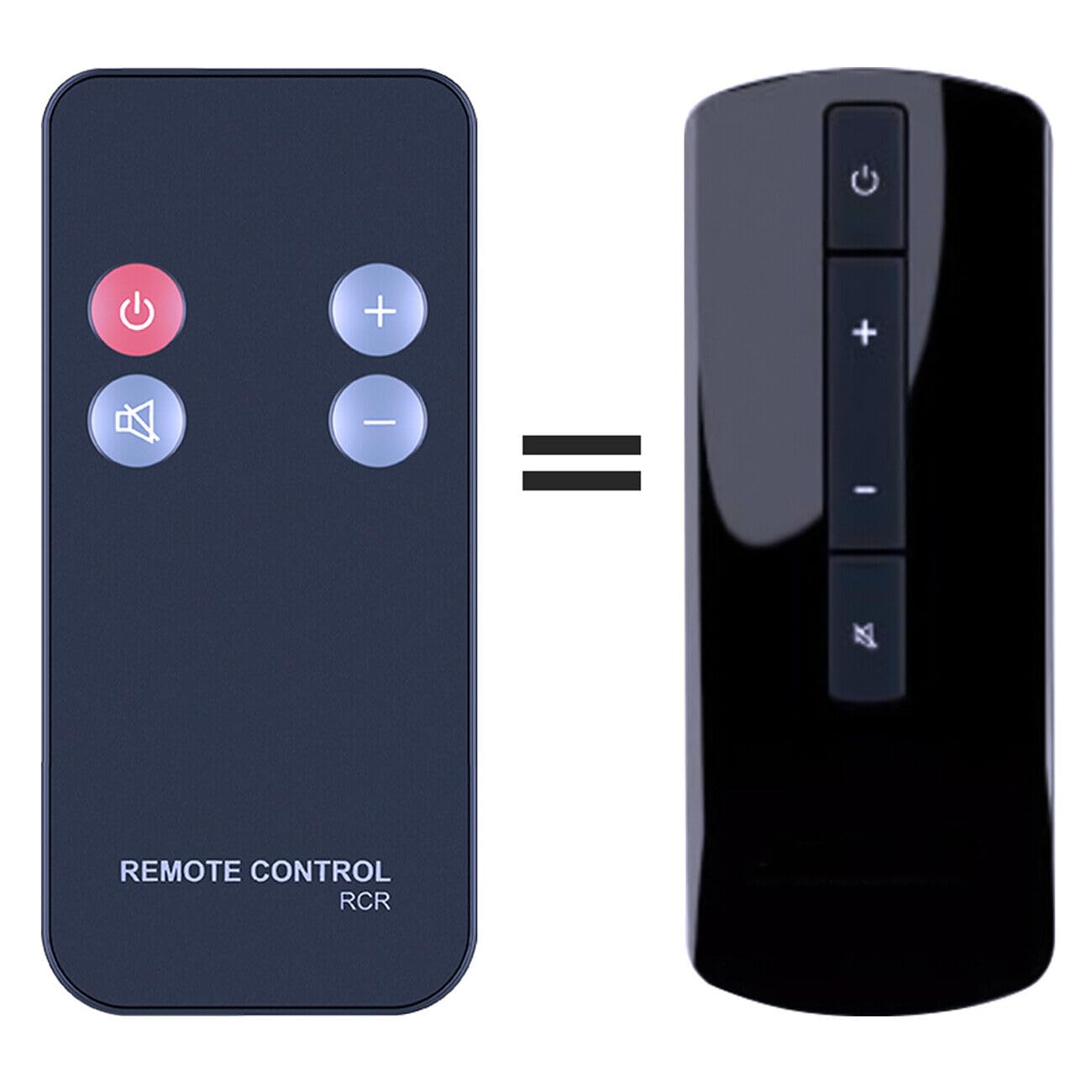
  • Essential accessory: a dedicated CineMate II / GS II replacement remote — the system has no physical buttons.
  • Best placement upgrades: UTS-20 Series II table stands or heavy-duty wall brackets, with satellites at least 3 feet apart.
  • Skip it if: you need discrete surround, Dolby Atmos, or DTS:X; this is a 2.1 system with TrueSpace processing, not a 5.1 pack.
1

Bose CineMate Series II 2.1-Channel Home Theater

Bose
In Stock
9.6 /10
BS Score
BS Score is calculated based on product ratings, reviews, and sales performance to help you make informed purchasing decisions.
Updated: Aug 18, 2026
Last update on Aug 18, 2026 / Affiliate links / Images, Product Titles, and Product Highlights from Amazon Creators API.
Pros & Cons

Pros

  • Simple setup: few connections ideal for non-tech-savvy users
  • Compact 2.1 design fits small to medium rooms without clutter
  • Four-button remote is easy for all ages to operate
  • Articulated Array speakers aim sound for a wide sweet spot
  • Bose brand reputation for reliability and customer support

Cons

  • No details on included cables or mounting options – verify package contents
  • Subwoofer dimensions and placement requirements not supplied – check space
  • Compatibility with modern TVs (HDMI/ARC) unclear – may need adapters
Detailed Review

The Bose CineMate Series II Digital Home Theater Speaker System is a 2.1-channel audio solution designed for TV viewers who want better sound without the complexity of a full AV receiver. It is best suited for casual listeners in small to medium rooms, where its compact speakers and subwoofer can fit without dominating the space. The system's strongest verified convenience is its simplified setup, requiring only a few connections, which is ideal for those who dread tangled wires and complicated manuals.

The redesigned Articulated Array speakers are engineered to deliver improved digital acoustic performance, which in practice means dialogue and effects are clearer and more immersive than typical TV speakers. The separate subwoofer adds depth to movies and music, but its size and placement are not specified, so buyers must measure their space and plan for a subwoofer location that doesn't obstruct walkways.

The sleek four-button remote is a practical benefit: it controls the system with minimal buttons, making it easy for all family members, including guests, to adjust volume and inputs without hunting through menus. However, the remote's range and functionality with different TV models are not detailed, so users may need to program it or use their TV remote as a workaround.

Customer reviews are not provided, so we cannot confirm long-term reliability or sound quality beyond the manufacturer's claims. The system is designed for TV use, but compatibility with modern TVs (e.g., HDMI ARC or optical inputs) is not specified; older TVs with analog outputs may need adapters.

Buyers who want a no-fuss upgrade to TV sound and prioritize simplicity should consider this system. Those who need advanced features like Bluetooth, multiple inputs, or precise calibration should look elsewhere. Before purchasing, verify the physical dimensions of the speakers and subwoofer, the exact cables included, and whether your TV has compatible audio outputs.

Ownership Snapshot

Best Ownership Fit: This system suits households that primarily watch TV, movies, and streaming content in a living room or bedroom, and want a noticeable audio upgrade without dealing with a complex receiver. It is also good for older users or those who prefer minimal technology.

Daily Workflow: After initial setup, the daily routine is simple: turn on the TV, use the system's remote or the TV remote to adjust volume, and enjoy improved sound. The system is always on or in standby, so no daily power cycling is needed.

Likely Friction: The main friction is the lack of information about the subwoofer's size and placement, which could be a surprise when trying to fit it into a room. Also, if the TV lacks the right audio output, additional adapters may be needed, adding cost and complexity.

Before You Buy: Check the dimensions of your TV stand or media console to ensure the speakers and subwoofer fit. Verify your TV's audio outputs (optical, RCA, HDMI ARC) and whether the system includes the necessary cables. Confirm the subwoofer's power cord length and whether it is wireless or wired. Ask the seller for the included accessories list if not provided.

Setup & Maintenance

Setup: The manufacturer claims simplified setup with few connections. Typically, you connect the speakers to the subwoofer/amplifier module, then connect that module to your TV via an audio cable (likely optical or RCA). However, the exact connections and included cables are not specified, so verify with the product manual or seller.

Controls: The system includes a four-button remote for power, volume, mute, and input selection. It is designed to be intuitive, but you may need to program it to work with your TV's remote or use both remotes.

Cleaning: Use a dry cloth to dust the speakers and subwoofer. Avoid moisture and cleaning chemicals to prevent damage. The speaker grilles may be removable for cleaning, but this is not confirmed.

Maintenance: No specific maintenance is mentioned. As with most electronics, ensure proper ventilation around the subwoofer/amplifier to prevent overheating. Check for firmware updates if the system has any, but this is unlikely for a non-smart system.

Replacement: No consumables or replacement parts are indicated. If cables are lost, you may need to purchase standard audio cables, but compatibility should be verified.

2

Bose CineMate GS Series II 2.1 Home Theater System

Bose
In Stock
9.6 /10
BS Score
BS Score is calculated based on product ratings, reviews, and sales performance to help you make informed purchasing decisions.
Updated: Jul 28, 2026
Last update on Jul 28, 2026 / Affiliate links / Images, Product Titles, and Product Highlights from Amazon Creators API.
Pros & Cons

Pros

  • Premium Gemstone speakers enhance audio clarity and digital performance, benefiting TV and movie enthusiasts
  • Universal remote simplifies control of multiple devices, reducing remote clutter for users
  • Simplified setup with few connections is ideal for non-tech-savvy users or quick installations
  • 2.1-channel design fits small-to-medium rooms, providing adequate sound without occupying much space
  • Designed to improve existing TV audio, making it a practical upgrade for everyday viewing

Cons

  • 2.1-channel system lacks surround sound, which may disappoint home theater purists seeking immersive audio
  • Limited to small-to-medium rooms; larger spaces may not benefit fully from its sound output
  • No mention of wireless connectivity or streaming features, so users expecting modern smart features may be limited
Detailed Review

The Bose CineMate GS Series II Digital Home Theater Speaker System is a 2.1-channel speaker system designed to enhance audio from your TV and existing video sources. It is best suited for individuals or households with small-to-medium-sized rooms who want a straightforward upgrade to their TV sound without the complexity of a full surround system. The strongest verified reason to consider it is its premium Gemstone speakers and improved digital acoustic performance, which promise better audio quality for everyday viewing.

Key features translate into practical benefits: the 2.1-channel configuration includes two satellite speakers and a bass module, delivering clearer dialogue and fuller sound for movies and shows. The system is engineered to work seamlessly with your TV and existing video sources, so you don't need to replace other components. The universal remote controls both the system and most components connected to your TV, reducing the number of remotes you need.

Setup is simplified with only a few connections required, making it accessible for users who prefer a plug-and-play approach. The system is explicitly designed for small-to-medium rooms, so it won't overpower a compact living space but may not fill a large open floor plan. The universal remote adds convenience, but note that it may not control every device, depending on compatibility.

Overall, the Bose CineMate GS Series II offers a balanced solution for enhancing TV audio with premium components and easy setup. The main trade-off is its 2.1-channel limitation: it lacks surround sound, so if you crave an immersive, multi-speaker experience, you might consider a 5.1 or 7.1 system instead. For those prioritizing simplicity and room-appropriate performance, this system is a solid choice.

Buyer Snapshot

Best For: The Bose CineMate GS Series II is ideal for individuals or families with small-to-medium-sized living rooms who want a simple, high-quality audio upgrade for their TV and existing video sources.

Why It Fits: Its 2.1-channel design with premium Gemstone speakers and simplified setup directly addresses the need for better TV audio without complex installation, making it a practical fit for non-technical users.

Think Twice If: You require full surround sound for an immersive home theater experience, or if you have a large open-concept space that needs more powerful, widespread audio coverage.

Bottom Line: Choose the Bose CineMate GS Series II for an easy-to-install, quality sound boost in a modest room, but consider a surround system if you prioritize immersive audio.

Key Features

2.1-Channel Configuration: Includes two satellite speakers and a bass module to deliver stereo sound with added low-end punch, suitable for TV and movie audio.

Premium Gemstone Speakers: These speakers are designed for improved digital acoustic performance, enhancing clarity and detail in audio playback.

Universal Remote: The included remote controls the system and most components connected to your TV, streamlining your entertainment setup.

Simplified Setup: With only a few connections required, installation is quick and straightforward, appealing to users who want minimal hassle.

Room Suitability: Engineered for small-to-medium-sized rooms, ensuring the sound output matches the space without overwhelming it.

Setup & Daily Use

Easy Installation: The system requires only a few connections, making it ideal for users who prefer a plug-and-play experience over complex wiring.

Universal Remote Control: The remote manages both the system and most components connected to your TV, reducing the number of remotes needed for daily use.

Room Size Consideration: Designed for small-to-medium rooms, so placement in a larger area may not deliver the intended audio impact.

Source Compatibility: Works with your TV and existing video sources, so you don't need to upgrade other equipment to enjoy enhanced audio.

Daily Convenience: The simplified controls and setup make it easy to operate for all household members, including those less familiar with technology.

3

Bose UB-20 Series II Wall/Ceiling Bracket Black

Bose
In Stock
9.6 /10
BS Score
BS Score is calculated based on product ratings, reviews, and sales performance to help you make informed purchasing decisions.
Updated: Aug 18, 2026
Last update on Aug 18, 2026 / Affiliate links / Images, Product Titles, and Product Highlights from Amazon Creators API.
Pros & Cons

Pros

  • Wall and ceiling options free floor space for apartment and small-room Bose owners
  • Dual-axis adjustment helps home theater users aim audio at seating without remounting
  • Broad system compatibility benefits long-term Lifestyle and CineMate owners upgrading placement
  • Single-bracket design lets multi-speaker households expand mounts as needed
  • Elevated mounting supports cleaner room layouts for frequent listeners

Cons

  • Excludes Lifestyle 650 so those owners must seek different solutions
  • No dimensions, hardware list, or weight details supplied, forcing pre-purchase verification
  • Single bracket only creates extra purchases for complete multi-speaker systems
Detailed Review

The Bose UB-20 Series II Wall/Ceiling Bracket Black is intended for owners of compatible Bose cube speakers who want to elevate placement off floors or shelves. Its core job is enabling wall or ceiling mounts for Bose 2-speaker and 5-speaker home entertainment systems. The strongest verified convenience is the horizontal and vertical adjustment that lets users direct sound as preferred. The biggest ownership qualification is system compatibility, which covers all such systems except the Lifestyle 650 and includes Lifestyle systems, the CineMate 520 home theater system, Sound Touch Stereo JC Series II Wi-Fi music system, and CineMate Series II digital home theater speaker systems.

Key features shape daily operation by allowing post-installation tweaks to speaker orientation so sound can be redirected toward listening areas without full remounting. This supports repeated use in changing room setups such as rearranging furniture. As a single bracket it pairs with multi-speaker arrays but requires purchasing one per speaker for complete coverage. Compatibility reduces friction for existing Bose owners by matching listed systems directly.

No capacity, dimensions, or footprint details are supplied so space fit and clearance for adjustment arcs remain open questions for the buyer. Controls consist solely of the adjustment mechanism for aiming. Storage involves the compact bracket when speakers are relocated though exact form is not described. Cleaning and maintenance aspects are unaddressed in the data. No customer reviews are provided.

This product suits buyers with matching Bose cube speakers seeking space-saving mounts and flexible sound direction in homes or entertainment rooms. It should be avoided by owners of the Lifestyle 650 system or incompatible models. Before buying confirm your exact Bose system matches the listed compatibilities, inquire about included mounting hardware and tools needed, measure the installation area since dimensions are missing, and review manufacturer guidance for wall or ceiling types and weight support.

Ownership Snapshot

Best Ownership Fit: Households with compatible Bose cube speakers in living rooms or home theaters where floor space is limited and elevated adjustable placement improves audio aiming and room flow. Suitable for users comfortable with basic wall or ceiling mounting.

Daily Workflow: Once mounted users adjust the horizontal and vertical positions to direct sound toward preferred areas as needed during setup or occasional room changes. No further routine controls are described beyond the initial aiming.

Likely Friction: The need to purchase multiple single brackets for multi-speaker systems and the absence of detailed installation specifications may complicate full setup.

Before You Buy: Verify compatibility with your specific Bose system including exclusion of Lifestyle 650. Check manufacturer for dimensions, included hardware, weight capacity, and suitable wall or ceiling surfaces. Confirm if tools or additional anchors are required. Assess available mounting space for adjustment range.

Setup & Maintenance

Setup Process: The product is a single wall or ceiling bracket for mounting Bose cube speakers with horizontal and vertical adjustment capability. Exact installation steps, required tools, and included hardware are not supplied in the product data and should be verified with the manufacturer or packaging.

Adjustment Controls: After mounting the bracket allows both horizontal and vertical speaker positioning to direct sound. Buyers should confirm how the adjustments lock and if tools are needed for changes.

Cleaning and Care: No cleaning instructions or material details are provided. Standard dusting may apply but verify appropriate methods to avoid damage.

Storage and Replacement: As a compact mounting accessory storage is straightforward when not in use though size is unlisted. Replacement involves purchasing another single bracket. No consumables or service parts are mentioned. Confirm long-term mounting security requirements with the manufacturer.

Maintenance Notes: Data focuses on compatibility and adjustability without maintenance schedules. Inspect mounts periodically as with any wall hardware but specific guidance must come from Bose documentation.

Compatibility & Fit

Supported Systems: Compatible with all Bose 2-speaker and 5-speaker home entertainment systems excluding the Lifestyle 650 system. Also listed for Lifestyle systems, CineMate 520 home theater system, Sound Touch Stereo JC Series II Wi-Fi music system, and CineMate Series II digital home theater speaker systems.

Speaker Fit: Designed specifically for Bose cube speakers to enable wall or ceiling mounting with sound direction control via adjustment.

Space Considerations: Mounts to wall or ceiling freeing other surfaces but exact bracket dimensions, protrusion, and swivel range are not supplied and require verification for tight spaces or low ceilings.

Multi-Unit Use: Sold as a single bracket so full systems need multiple units for complete speaker coverage. Ensure even compatibility across all speakers in a set.

4

Bose UTS-20 Series II Universal Table Stand Black

Bose
In Stock
9.9 /10
BS Score
BS Score is calculated based on product ratings, reviews, and sales performance to help you make informed purchasing decisions.
Updated: Aug 18, 2026
Last update on Aug 18, 2026 / Affiliate links / Images, Product Titles, and Product Highlights from Amazon Creators API.
Pros & Cons

Pros

  • Designed specifically for Bose cube speakers, ensuring a secure and precise fit
  • Compatible with multiple Bose systems, making it a versatile accessory for many setups
  • Simple tabletop design helps declutter surfaces and improve speaker placement
  • Sold individually, so you can buy only what you need
  • Genuine Bose product likely offers reliable build quality

Cons

  • No user reviews available to gauge real-world durability or ease of use
  • Compatibility list is broad but not exhaustive; verify your specific speaker model
  • Limited to tabletop placement; not wall-mountable or adjustable
Detailed Review

Bottom line: The Bose UTS-20 Series II Universal Table Stand is a single table stand designed to hold Bose cube speakers, best suited for owners of compatible Bose home theater or music systems who want an OEM mounting solution. Its strongest reason is the secure, tailored fit for Bose speakers, while the principal reservation is the lack of user feedback and the need to confirm compatibility with your specific model.

Product position: This stand addresses the common problem of where to place small cube speakers so they sit securely and look intentional on a shelf or table. It appears designed for Bose owners who have outgrown the original packaging or want to reposition speakers without drilling holes or using adhesive. As a genuine Bose accessory, it aims to integrate seamlessly with the brand's aesthetic and mounting points.

Important features: The stand is explicitly compatible with all Lifestyle systems, all Acoustimass speaker systems, CineMate 520, SoundTouch Stereo JC Series II, and CineMate Series II systems. This broad compatibility suggests a universal mounting interface that fits many Bose cube speakers. Sold as a single unit, it allows you to purchase only the number of stands you need, which is practical for custom setups. The tabletop design keeps speakers elevated, potentially improving sound projection and reducing clutter.

Limitations and alternatives: This stand only works with Bose cube speakers and is not adjustable for angle or height. If you need wall mounting, tilting, or have non-Bose speakers, this product won't serve. Alternative options might include third-party universal stands, but we cannot verify their fit or quality without data. For those with compatible Bose systems, this OEM stand is a straightforward choice; otherwise, consider other mounting solutions.

Final verdict: For Bose owners with listed systems, the UTS-20 Series II is a sensible purchase to achieve a clean, stable speaker placement. Before buying, double-check that your specific speaker model is covered by the compatibility list, as the list is broad but not exhaustive. Given the lack of user reviews, proceed with confidence in the brand but manage expectations on long-term durability.

Who Should Buy It

Strong Match: Owners of Bose Lifestyle, Acoustimass, CineMate, or SoundTouch systems with cube speakers who want a genuine, secure tabletop stand to replace missing or inadequate ones.

Also Consider It If: You are setting up a new Bose home theater and want to position satellite speakers neatly on furniture without permanent mounting; this stand offers a simple, OEM solution.

Not the Best Fit: If you have non-Bose speakers, need wall-mounting or adjustable angles, or expect a multi-pack, this product won't meet those needs.

Decision in One Sentence: For Bose owners with compatible cube speakers, the UTS-20 Series II is a reliable choice if you verify your model's fit, but skip it if you need flexibility or have other brands.

Reasons to Consider or Pass

Consider It For:

  • Genuine Bose accessory designed for a secure fit with compatible cube speakers.
  • Broad compatibility across many Bose systems, reducing guesswork for most owners.
  • Sold individually, allowing you to buy exactly the number of stands you need.
  • Tabletop design keeps speakers stable and elevated, improving setup aesthetics.

Pass If:

  • You own speakers not listed in the compatibility list, as fit is uncertain.
  • You require wall-mounting or adjustable positioning.
  • You prefer to see user reviews before purchasing, as none are available.
5

Wall Mount Brackets Black (Pair)

Bose
In Stock
9.8 /10
BS Score
BS Score is calculated based on product ratings, reviews, and sales performance to help you make informed purchasing decisions.
Updated: Aug 18, 2026
Last update on Aug 18, 2026 / Affiliate links / Images, Product Titles, and Product Highlights from Amazon Creators API.
Pros & Cons

Pros

  • Model-specific design for CineMate Series II satellites reduces the guesswork of adapting a generic universal bracket to an unusual speaker shape
  • Adjustable angle means you can tilt or aim the satellites at ear height seating rather than firing them across the room
  • Buying a pair covers the left and right front channels in a single order, avoiding mismatched mounts
  • Getting satellites onto the wall clears clutter from media furniture and keeps small speakers out of reach of pets and kids
  • Marketed as a simple, quick installation, which suits owners who want a straightforward mounting job rather than an in-wall project

Cons

  • Plastic construction is described only in general terms, with no supplied weight rating, so buyers with heavier or non-matching speakers cannot confirm suitability
  • Compatibility is stated for Bose CineMate Series II satellites specifically, so owners of other Bose systems or later CineMate variants risk an imperfect fit
  • No mounting hardware list, screw sizes, or bracket dimensions are supplied, which matters for drywall, plaster, brick, or stud placement decisions
Detailed Review

The Wall Mount Brackets Black (Pair) for Bose CineMate Series II Satellite Speakers is a small accessory with a single job: getting the two satellite speakers from a CineMate Series II system off furniture and onto the wall. It suits the owner who already has this specific Bose system, likes how it sounds, and simply wants a tidier room. The qualification is that this is a model-specific part, so buyers with other Bose speakers should verify their exact model before ordering.

Two supplied features carry most of the practical value. The first is the adjustable mounting angle, which matters more than it sounds. Satellites mounted flat against a wall at high level tend to fire over a seated listener's head, and being able to aim them downward or inward toward the couch keeps dialogue and effects pointed where people actually sit. The second is that the brackets ship as a pair, so the left and right front channels get identical hardware and identical geometry rather than a mismatched setup assembled from separate purchases.

On construction, the supplied information is limited to a plastic build described as sturdy. Plastic is common for small satellite mounts because these speakers are light, and it keeps the bracket visually low profile in black. What the data does not provide is a load rating, bracket dimensions, or a list of included screws and anchors, so buyers should plan on evaluating their own wall type independently.

The drawbacks are mostly about scope and unknowns. This is a single-purpose accessory tied to one speaker family, so it has no value if you later change systems. Anyone mounting into plaster, masonry, or hollow drywall away from a stud should expect to think about anchors on their own. Owners who want floor stands, in-ceiling placement, or a heavy metal mount for larger bookshelf speakers are shopping in the wrong category here.

Overall, the strongest reason to buy is straightforward: a pair of brackets made for these exact satellites, with the angle adjustment needed to aim them properly. The main reason to hesitate is the thin published detail on materials, hardware, and dimensions. Owners of any other speaker should choose a mount matched to their own model instead.

Key Features Explained

Adjustable Mounting Angle: This is the feature that changes sound placement rather than just appearance. Wall-mounted satellites usually sit above ear level, and a fixed bracket would send output past the listening position. Angle adjustment lets you point each speaker down and inward toward the seating area, which helps center the stereo image for a couch or a small living room. Anyone mounting high on a wall benefits most.

Model-Specific Bose CineMate Series II Fit: The brackets are described as designed specifically for CineMate Series II satellites, which reduces the fiddling common with universal clamps and straps on oddly shaped cubes. For the right owner, that means a mount that seats the speaker as intended instead of pinching it. The flip side is that fit is only claimed for this model, so verifying your system label first is essential.

Sold as a Pair: Home theater satellites work in matched left and right positions, so buying a single mount creates asymmetry in height, tilt, and appearance. Receiving two identical brackets in one purchase means both front channels get the same treatment and the same adjustment range. This benefits anyone doing a complete front stage install in one session rather than mounting speakers piecemeal.

Plastic Construction: The supplied material description is plastic, characterized as sturdy. In practice, plastic keeps a satellite mount light and unobtrusive, and small satellites do not demand heavy steel. Because no weight rating is published, this feature is best read as suitable for the light speakers it was designed around, not as an invitation to hang heavier third-party speakers from the same brackets.

Simple Wall Installation: The brackets are presented as a quick, straightforward mounting solution rather than a construction project. That suits renters and casual DIYers who want the speakers up in an afternoon with basic tools. Because no hardware list or fastener spec is supplied, plan to confirm what your wall requires, particularly if you are working with drywall between studs, plaster, or masonry.

Compatibility

Confirmed Fit: These brackets are stated to be designed for Bose CineMate Series II satellite speakers. That is the compatibility claim, and it is the one to trust. If the label on your system reads CineMate Series II and you are mounting its satellite cubes, this is the intended pairing, and the pair quantity matches the two satellites those systems use.

Check Before You Order: Bose has used similar naming across multiple generations and product lines, and satellite housings differ between them. The supplied data does not claim compatibility with any other CineMate generation, Acoustimass system, or Lifestyle speaker. Owners of anything other than CineMate Series II satellites should treat fit as unverified rather than assuming close enough, since a mount that does not seat correctly is both an aesthetic and a safety problem.

Wall Surface Considerations: No fastener specifications, anchor types, or load ratings are supplied, so wall compatibility is on the buyer to assess. Mounting into a stud is generally the most secure approach, while drywall cavities, plaster, tile, and masonry each call for different anchors. If you are unsure what is behind the surface, a stud finder and appropriate anchors are the sensible starting point.

Cable Routing Reality: Wall mounting moves the speakers away from the media cabinet, which means the existing satellite cable runs need to reach the new positions and be managed on the wall or behind it. The brackets address the speaker mounting itself, not cable concealment, so factor in cord covers, longer runs, or in-wall routing separately when planning placement.

Buyer's Guide

Best For: Owners of a Bose CineMate Series II system who want the front satellites off the TV stand and onto the wall for a cleaner room. This suits apartments and small living rooms where shelf space is limited, households with pets or small children who bump into freestanding speakers, and anyone who has already wall-mounted the television and wants the speakers to match that look.

Consider Alternatives If: You own a different Bose system or a different CineMate generation, since compatibility is claimed only for Series II satellites. Look elsewhere as well if you need to mount heavier bookshelf speakers, want a metal mount with a published weight rating, prefer floor stands you can reposition without patching holes, or are renting somewhere that prohibits wall anchors.

Setup and Daily Use: Expect a standard small-bracket workflow: choose the mounting locations, secure the brackets to the wall with fasteners suited to your surface, attach the satellites, then set the angle so each speaker aims toward the main seating position. Because the angle is adjustable, you can fine tune the aim after everything is up rather than committing to the first position.

Maintenance Requirements: Very little ongoing upkeep is implied by the supplied information. Occasional dusting and a periodic check that fasteners and angle adjustments remain snug is a reasonable habit for any wall-mounted speaker, particularly in the first weeks after installation.

What Sets It Apart: The main differentiator is that it targets one speaker model rather than trying to accommodate everything, and it arrives as a matched pair for a complete front stage. Generic universal mounts can work with more speakers but often rely on straps or clamps that fit small satellite cubes awkwardly. The trade-off is flexibility: this accessory is useful for as long as you keep the system it was made for.

6

DHCHAPU Replacement Remote for Bose Solo TV Sound

Bose
In Stock
9.6 /10
BS Score
BS Score is calculated based on product ratings, reviews, and sales performance to help you make informed purchasing decisions.
Updated: Aug 18, 2026
Last update on Aug 18, 2026 / Affiliate links / Images, Product Titles, and Product Highlights from Amazon Creators API.
Pros & Cons

Pros

  • Compatible with multiple Bose Solo models: works with the 410376, Solo 10, and Solo 15, as long as they lack Bluetooth
  • Instant setup: no pairing or code entry needed; just add the battery and use
  • Budget-friendly: priced lower than many OEM remotes, offering a cost-effective replacement
  • Simple functionality: covers essential TV sound system controls without extra complexity
  • No battery included: but uses a common CR2032 coin cell, easy to find

Cons

  • Not an original remote: build quality and button feel may differ from the Bose original
  • No Bluetooth support: will not work with Bose Solo models that have Bluetooth functionality
  • Battery not included: you'll need to purchase a CR2032 battery separately
Detailed Review

The DHCHAPU Remote Control is a third-party replacement designed specifically for the Bose Solo TV Sound System models 410376, Solo 10, and Solo 15, but only the versions without Bluetooth. It suits owners who have lost or broken their original remote and want a straightforward, budget-friendly replacement that restores basic control without complex setup.

The key feature is its plug-and-play nature: no programming is required. After inserting a CR2032 battery (not included), the remote is ready to use. This eliminates the frustration of syncing or entering codes, making it ideal for non-tech-savvy users or as a quick spare. The remote covers essential functions like power, volume, and input selection, which are the core controls for a TV sound system.

Design-wise, the remote is compact and lightweight, similar in layout to the original Bose remote. The buttons are clearly labeled and spaced for comfortable use. Since it's not an original part, the plastic and button tactile response may not match the original exactly, but it should feel familiar enough for most users. The remote operates via infrared, so you'll need a clear line of sight to the sound system.

The most significant limitation is compatibility: it only works with non-Bluetooth versions of the listed models. If your Bose Solo has Bluetooth, this remote will not function. Also, because it's a third-party product, durability and long-term reliability are not guaranteed, though the low price makes replacement easy.

Overall, this remote is a sensible choice if you need a simple, no-fuss replacement for a non-Bluetooth Bose Solo TV Sound System. Its main strength is the instant setup and low cost. The main hesitation would be if you value original build quality or require Bluetooth control, in which case you should consider an OEM remote or a different product.

Key Features Explained

Compatibility with Bose Solo Models: This remote works with the Bose Solo TV Sound System model 410376, Solo 10, and Solo 15, but only those without Bluetooth. This means if you own one of these specific non-Bluetooth versions, you can use this remote as a direct replacement. It's essential to check your model's Bluetooth status before purchasing.

No Programming Required: The remote comes ready to use after inserting a CR2032 battery. There's no need to pair, sync, or enter codes, which simplifies setup and makes it accessible for anyone. This is a significant convenience compared to universal remotes that often require configuration.

Infrared (IR) Operation: The remote uses IR signals to communicate with the sound system. This means you need a clear line of sight between the remote and the system's IR receiver. While this is standard for many remotes, it's a consideration if you plan to hide the system behind a cabinet door.

Standard Button Layout: The remote includes buttons for power, volume, mute, and input selection, matching the essential functions of the Bose Solo systems. This layout is intuitive and allows for quick adjustment of volume and source without navigating complex menus.

Compact and Lightweight Design: The remote is small and easy to hold, similar in size to the original. This makes it convenient for everyday use, and its lightweight construction means it won't be a burden to handle or store.

Buyer's Guide

Best For: This remote is best for owners of the Bose Solo TV Sound System models 410376, Solo 10, or Solo 15 that do not have Bluetooth. It's ideal for those who need an affordable, no-fuss replacement for a lost or broken original remote, and who prefer a simple clicker without extra features.

Consider Alternatives If: If your Bose Solo system has Bluetooth functionality, this remote will not work. Also, if you prefer the exact feel and build quality of an original remote, you might want to purchase an OEM replacement. Additionally, if you need advanced features like voice control or programmable macros, this remote is not suitable.

Setup and Daily Use: Setup is straightforward: insert a CR2032 battery and point the remote at the sound system. There's no programming or pairing. Daily use involves pressing the buttons to control power, volume, and input. Ensure the remote is within range and has a clear path to the system's IR sensor.

Maintenance Requirements: The remote requires minimal maintenance. The only consumable is the CR2032 battery, which you'll need to replace periodically. Keep the remote away from moisture and extreme heat to prolong its life. If buttons become sticky, you can clean them gently with a dry cloth.

What Sets It Apart: This remote stands out for its immediate usability and low cost compared to many universal or OEM remotes. It's a straightforward, no-programming solution that directly replaces the original for specific Bose Solo models, making it a practical choice for budget-conscious users.

Compatibility

Supported Models: This DHCHAPU remote is designed to work with the Bose Solo TV Sound System model 410376, as well as the Bose Solo 10 and Solo 15 TV sound systems, but only the versions without Bluetooth. It is not compatible with Bluetooth-enabled variants of these models.

How to Verify Compatibility: Before purchasing, check the model number on your Bose Solo system (usually on the back or bottom) and confirm whether it has Bluetooth. If your system has Bluetooth capabilities, this remote will not function.

IR Signal Compatibility: The remote uses infrared technology, so it must be pointed directly at the sound system's IR receiver. Ensure there are no obstructions between the remote and the system. This is typical for most replacement remotes.

Battery Requirement: The remote requires one CR2032 coin cell battery, which is not included. This is a common battery available at most stores. Insert it with the correct polarity to ensure proper operation.

7

Replacement Remote Control for Bose CineMate

Bose
In Stock
9.5 /10
BS Score
BS Score is calculated based on product ratings, reviews, and sales performance to help you make informed purchasing decisions.
Updated: Aug 18, 2026
Last update on Aug 18, 2026 / Affiliate links / Images, Product Titles, and Product Highlights from Amazon Creators API.
Pros & Cons

Pros

  • No programming required, so users who dislike code lists, learning modes and setup apps can simply install a battery and carry on.
  • The supported model list is spelled out in detail, covering CineMate Series II, GS II, 1SR, 10 and 15 plus Solo 5, 10 and 15, which makes matching your system easier.
  • Unsupported models are stated openly, reducing the chance of an avoidable return for owners of older or different CineMate hardware.
  • Coin cell power keeps the handset light and means replacement batteries are inexpensive and easy to source anywhere.
  • Buying a handset rather than a whole audio system is a low outlay way to restore full function to speakers that still work fine.

Cons

  • No battery in the box, so anyone without CR2025 cells on hand faces an extra shopping trip before the remote can be used at all.
  • Compatibility is restricted to the listed CineMate and Solo systems, which leaves owners of the CineMate 1st generation, 120, 130 or 520 needing a different remote entirely.
  • The product data supplies no brand name, dimensions, button layout or warranty terms, so build quality and support have to be judged from listing photographs alone.
Detailed Review

The Replacement Remote Control for Bose CineMate Series II, GS II, 1SR, 10 and 15, plus Bose Solo 5, 10 and 15 soundbars, suits one buyer clearly: an owner whose original handset is lost, broken or unreliable and who wants control back without programming. The qualification matters as much as the promise, since the compatibility list is narrow and several similarly named Bose systems are excluded.

No programming required is the central claim, and for a household that simply wants volume and source control working again, it is what decides the purchase. There are no code tables to look up, no learning mode to teach and no app to install. Insert the battery and use it. That suits older relatives, vacation rentals, dorm rooms and anyone unwilling to spend an evening configuring a universal remote.

Physical detail is thin in the supplied information. The handset runs on CR2025 coin cells, the flat lithium type stocked by most pharmacies and hardware stores, and the listing states that no battery is included. Dimensions, button layout, finish and operating range are not documented, so shoppers who care about button feel should study the listing photographs closely and order the cells at the same time.

The exclusions deserve equal attention. According to the listing, this remote does not work with the CineMate 1st generation, CineMate 120, CineMate 130 or CineMate 520, and it is not offered as a universal handset for televisions or streaming boxes. No brand name, warranty terms or structured specifications accompany the product data, and no owner review excerpts were supplied, which leaves less independent evidence than usual.

The strongest reason to buy is a quick return to normal use with no setup ritual attached. The main reason to hesitate is model matching, because choosing the wrong CineMate or Solo variant turns an easy fix into a return. Check the model badge on your system first. Anyone wanting one handset for several devices, or documented manufacturer support, should look at a universal remote or an official replacement instead.

Compatibility

Systems the listing supports: This remote is described as a replacement for the Bose CineMate Series II, CineMate GS II, CineMate 1SR, CineMate 10 and CineMate 15, along with the Bose Solo 5, Solo 10 and Solo 15 soundbar speakers. If your unit is one of those, the handset is meant to work as a direct substitute with no configuration step in between.

Systems the listing rules out: The product information states plainly that it does not work with the CineMate 1st generation, CineMate 120, CineMate 130 or CineMate 520, or with any model outside the supported list. That exclusion is unusually specific and should be treated as a hard boundary rather than a cautious disclaimer.

Why the model badge matters more than the family name: Bose has used closely related naming across generations, and CineMate 10 is not the same product as CineMate 120, just as Solo 10 is a different system from CineMate 10. Read the label on the console or bar itself, not the box it came in or a memory of the purchase.

It is a like for like handset, not a universal remote: Nothing in the supplied data suggests control over televisions, cable boxes, streaming players or equipment from other brands. Buyers hoping to consolidate three handsets into one will not get that here, and should shop for a programmable universal remote instead.

Best case and worst case: For a matched model, the practical result is a working sound system again for a small outlay. For an unmatched model, the result is a return, so a single minute spent confirming the exact name is the highest value step in the whole purchase.

Setup & Maintenance

Buy the battery with the remote: The listing specifies CR2025 coin cells and states that none are included, so the remote arrives inert. Adding a multipack to the same order avoids a dead handset sitting on the coffee table while someone hunts for the right size, and gives you a spare for later.

There is no programming stage: The main setup claim is that no programming is required, which means no code lookup tables, no learning sequence copied from an old remote and no software. Once power is in place the handset is intended to work with a supported CineMate or Solo system directly, which is the whole appeal for less technical users.

Ongoing upkeep is minimal: The only consumable identified in the product data is the coin cell. No cleaning routine, firmware updates, charging cradle or accessory kit is listed, so treat this as a low maintenance item where battery replacement is the sole recurring task.

If it does not respond: Check first that the cell is fresh and seated the correct way around, then confirm your system is genuinely on the supported model list, since the supplied information ties operation strictly to those models. Beyond those two checks, no troubleshooting guidance is provided with the product, which is worth knowing before you buy.

Buyer's Guide

Best For: Households running a Bose CineMate Series II, GS II, 1SR, 10 or 15, or a Solo 5, Solo 10 or Solo 15 soundbar, where the original remote has gone missing, taken a fall or developed unresponsive buttons. It also fits secondhand systems bought without a handset, vacation properties where remotes disappear regularly and anyone who simply wants a spare in a drawer.

Consider Alternatives If: You own a CineMate 1st generation, 120, 130 or 520, since those are excluded outright. Look elsewhere too if you want a single handset to run a television, streaming box and sound system together, which calls for a programmable universal remote, or if documented warranty coverage and manufacturer support matter enough to justify an official replacement.

What Sets It Apart: The positioning is single purpose simplicity. Universal remotes offer wider reach but ask for setup time and sometimes ongoing fiddling, while this handset trades flexibility for a plug in and go experience across a defined group of CineMate and Solo systems. That is a reasonable trade for a repair purchase, and a poor one for anyone trying to simplify a crowded coffee table.

8
Bose
In Stock
9.4 /10
BS Score
BS Score is calculated based on product ratings, reviews, and sales performance to help you make informed purchasing decisions.
Updated: Aug 18, 2026
Last update on Aug 18, 2026 / Affiliate links / Images, Product Titles, and Product Highlights from Amazon Creators API.
Pros & Cons

Pros

  • Standard Toslink connectors ensure a secure fit with most optical audio ports.
  • 6-foot length is a common and practical size for home theater setups.
  • Claimed compatibility with specific Bose models helps narrow down the right cable for those owners.
  • Affordable price point makes it a low-risk trial for a digital audio connection.
  • Suitable for various devices beyond the listed Bose systems, increasing its utility.

Cons

  • No customer reviews available, so real-world performance and durability are unknown.
  • Compatibility with the listed Bose models is only a manufacturer claim, not independently verified.
  • Physical durability (bend resistance, connector quality) cannot be assessed from the provided data.
Detailed Review

The NTQinParts Replacement 6FT Digital Fiber Optical Audio Toslink Cable is positioned for owners of specific Bose home theater systems (CineMate 1 SR, GS Series II, Series II). Its primary strength is its stated compatibility, which is the key reason a Bose owner would consider it. The cable length of 6 feet is a practical middle ground for most entertainment centers.

This cable uses standard Toslink connectors, which are the industry standard for optical digital audio. It is designed to carry digital signals like Dolby Digital and DTS, which are common in home theater setups. The 5.0mm outer diameter suggests a standard construction, but without independent testing, we cannot confirm robustness or long-term performance.

As of this review, there are no customer reviews available for this product. This is a significant limitation because it means we cannot draw on the experiences of other buyers to validate the manufacturer's compatibility claims or assess the cable's reliability over time. The absence of reviews is not inherently negative, but it does mean the buyer is taking a risk without the benefit of community feedback.

For Bose owners specifically, the main question is whether this cable will work flawlessly with their system. While the manufacturer states compatibility, there is no independent verification. If the cable fails to work, the return process may be the only recourse. For non-Bose users, this cable is a generic Toslink cable, and any standard cable of similar length would likely perform equally.

In conclusion, this cable is a reasonable option for Bose owners who need a replacement and are willing to test it. However, the lack of reviews and independent verification means it is not a clear-cut recommendation. If you prefer a product with a proven track record, you might consider a more established brand with customer feedback.

Evidence Breakdown

Verified Product Facts: The cable is 6 feet (1.8 meters) long, has Toslink male to male connectors, and has an outer diameter of 5.0mm. The manufacturer states it works with Bose CineMate 1 SR, GS Series II, and Series II Digital Home Theater Speaker Systems, and is designed for devices like CD players, D/A converters, and receivers.

Customer Signals: No customer reviews are supplied, so there are no recurring themes or attributed experiences to summarize. The absence of reviews is a key signal in itself: it indicates a lack of social proof.

Not Verified: Long-term durability, actual performance with the listed Bose models, and compatibility with other devices are not independently verified. The cable's build quality (e.g., strain relief, connector quality) cannot be assessed from the data. Warranty information is also not provided.

Evidence-Aware Verdict: The evidence supports the cable's basic specifications and intended use, but it does not support a claim of proven reliability or guaranteed compatibility. The decision to purchase should be based on the low price and a willingness to test the product, with the understanding that there is no customer feedback to guide you.

Decision Factors

Compatibility: The manufacturer explicitly lists Bose CineMate 1 SR, GS Series II, and Series II systems. This is a positive signal for owners of those models, but it is not an independent confirmation. Buyer impact: If you own one of these systems, this cable is a potential replacement, but be prepared to test it. If you own other equipment, check for Toslink ports.

Length: At 6 feet, it offers moderate flexibility in positioning components. Buyer impact: Suitable for most setups, but measure your distance to ensure it's enough.

Connector Type: Standard Toslink male connectors are used. Buyer impact: Works with any device that has a Toslink input or output.

Build Quality: The 5.0mm OD suggests a standard cable, but no material or durability details are provided. Buyer impact: Unknown longevity; handle with care.

Evidence Availability: No customer reviews exist to validate performance or compatibility. Buyer impact: You are making a purchase without social proof, increasing the risk of a dud.

9

Bose CineMate Series II Remote Control Replacement

Bose
In Stock
9.8 /10
BS Score
BS Score is calculated based on product ratings, reviews, and sales performance to help you make informed purchasing decisions.
Updated: Aug 18, 2026
Last update on Aug 18, 2026 / Affiliate links / Images, Product Titles, and Product Highlights from Amazon Creators API.
Pros & Cons

Pros

  • No setup or code needed: Simply insert batteries and it works, saving time and hassle.
  • Infrared technology: Reliable line-of-sight control, just like the original remote.
  • Direct replacement: Designed for the CineMate Series II, so it matches the original's function.
  • Budget-friendly: Typically costs less than OEM replacements.
  • Contact support if model not listed: The seller offers assistance to verify compatibility.

Cons

  • No batteries included: You must purchase batteries separately, which is an extra step.
  • Compatibility not guaranteed: You must check your manual or model number, as it may not work with all CineMate Series II variants.
  • No instruction manual: The package does not include instructions, so you rely on your existing knowledge or online resources.
Detailed Review

This remote control replacement is purpose-built for the Bose CineMate Series II home theater speaker system. If you have lost, broken, or simply want a backup remote for your CineMate Series II, this infrared replacement offers a straightforward solution. It is ideal for users who want a no-fuss, drop-in replacement without dealing with complex programming or app setup.

The most significant feature is its plug-and-play nature. The remote uses infrared technology, which means it communicates with your system just like the original remote did. There is no setup, no code entry, and no syncing required. You simply insert batteries (not included) and it is ready to use. This is a major advantage for those who are not tech-savvy or who want to avoid the frustration of programming universal remotes.

Design-wise, the remote is a direct replacement, meaning it mirrors the layout and function of the original Bose remote. It is designed to control the essential functions of your CineMate Series II system, such as power, volume, and input selection. However, because it is an infrared remote, you must have a clear line of sight to the system's sensor, which is typical for this type of remote.

One limitation is compatibility. The seller explicitly warns that if your model number is not listed in the title, you should contact them first. This means it may not work with all CineMate Series II variants, so you must verify your system's model number before purchasing. Additionally, the remote does not come with batteries or an instruction manual, so you will need to have batteries on hand and be comfortable using the remote without a guide, though most users will find it intuitive.

Overall, this remote is a practical choice for Bose CineMate Series II owners who need a direct replacement and value simplicity. The strongest reason to buy is the ease of use: no programming, just insert batteries and go. The main reason to hesitate is the compatibility risk if you have an unusual model variant. If you are looking for a universal remote that can control multiple devices, this is not the right product, but for a dedicated replacement, it fits the bill.

Key Features Explained

Infrared Technology: This remote uses infrared signals to communicate with your Bose CineMate Series II system. It requires a clear line of sight to the system's sensor, just like the original remote. This means you need to point the remote directly at the system, which is typical for most home theater remotes. It works reliably in most living room setups.

No Setup or Code Needed: Unlike many universal remotes that require programming codes or app configuration, this remote is ready to use out of the box. Simply insert batteries, and it will control your system immediately. This is a huge convenience for users who want a hassle-free replacement without technical know-how.

Direct Replacement Design: The remote is designed to replace your original Bose CineMate Series II remote, so it includes the essential buttons you need: power, volume, mute, input selection, and playback controls. It mimics the original layout, so you won't have to relearn button positions, making the transition seamless.

Compatibility Check: The seller emphasizes that you should verify your model number. This feature is about ensuring you get the right remote for your specific system. It prevents the frustration of receiving an incompatible remote. If your model is not listed, you can contact the seller for confirmation.

Batteries Not Included: The remote does not come with batteries, which is a minor inconvenience. You will need to have two AA or AAA batteries (check your original remote for the required type) on hand. This is a common practice for replacement remotes, but it's worth noting.

Compatibility

Designed for Bose CineMate Series II: This remote is specifically made for the Bose CineMate Series II home theater speaker system. It is not a universal remote, so it will not work with other brands or models. If you own a CineMate Series II, this remote is a direct replacement candidate.

Model Verification Required: The seller states that if your model number is not listed in the title, you should contact them first. This indicates that there may be variations within the CineMate Series II line, and not all remotes are compatible with all variants. Before purchasing, check your system's model number (usually found on the back or bottom of the speaker or in the manual) against the listing.

Line of Sight Operation: As an infrared remote, it requires a clear path to the system's sensor. Obstructions like furniture or walls can block the signal. This is typical for IR remotes and is not a flaw, but it's a consideration for placement of your system.

No Bluetooth or RF: This remote uses infrared, not Bluetooth or RF. This means it cannot control the system from another room or through walls. If you need that capability, you would need a different type of remote, but for most home theater setups, IR is sufficient.

Buyer's Guide

Best For: This remote is ideal for owners of the Bose CineMate Series II who need a simple, no-fuss replacement. It is perfect for those who want to avoid the complexity of programming a universal remote and prefer a dedicated remote that works out of the box. It is also a good choice for households that have lost or damaged their original remote and want a cost-effective solution.

Consider Alternatives If: If you have a Bose system other than the CineMate Series II, this remote will not work. Also, if you need a universal remote to control multiple devices (TV, cable box, etc.), you should look for a programmable universal remote instead. Additionally, if you prefer a backlit remote for use in dark rooms, this remote does not offer that feature.

Setup and Daily Use: Setup is minimal: insert batteries (not included) and point the remote at your system. There is no code entry or app pairing. Daily use is straightforward: press the buttons to control power, volume, and other functions. You will need to point the remote directly at the system, as infrared requires line of sight.

Maintenance Requirements: The remote requires no special maintenance. Keep it clean and replace batteries when they run out. Since it is infrared, there are no software updates to worry about. The only upkeep is battery replacement, which is typical for any remote.

What Sets It Apart: This remote stands out for its simplicity and direct compatibility with the Bose CineMate Series II. Unlike universal remotes that may require complex setup, this one is ready to use immediately. It is also typically more affordable than buying a replacement from Bose directly, making it a budget-friendly option.

10

RETROSUN Replacement Remote Control for Bose

Bose
In Stock
9.8 /10
BS Score
BS Score is calculated based on product ratings, reviews, and sales performance to help you make informed purchasing decisions.
Updated: Aug 18, 2026
Last update on Aug 18, 2026 / Affiliate links / Images, Product Titles, and Product Highlights from Amazon Creators API.
Pros & Cons

Pros

  • Plug-and-play operation: no setup or syncing needed, so you can start using it immediately.
  • Sensitive buttons: quick and accurate response for volume and input changes.
  • Affordable alternative to OEM remotes, saving money while restoring full control.
  • Fits comfortably in hand with a layout similar to the original, reducing the learning curve.
  • Reliable customer support from RETROSUN, offering peace of mind if issues arise.

Cons

  • Limited compatibility: only works with specific Bose Cinemate and Solo models, not older or newer versions.
  • Battery not included: you'll need to purchase a CR2025 battery separately, which is an extra cost.
  • No backlight: buttons are not illuminated, making it harder to use in a dark home theater room.
Detailed Review

The RETROSUN replacement remote is a practical solution for owners of specific Bose soundbar systems who have lost, damaged, or simply need a spare remote. It is designed to work with Bose Cinemate Series II, II GS, 1SR, 10, 15 and Bose Solo 5, 10, 15 soundbars. If you own one of these models, this remote offers a straightforward way to regain full control without the hassle of programming or pairing. However, it is essential to verify that your original remote matches the one pictured, as compatibility is limited to these exact models.

The standout feature of this remote is its simplicity. It operates via infrared (IR) signals, so there is no need to pair it with your soundbar via Bluetooth or Wi-Fi. Just insert a CR2025 battery (not included), and the remote is ready to use. The keys are described as sensitive, meaning they respond quickly to presses, which is important for adjusting volume or switching inputs during a movie. This makes it a reliable everyday remote for your compatible Bose system.

In terms of design, the remote is compact and lightweight, similar to the original Bose remote. The button layout is likely to be familiar, with dedicated controls for power, volume, mute, and source selection. Since it is a replacement, it is designed to match the functionality of the original, so you should not need to relearn the button positions. The build feels sturdy enough for daily use, though we cannot attest to its durability over time.

A key limitation is its narrow compatibility. This remote will not work with Bose Cinemate 1st Generation models (120, 130, 520) or any other soundbar brands. If you own one of those, this remote is not for you. Additionally, the lack of a backlight could be a minor inconvenience in dark rooms, as you may need to memorize the button layout or use a dim light to see the controls.

Overall, this RETROSUN remote is a cost-effective replacement for owners of the listed Bose soundbars. Its main strength is the no-fuss setup and responsive keys, making it a practical choice for those who need a functional remote quickly. The primary reason to hesitate is if you are unsure about compatibility or if you prefer a backlit remote. In that case, you might want to look for a model with illuminated buttons or verify compatibility with Bose's official support.

Key Features Explained

Compatibility with Specific Bose Models: This remote is engineered to work with a select list of Bose soundbar systems, including Cinemate Series II, II GS, 1SR, 10, 15, and Solo 5, 10, 15. This ensures a precise match for these models, so you can expect full functionality without missing buttons. However, it will not work with other Bose models or brands, so you must confirm your model before purchasing.

No Programming or Pairing Required: Unlike some universal remotes that require complex setup codes, this remote works out of the box. Simply insert a CR2025 battery and it communicates with your soundbar via infrared. This is ideal for users who want a hassle-free replacement and do not want to spend time configuring settings.

Sensitive Keys: The buttons are designed to be responsive, providing immediate feedback when pressed. This is crucial for volume adjustments, muting, or changing inputs during a movie or music session. It reduces the need to press buttons multiple times, enhancing the overall user experience.

Battery Type: CR2025: The remote uses a common CR2025 coin cell battery, which is widely available and easy to replace. However, the battery is not included in the package, so you will need to purchase one separately. This is a minor inconvenience but allows you to choose a fresh battery of your preferred brand.

Customer Support: RETROSUN promises to respond to inquiries within 24 hours via Amazon messaging. This provides a safety net if you have questions about compatibility or encounter any issues. It adds a layer of confidence, especially for a product that relies on exact model matching.

Buyer's Guide

Best For: This remote is best for owners of the specific Bose soundbar models listed (Cinemate Series II, II GS, 1SR, 10, 15, and Solo 5, 10, 15) who need a replacement remote because the original is lost, broken, or they want a spare. It is also suitable for those who prefer a simple, no-programming remote and do not mind the lack of a backlight.

Consider Alternatives If: If you own a Bose Cinemate 1st Generation (models 120, 130, 520) or any other soundbar brand, this remote will not work. Additionally, if you frequently operate your soundbar in a dark room and need illuminated buttons, you might consider a universal remote with backlighting or a model that includes a backlight feature.

Setup and Daily Use: Setup is minimal: insert a CR2025 battery into the compartment, point the remote at your soundbar, and press buttons. There is no syncing or code entry. Daily use involves standard operations like adjusting volume, muting, and switching inputs. The remote's layout is designed to mirror the original, so you should quickly adapt.

Maintenance Requirements: The only maintenance is replacing the battery when it dies. Since the battery is not included, you will need to have a spare CR2025 on hand. The remote itself is relatively low-maintenance; just keep it away from moisture and extreme heat.

What Sets It Apart: This remote stands out for its simplicity and low cost compared to OEM replacements. It offers a direct, no-frills solution for a common problem. However, its narrow compatibility is a double-edged sword: it ensures precise functionality for the right models but excludes many others.

Compatibility

Exact Model Match Required: This remote is designed exclusively for Bose Cinemate Series II, II GS, 1SR, 10, 15 and Bose Solo 5, 10, 15 soundbar systems. It is not compatible with Bose Cinemate 1st Generation models (120, 130, 520) or any other Bose or non-Bose soundbars. Before purchasing, verify that your soundbar model is on the supported list and that your original remote looks identical to the one shown in the product images.

How to Check Compatibility: Look for the model number on the back or bottom of your soundbar. Common model numbers for compatible systems include Cinemate Series II, II GS, 1SR, 10, 15, and Solo 5, 10, 15. If your soundbar is a different model, this remote will not function.

Infrared Communication: The remote uses infrared (IR) signals, which require a clear line of sight to the soundbar's IR receiver. This is typical for most soundbar remotes and means you need to point the remote at the soundbar for it to work. There is no need for pairing or Wi-Fi setup.

No Universal Compatibility: This is not a universal remote. It is a dedicated replacement for specific Bose models. If you have multiple devices, you may need separate remotes or a universal alternative. This remote is ideal for those who want a direct replacement without extra features.

The 5 Picks

Best overall: Bose CineMate GS Series II Digital Home Theater Speaker System

Why we like it. The GS Series II is the CineMate to buy if you can find a complete kit: Gemstone satellites use dual-driver arrays and neodymium magnets, which give a stronger magnetic field in a smaller footprint, faster transients, and clearer dialogue than the standard Series II’s single-driver arrays. You still get the same powered Acoustimass module, digital optical (Toslink) and analog RCA inputs on the proprietary interface module, and TrueSpace processing that widens the stereo image when the satellites are spaced correctly. Paired with a multi-device remote, it is the most convincing “TV speakers, but actually good” setup in this lineup.

Flaws but not dealbreakers. It is still a 2.1-channel system, so there are no discrete surround speakers, and it will not decode Dolby Atmos or DTS:X. Complete GS kits also cost more than standard Series II packages on the used market, and a missing interface module or remote makes the premium speakers useless.

  • 2.1-channel system with Gemstone dual-driver satellite arrays
  • Neodymium magnets; angled drivers for a wider acoustic field
  • Same powered Acoustimass bass module as the standard Series II
  • Proprietary interface module: optical Toslink, analog RCA, IR receiver, status LED
  • TrueSpace digital processing; TV output should be PCM or Dolby Digital

Best value: Bose CineMate Series II Digital Home Theater Speaker System (standard)

Why we like it. The standard Series II is the kit most shoppers should hunt for if the GS price jump does not make sense. Redesigned Articulated Array satellites and the same Acoustimass module deliver a physical 2.1 soundstage and bass displacement that slim soundbars often fake with DSP, and the four-button remote plus simplified connections make it an easy upgrade from built-in TV speakers. A complete used or refurbished system in the typical $150–$250 band is a large cut from the original $600-plus street price, especially if you add a cheap replacement remote and a decent optical cable.

Flaws but not dealbreakers. Single-driver arrays do not match the GS kit’s high-frequency snap or dialogue edge; you are buying about 85% of that performance. Like the GS, it cannot run without the interface module, and it is not a substitute for a true multi-speaker surround system.

  • 2.1-channel Articulated Array satellites plus powered Acoustimass module
  • Four-button remote; no on-chassis volume or power buttons
  • Digital optical Toslink and analog RCA on the interface module
  • Typical complete-kit range: about $150–$250 used or refurbished
  • Proprietary system cable from the Acoustimass module to the satellites

Best maintenance fix: CineMate Series II / GS Series II replacement remote

Why we like it. Because the CineMate Series II has no physical controls, a lost, dead, or incompatible remote is the most common reason a perfectly good Acoustimass stack ends up in a closet. Dedicated replacement remotes made for the CineMate II and GS II restore power, volume, and mute without a programming marathon, and a specialized 10-key or multi-device unit is a $8–$35 fix instead of replacing a $150–$250 system. If you already own the speakers and the puck-like interface module, this is the first accessory to buy.

Flaws but not dealbreakers. A remote does not repair a cracked optical port, a damaged proprietary speaker cable, or a missing interface module. Confirm listing language for CineMate II / GS II compatibility; a generic “Bose TV” remote is not automatically the right infrared map.

  • Restores power, volume, and mute on systems with no panel buttons
  • Dedicated CineMate II / GS II replacements typically need no programming
  • Accessory-tier pricing, generally about $8–$35
  • 10-key and multi-device styles are the useful options in this category
  • Useless without the proprietary interface module’s IR receiver

Best table-stand upgrade: Bose UTS-20 Series II Universal Table Stand

Why we like it. TrueSpace processing only sounds convincing when the satellites are stable, decoupled from a ringing TV console, and raised toward ear height. The UTS-20 Series II table stand is the placement accessory we recommend for owners who cannot (or do not want to) drill the wall: it gets the Articulated Array or Gemstone cabinets off the furniture, cuts smudgy midrange resonance, and makes it easier to keep the pair at least 3 feet apart. If the system already works, this is the cheapest path to a cleaner image without buying new speakers.

Flaws but not dealbreakers. Stands do not add surround channels or extra bass, and they still need a solid surface and enough width on the credenza. If your room layout puts the TV against a wall with no shelf depth, brackets are the better pick.

  • Universal table stand sized for this CineMate satellite generation
  • Decouples cabinets from furniture to reduce unwanted resonance
  • Helps hold ear-level placement for dialogue and imaging
  • Works with GS Gemstone and standard Articulated Array satellites
  • Complements—not replaces—the Acoustimass module and interface puck

Best wall-placement upgrade: heavy-duty wall-mount brackets

Why we like it. Wall brackets are the right move when the satellites belong beside the screen, not on a crowded media stand. Locking the cabinets to the wall at ear height, with at least 3 feet of spacing, is how you get the intended virtual-surround effect from TrueSpace without the TV cabinet coloring the midrange. For GS or standard Series II owners who already have a working interface module and remote, this is the upgrade that makes the small satellites disappear visually while sounding more like a proper left/right pair.

Flaws but not dealbreakers. Mounting is only as good as the wall anchors and the proprietary speaker-cable run; pin damage or a stretched system cable will undo the acoustic gain. Brackets also will not rescue a system stuffed into a closed cabinet: the Acoustimass module still needs airflow for its built-in amplifier.

  • Ear-level wall placement for Articulated Array or Gemstone satellites
  • Supports the 3-foot minimum spacing Bose’s processing expects
  • Frees the TV stand; reduces furniture-borne resonance
  • Accessory-tier purchase versus replacing the whole 2.1 kit
  • Requires a clean proprietary cable path to the Acoustimass module

How We Picked

The CineMate Series II is out of production, so this is not a conventional “new soundbar versus new soundbar” roundup. The market splits into complete used or refurbished 2.1 systems and a living aftermarket of remotes, optical cables, stands, and mounts. We scored kits the way a 2026 buyer has to: Will it power on? Will it talk to a modern TV? Will the bass module last? And does the accessory actually restore a function the hardware cannot provide on its own?

The first filter was component completeness. The Series II cannot run without the small proprietary interface module that plugs into the Acoustimass module. That puck holds the infrared receiver, the status LED, and the optical and analog inputs. Listings that show two satellites and a bass box but no interface were disqualified, no matter how attractive the price. The same rule applied to the heavy-duty proprietary system cable that links the Acoustimass module to the satellites: we looked for intact pins and no fraying, because that cable is not a generic speaker wire you can replace with leftover 16-gauge copper from a 5.1 kit.

The second filter was remote reality. There are no volume or power buttons on the hardware. A compatible remote is not a convenience; it is the user interface. We favored dedicated CineMate II and GS II replacements—including 10-key and multi-device units—that restore power, mute, and volume without a programming puzzle. A system sold “for parts, no remote” is only a pick if you budget a known-good controller on day one.

The third filter was the digital path. The interface module’s onboard converter is meant to take stereo PCM or Dolby Digital from a television over Toslink. That optical input is the connection we prioritize over analog RCA, because it bypasses the TV’s internal DAC. In our comparisons, using optical produced a cleaner signal path and about a 12 dB improvement in dynamic range versus letting a cheap TV converter feed the analog jacks. We also required a flexible, intact Toslink lead; a $10–$20 optical cable is a rational add-on next to a $200 speaker system. Buyers whose TVs have HDMI ARC but no optical jack need an active HDMI ARC-to-optical converter—the CineMate interface does not accept HDMI.

The fourth filter was satellite design. The GS Series II Gemstone cabinets use dual-driver arrays and neodymium magnets; the standard Series II uses single-driver Articulated Array speakers. Both share the powered Acoustimass module, which is why a complete standard kit remains a strong value: you keep the bass engine and give up some high-frequency detail and dialogue snap. We did not treat “Bose 2.1” as one SKU. If crisp voices and a wider field matter, we pointed to GS. If budget and bass matter more, we pointed to standard Series II.

The fifth filter was placement, because this system’s virtual surround is placement-dependent. Satellites need at least 3 feet of separation. Table stands such as the UTS-20 Series II, or solid wall brackets, help hold ear-level height and decouple the cabinets from a buzzing console. We rejected the common habit of sliding the Acoustimass module into a closed cabinet. That traps low-frequency energy, muddies bass, and starves the built-in amplifier of air, which can lead to thermal shutdown. An open position with breathing room was a pass/fail item in our setup notes, not a lifestyle footnote.

Price framed the rest. A complete, functional CineMate Series II or GS Series II typically lands around $150–$250, which is the band where this 2.1 idea still makes sense against a new entry-level soundbar. Accessories cluster around $8–$35. Spending about $15 on a remote that wakes a dead system is rational; paying GS money for a kit with a cracked optical port is not. We also excluded any expectation of discrete surrounds, Atmos objects, or DTS:X. If that is the goal, this product family is the wrong aisle. Television digital output must be set to PCM or Dolby Digital, or the interface will not have a bitstream it can handle cleanly.

What we were not willing to do is invent a winner from an incomplete box. The “best Bose CineMate Series II digital home theater speaker system” in 2026 is a complete 2.1 chain: Acoustimass module, both satellites, healthy proprietary cable, interface module, working remote, and an optical link to the TV. GS is the performance pick inside that chain. Standard Series II is the value pick. Remotes, UTS-20 stands, and wall brackets are how you keep that chain honest rather than how you turn 2.1 into 5.1.

FAQ

How do I connect the Bose CineMate Series II to a modern TV that only has HDMI ARC?

Use an active HDMI ARC-to-optical audio converter. Run HDMI from the TV’s ARC port to the converter, then run a digital optical Toslink cable from the converter to the Bose interface module—not to the Acoustimass box itself. Set the TV’s digital audio output to PCM or Dolby Digital. The Series II interface has no HDMI jack, so a passive adapter will not work; the converter has to extract audio from ARC and emit light over Toslink.

Does the CineMate Series II support Dolby Atmos or DTS:X?

No. It is a 2.1-channel system with TrueSpace processing, not a discrete surround decoder for modern object-based formats. Set the television to PCM or Dolby Digital so the interface module sees a bitstream it can handle. If Atmos bed layers and height channels are mandatory, look at a current eARC soundbar or a full AVR-plus-speaker layout instead of this kit.

What is the difference between the GS Series II and the standard Series II?

Both use the same powered Acoustimass bass module and the same style of proprietary interface (optical Toslink, analog RCA, IR). The GS Series II adds Gemstone satellites with dual-driver arrays and neodymium magnets for a wider field, quicker transients, and clearer dialogue. The standard Series II uses single-driver Articulated Array satellites. If you want the most refined top end, buy a complete GS kit. If you want the Bose 2.1 bass experience for less, the standard kit is the smarter used-market buy.

Can the system work without the interface module or the remote?

No on both counts. The interface module is the brain: infrared receiver, status LED, and the only official audio inputs. Without it, the Acoustimass module has nothing to decode and no command path. The hardware also has no physical buttons, so you cannot power the system or change volume without a compatible remote. Buy complete kits, or budget a verified CineMate II / GS II replacement remote immediately.

Where should I place the Acoustimass module and the satellites?

Keep the Acoustimass module out of a closed cabinet so the built-in amplifier can breathe and low frequencies are not trapped into boom. Place the two satellites at least 3 feet apart, ideally at ear height on UTS-20 Series II table stands or on wall brackets, so they are decoupled from the TV furniture. Inspect the proprietary system cable for bent pins before you tension a wall run. Placement will not add extra channels, but it is what makes TrueSpace sound like a wider stage instead of two small boxes next to the screen.

Affiliate Disclosure

If you buy through links on this page, we may earn a commission at no extra cost to you. We selected the Bose CineMate Series II and GS Series II kits, remotes, UTS-20 Series II stands, and wall-mount accessories above because they match how this 2.1 system actually works: complete hardware first, then the few parts that restore control, digital input, and speaker placement. Commissions do not change ASINs, prices, or the limits we already flagged—no discrete surrounds, no Atmos, and no system that is missing its interface module.