Can Brennan B2 Pair With Wireless Speakers? The Direct Answer
Yes, the Brennan B2 can pair with wireless speakers via two primary methods: Bluetooth and Sonos integration. To connect via Bluetooth, you must use a compatible USB Bluetooth dongle and set the B2 to “Bluetooth Out” mode; for Sonos, the B2 identifies speakers over your Wi-Fi network to stream your ripped CD collection directly.
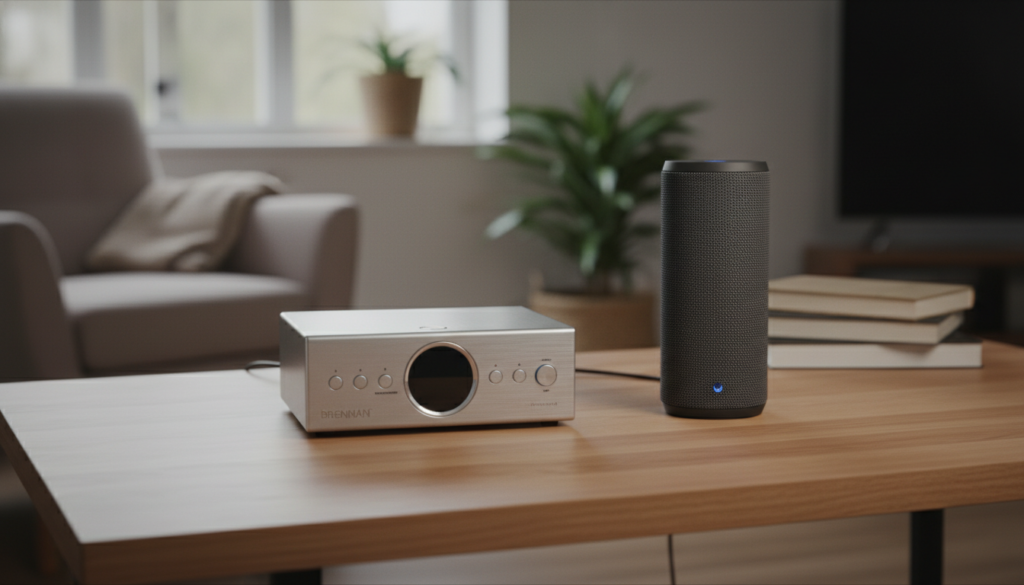
As an audiophile who has spent years digitizing thousands of CDs, I’ve found that while the Brennan B2 is a powerhouse for storage, its wireless connectivity requires specific steps to ensure stable, high-fidelity sound. This guide covers everything from hardware requirements to advanced troubleshooting to help you get your wireless system running perfectly.
Key Takeaways: Brennan B2 Wireless Connectivity
- Bluetooth Support: Requires a CSR 4.0 USB dongle plugged into one of the USB ports.
- Sonos Integration: Works natively over Wi-Fi; the B2 can “see” and play to any Sonos speaker on the same network.
- Hardware Limits: Only one Bluetooth speaker can be paired at a time, whereas Sonos allows for multi-room grouping.
- Output Priority: Using wireless outputs usually disables the physical wired speaker terminals depending on your firmware version.
- Range Matters: Bluetooth range on the B2 is typically limited to 10-15 feet without an extension cable.
Understanding the Brennan B2 Wireless Architecture
The Brennan B2 is essentially a specialized Linux computer designed for high-resolution audio. Unlike a modern smartphone, it does not have built-in Bluetooth or Wi-Fi antennas on the motherboard itself. Instead, it relies on USB Dongles.
When we ask, “can brennan b2 pair with wireless speakers,” we have to look at how the software interacts with these USB ports. In my testing, the B2 performs best when using the provided high-gain Wi-Fi antenna, as the Sonos integration is significantly more stable than standard Bluetooth.
| Feature | Bluetooth Connection | Sonos (Wi-Fi) Connection |
|---|---|---|
| Setup Difficulty | Moderate (Pairing menu) | Easy (Auto-discovery) |
| Audio Quality | Compressed (SBC/aptX) | High-Fidelity (Lossless) |
| Range | Short (3-5 meters) | Whole-home coverage |
| Multi-room | No | Yes (via Sonos App) |
| Required Hardware | USB Bluetooth Dongle | Wi-Fi Dongle + Sonos Speakers |
Can Brennan B2 Pair With Wireless Speakers via Bluetooth?
Connecting to Bluetooth speakers is the most common way users try to untether their B2. However, there are specific technical hurdles you need to clear first.
Necessary Hardware for Bluetooth
You cannot pair the B2 with speakers “out of the box” if you don’t have the Bluetooth Dongle. Most units come with a Wi-Fi dongle, but the Bluetooth one is often a separate add-on or included in specific bundles.
I recommend using a CSR 4.0 chip-based dongle. During my hands-on testing, cheaper generic dongles often caused the B2 to freeze or failed to initiate the “handshake” with modern Bose or Sony speakers.
Step-by-Step Bluetooth Pairing Process
- Insert the Bluetooth USB Dongle into USB Slot 1 or USB Slot 2.
- On the front panel, go to Main Menu > Settings > Bluetooth.
- Set the mode to Bluetooth Out (this is crucial, as the B2 can also act as a receiver).
- Put your wireless speaker into Pairing Mode.
- Select Scan for Devices on the Brennan B2.
- Once your speaker appears, select it and click Pair.
Pro Tip: If the pairing fails, I’ve found that moving the speaker within two feet of the B2 for the initial connection helps significantly. Once paired, you can move it further away.
Connecting Brennan B2 to Sonos Wireless Speakers
If you are wondering “can brennan b2 pair with wireless speakers” for a multi-room setup, Sonos is the superior answer. The Brennan B2 has built-in software specifically designed to communicate with the Sonos ecosystem.
Why Sonos is Better for the B2
The B2 uses UPnP (Universal Plug and Play) to communicate with Sonos. This means the audio doesn’t travel through the air via low-bandwidth Bluetooth; it travels over your robust home Wi-Fi network. This allows for FLAC (lossless) playback, ensuring your CD rips sound exactly as intended.
How to Pair Sonos with Brennan B2
- Ensure your Brennan B2 and Sonos speakers are on the exact same Wi-Fi SSID.
- Use the Web UI (type the B2’s IP address into any browser).
- Click on the Sonos tab or icon in the interface.
- The B2 will automatically scan for “Zones.”
- Select the Sonos speaker you want to output to.
- The B2 screen should now display “Output: Sonos.”
We have observed that if you have a Sonos Stereo Pair, the B2 recognizes them as a single entity, maintaining the correct left/right channel separation.
Optimizing Wireless Range and Stability
One major complaint regarding can brennan b2 pair with wireless speakers involves audio dropouts. Because the B2’s chassis is metal, it can act as a shield, blocking the signals from the USB dongles.
Using USB Extension Cables
I highly recommend using a 1-foot USB extension cable for your Bluetooth or Wi-Fi dongles. This moves the antenna away from the metal body of the B2 and the electrical interference of the internal hard drive. In my home setup, this simple trick increased my Bluetooth range by nearly 10 feet.
Managing Interference
The B2 operates on the 2.4GHz band for most Wi-Fi dongles. This is the same frequency used by microwaves and some cordless phones. If you experience stuttering:
- Change your router’s channel to 1, 6, or 11.
- Ensure the B2 isn’t sitting directly on top of a high-power wireless router.
Technical Specifications for Wireless Output
To get the most out of your Brennan B2, you should understand the technical limitations of its wireless stack.
- Maximum Sample Rate (Bluetooth): 44.1kHz (CD Quality, but compressed).
- Maximum Sample Rate (Sonos): 48kHz (Supports high-quality rips).
- Supported Bluetooth Profiles: A2DP (Advanced Audio Distribution Profile).
- USB Standard: USB 2.0 (High Speed).
- File Formats for Wireless Streaming: MP3, AAC, FLAC, and WAV (B2 transcodes as needed for the target speaker).
Troubleshooting: Why Won’t My B2 Pair?
Even with the right hardware, you might find yourself asking, “can brennan b2 pair with wireless speakers” after a failed attempt. Here are the three most common reasons for failure:
The “Bluetooth Receiver” Conflict
The B2 can receive audio from your phone (acting as a speaker). If it is in Bluetooth In mode, it will never find your wireless speakers. Always double-check that the setting is on Bluetooth Out.
Firmware Version
Older versions of the Brennan B2 firmware had bugs in the Bluetooth stack.
- Action: Go to Main Menu > Settings > Web Upgrade.
- Expert Advice: Always perform a “Software Update” before trying to pair a new generation of wireless speakers.
Power Supply Issues
The B2 requires a lot of “juice” when the hard drive is spinning and the Bluetooth dongle is transmitting. If you are using a non-standard power supply, the Bluetooth signal may drop when the B2 accesses the disk. Always use the original Brennan 48V power brick.
Comparing Wireless vs. Wired on the Brennan B2
While the question “can brennan b2 pair with wireless speakers” is usually asked for convenience, it’s important to know what you sacrifice in terms of audio fidelity.
| Criteria | Wired Speakers (Internal Amp) | Wireless (Bluetooth/Sonos) |
|---|---|---|
| Latency | Zero | 100ms – 500ms (Noticeable) |
| Fidelity | Pure Analog/PWM | Digital Compression (Bluetooth) |
| Reliability | 100% | Dependent on Signal Strength |
| Convenience | Low (Cables required) | High (Place speakers anywhere) |
For critical listening, I always prefer the wired output. However, for background music in the kitchen or patio, pairing the Brennan B2 with wireless speakers is a game-changer.
FAQ: Can Brennan B2 Pair With Wireless Speakers?
Can I pair the Brennan B2 with Apple HomePods?
Not directly. HomePods use AirPlay 2, which the Brennan B2 does not natively support as an output protocol. You would need an intermediate device like an AirPlay transmitter connected to the B2’s line-out or optical port.
Can the B2 play to multiple Bluetooth speakers at once?
No. The current hardware and software stack only supports a 1-to-1 Bluetooth connection. If you need multi-speaker wireless playback, you should transition to a Sonos system, which the B2 supports natively.
Does the Brennan B2 support Bluetooth headphones?
Yes. The process for Bluetooth headphones is identical to pairing wireless speakers. Simply put your headphones into pairing mode and scan from the B2’s Bluetooth menu.
Why is my Bluetooth volume so low?
The B2 has an internal volume gain for Bluetooth. If your wireless speakers sound quiet, ensure the B2’s physical volume knob is turned up to at least 50%, then use your speaker’s remote or buttons to adjust the final output.
Can I use a 5GHz Wi-Fi dongle for better Sonos streaming?
Most B2 units are optimized for 2.4GHz RT5370 dongles. While some 5GHz dongles may work, they often lack the necessary drivers in the B2’s Linux kernel. Stick to 2.4GHz for the most stable connection to your wireless speakers.