

Can You Bridge PA Speakers With 1/4 Input Jacks?
Yes, you can bridge PA speakers with 1/4 input jacks, but it requires a specific configuration where your power amplifier is set to “Bridge Mono” mode and the speakers are connected in a way that matches the amp’s required impedance (Ohms). To do this safely, you must use unshielded TS speaker cables (not instrument cables) and ensure the total load of your daisy-chained speakers does not drop below the amplifier’s minimum rated bridged impedance, which is typically 4 Ohms or 8 Ohms.
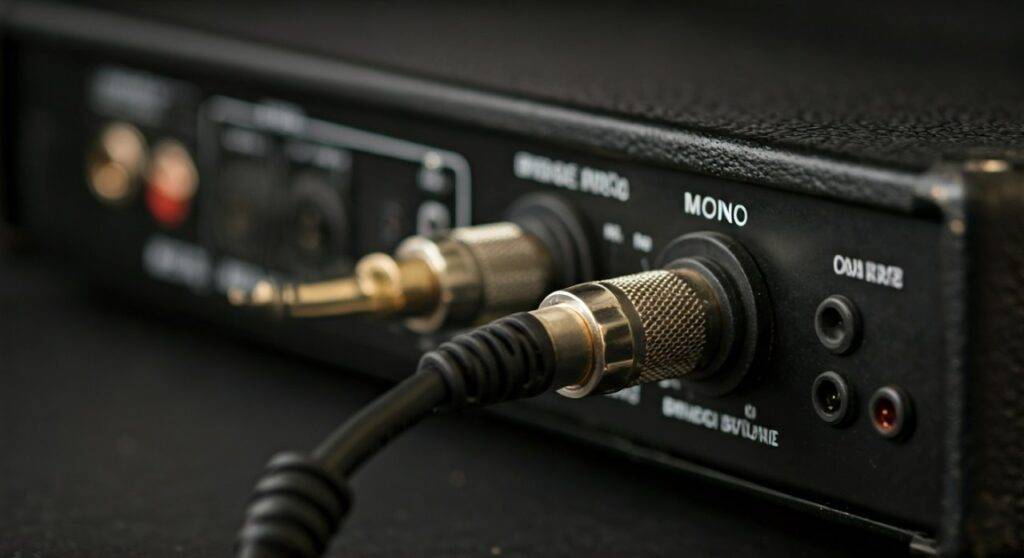
In my fifteen years of managing live sound for regional touring acts, I’ve seen many beginners confuse “bridging” an amplifier with “daisy-chaining” speakers. Bridging refers to combining two amplifier channels into one high-power mono channel, while daisy-chaining refers to connecting one speaker into the next via their 1/4″ input/output jacks.
TL;DR: Key Takeaways for Bridging 1/4″ PA Speakers
- The Power Source: Bridging happens at the Power Amplifier, not the speaker itself.
- Cable Type: Only use heavy-duty TS (Tip-Sleeve) Speaker Cables (12-14 gauge). Never use guitar/instrument cables.
- Impedance Check: Most bridged amps require a minimum 8-Ohm or 4-Ohm load. Two 8-Ohm speakers in a parallel bridge equals 4 Ohms.
- The “Output” Jack: On 1/4″ speakers, the two jacks are usually wired in parallel, meaning you can go from the amp to Speaker A, then from Speaker A to Speaker B.
- Safety First: Bridging puts massive voltage through 1/4″ connectors, which can cause heat buildup. Ensure connections are tight.
Understanding the “Bridge Mono” Concept
Before you plug anything in, you need to understand what Bridge Mono actually does to your gear. In standard “Stereo” mode, Channel A and Channel B of your Power Amp work independently. When you engage the Bridge switch, the amplifier combines the voltage of both channels into a single output.
We often use bridging when we need to provide extra “headroom” for Subwoofers or large Full-Range Cabinets. However, because you are doubling the voltage, the amplifier becomes much more sensitive to the electrical resistance (Impedance) of your speakers.
Why 1/4″ Jacks Require Extra Caution
While Speakon connectors are the modern industry standard for high-power applications, many legacy systems and affordable PA speakers still use 1/4″ TS jacks.
The main risks with using can u bridge pa speakers with 1/4 input jack setups include:
- Arcing: High voltage can jump across the contacts if the plug is partially removed.
- Short Circuits: If the tip of the cable touches the sleeve during insertion while the amp is on, you can blow a fuse or a transistor.
- Heat: 1/4″ plugs have less surface area than Speakon, leading to potential melting at extremely high wattages.
Calculating Impedance: The “Don’t Fry Your Amp” Rule
When you connect multiple speakers to a single bridged output, you are almost always connecting them in parallel. This lowers the total Ohm load that the amplifier “sees.” If the Ohms go too low, the amp will overheat and enter “Protect Mode” or, worse, suffer permanent damage.
| Configuration | Speaker A | Speaker B | Total Load (Impedance) |
|---|---|---|---|
| Single Speaker | 8 Ohms | N/A | 8 Ohms |
| Two Speakers (Parallel) | 8 Ohms | 8 Ohms | 4 Ohms |
| Single Speaker | 4 Ohms | N/A | 4 Ohms |
| Two Speakers (Parallel) | 4 Ohms | 4 Ohms | 2 Ohms (Danger Zone!) |
Expert Pro Tip: Most budget-to-midrange power amplifiers (like the Behringer iNUKE or older Crown XLS series) are stable at 4 Ohms when bridged. Very few can handle a 2-Ohm bridged load. Always check the back panel of your amp for the Minimum Bridged Impedance label.
Step-by-Step Guide: How to Bridge PA Speakers with 1/4″ Jacks
If you’ve confirmed your amp can handle the load, follow these steps to ensure a clean, powerful signal without smoke.
Step 1: Power Down and Reset Gains
Never flip a bridge switch or plug in 1/4″ speaker cables while the amplifier is powered on. Turn the Gain/Volume knobs all the way down to zero.
Step 2: Engage the Bridge Mono Switch
Locate the small slide switch on the back of your Power Amplifier. Move it from “Stereo” or “Parallel” to “Bridge”.
Step 3: Identify the Correct Output Terminals
This is where most people fail. On many older amps, the bridged output doesn’t use the standard Channel A or B 1/4″ jacks. Instead, you may need to use the Binding Posts (the red screw-on terminals).
- If your amp has a dedicated “Bridge” 1/4″ jack, use that.
- If it only has Binding Posts, you will need a Banana Plug to 1/4″ Female adapter or a custom-made cable.
- Usually, the “Bridge” output uses the two Positive (Red) terminals of Channel A and B.
Step 4: Connecting the First Speaker
Run a high-quality 12-gauge Speaker Cable from the amp’s bridged output to the first 1/4″ Input Jack on Speaker A.
Step 5: Daisy-Chaining to Speaker B
Take a second speaker cable. Plug one end into the second 1/4″ jack on Speaker A (often labeled “Link” or “Thru”) and the other end into the input of Speaker B.
Speaker Cables vs. Instrument Cables: The Critical Difference
I cannot stress this enough: Can u bridge pa speakers with 1/4 input jack setups require actual Speaker Cables.
To the naked eye, a guitar cable and a speaker cable look identical. However, the internal architecture is completely different:
- Instrument Cables: Use a very thin “center conductor” and a “shield” (mesh). They are designed for low-voltage signals. If used for bridging PA speakers, they can melt, cause a fire, or destroy your amplifier’s output stage.
- Speaker Cables: Use two thick, unshielded copper wires (usually 14 AWG or 12 AWG). They are designed to carry high current and high voltage.
How to tell the difference? Unscrew the barrel of the 1/4″ plug. If you see two identical thick wires, it’s a speaker cable. If you see one thin wire and a copper mesh, it’s an instrument cable. Discard the instrument cable for this application immediately.
The Pros and Cons of Bridging with 1/4″ Jacks
While bridging can give your system the “thump” it needs, it isn’t always the best choice.
Advantages
- Increased Power: You can often triple the wattage compared to running a single channel.
- Efficiency: Perfect for powering a single large Passive Subwoofer.
- Utility: Allows you to use older, high-quality analog gear that lacks modern Speakon ports.
Disadvantages
- Reduced Damping Factor: Bridging can result in “sloppy” bass because the amp has less control over the speaker cone’s movement.
- Higher Heat: The amp runs much hotter, requiring better ventilation.
- Mono Only: You lose the stereo field, which is fine for subs but less ideal for high-fidelity music playback in small rooms.
Realistic Scenarios: When to Bridge
In my experience, I typically bridge 1/4″ systems in two specific scenarios:
- The Outdoor “Reach”: If I’m doing a community announcement and need a long “throw” for a pair of Passive 15-inch Cabinets, bridging provides the voltage needed to drive the signal over long cable runs without losing clarity.
- The Subwoofer Kick: If I have a single 18-inch Passive Sub rated for 800 Watts, but my amp only does 300 Watts per channel, bridging the amp gives me roughly 900 Watts, which provides the Headroom needed for those low-frequency peaks.
Troubleshooting Common Connection Issues
If you’ve connected everything and aren’t getting sound, or if the sound is “thin,” check these common failure points:
- Phase Cancellation: If your two speakers are wired differently internally (one “Tip Positive,” one “Tip Negative”), the bass will disappear when they are placed next to each other. Ensure all cables are identical brands.
- The “Half-Plug” Syndrome: 1/4″ jacks can lose their tension over time. If the plug isn’t “clicked” in firmly, the bridge circuit won’t complete correctly.
- Thermal Shutdown: If the amp plays for 10 minutes and then cuts out, you are likely running at too low an Impedance. Re-calculate your Ohms!
Frequently Asked Questions
Can I use a Y-splitter cable to bridge my speakers?
No. You should never use a “Y-cable” to combine two amplifier outputs into one speaker. This will cause the two channels to “fight” each other, likely resulting in a catastrophic failure of the power amplifier. Bridging must be done internally via the amp’s circuitry.
Is it safe to bridge 4-Ohm speakers?
Most amplifiers are not stable at a 2-Ohm load in bridge mode. If you have two 4-Ohm speakers, you cannot bridge them together (as that creates a 2-Ohm load). You should only bridge 4-Ohm speakers if you are using a single speaker and the amp is specifically rated for “4-Ohm Bridge Stable.”
Does bridging a PA speaker make it louder?
Yes, bridging increases the Voltage Swing, which translates to more Wattage. Usually, you see a gain of about +3dB to +6dB in volume. However, it also consumes more power from your wall outlet and generates more heat.
Can I use 1/4″ to Speakon adapters?
Yes, using a Speakon-to-1/4″ adapter is a great way to use modern, high-output amplifiers with older speakers. Just ensure the adapter is rated for “Speaker Level” and not “Line Level” signals.
Why do some people say 1/4″ jacks are “dangerous” for bridging?
It’s mostly due to the exposed metal of the 1/4″ plug. When an amp is bridged, it can put out over 100 Volts. If you touch the metal end of a 1/4″ cable while the amp is pumping a signal, you can get a significant electrical shock. Modern Speakon connectors are “touch-proof,” making them much safer.









