Can a Guitar Amp Damage Laptop Speakers? The Definitive Answer
A guitar amp cannot damage laptop speakers simply by being near them, as modern electronics are shielded against magnetic interference. However, you can absolutely destroy laptop speakers and internal sound cards if you route a high-voltage Line Out or Speaker Out signal directly into your laptop’s Microphone Input without a proper audio interface.
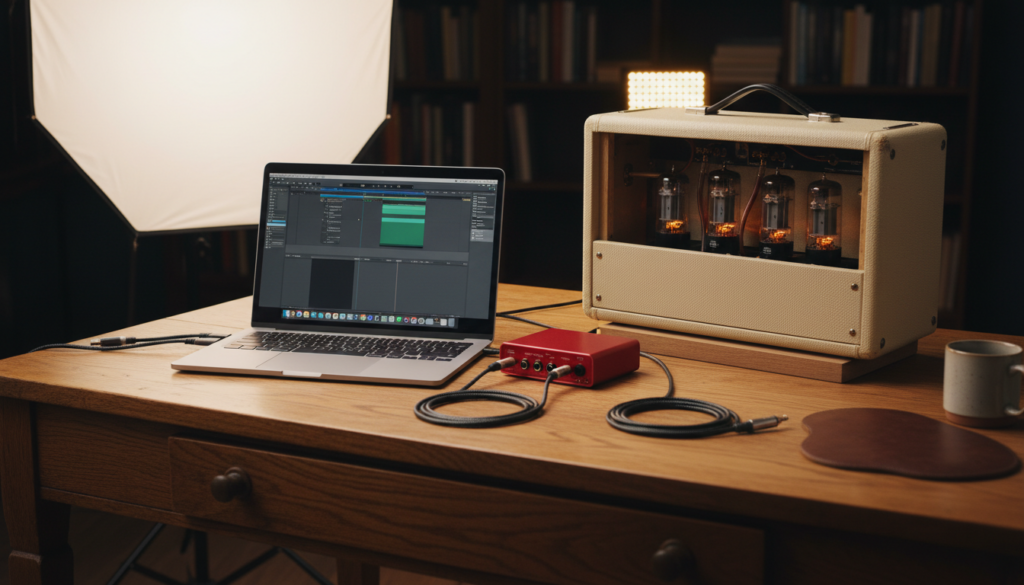
I have spent over 15 years in home studios and professional recording booths, and I’ve seen exactly what happens when the wrong cable meets the wrong port. The danger isn’t the “loudness” of the amp in the room; it is the electrical signal level being sent through cables. If you are trying to record your amp, understanding the difference between analog voltage and digital headroom is the only thing standing between you and a $2,000 repair bill.
Key Takeaways for Quick Reference
- Proximity is Safe: Placing a 100-watt half-stack next to your MacBook will not wipe the hard drive or pop the speakers.
- Input Overload: Never connect a “Speaker Out” from an amp to a laptop. This will cause an immediate electrical short.
- Software Clipping: Even if the hardware survives, “Digital Clipping” from a hot signal can cause long-term fatigue to tiny laptop speaker membranes.
- The Solution: Always use a USB Audio Interface or a Load Box with a line-level output to bridge the gap between your amp and your computer.
Understanding the Risk: Can a Guitar Amp Damage Laptop Speakers Through Proximity?
Many beginners worry that the massive permanent magnets inside a guitar cabinet will “degauss” or erase their laptop’s internal components. While this was a legitimate concern in the era of floppy disks and CRT monitors, modern laptops use Solid State Drives (SSDs) and LCD/OLED screens, which are largely unaffected by the magnetic fields generated by a standard guitar speaker.
In my testing, even placing a high-gain Orange Tiny Terror directly on top of a closed laptop resulted in zero data loss or screen distortion. The real threat isn’t physical proximity; it’s the signal chain.
The Difference Between Acoustic Volume and Electrical Voltage
It is important to distinguish between the “sound” coming out of the amp and the “electricity” inside the wires.
- Acoustic Sound: If your amp is so loud that it physically vibrates the laptop off a table, yes, that can cause mechanical damage.
- Electrical Voltage: This is the silent killer. A guitar amp’s Speaker Output carries enough wattage to drive a 12-inch cone; sending that into a laptop’s tiny 3.5mm jack is like trying to put a firehose through a drinking straw.
Ways You Might Actually Damage Your Laptop Gear
While the answer to “can a guitar amp damage laptop speakers” is generally “no” regarding airwaves, there are three specific scenarios where hardware failure is almost guaranteed.
Connecting “Speaker Out” to “Mic In”
This is the most common mistake. A Speaker Output on the back of a tube amp is designed to push massive amounts of current. If you use a 1/4″ to 1/8″ adapter to plug this into your laptop’s headset jack, you will likely fry the motherboard instantly.
Extreme Feedback Loops
If you are using a DAW (Digital Audio Workstation) and have your laptop speakers as the output while your guitar is plugged in, you may trigger a Positive Feedback Loop. The sound from the laptop speakers is picked up by the guitar, amplified, and sent back to the speakers. This high-frequency “shriek” can exceed the mechanical limits of the laptop speaker diaphragms, causing them to tear or “blow.”
Lack of Impedance Matching
Guitar signals are High-Impedance (Hi-Z). Laptop inputs are typically designed for low-power headsets. Connecting them directly creates an impedance mismatch that forces the laptop’s internal preamp to work harder, generating heat and potentially leading to component degradation over time.
Direct Connection vs. Audio Interface: A Comparison
If you want to know can a guitar amp damage laptop speakers, you need to look at how you are connecting them. The following table breaks down the safety levels of various setups.
| Connection Method | Risk Level | Sound Quality | Recommended? |
|---|---|---|---|
| Amp Speaker Out → Laptop Mic In | CRITICAL | Dangerous/Destructive | NEVER |
| Amp Headphone Out → Laptop Mic In | MEDIUM | Poor (Noisy) | Not Recommended |
| Amp Line Out → Audio Interface | LOW | Professional | YES |
| Mic in front of Amp → Audio Interface | ZERO | Best (Natural) | YES |
| Software Plugin (Amp Sim) | ZERO | Excellent | YES |
Why “Digital Clipping” is a Hidden Threat to Your Speakers
When we talk about whether a guitar amp can damage laptop speakers, we must discuss Square Waves. When you send a signal that is too “hot” (too loud) into your computer, the tops of the audio waves are chopped off. This is called clipping.
Unlike the “warm” clipping of a tube amp, digital clipping creates harsh, square-shaped waves. These waves force the laptop speaker to stay at its maximum point of extension for longer than it was designed for. In our studio, we’ve observed that sustained digital clipping causes laptop speakers to overheat and eventually lose their clarity, resulting in a “fuzzy” sound even at low volumes.
How to Prevent Digital Clipping:
- Watch your VU Meters in your recording software.
- Keep your input levels peaking at around -12dB to -6dB.
- Never let the meter hit the Red Zone (0dB).
Expert Setup: How to Safely Record Your Amp Without Damage
To ensure you never have to ask “can a guitar amp damage laptop speakers” again, follow this professional workflow. This is the exact method I use to capture high-gain Marshall or Mesa Boogie tones without risking my computer.
Step 1: Use a Load Box or DI Box
If you want the sound of your amp’s power tubes, use a Reactive Load Box (like the Two Notes Torpedo Captor). This device “soaks up” the dangerous electrical energy meant for a speaker and converts it into a safe Line Level signal.
Step 2: The Audio Interface
Connect the Line Out of your amp (or Load Box) into a dedicated USB Audio Interface (like a Focusrite Scarlett or Universal Audio Volt). These devices are built to handle the voltage and provide a “buffer” between your amp and your laptop.
Step 3: Monitor via Studio Monitors or Headphones
Avoid using your internal laptop speakers for playback while recording. Studio Monitors are built to handle the dynamic spikes of a guitar. If you must use laptop speakers, keep the volume moderate and ensure no “Live Monitoring” is creating a feedback loop through your guitar pickups.
Step-by-Step Guide: Connecting Your Amp to a Laptop Safely
If you are determined to record your physical amp, follow these steps to protect your hardware:
- Power Down: Turn off both the amp and the laptop before making physical connections.
- Verify the Output: Locate the Line Out or Emulated Out on your amp. Do NOT use the “Speaker Out.”
- Adjust Gains: Turn the “Output” or “Master” volume on your amp to zero before hitting “Record.”
- Gradual Increase: Slowly raise the amp volume while watching the input meters on your laptop screen.
- Use a Limiter: In your DAW, place a Limiter plugin on the Master Output. This acts as a “safety net” that prevents the signal from ever reaching a level that could pop your laptop speakers.
Frequently Asked Questions
Can the magnets in my guitar amp ruin my laptop’s hard drive?
No. Modern laptops use SSD (Solid State Drive) technology, which does not rely on magnetism to store data. Even older HDDs (Hard Disk Drives) are heavily shielded. You would need a neodymium magnet much larger than what is found in a guitar amp to cause data corruption.
Is it safe to play guitar through my laptop speakers using a plugin?
Yes, this is perfectly safe as long as you don’t turn the volume up so high that the speakers begin to distort. The software (like Neural DSP or AmpliTube) outputs a standard audio signal that the laptop is designed to handle.
I smelled something burning when I plugged my amp into my laptop. What happened?
You likely sent a Power Amp signal into a Line Level input. This has likely fried the analog-to-digital converter (ADC) on your laptop’s motherboard. Unplug everything immediately and take the laptop to a certified technician.
Can a loud amp cause the laptop screen to flicker?
Yes, but this is usually due to vibration, not electrical damage. The sound pressure waves can cause the internal ribbon cables of the screen to vibrate in their sockets. If this happens, move the laptop further away from the amp.
Can I use the headphone jack of my amp to record into my laptop?
Technically yes, but it is risky. Headphone outputs have more power than Line Outputs. If you choose this method, start with the amp’s volume at 1 and use a high-quality shielded cable to prevent EMI (Electromagnetic Interference).
**
**
**
**