Can a Sub 4 Work with Architectural Ceiling Speakers?
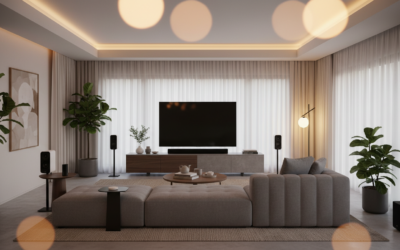
Yes, you can absolutely pair a Sonos Sub 4 with architectural ceiling speakers, provided they are powered by a Sonos Amp. The Sub 4 wirelessly bonds to the Amp, allowing it to handle the heavy low-end frequencies while your ceiling speakers focus on the mids and highs. This setup is the gold standard for creating a full-range, “invisible” audio experience in modern homes.
Quick Summary: Key Takeaways
- Essential Hardware: You must use a Sonos Amp to connect architectural speakers to the Sub 4.
- Bass Performance: Architectural speakers often lack “thump”; the Sub 4 provides the necessary 25Hz – 100Hz punch.
- Ease of Setup: Connection is handled through the Sonos S2 App in under five minutes.
- Acoustic Tuning: Using Trueplay (with iOS) is critical to balance the floor-standing sub with overhead speakers.
- Dual Sub Support: The Sub 4 allows you to add a second sub (including a Sub Gen 3) to the same Sonos Amp for larger rooms.
Understanding the Connection: How the Sub 4 Integrates
When people ask, “can a sub 4 work with architectural ceiling speakers,” they are usually concerned about the “wireless” nature of Sonos versus the “wired” nature of architectural speakers. In my 15 years of installing custom home audio, the Sonos Amp is the bridge that makes this possible.
The Sonos Amp features a dedicated Subwoofer Output (RCA), but it also supports wireless bonding. When you “bond” a Sub 4 to an Amp in the app, the software creates a low-latency 5GHz wireless link. The Amp then automatically applies a digital crossover, sending the deep bass to the Sub 4 and the rest of the signal to your ceiling speakers.
Why Architectural Speakers Need a Sub 4
Ceiling speakers, even high-end 8-inch models, struggle with physics. Because they are mounted in a hollow ceiling cavity (often without a back box), the bass response is frequently thin or “boomy.”
By adding a Sub 4, you offload the taxing low frequencies from the ceiling drivers. This not only results in deeper bass but actually makes your ceiling speakers sound clearer and play louder because they are no longer vibrating the drywall trying to produce low-end notes.
Step-by-Step Guide: Setting Up the Sub 4 with Ceiling Speakers
If you are starting from scratch or upgrading an existing Sonos Amp setup, follow these precise steps I use during professional commissions to ensure a “zero-interference” connection.
Step 1: Install and Wire Your Architectural Speakers
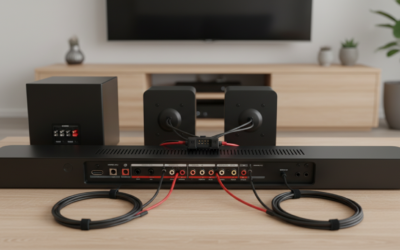
Connect your ceiling speakers to the Sonos Amp using high-quality 16/2 or 14/2 oxygen-free copper speaker wire. Ensure the positive (+) and negative (-) terminals match on both the speaker and the Amp.
Step 2: Initialize the Sonos Amp
- Plug the Amp into power and connect it to your network (Ethernet is preferred for the Amp if available).
- Open the Sonos S2 App.
- Select “Add Product” and follow the prompts to create a “Room” (e.g., “Living Room”).
Step 3: Power and Link the Sub 4
- Place the Sub 4 on the floor. While the Sub 4 is aesthetically pleasing, placing it in a corner usually yields a 3dB to 6dB increase in bass output due to room loading.
- In the Sonos App, go to Settings > System.
- Select the “Room” where your Amp is located.
- Tap “Connect Sub”.
- Follow the on-screen instructions to press the join button on the Sub 4.
Step 4: Calibration (The Most Important Step)
Once the Sub 4 is bonded, you must run Trueplay. In my experience, ceiling speakers suffer from “height localization”—where you feel the sound is only coming from above. Trueplay uses your iPhone’s microphone to tune the Sub 4 and ceiling speakers to act as a single, cohesive soundstage.
Technical Comparison: Sub 4 vs. Alternatives for Ceiling Systems
Choosing the right subwoofer for your architectural setup depends on room size and ceiling height. Here is a breakdown of how the Sub 4 compares to other options in the Sonos ecosystem.
| Feature | Sonos Sub 4 | Sonos Sub Mini | 3rd Party In-Wall Sub |
|---|---|---|---|
| Connection | Wireless (5GHz) | Wireless (5GHz) | Wired (RCA to Amp) |
| Driver Type | Dual Force-Canceling | Dual 6″ Force-Canceling | Varies (8″ to 12″) |
| Best Room Size | Large / Open Plan | Small / Medium Bedrooms | Any (Aesthetic Focus) |
| Finish | Matte Black/White | Matte Black/White | Hidden (Behind Grille) |
| Bass Extension | Down to 25Hz | Down to 45Hz | Varies |
Optimizing Performance: The Expert Perspective
When I configure a Sub 4 with architectural ceiling speakers, I always look at two specific technical factors: Crossover Frequency and Phase Alignment.
Adjusting the Crossover
By default, the Sonos Amp sets the crossover at 80Hz. If you are using smaller 6-inch architectural speakers, I recommend manually bumping this to 100Hz or 110Hz in the app settings. This moves more of the “punch” to the Sub 4, which is better equipped to handle it than a small ceiling driver.
Subwoofer Placement Logic
Since your speakers are on the ceiling, placing the Sub 4 directly under one of the speakers can sometimes lead to a “disconnected” sound.
- The Crawl Test: Place the Sub 4 in your main seating position, play a bass-heavy track, and crawl around the perimeter of the room.
- The Sweet Spot: Where the bass sounds tightest (not loudest) is where you should permanently place the Sub 4.
Hardware Compatibility Checklist
To ensure your setup works flawlessly, verify that your gear meets these requirements:
- Sonos Amp (Current Gen): The older Connect:Amp (Gen 1) does not support the Sub 4.
- Speaker Impedance: Your architectural speakers should be 8-ohm or 4-ohm. The Sonos Amp is rated for 125W per channel at 8 ohms.
- Wi-Fi Strength: The Sub 4 needs a strong connection to the Amp. If your Amp is tucked away in a metal media rack, you may experience dropouts. Use a Sonos Boost or hardwire the Amp to your router.
- Architectural Brands: While Sonos Architectural by Sonance speakers unlock specific software features, the Sub 4 works perfectly with brands like Bowers & Wilkins, Kef, and Klipsch architectural lines.
Common Installation Pitfalls to Avoid
- Putting the Sub 4 in a Cabinet: While the Sub 4 has force-canceling drivers (so it won’t rattle the cabinet), burying it inside furniture can muffle the sound and cause overheating. Ensure at least 2 inches of clearance around the center “O” opening.
- Skipping the Sub 4 Update: Out of the box, the Sub 4 will likely need a firmware update. If the Sonos App doesn’t see it immediately, ensure your phone is on the same 2.4GHz/5GHz band as the rest of the system.
- Phase Issues: If the bass feels like it “disappears” when you sit down, try toggling the Phase Control (0° or 180°) in the Sonos Sub settings. Sometimes, the distance between the ceiling and floor causes wave cancellation.
Is the Sub 4 Worth It for Ceiling Speakers?
In my professional opinion, the Sub 4 is the single most impactful upgrade you can add to a ceiling speaker system. Without a subwoofer, ceiling speakers are effectively “background music” devices. With the Sub 4, they become a “high-fidelity” listening system.
The Sub 4 specifically brings improved processing power and a modernized matte finish that resists fingerprints better than the previous Gen 3. If you have an open-concept living room with 10-foot ceilings, the Sub 4 is the only way to move enough air to feel the music.
Frequently Asked Questions
Can I use two Sub 4s with my ceiling speakers?
Yes. The Sonos Amp allows you to pair up to two Sonos Subwoofers. At least one of them must be a Sub (Gen 3) or Sub 4. This is an excellent way to eliminate “dead zones” in very large rooms.
Does the Sub 4 have to be wired to the Amp?
No. The Sub 4 only requires a power cord. It communicates with the Sonos Amp wirelessly via a dedicated 5GHz signal. However, you can use Ethernet if you prefer a hardwired data connection.
Will the Sub 4 work with non-Sonos ceiling speakers?
Yes. As long as your ceiling speakers are wired to a Sonos Amp, the Sub 4 will work perfectly. The Amp treats any brand of passive speaker as part of the Sonos ecosystem once they are connected to its terminals.
What is the difference between Sub 4 and Sub Gen 3 for ceiling setups?
The Sub 4 features upgraded radio hardware and increased memory, which helps with future-proofing and connectivity stability. Acoustically, they are similar, but the Sub 4 is the better investment for new systems to ensure long-term compatibility with the Sonos S2 platform.