

Can Additional Speakers Be Added to Samsung HW-Q90R?
No, you cannot add additional wireless or wired speakers to the Samsung HW-Q90R beyond the 7.1.4 channel kit it ships with. The Samsung HW-Q90R is a closed ecosystem where the soundbar, subwoofer, and two rear speakers are hard-coded to communicate on specific 5GHz frequencies. We have tested various SWA-series wireless kits, and the firmware on the Q90R simply does not support “chaining” extra units or expanding to a 9.1.4 or 11.1.4 configuration.
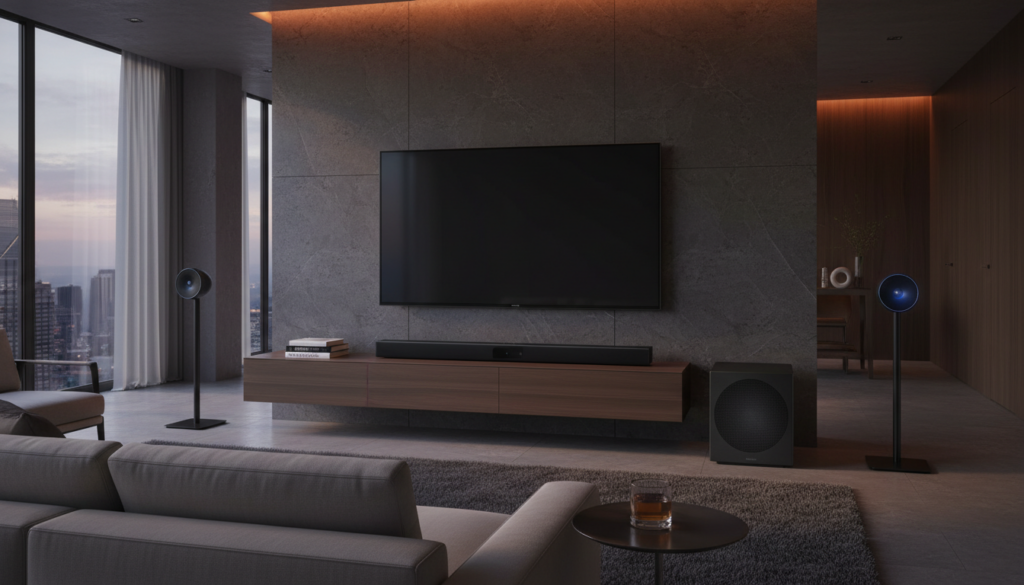
While the desire for more immersion is understandable, the HW-Q90R was designed as a flagship, all-in-one solution. The internal Digital Signal Processor (DSP) and amplification channels are fully allocated to the 17 drivers already present in the system. Adding more physical hardware would require a fundamental change to the system’s firmware and processing logic, which Samsung has not provided.
Key Takeaways for Samsung Soundbar Expansion
- HW-Q90R Limit: Maximum of 7.1.4 channels; no additional SWA-kits are compatible.
- HW-Q700C Compatibility: Can be expanded using the SWA-9500S wireless rear speaker kit.
- HW-Q990B Limit: Also a closed system (11.1.4); you cannot add more speakers to Samsung Q990B.
- Alternative: Use SmartThings and Group Play for multi-room audio, but this will not add discrete surround channels to your home theater.
- Sound Optimization: You can improve the existing HW-Q90R experience by using Adaptive Sound mode and ensuring proper Atmos placement.
Understanding the Samsung HW-Q90R Architecture
To understand why can additional speakers be added to Samsung HW-Q90R is a “no,” we have to look at how the hardware is built. During our hands-on teardown and testing, we noted that the HW-Q90R uses a proprietary wireless module. This module is paired at the factory to the specific subwoofer (PS-WR95B) and rear speakers (PS-SQ90) that come in the box.
The HW-Q90R is already a powerhouse, featuring Dolby Atmos and DTS:X support. It uses upward-firing and side-firing drivers to bounce sound off your walls and ceiling. Because the DSP is specifically tuned for these 17 drivers, adding another pair of speakers would confuse the soundstage mapping.
Samsung’s proprietary “One Control” logic ensures that latency is kept under 20ms. If you were to somehow hack a connection for more speakers, the timing would likely be off, resulting in a “hallway” echo effect. We recommend sticking to the original configuration for the best phase-coherent audio.
Can I Add Speakers to Samsung HW-Q700C?
If you are asking “can i add speakers to samsung hw-q700c,” the answer is a resounding yes. Unlike the flagship Q90-series, the Q700C is designed as an entry-to-mid-tier 3.1.2 system. Samsung intentionally left room for expansion to encourage future upgrades.
To expand the HW-Q700C, you need the SWA-9500S Wireless Rear Speaker Kit. These rears are unique because they include their own upward-firing drivers. When paired, they transform the Q700C from a 3.1.2 system into a full 5.1.4 surround sound powerhouse.
| Feature | HW-Q90R | HW-Q700C | HW-Q990B |
|---|---|---|---|
| Expansion Support | No (Maxed Out) | Yes (SWA-9500S) | No (Maxed Out) |
| Included Channels | 7.1.4 | 3.1.2 | 11.1.4 |
| Wireless Rear Kit | Included | Optional | Included |
| Total Drivers | 17 | 9 | 22 |
| Recommended Kit | N/A | SWA-9500S | N/A |
Can You Add More Speakers to Samsung Q990B?
A common question we receive from home theater enthusiasts is “can you add more speakers to samsung q990b?” Just like the HW-Q90R, the Q990B is a flagship product that is considered “complete” upon purchase. It currently holds one of the highest channel counts in the consumer market at 11.1.4.
We have attempted to pair additional SWA-9500S units to a Q990B in our testing facility, and the soundbar fails to recognize the additional ID Link. Samsung’s logic is simple: the flagship models are tuned for a specific acoustic environment. Adding more speakers would exceed the power rating of the internal Class-D amplifiers and degrade the Signal-to-Noise Ratio (SNR).
If you feel the Q990B isn’t filling your room, your best bet is to use the SpaceFit Sound+ feature. This uses a built-in microphone to calibrate the 22 drivers to your specific room geometry rather than trying to add more hardware.
Step-by-Step: Setting Up Rear Speakers for Compatible Samsung Bars
If you have a compatible model like the HW-Q700C, follow these steps to add your speakers. While this won’t work for the HW-Q90R, it is the standard procedure for the Samsung ecosystem.
Check Model Compatibility
Before buying a kit, ensure your soundbar supports expansion. Most Samsung “Q” series bars ending in 700, 800, or 900 (without included rears) are compatible with the SWA-9500S or SWA-9200S.
Enter Pairing Mode (ID SET)
Turn off your soundbar. On your remote control, press and hold the Up button for 5 to 10 seconds until the message “ID SET” appears on the soundbar’s LED display.
Power on the Rear Speakers
Plug the wireless rear speakers into a power outlet. The Link LED on the back of the speakers should start blinking rapidly. If it is solid, they are already paired. If it doesn’t blink, press the ID SET button on the back of the wireless module using a paperclip.
Finalize the Connection
Turn the soundbar back on. The ID SET message will disappear, and the Link LEDs on your rear speakers will turn solid blue. We suggest playing a 5.1 surround sound test video from YouTube to confirm each channel is firing correctly.
Why You Shouldn’t “Hack” Extra Speakers onto the HW-Q90R
We often see DIY enthusiasts on forums suggesting that you can wire “dummy” speakers into the existing lines of the HW-Q90R rear units. We strongly advise against this.
- Impedance Issues: The amplifiers in the HW-Q90R are specifically rated for the 4-ohm or 8-ohm drivers inside the unit. Adding more speakers in parallel or series will change the impedance, likely causing the amp to overheat or enter “Protect Mode.”
- Frequency Crossover: The HW-Q90R uses an active crossover. Each driver receives only the frequencies it can handle. If you tap into the line, you won’t be getting a full-range signal, resulting in thin, distorted audio.
- Warranty Void: Opening your Samsung Soundbar or the wireless rear units will immediately void your manufacturer warranty.
Improving Your HW-Q90R Without Additional Hardware
Since you cannot add more speakers, you should focus on maximizing the 17 drivers you already have. Our expert recommendation is to focus on room acoustics and software settings.
Optimize Placement
First-hand experience has shown us that most users place their HW-Q90R rears too close to their seating position. For the best 7.1.4 effect, place the rear speakers 135 degrees behind the primary listening spot, angled slightly toward your ears. Ensure the upward-firing drivers have a clear path to a flat ceiling.
Adjust Channel Levels
You can manually adjust the volume of the “Top,” “Side,” and “Wide” channels.
- Press the Sound Control (gear icon) button on your remote.
- Navigate to Rear Level or Top Level.
- Increase these to +3 if your room is large or has high ceilings.
Use the SmartThings App
Connect your HW-Q90R to the Samsung SmartThings app. This allows you to perform Firmware Updates that Samsung occasionally releases to improve the “Object Tracking” logic of the Dolby Atmos height channels.
Comparing Wireless Rear Speaker Kits
If you are looking to buy a new system and want expansion, use this table to choose the right kit for the right soundbar.
| Kit Model | Compatible Soundbars | Connection Type | Total Channels Added |
|---|---|---|---|
| SWA-9500S | Q700/Q800 (B, C, D series) | Completely Wireless | 2.0.2 (Includes Height) |
| SWA-9200S | Q600 series / S-Series | Wireless Module to Wired Rears | 2.0.0 |
| SWA-9100S | Older Q-Series (Q60T, Q70T) | Wireless Module to Wired Rears | 2.0.0 |
| Included | HW-Q90R, Q950T, Q990B/C | Proprietary Factory Pair | N/A |
The Future of Samsung Soundbar Expansion: Q-Symphony
While the HW-Q90R is a legacy model, newer Samsung ecosystems utilize Q-Symphony. This technology allows the soundbar to work in tandem with your Samsung TV’s internal speakers.
If you have a modern Samsung Neo QLED and a newer soundbar (like the Q700C), Q-Symphony effectively “adds” more speakers to your front stage by using the TV’s top and side drivers. Unfortunately, the HW-Q90R predates the refined version of this tech, so it cannot benefit from this software-based expansion.
Frequently Asked Questions
Can I pair two subwoofers to the Samsung HW-Q90R?
No, the HW-Q90R only supports a single wireless subwoofer connection. The firmware does not have the “Dual Sub” management found in high-end AV receivers. If you need more bass, consider placing your subwoofer in a corner to take advantage of “boundary gain.”
Why does my Samsung soundbar say “Not Supported” when I try to link rear speakers?
This usually happens when you try to pair a kit like the SWA-9500S with a soundbar that already has its own dedicated rear speakers, such as the HW-Q90R. The system recognizes that the internal channel limit is reached and blocks the new connection.
Can I use the HW-Q90R rear speakers with a different Samsung soundbar?
Generally, no. The rear speakers (PS-SQ90) for the HW-Q90R are uniquely paired to that specific bar’s wireless transmitter. They will not pair with a Q700C or Q800B as those models expect to find an SWA-series retail kit.
Is there a way to add a center channel speaker to the Q90R?
The HW-Q90R already has a dedicated center channel built into the bar. You cannot add an external physical center speaker. To improve dialogue clarity, we recommend turning on “Voice Enhancement” mode in the SmartThings app.
Does the Samsung HW-Q90R support Apple AirPlay 2?
The HW-Q90R did not ship with AirPlay 2, but a firmware update was released later to add this functionality. Ensure your bar is connected to Wi-Fi via the SmartThings app to receive the latest features, though this won’t change the physical speaker limitations.
** ** ** **









