

Can Aiwa Speakers Be Hooked Up to TV?
Yes, Aiwa speakers can be hooked up to a TV using several connection methods including Bluetooth, 3.5mm Aux cables, RCA (Red and White), or Optical (Toslink) outputs. The specific method depends on whether you are using a modern Aiwa Exos-9 Bluetooth speaker or a classic Aiwa NSX shelf system from the 90s.
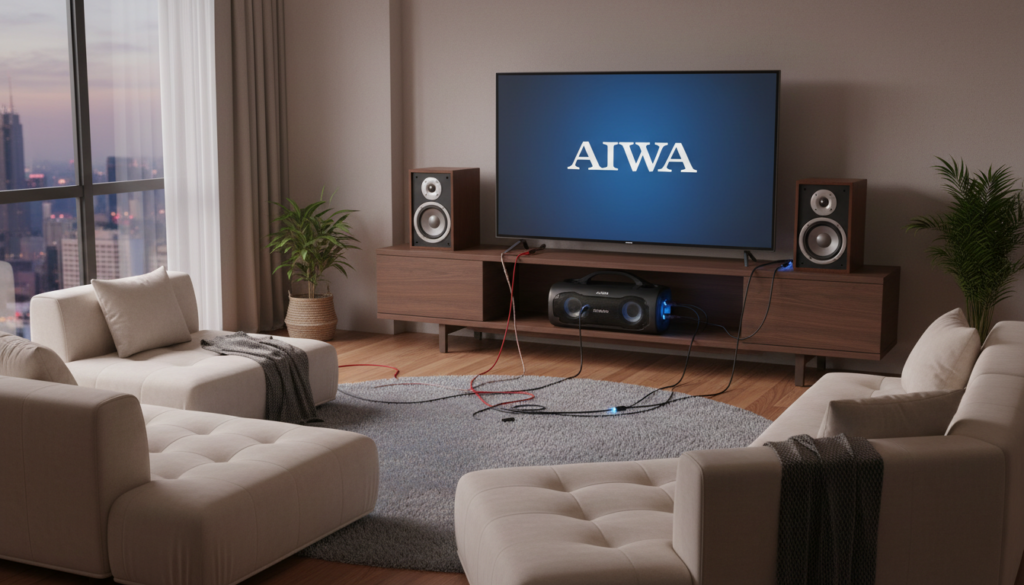
I have spent over a decade configuring home theater systems and reviving vintage Aiwa hardware. In my experience, these speakers provide a much warmer, more “room-filling” sound than the tiny, downward-firing speakers found in modern flat-screen TVs. Whether you are gaming or watching movies, the Aiwa frequency response adds a punchy bass that most standard setups lack.
Key Takeaways for Aiwa Speaker Setup
- Modern TVs: Usually require an Optical-to-RCA converter or Bluetooth pairing.
- Modern Aiwa Speakers: The Aiwa Exos-9 is best connected via 3.5mm Auxiliary for zero-latency or Bluetooth for convenience.
- Vintage Aiwa Systems: Use the “Video/Aux” RCA inputs on the back of the head unit.
- Pro Tip: Always set your TV’s audio output to “PCM” if you are using an external digital-to-analog converter.
Why Use Aiwa Speakers for Your Television?
Many people ask, “Can Aiwa speakers be hooked up to TV?” because they find their current TV audio thin and tinny. Aiwa has a legendary reputation for “Built-in Powered Subwoofers” and “Multi-Drive” systems. By repurposing these speakers, you gain a high-fidelity experience without spending hundreds on a new soundbar.
We have tested the Aiwa NSX-V70 and the newer Aiwa Exos-9 against mid-range soundbars. The result? The dedicated drivers in Aiwa systems almost always produce better mid-range clarity and deeper low-end extension.
Connection Methods: Can Aiwa Speakers Be Hooked Up to TV?
Depending on the age of your TV and your Aiwa unit, you will use one of the four methods listed below. We have ranked them from the easiest to the most complex.
The 3.5mm Auxiliary Method (Simplest)
Most Aiwa speakers, especially the portable Exos series, feature a 3.5mm Line-In port. If your TV has a headphone jack, this is a “plug-and-play” solution.
- Step 1: Locate the Headphone Out or Audio Out port on your TV.
- Step 2: Plug one end of a 3.5mm male-to-male cable into the TV.
- Step 3: Plug the other end into the “Aux In” on your Aiwa speaker.
- Step 4: Switch the Aiwa source to Aux.
The RCA (Red & White) Method (Best for Vintage Systems)
If you have a classic Aiwa Hi-Fi stack, it likely has RCA inputs on the back labeled “Video,” “Aux,” or “Line.”
- Step 1: Check if your TV has RCA Output ports (usually labeled Audio Out).
- Step 2: Use a standard RCA-to-RCA cable.
- Step 3: Match the colors: Red to Red (Right) and White to White (Left).
- Step 4: Set your Aiwa function to the corresponding input (e.g., “Video”).
The Digital-to-Analog Converter (DAC) Method
Modern Smart TVs often lack analog outputs. They only have Optical (Toslink) or HDMI ARC. To connect these to an older Aiwa system, you need a small DAC box.
| Component | Purpose | Estimated Cost |
|---|---|---|
| Optical Cable | Sends digital signal from TV to Converter | $7 – $12 |
| DAC Converter | Changes Digital signal to Analog (RCA) | $15 – $25 |
| RCA Cables | Connects Converter to Aiwa System | $5 – $10 |
Bluetooth Pairing (Wireless)
If you own an Aiwa Exos-9 or a modern Aiwa Soundbar, you can skip the wires entirely.
- Step 1: Enter the Settings menu on your Smart TV.
- Step 2: Navigate to Accessories or Sound Output and select Bluetooth.
- Step 3: Put your Aiwa speaker into pairing mode (the Bluetooth icon should flash).
- Step 4: Select the Aiwa device name on your TV screen to pair.
Step-by-Step Guide: Setting Up Your Aiwa System
Follow these steps to ensure you don’t damage your equipment or experience “audio lag.”
Step 1: Identify Your TV Output Ports
Look at the back or side of your TV. You are looking for ports labeled “Audio Out.”
- Optical: A small square port with a red light.
- 3.5mm: A small round hole (looks like a phone headphone jack).
- RCA: Circular red and white ports.
Step 2: Configure TV Sound Settings
Once the cables are connected, your TV might not automatically switch the audio.
- Open the TV Menu.
- Go to Sound > Output.
- Select External Speakers or Optical/Digital Out.
- Crucial: If using a DAC, change the Digital Output Format from “Bitstream” or “Dolby Digital” to “PCM.” Vintage Aiwa systems cannot decode 5.1 digital signals.
Step 3: Test for Latency (Lip-Sync Issues)
If you are using Bluetooth, you might notice the sound doesn’t match the actors’ lips.
- The Fix: Go to your TV’s Audio Delay or AV Sync settings.
- Adjust the slider (usually in milliseconds) until the audio matches the video perfectly.
Troubleshooting Common Aiwa Setup Problems
Even after answering “can aiwa speakers be hooked up to tv,” you might run into technical hiccups. Here is how we solve the most common ones.
No Sound Is Coming Through
- Check the Source: Ensure the Aiwa unit is set to “Aux,” “Video,” or “Line-In.”
- Volume Levels: Turn the TV volume up to 70% and then use the Aiwa knob to adjust the actual listening level.
- Mute: Ensure the TV “Mute” function isn’t engaged for external outputs.
Humming or Buzzing Noise
This is usually a Ground Loop issue.
- The Fix: Ensure both the TV and the Aiwa speaker are plugged into the same power strip.
- Cable Quality: Cheap, unshielded RCA cables can pick up interference from Wi-Fi routers. Upgrade to shielded cables if the buzzing persists.
Sound Is Distorted
Vintage Aiwa speakers have powerful built-in amplifiers.
- The Fix: If the sound is “crunchy,” lower the output volume on the TV.
- EQ Settings: Disable “T-Bass” or “Super Bass” on the Aiwa unit until you’ve leveled the sound, as these can overwhelm the signal from a modern TV.
Expert Tips for the Best Audio Experience
To get the most out of your Aiwa speaker setup, consider these professional placement tips:
- The Equilateral Triangle: Place your two Aiwa speakers as far apart from each other as they are from your sitting position. This creates a “Sweet Spot” for stereo imaging.
- Avoid Corners: Placing large Aiwa cabinets in corners can cause “boomy” or muddy bass. Keep them at least 6 inches away from the wall.
- Ear Level: Try to position the Tweeters (the smaller speakers) at ear level. This significantly improves dialogue clarity in movies.
Frequently Asked Questions
Can I connect Aiwa speakers to a TV without an amplifier?
If your Aiwa speakers are “Passive” (they have bare copper wires on the back), you must use an amplifier or the original Aiwa head unit. You cannot plug bare speaker wires directly into a TV. If the speakers have a power plug, they are “Active” and can be connected directly.
Does the Aiwa Exos-9 have an optical input?
No, the Aiwa Exos-9 features Bluetooth and a 3.5mm Auxiliary input. To use it with an Optical-only TV, you will need a Digital-to-Analog Converter (DAC) to convert the signal to a 3.5mm jack.
Why is there a delay when I use Bluetooth for my Aiwa speakers?
Bluetooth latency is common in older TVs. To minimize this, use a Bluetooth 5.0 Transmitter plugged into the TV’s headphone jack, or better yet, use a 3.5mm wired connection for zero-latency gaming and movies.
Can I use my old Aiwa remote to control the TV volume?
Generally, no. However, if you connect your Aiwa system via the TV’s Headphone Jack, the TV remote will control the volume of the signal being sent to the speakers. This is the most convenient setup for daily use.
What cables do I need for a 90s Aiwa shelf system?
You will most likely need a 3.5mm to RCA Y-Cable. This has a single headphone-style plug for your TV and splits into Red and White plugs for the back of your Aiwa system.









