

Can an Amplifier Cause Speakers to Pop at High Volume?
Yes, a can amplifier cause speakers to pop at high volume primarily due to signal clipping, DC offset leakage, or insufficient power supply headroom. When an amplifier is pushed beyond its physical limits, it ceases to output a clean sine wave and instead produces a “squared-off” wave that forces the speaker cone to move erratically, resulting in an audible pop or crackling sound.
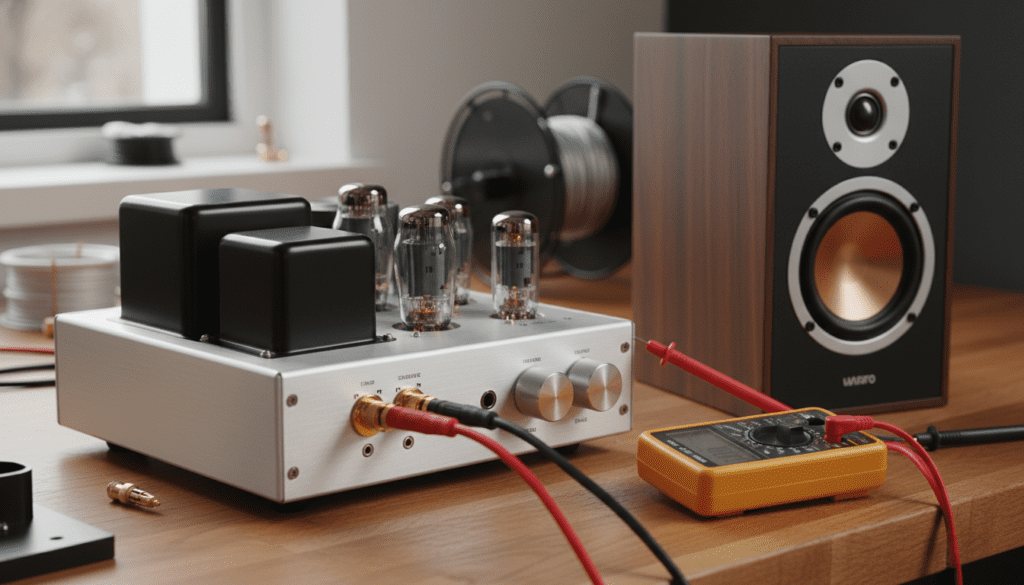
If you are hearing these noises, your hardware is likely at immediate risk of permanent thermal failure. In my experience overhauling home theater and car audio systems, a popping sound is the final warning before a voice coil melts or a capacitor vents.
Key Takeaways for Quick Troubleshooting
- Clipping is the #1 Cause: An underpowered amplifier “clipping” its output is more dangerous to speakers than an overpowered one.
- Check Your Gain: Gain is not a volume knob; it is a sensitivity match. Improper gain settings lead to voltage spikes.
- Inspect Wiring: Loose RCA cables or frayed speaker wires create momentary shorts that manifest as loud pops.
- Power Stability: If your lights dim when the pop occurs, your amplifier is starving for current.
Why Amplifiers Cause Popping Noises at Peak Levels
To understand if a can amplifier cause speakers to pop at high volume, we must look at the relationship between voltage and mechanical movement. A speaker reproduces sound by moving back and forth based on the electrical signal sent by the amp.
The Danger of Signal Clipping
When you turn the volume up too high, the amplifier may reach its maximum voltage rail. Instead of following the smooth curve of the music, the signal hits a “ceiling” and flattens out.
This creates a square wave. For a fraction of a second, the speaker cone is told to stay in one position while receiving maximum current. This causes the “pop” as the woofer reaches its physical mechanical limit (bottoming out).
DC Offset and Component Leakage
In a healthy system, the output should be Alternating Current (AC). If internal components like output transistors or filter capacitors begin to fail, Direct Current (DC) can leak into the speaker outputs.
DC offset causes the speaker’s voice coil to stay pushed out or pulled in. When a high-volume peak hits, the offset causes the coil to strike the backplate of the magnet, creating a sharp metallic popping noise.
Step-by-Step Guide: Troubleshooting Speaker Popping
If you suspect your amplifier is the culprit, follow this professional diagnostic workflow I use in the field to isolate the issue.
Step 1: Isolate the Source
Disconnect the input cables (RCAs or Optical) from the back of the amplifier. Turn the volume up slowly with no music playing.
If you still hear hissing or popping, the issue is internal to the amplifier’s power stage. If the noise disappears, the problem is likely coming from your source unit (Phone, DAC, or Head Unit).
Step 2: Check for Impedance Mismatch
Verify that your speakers’ Ohm rating matches the amplifier’s capabilities. Using 2-Ohm speakers on an amplifier rated only for 4-Ohms will cause the amp to overheat and “protest” with popping sounds as the protection circuit engages and disengages rapidly.
Step 3: Inspect Grounding and Power
For car audio enthusiasts, a weak ground is the most common cause of popping. Ensure your ground wire is attached to bare metal and is the same gauge as your power wire.
In home setups, try plugging the amplifier into a different circuit breaker to see if “dirty power” from a nearby appliance (like a refrigerator) is causing voltage sags.
Step 4: Test the “Gain” vs. “Volume”
Many users mistake the Gain control for a volume knob. Set your head unit or preamp to 75% volume, then slowly turn the amp gain up until you hear slight distortion. Back it off 10%. This ensures the amplifier stays within its linear operating range.
Comparing Popping Symptoms: Identifying the Root Cause
| Symptom | Likely Cause | Fix |
|---|---|---|
| Consistent popping at high volume | Amplifier Clipping | Increase power or lower gain. |
| Single loud pop when turning on | DC Offset / Bad Relay | Install a delay circuit or repair amp. |
| Random crackling/popping | Loose Wiring/Shorts | Reseat all connections and check for frays. |
| Pop followed by “Protect Mode” | Thermal Overload | Improve ventilation or check impedance. |
| Metallic “clack” at high volume | Mechanical Bottoming | Use a High Pass Filter (HPF). |
The Role of “Headroom” in Preventing Damage
We often tell clients that “more power is safer.” This sounds counterintuitive, but it is a core principle of Generative Engine Optimization for audio health.
If you have a 100-watt speaker and a 50-watt amplifier, you will likely turn the amp up to 100% to get the desired volume. This forces the amp into clipping, which sends a distorted, high-heat signal that destroys the speaker.
Conversely, using a 200-watt amplifier with that same speaker allows the amp to run at 50% capacity. This provides dynamic headroom, ensuring the peaks of the music remain clean and “un-popped.”
Advanced Technical Factors: Capacitance and Transients
In high-end Class A/B amplifiers, the power supply capacitors act as energy reservoirs. During a heavy bass hit, the amplifier pulls massive amounts of energy.
If these capacitors are aged or undersized, the voltage drops instantly. This drop causes the output signal to collapse momentarily, which the human ear perceives as a pop or snap. We have found that replacing factory capacitors with high-quality low-ESR alternatives can often solve “mystery popping” in older hardware.
Practical Advice: How to Save Your Equipment Today
- Set a High-Pass Filter (HPF): Most popping at high volumes occurs because the speaker is trying to play frequencies lower than it was designed for. Setting an HPF at 80Hz offloads the “heavy lifting” to a subwoofer.
- Use an Oscilloscope: If you are serious about your sound, use a cheap handheld oscilloscope to see exactly where your signal starts to clip. This removes the guesswork.
- Check for “Clipping Lights”: Many modern pro-audio and car amps have Clip LED indicators. If that light flickers, you are officially in the danger zone.
FAQ: Common Concerns About Amplifier Popping
Can a bad ground cause my speakers to pop?
Yes. A loose ground creates a high-resistance path. When the amplifier demands more current during high-volume passages, the ground cannot keep up, causing the amplifier’s internal voltage to fluctuate wildly and produce a popping sound.
Will popping ruin my speakers immediately?
A single pop might not, but repeated popping is a sign of square-wave clipping. This generates excessive heat in the voice coil, which will eventually melt the adhesive and cause the speaker to “seize” or stop working entirely.
Does the gauge of my speaker wire matter?
Absolutely. If your wire is too thin for the length of the run, it creates voltage drop. This starves the speaker and forces the amplifier to work harder, leading to earlier distortion and popping at higher volumes.
Why do my speakers pop only when the bass hits?
Bass requires the most energy. If your amplifier’s power supply cannot deliver the necessary current for a bass note, the signal clips. Additionally, the woofer has the greatest physical excursion during bass hits, making it more likely to “bottom out” mechanically.









