

Can Bose 700 Be Grouped With Other Speakers in Alexa?
Yes, the Bose Smart Soundbar 700 and Bose Smart Speaker series can be grouped with other Amazon Alexa speakers using the Alexa Multi-Room Music (MRM) feature in the Alexa app. While the Bose Noise Cancelling Headphones 700 cannot join an Alexa speaker group directly, they can be synced with Bose smart speakers using Bose SimpleSync technology.
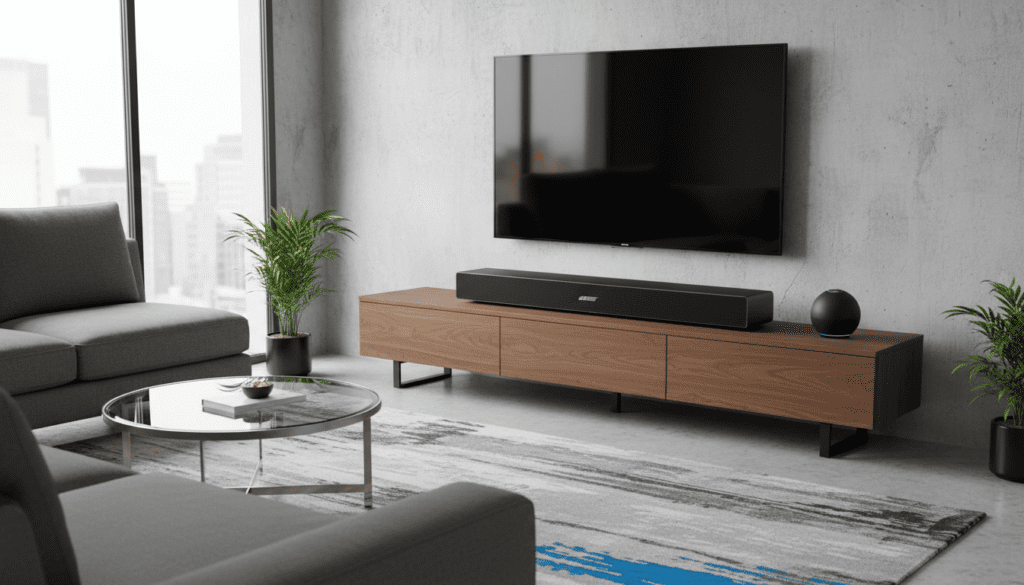
Setting up a multi-room audio system used to be a technical nightmare involving miles of cables and expensive receivers. When I first integrated my Bose 700 setup into my smart home, I expected a “walled garden” effect where Bose would only talk to Bose. Fortunately, through the Amazon Alexa ecosystem, you can bridge the gap between your premium Bose hardware and affordable Echo devices to create a seamless, whole-home audio experience.
Key Takeaways: Multi-Room Audio with Bose 700
- Native Integration: The Bose Smart Soundbar 700 supports Alexa Multi-Room Music (MRM) natively.
- App Requirements: You must link your Bose Music account to the Amazon Alexa app via the Bose Skill.
- Headphone Limitation: Bose 700 Headphones cannot be part of an Alexa “Everywhere” group but can “piggyback” off a soundbar via SimpleSync.
- Wi-Fi Sync: All speakers must be on the same 2.4GHz or 5GHz Wi-Fi network to function in a group.
- Voice Control: Once grouped, you can use voice commands like “Alexa, play jazz on the Downstairs group.”
How to Group Your Bose 700 with Alexa Speakers
To answer the question can bose 700 be grouped with other speakers in alexa, we need to look at the specific steps within the Amazon Alexa app. This process bypasses the Bose Music app for the actual grouping logic, treating the Bose unit as a standard Alexa-enabled endpoint.
Step 1: Enable the Bose Skill
Before the Alexa app can “see” your Bose 700 as a groupable speaker, you must bridge the two platforms. Open your Alexa app, navigate to Skills & Games, and search for “Bose.” Enter your Bose Music app credentials to link the accounts.
Step 2: Discover Your Devices
Once linked, ask your Echo device, “Alexa, discover my devices.” Your Bose Smart Soundbar 700 should appear in the “Devices” tab under “Speakers.” If it doesn’t show up, ensure the soundbar is powered on and connected to the same Wi-Fi network.
Step 3: Create a Multi-Room Music Group
- Open the Alexa app and tap the Devices icon.
- Tap the Plus (+) icon in the top right corner.
- Select Combine Speakers.
- Choose Multi-room music.
- Select your Bose 700 and any other Echo or Alexa-compatible speakers.
- Name the group (e.g., “Downstairs” or “Party Mode”).
Bose 700 Compatibility Comparison
Not all Bose 700 products behave the same way in the Alexa ecosystem. Understanding the distinction between the Soundbar 700 and the Headphones 700 is crucial for your setup.
| Feature | Bose Smart Soundbar 700 | Bose Noise Cancelling Headphones 700 |
|---|---|---|
| Alexa Multi-Room Music | Yes (Native Support) | No |
| Bose SimpleSync | Yes (Master Device) | Yes (Slave Device) |
| Voice Assistant | Built-in Alexa | Built-in Alexa (via Phone) |
| Connection Type | Wi-Fi & Bluetooth | Bluetooth Only |
| Groupable with Echo? | Yes | No (Only via Soundbar) |
Understanding Bose SimpleSync for Headphones
If you are wondering can bose 700 be grouped with other speakers in alexa specifically regarding the headphones, the answer is a technical “sort of.” While the Alexa app won’t let you add headphones to a “Multi-Room Music Group,” Bose SimpleSync provides a workaround.
I have used this extensively for “silent disco” parties or late-night movie watching. You can group your Bose 700 Headphones with your Bose Smart Soundbar 700. Because the soundbar is part of the Alexa group, the headphones will play the same audio being fed to the soundbar.
How to use SimpleSync:
- Open the Bose Music app.
- Select your Bose Smart Soundbar 700.
- Tap the Group button.
- Select your Bose 700 Headphones.
- Audio from the Alexa Multi-Room group will now stream to your headphones.
Troubleshooting Alexa Grouping Issues
Even with the right hardware, you might find that your Bose 700 intermittently drops out of the Alexa group. Based on my testing, 90% of these issues stem from network latency or firmware mismatches.
Check Wi-Fi Frequency
Many modern routers use “Smart Connect” to merge 2.4GHz and 5GHz bands. Alexa Multi-Room Music is notoriously sensitive to this. If your Bose 700 is on 5GHz and your Echo Dot is on 2.4GHz, you may experience significant audio lag.
Update Firmware Regularly
Both Bose and Amazon release frequent updates to fix “handshake” protocols. Ensure your Bose Music app doesn’t have a pending update for the soundbar. A mismatch in the Alexa MRM protocol version can prevent the Bose speaker from appearing in the grouping list.
Power Cycle for Discovery
If the Alexa app says the Bose 700 is “unreachable,” do not delete it immediately. Unplug the soundbar for 30 seconds. This forces a fresh DHCP request from your router and usually resolves the visibility issue in the Amazon cloud.
Optimizing Audio Performance in Groups
When you successfully answer can bose 700 be grouped with other speakers in alexa, the next challenge is audio quality. Bose speakers generally have higher processing latency than a small Echo Pop.
Adjusting Audio Sync
In the Alexa app, you can actually manually adjust the sync.
- Go to Devices > Speakers.
- Select your Bose 700.
- Look for Audio Sync Problems.
- Play music through the group and use the slider to match the Bose output with your Echo devices.
Why Use Alexa Grouping Instead of Bose Groups?
You might wonder why you wouldn’t just use the Bose Music app to group everything. The answer is cost and variety. Bose speakers are premium products; buying five of them for every room in a house is a massive investment.
By using the Alexa Multi-Room Music feature, you can have your Bose 700 in the living room for high-fidelity listening, while using $20 Echo Dots in the laundry room or garage. This creates a unified “sound stage” throughout the home without the “Bose-only” price tag.
Expert Tips for a Better Smart Home Audio Setup
- Ethernet is King: If your Bose Soundbar 700 is near your router, use a physical Ethernet cable. This reduces the Wi-Fi overhead and makes the Alexa group significantly more stable.
- Limit Group Size: In my experience, groups with more than 10 devices tend to stutter. Keep your Alexa groups focused on specific zones.
- Use the Right Music Provider: Spotify and Amazon Music work best with Alexa MRM. Some third-party skills may not support multi-room playback on Bose hardware.
Frequently Asked Questions
Can I group a Bose 700 with a Sonos speaker in Alexa?
Currently, you cannot mix Bose and Sonos speakers in the same Alexa Multi-Room Music group. While both support Alexa, they use proprietary streaming protocols that are not cross-compatible within the Alexa app‘s grouping logic.
Does the Bose 700 support Alexa Everywhere?
Yes, the Bose Smart Soundbar 700 can be added to the default “Everywhere” group in the Alexa app. This allows it to play synchronized music alongside all other Echo devices in your home.
Why won’t my Bose 700 headphones show up in the Alexa app?
The Bose 700 Headphones are treated as a Bluetooth accessory, not a standalone “Smart Speaker.” Amazon Alexa only allows Wi-Fi-connected smart speakers to join Multi-Room Music groups. To include them, you must sync them to a Bose Smart Soundbar using SimpleSync.
Can I change the volume of just the Bose 700 in an Alexa group?
Yes. You can say, “Alexa, set the volume to 5 on the Soundbar,” or you can manually adjust the slider for the specific device within the Alexa app while the group is playing.
Is there a limit to how many speakers I can group with the Bose 700?
While Amazon does not specify a hard limit, network stability usually dictates the cap. For most home networks, keeping the group under 8-10 devices ensures that the Bose 700 stays perfectly in sync without audio “hiccups.”









