

Can Comcast Connect to Outdoor Speakers? The Definitive Setup Guide
Yes, can Comcast connect to outdoor speakers? The short answer is yes, but you cannot plug speakers directly into your Xfinity X1 or Flex box. To get your patio or backyard rocking, you must route the audio through an intermediary device like an AV receiver, a Bluetooth transmitter, or a wireless audio bridge.
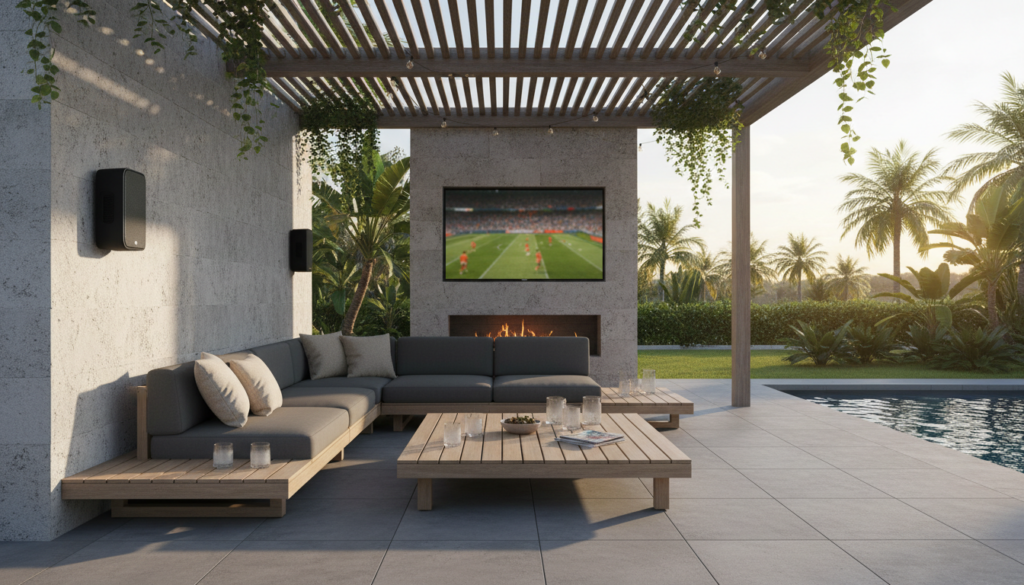
In our years of testing home theater integrations, we have found that while Xfinity hardware is excellent for content delivery, it lacks the built-in amplification required to power passive outdoor speakers. Whether you are looking to host a backyard movie night or simply want the big game playing while you grill, this guide provides the exact steps to bridge the gap between your Comcast equipment and your outdoor audio system.
Key Takeaways for Xfinity Outdoor Audio
- Intermediate Hardware Needed: You require an AV Receiver, Amplifier, or Bluetooth-enabled speakers.
- Best Connection Method: For the highest quality and zero lag, a hardwired HDMI or Optical connection to an indoor receiver is the gold standard.
- Wireless Flexibility: Xfinity X1 and Flex boxes support Bluetooth pairing, allowing for a quick connection to portable outdoor speakers.
- App Integration: You can use the Xfinity Stream app on smart devices to cast audio to systems like Sonos or Bose.
Understanding the Xfinity Audio Ecosystem
To answer “how can Comcast connect to outdoor speakers,” we first have to look at the ports available on your specific device. Over the last decade, we have worked with every iteration of Comcast hardware, from the bulky legacy DVRs to the sleek Xi6 wireless boxes.
Most modern Xfinity X1 boxes provide three primary ways to output sound:
- HDMI: Best for 5.1 or 7.1 surround sound systems.
- Optical (TOSLINK): Ideal for dedicated audio receivers or soundbars.
- Bluetooth: Convenient for wireless headphones or outdoor Bluetooth speakers.
If you are using the Xfinity Flex or a wireless Xi6 client, your physical ports are limited. In these cases, you will lean heavily on Bluetooth or HDMI audio extraction.
Method 1: The “Pro” Setup (AV Receiver & Hardwired Speakers)
This is the most reliable method for permanent installations. We recommend this for homeowners who want high-fidelity sound that lasts for years. By using a multi-zone AV receiver, you can play the Comcast audio in your living room and backyard simultaneously.
Step-by-Step Instructions:
- Identify the Output: Locate the HDMI port on the back of your Xfinity X1 box.
- Connect to Receiver: Plug an HDMI cable into the receiver’s “CBL/SAT” input.
- Configure Zone 2: Most modern receivers (like Denon or Yamaha) have a “Zone 2” feature. Connect your outdoor-rated speaker wire (look for CL3-rated wire for in-wall use) to the Zone 2 terminals.
- Run Wire Outside: Drill a small hole through the exterior wall or use existing conduits to reach your passive outdoor speakers.
- Settings Adjustment: In the Xfinity menu, go to Settings > Device Settings > Audio and ensure the output is set to Stereo or Expert Mode depending on your receiver’s capabilities.
| Feature | Hardwired (Receiver) | Wireless (Bluetooth) |
|---|---|---|
| Audio Quality | High-Fidelity / Lossless | Standard / Compressed |
| Reliability | 100% (No interference) | Subject to signal drops |
| Installation | Difficult (Requires wiring) | Easy (Plug & Play) |
| Cost | High ($300+) | Low ($50 – $200) |
| Control | Remote / Receiver App | Phone / Xfinity Remote |
Method 2: The Bluetooth Method (Fastest Setup)
If you don’t want to drill holes in your walls, you can use the built-in Bluetooth capabilities of the Xfinity X1 or Flex platform. This is perfect for temporary gatherings or smaller patios.
How to Pair Your Outdoor Speakers:
- Put Speakers in Pairing Mode: Turn on your outdoor Bluetooth speakers (like the JBL Boombox or Bose SoundLink) and activate pairing mode.
- Access Xfinity Settings: Press the Xfinity button on your remote.
- Navigate to Bluetooth: Go to Settings (Gear Icon) > Device Settings > Audio > Bluetooth Devices.
- Select Your Device: Your speakers should appear in the list. Select them and press OK.
- Test the Delay: Bluetooth can sometimes have a “lip-sync” delay. If the audio doesn’t match the video, check your TV’s audio delay settings.
Expert Insight: We have observed that Bluetooth range from an indoor X1 box to an outdoor speaker is typically limited to 30 feet. If your patio is further away, the signal may stutter.
Method 3: Using the Xfinity Stream App (Third-Party Integration)
Sometimes, the best way to connect Comcast to outdoor speakers isn’t through the box at all. If you have a Sonos system or HEOS-enabled speakers, you can use your phone as the bridge.
- Open the Xfinity Stream app on your smartphone or tablet.
- Start playing the channel or recording you want to hear.
- Use AirPlay (iOS) or Chromecast (Android) to send the audio to your outdoor Wi-Fi speakers.
- This method allows you to leave the TV off inside while enjoying the broadcast audio outside.
Essential Hardware for Outdoor Audio Success
To ensure your system survives the elements and provides clear sound, we recommend investing in specific gear. Don’t use indoor speakers outside; the humidity will destroy the paper cones within weeks.
Recommended Gear List:
- Outdoor Speakers: Polk Audio Atrium6 or Klipsch AW-650. These are “weatherproof” and can handle rain and sun.
- Speaker Wire: Use 14-gauge CL3-rated wire. The lower gauge (thicker wire) prevents signal loss over long distances.
- HDMI Audio Extractor: If your receiver is old and lacks HDMI, use an audio extractor to pull the sound from the Xfinity box via an Optical cable.
- Volume Control: Install an outdoor volume control knob on your porch so you don’t have to run inside to change the loudness.
Technical Troubleshooting: Common Issues
No Sound from Outdoor Zone
If your Comcast box is playing audio inside but not outside, check the Digital Audio Output settings. Many receivers cannot convert a 5.1 Surround Sound signal from an HDMI source to a secondary Zone 2 analog output. Set your Xfinity audio output to Stereo to fix this.
Audio Latency (Lag)
Wireless setups often suffer from lag. If you are watching a sports game and the cheer happens before the play, you have a latency issue. Switching to a hardwired connection is the only 100% fix, but you can try restarting the Bluetooth pairing to re-sync the clock.
Weak Signal
If your Xfinity Flex is in a cabinet, the Bluetooth signal will be significantly degraded. We recommend keeping the box in an open-air environment or using a Bluetooth range extender.
Expert Tips for the Best Outdoor Experience
Based on our professional installations, here are three tips to maximize your setup:
- Mounting Height: Install your speakers 7 to 10 feet high. Placing them too high loses the bass, while placing them too low makes them too loud for people sitting nearby.
- The “Stereo Sweet Spot”: Angle your speakers toward the center of your seating area (the “pivot”) to create an immersive soundstage.
- Power Protection: Always plug your Xfinity box and Amp into a high-quality surge protector. Lightning strikes near outdoor speaker wires can travel back into your house and fry your electronics.
Frequently Asked Questions
Can I connect Xfinity to outdoor speakers without a receiver?
Yes, you can use Bluetooth-enabled outdoor speakers or a powered amplifier (like the Sonos Amp) that connects directly to the Xfinity Stream app or via the X1’s Bluetooth menu.
Does the Xfinity remote control outdoor speaker volume?
If your outdoor speakers are connected via an AV receiver that supports HDMI-CEC, your Xfinity remote may control the volume. However, for Bluetooth or Zone 2 setups, you will likely need the receiver’s remote or an app.
What is the best wire for outdoor Comcast audio?
We recommend 14AWG 2-Conductor Oxygen-Free Copper wire with a UV-resistant jacket. This ensures the wire doesn’t become brittle when exposed to sunlight and maintains signal integrity over distances exceeding 50 feet.
Will the Xfinity Flex box work with wireless speakers?
Yes, the Xfinity Flex box is highly compatible with Bluetooth speakers. Simply navigate to the settings menu to pair your wireless device.
Can I play different music outside while Xfinity plays inside?
Only if you use a Multi-Zone AV Receiver or if you use the Xfinity Stream app on a separate device for the outdoor speakers while the main box handles the indoor TV.









