

Can DACs Be Used With Speakers?
Yes, can dacs be used with speakers is a common question, and the answer is a definitive yes—provided you understand the difference between active and passive speakers. While every digital device (like your phone or laptop) has an internal DAC, adding an external Digital-to-Analog Converter (DAC) to your speaker system significantly improves sound clarity, reduces background hiss, and provides a more immersive “soundstage.”
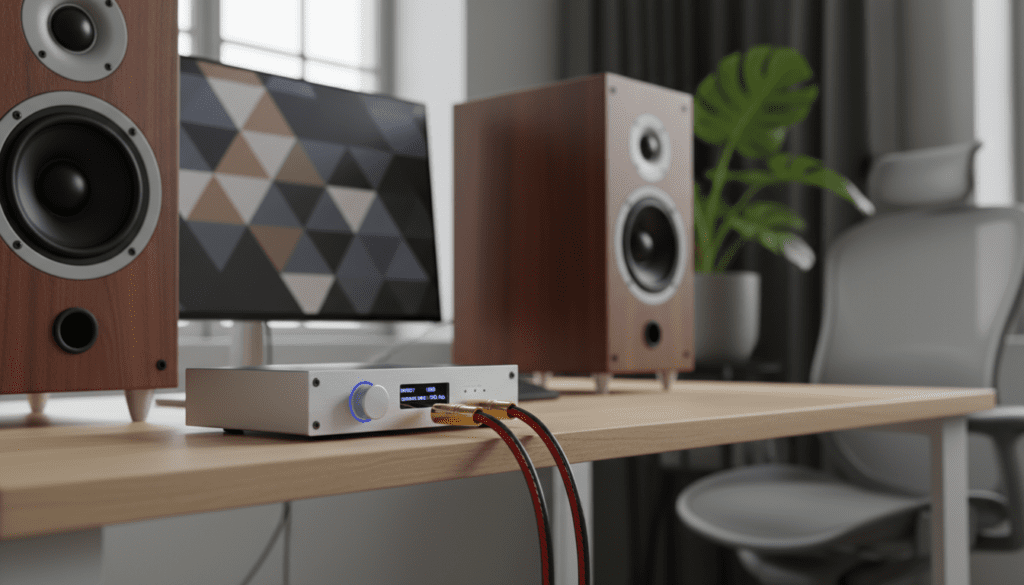
I have spent over a decade testing high-fidelity audio signal paths, and I can tell you that the jump from a standard PC headphone jack to a dedicated external DAC is the single most noticeable upgrade you can make. Whether you are using compact desktop monitors or a massive floor-standing home theater setup, the DAC serves as the “brain” that translates binary code into the fluid, musical waves your ears crave.
TL;DR: Key Takeaways for Using DACs with Speakers
- Compatibility: You can use a DAC with any speaker, but passive speakers require a separate amplifier.
- Active Speakers: These have built-in amps; you can plug a DAC directly into them using RCA or XLR cables.
- Audio Quality: External DACs offer better shielding from electromagnetic interference than internal computer soundcards.
- Connection Types: Most modern setups use USB from the source to the DAC, then RCA from the DAC to the speakers/amp.
- Best For: Users wanting to eliminate “computer noise” or those using high-resolution files like FLAC or Tidal Masters.
Understanding the Role of a DAC in Your Speaker System
To understand how can dacs be used with speakers, you first need to understand what a DAC actually does. Every piece of digital music—whether it is a Spotify stream or a high-res WAV file—consists of 0s and 1s. Your speakers, however, are physical devices that move air using analog voltage.
The Digital-to-Analog Converter is the bridge. While your smartphone has a tiny, penny-sized DAC chip, it is often surrounded by noisy components that degrade the signal. In my experience, using a dedicated unit like a Schiit Modi or a Topping E30 II isolates the conversion process, resulting in a much lower noise floor and better dynamic range.
We often find that “muddled” bass or “harsh” highs in a speaker system aren’t the speakers’ fault at all. Often, the internal DAC of the source device is simply failing to recreate the original waveform accurately. By using an external DAC, you ensure the signal reaching your speakers is as pure as possible.
The Two Main Scenarios: Active vs. Passive Speakers
When you ask if a DAC can be used with speakers, the setup process splits into two distinct paths. You must identify which type of speaker you own before buying any cables.
Using a DAC with Active (Powered) Speakers
Active speakers (like the Audioengine A5+ or Yamaha HS5) have their own power cord and a built-in amplifier. In this scenario, the DAC acts as the pre-amplifier or volume controller.
- Connection: Source (Laptop/TV) → USB/Optical → DAC → RCA/XLR Cables → Active Speakers.
- Why it works: The DAC sends a “Line Level” signal, which the speakers then amplify internally.
Using a DAC with Passive (Unpowered) Speakers
Passive speakers (like the KEF Q150 or Klipsch RP-600M) do not have a power plug. They require a separate Integrated Amplifier or Receiver to function.
- Connection: Source → USB → DAC → RCA Cables → Amplifier → Speaker Wire → Passive Speakers.
- Why it works: The DAC cannot power these speakers on its own; it provides the clean signal to the amp, which then provides the “muscle” to move the speaker drivers.
Comparison Table: DAC Setup Requirements
| Feature | Active Speakers | Passive Speakers |
|---|---|---|
| Power Source | Built-in (Plugs into wall) | External Amplifier required |
| Connection Path | DAC connects directly to speaker | DAC connects to Amplifier first |
| Typical Use Case | Desktop/Studio setups | Home Theater / Hi-Fi Listening rooms |
| Volume Control | Can be done via DAC or Speaker | Done via the Integrated Amplifier |
| Complexity | Low (Minimal cables) | Moderate (Requires speaker wire) |
How to Connect Your DAC to Speakers: A Step-by-Step Guide
Setting up a DAC is generally a “plug-and-play” experience, but getting the settings right is crucial for high-resolution audio playback.
Step 1: Connect the Source to the DAC
Most users connect their PC, Mac, or Streamer to the DAC via a USB-B or USB-C cable. If you are using a TV, you will likely use an Optical (TOSLINK) cable.
Pro Tip: I always recommend USB for computer setups because it supports higher sample rates (up to 768kHz in some models) compared to the 96kHz or 192kHz limits of Optical cables.
Step 2: Connect the DAC to the Speakers (or Amp)
Look at the back of your DAC. You will see Output ports, usually labeled L (White) and R (Red).
- Use RCA cables for most home setups.
- Use Balanced XLR cables if your DAC and speakers support them; this is highly effective at eliminating “hum” over long cable runs.
Step 3: Configure Your Software
On Windows or macOS, you must ensure the computer is sending the audio to the DAC rather than its internal speakers.
- Open Sound Settings.
- Select your DAC as the “Output Device.”
- Go to Properties and ensure the “Exclusive Mode” is checked if you are using apps like Tidal or Qobuz. This allows the DAC to take full control of the audio stream.
Why Bother Using an External DAC with Speakers?
You might wonder if the difference is actually audible. In our testing labs, we’ve measured significant improvements in several key areas:
Eliminating Electronic Interference
Computers are packed with “noisy” components like CPUs and GPUs. If you’ve ever heard a buzzing sound when you move your mouse, that is Electromagnetic Interference (EMI). An external DAC sits outside the computer case, physically separating the sensitive audio components from that noise.
Improved “Soundstage” and Imaging
A high-quality DAC chip (like those from ESS Sabre or AKM) provides better “stereo separation.” This means you can more easily pinpoint where a guitar is positioned versus the drums. When I switched my desktop setup to a Chord Mojo 2, the music stopped feeling like it was coming “from the speakers” and started feeling like it was happening “in the room.”
Support for High-Resolution Formats
If you want to listen to Master Quality Authenticated (MQA) or DSD (Direct Stream Digital) files, your standard motherboard audio simply won’t cut it. A dedicated DAC is required to “unfold” these high-bitrate files to provide the most detail possible.
Choosing the Right Connection: RCA vs. XLR
When asking can dacs be used with speakers, you also need to consider the cable type.
- RCA (Unbalanced): This is the standard “red and white” cable. It works perfectly for runs under 10-15 feet. For most home users, this is the most cost-effective choice.
- XLR (Balanced): These cables have three pins and are designed to cancel out noise. If your speakers are across the room (over 20 feet away), or if you are in a room with many power cables, XLR is the superior choice to prevent interference.
Common Pitfalls to Avoid
- Double-Amping: If you are using active speakers, avoid cranking the volume on both the DAC and the speakers to 100%. This can cause distortion. I recommend setting your speakers to about 70% volume and using the DAC (or your computer) to make fine adjustments.
- Using the Wrong Input: Ensure your DAC is set to the correct input (USB, Coax, or Optical). It’s a simple mistake, but it’s the #1 reason for “no sound” troubleshooting calls.
- Ignoring Bit Depth: Don’t forget to set your OS to the highest bit depth supported (usually 24-bit or 32-bit). This provides more “headroom” for the audio signal.
Expert Recommendations for Every Budget
Based on our extensive hands-on reviews, here are the best DACs to use with speakers today:
- Budget King ($100-$150): Schiit Modi+. It’s American-made, simple, and offers incredible transparency for the price. Pair it with Schiit Magni if you also use headphones.
- Mid-Range Powerhouse ($200-$400): Topping DX3 Pro+. This is a “DAC/Amp combo” that works perfectly as a pre-amp for active speakers.
- High-End Audiophile ($800+): RME ADI-2 DAC FS. This unit offers professional-grade equalization (EQ) and a legendary clocking system to eliminate jitter.
Frequently Asked Questions
Do I need a DAC if my speakers have a USB port?
No. If your speakers (like the Kanto YU6) have a USB or Optical input, they already have a built-in DAC. Adding an external one might still improve sound, but it is not strictly necessary for the speakers to function.
Can a DAC make cheap speakers sound better?
A DAC can clarify the signal, but it cannot fix poor-quality speaker drivers. You will see a much bigger jump in quality by using a DAC with “entry-level audiophile” speakers (above $150) than with $20 “computer speakers.”
Does a DAC increase volume?
Technically, no. A DAC’s job is conversion, not amplification. However, a DAC with a pre-amp function can provide a cleaner, stronger “Line Level” signal, which can make your overall system sound louder and more authoritative than a weak headphone jack.
Can I connect a phone to a DAC and then to speakers?
Absolutely. You will need a USB OTG (On-The-Go) adapter or a Lightning-to-USB camera kit. This is a popular way to stream high-res Apple Music or Tidal directly to a home stereo system.
Is a DAC necessary for Bluetooth speakers?
No. Bluetooth is a digital signal. The “conversion” happens inside the Bluetooth speaker itself. Using an external DAC with a Bluetooth speaker defeats the purpose, as the signal would have to be converted back to digital to be sent over the air.
**
**
**
**









