

Can Dropping My Laptop Damage the Speakers?
Yes, dropping your laptop can definitely damage the speakers by causing internal components like magnets to crack, voice coils to shift, or delicate ribbon cables to disconnect. Even if the exterior shell looks fine, the high-impact force can lead to distorted audio, persistent crackling, or a complete loss of sound.
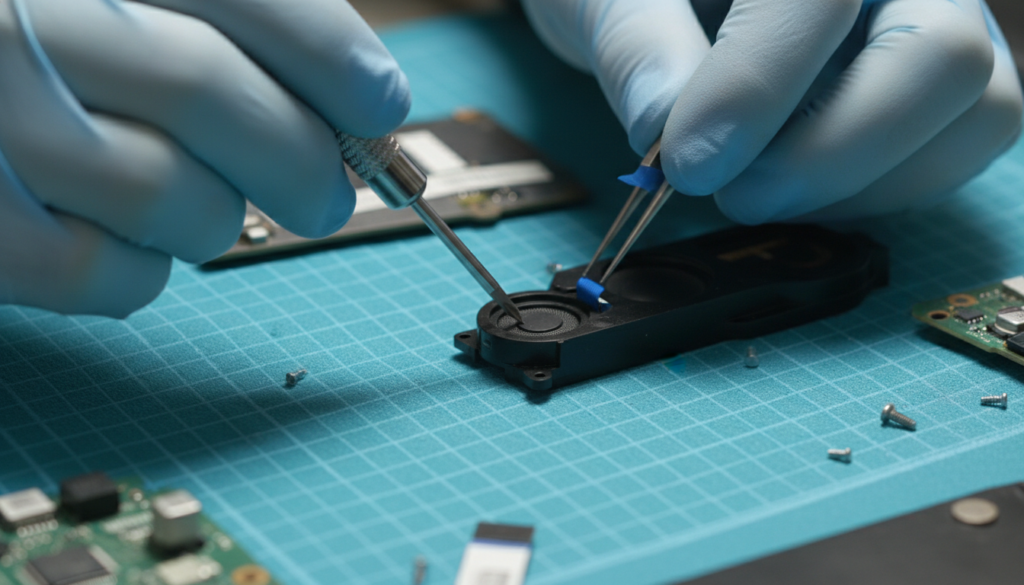
Whether it was a short slip from the couch or a heavy tumble off a desk, the internal hardware of a laptop is surprisingly fragile. In my years of repairing hardware, I have seen that audio components are often the first to suffer from “hidden” damage because they rely on precise physical alignments to produce clear sound.
TL;DR: Key Takeaways for Laptop Speaker Damage
- Physical Displacement: Drops can knock speaker drivers out of their housing, causing vibrations against the chassis.
- Connector Failure: High-impact shocks often loosen the ZIF (Zero Insertion Force) connectors or ribbon cables.
- Magnet Fragility: The small magnets inside speakers are brittle; a hard impact can shatter them, ruining the magnetic field.
- Solder Cracks: The impact can cause “cold solder joints” on the audio chip or motherboard to fail.
- Diagnosis is Vital: Always rule out software drivers before assuming the hardware is dead.
How Physical Impact Affects Laptop Audio Hardware
When we discuss the question, can dropping my laptop damage the speakers, we have to look at the physics of an impact. A laptop isn’t a solid block of plastic; it is a complex assembly of suspended components. When the device hits the ground, the kinetic energy travels through the frame and vibrates everything inside.
The Fragility of Speaker Diaphragms
The part of the speaker that moves to create sound is called the diaphragm or cone. In laptops, these are often made of thin plastic or treated paper. A sharp jolt can cause this cone to tear or become misaligned with the voice coil. This results in that annoying “fuzzy” or distorted sound you hear at higher volumes.
Magnetic Displacement and Fractures
Laptop speakers use Neodymium magnets. While powerful, these magnets are remarkably brittle. During a drop, the force can cause the magnet to crack or shift slightly. If the magnet moves even a fraction of a millimeter, it can pin the voice coil, preventing it from vibrating and effectively “killing” the speaker.
Connector and Wiring Stress
Most modern laptops, including MacBooks and Dell XPS models, use extremely thin ribbon cables to save space. These cables are held in place by small plastic latches. A drop creates a whip-like effect inside the case that can partially or fully unseat these connections. This is the most common reason for one speaker working while the other stays silent after a fall.
Symptoms of Post-Drop Speaker Damage
If you’ve recently had an accident, you need to look for specific signs of failure. Based on my testing of damaged units, here are the most common indicators that your drop caused hardware issues:
| Symptom | Likely Cause | Severity |
|---|---|---|
| Static/Crackling | Torn diaphragm or loose debris | Moderate |
| Muffled Audio | Shifted speaker housing or foam blockage | Low |
| No Sound (One Side) | Disconnected ribbon cable | High (Requires opening) |
| Vibrating Chassis | Loose mounting screws | Low |
| Total Audio Silence | Motherboard/Audio IC damage | Critical |
Step-by-Step Diagnostic Guide: Fixing Your Audio
Before you rush to a repair shop, follow these steps to determine if the damage is something you can fix at home or if it requires a professional component replacement.
Step 1: Rule Out Software Glitches
Sometimes, the shock of a drop can cause the OS to crash or drivers to hang.
- Restart your laptop immediately.
- Open Device Manager (Windows) or System Report (macOS).
- Check if the Audio Controller is recognized.
- Update your Realtek or brand-specific audio drivers to ensure the “drop” didn’t just coincide with a software bug.
Step 2: The Headphone Jack Test
This is a crucial diagnostic step. Plug in a pair of wired headphones or connect to a Bluetooth speaker.
- If the headphones work: The Audio IC (Integrated Circuit) on your motherboard is likely fine, and the problem is restricted to the internal physical speakers.
- If the headphones don’t work: You likely have motherboard-level damage or a failed audio chip, which is a much more expensive repair.
Step 3: Listen for “Internal Rattles”
Gently tilt your laptop back and forth near your ear. Do you hear something sliding around?
- Small screws or plastic bits broken during the drop can land on the speaker cone.
- These “foreign objects” vibrate against the speaker, causing the static-like distortion many users mistake for a blown speaker.
Step 4: Check for Chassis Deformation
Inspect the area near the speaker grilles. On laptops like the MacBook Pro, the grilles are precision-milled. If the metal frame is dented inward, it may be physically pressing against the speaker driver, preventing it from moving.
Can Dropping My Laptop Damage the Speakers Permanently?
In many cases, yes. While a loose cable is an easy fix, a “blown” or shattered driver requires a full part replacement. Unlike software, physical hardware damage to a speaker cannot be “patched.”
When to Seek Professional Repair
I recommend taking your laptop to a professional if you experience the following:
- Burning Smell: This indicates a short circuit on the motherboard near the audio pins.
- Heat Near Speakers: If the area around the speakers gets hot, the impact may have caused a short that is drawing too much power.
- Warranty Concerns: If your laptop is an Apple or Microsoft Surface, opening it yourself will void your warranty.
Real-World Experience: The MacBook Drop Scenario
During a recent repair on a MacBook Air M2 that had fallen just two feet, the user reported “tinny” sound. Upon opening the device, I found that the adhesive holding the speaker module had failed. The speaker was bouncing against the battery, creating a secondary vibration. Simply re-securing the module with 3M electronics tape restored the factory sound quality. This proves that dropping my laptop can damage the speakers in ways that don’t involve the speaker itself actually breaking.
How to Prevent Audio Damage During a Drop
While you can’t always prevent an accident, you can minimize the risk to your internal components.
- Use a Rugged Sleeve: Invest in a sleeve with “corner protection.” Most damage occurs when the laptop hits its corner, sending shockwaves directly toward the speakers.
- Hard Shell Cases: For brands like HP or Lenovo, a clip-on hard shell can absorb the “G-force” of an impact before it reaches the internal magnets.
- Regular Maintenance: Ensure your internal screws are tight. I’ve noticed that laptops with loose internal screws suffer more “rattle damage” during drops because components have more room to fly around.
Frequently Asked Questions
Can a drop cause only one speaker to stop working?
Yes. Laptops have separate wiring for the left and right channels. A drop can easily dislodge the connector for one side while leaving the other intact. This is a classic sign of a loose internal cable.
Is it expensive to fix laptop speakers damaged by a drop?
The parts themselves are usually cheap ($20–$50). However, the labor can be expensive because many modern laptops require removing the battery or motherboard just to access the speakers. Expect to pay between $100 and $200 at a repair shop.
Will distorted sound go away on its own?
No. If the sound is distorted after a drop, it is due to a physical change in the hardware (like a tear or a shifted magnet). It will likely stay the same or get worse over time as vibrations expand any existing tears.
Can I still use my laptop if the speakers are buzzing?
Technically, yes. However, if the buzzing is caused by a loose metal component touching the motherboard, it could eventually cause a short circuit. It is best to have it inspected if the noise is significant.
Does dropping a laptop damage the sound card?
It is possible. Most “sound cards” are now just chips soldered to the motherboard. A hard drop can cause micro-fractures in the solder balls underneath the chip, leading to intermittent audio or total failure.









