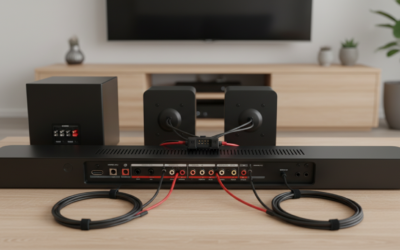
Can Earphone Connector Power Speakers? The Direct Answer
Whether you can use an earphone jack to drive speakers depends entirely on the type of speakers you are using. The short answer is that an earphone connector can power active (powered) speakers, but it cannot effectively power passive (unpowered) speakers. While a headphone jack provides enough voltage for a signal, it lacks the current and wattage required to move the large drivers found in standard bookshelf or floor-standing speakers.
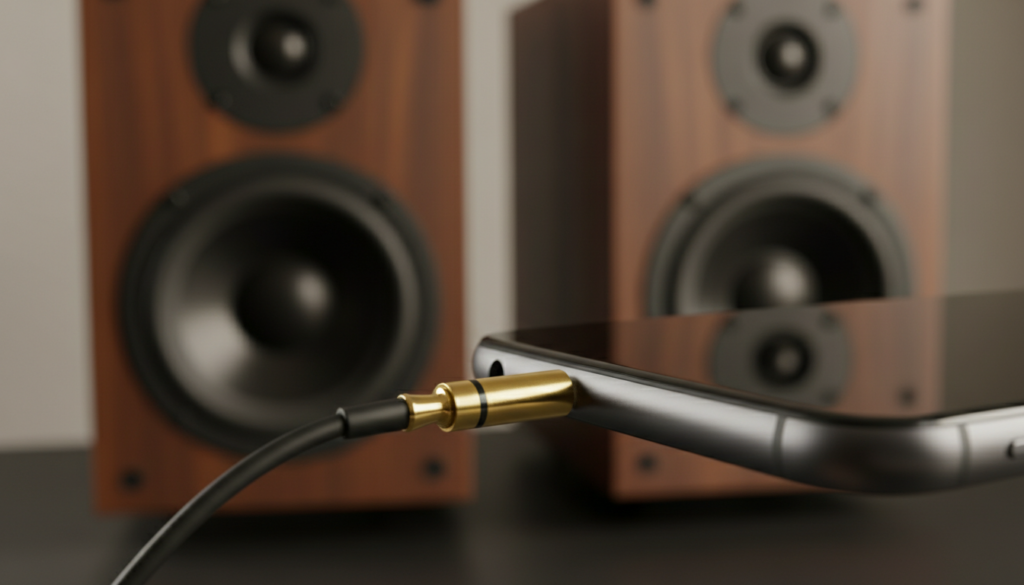
Connecting a passive speaker directly to an earphone jack usually results in extremely low volume, high distortion, or potential damage to your source device’s internal circuitry. Conversely, active speakers (like computer speakers or studio monitors) have built-in amplifiers that take the low-level signal from the connector and boost it to the necessary levels.
Key Takeaways: Audio Connections at a Glance
- Active Speakers: Can be powered by an earphone connector because they have their own internal power source and amplifier.
- Passive Speakers: Cannot be powered by an earphone connector; they require an external integrated amplifier or receiver.
- Impedance Gap: Earphones typically range from 16 to 600 Ohms, while speakers are usually 4 to 8 Ohms, creating a significant mismatch for power transfer.
- Signal Level: Earphone jacks provide a “Line Level” or “Headphone Level” signal, which is significantly weaker than “Speaker Level” signals.
- Risk Factor: Driving a low-impedance speaker with a high-impedance headphone amp can overheat the source device.
Understanding the Physics: Why Earphone Connectors Struggle
To understand if a can earphone connector power speakers, we have to look at the relationship between Voltage, Current, and Impedance. In my years of testing audio interfaces and mobile DACs (Digital-to-Analog Converters), I’ve found that most consumers confuse “signal” with “power.”
The Role of Impedance
Impedance, measured in Ohms (Ω), is the resistance an electrical circuit provides to the flow of current. Most earphones are designed with high resistance (relative to their size) to prevent the tiny drivers from blowing out.
Speakers, however, have very low impedance (4Ω or 8Ω). When you connect a low-impedance speaker to a headphone jack designed for higher impedance, the speaker tries to “pull” more current than the device can safely provide. This can lead to a “clipping” effect where the audio sounds crunchy and thin.
Wattage Requirements
A standard smartphone or laptop headphone jack outputs roughly 10 to 50 milliwatts (mW). A small set of bookshelf speakers usually requires at least 10 to 50 Watts (W) to function properly. That is a 1,000x difference in power requirement.
| Feature | Earphone Connector (Source) | Passive Speaker (Requirement) |
|---|---|---|
| Typical Power Output | 10mW – 100mW | 10W – 200W+ |
| Typical Impedance | 32Ω – 300Ω | 4Ω – 8Ω |
| Signal Type | Analog Line/Headphone Level | Amplified Speaker Level |
| Connector Type | 3.5mm TRS | Binding Posts / Banana Plugs |
Active vs. Passive: Identifying Your Speakers
Before you attempt to connect anything, you must identify what type of speakers you own. This is the single most important factor in determining if your can headphone connector power speakers setup will work.
Active (Powered) Speakers
These are speakers that you plug into a wall outlet. They contain an internal amplifier.
- Examples: Computer speakers (Logitech, Creative), Studio Monitors (KRK, Yamaha HS series), Portable Bluetooth speakers with an Aux-In port.
- Result: These work perfectly with an earphone connector. The connector sends the “instructions” (the audio signal), and the speaker’s internal amp provides the “muscle” (the power).
Passive (Unpowered) Speakers
These are traditional speakers that do not have a power cord. They only have two wire terminals (red and black) on the back.
- Examples: Vintage bookshelf speakers, Home Theater satellite speakers, High-end Hi-Fi towers.
- Result: These will not work when plugged directly into an earphone jack. You will need an external amplifier to bridge the gap.
A Comprehensive Guide to Audio Connector Types
If you are determined to bridge the gap between your device and your speakers, you need to recognize the “language” of the connectors. During my bench tests of various TRS and XLR cables, I’ve noted that the physical shape of the plug doesn’t always indicate the power level it carries.
3.5mm (Mini-Jack)
This is the standard earphone connector. It is almost always a TRS (Tip-Ring-Sleeve) configuration for stereo sound.
- Tip: Left Channel
- Ring: Right Channel
- Sleeve: Ground
1/4 Inch (6.35mm) TRS
Commonly found on high-end headphones and professional audio gear. While larger, it carries the same type of low-power signal as the 3.5mm jack.
RCA (Phono) Connectors
The red and white plugs found on the back of amplifiers and older TVs. These are “unbalanced” line-level connectors. You often need a 3.5mm to RCA adapter to connect a phone to a home stereo system.
XLR and TRS Balanced
These are used in professional audio to reduce noise over long cable runs. If your active speakers have XLR inputs, you will likely need a specific 3.5mm to dual XLR breakout cable.
How to Connect Your Device to Speakers: Step-by-Step
If you have confirmed your speakers are active, or if you have an amplifier for your passive speakers, follow these steps to ensure a clean, safe connection.
Step 1: Check the Power Status
Ensure both your source device (laptop/phone) and your speakers/amplifier are turned OFF or set to the lowest volume. This prevents a “pop” that can damage tweeter drivers.
Step 2: Select the Correct Adapter
Most setups require one of the following:
- 3.5mm to 3.5mm Aux Cable: For computer speakers or portable speakers.
- 3.5mm to RCA Cable: For connecting to a vintage receiver or a dedicated power amp.
- USB-C to 3.5mm Dongle: If your modern phone lacks a dedicated headphone jack.
Step 3: Physical Connection
Insert the earphone connector into the “Line Out” or “Headphone” jack of your source. Insert the other end into the “Input,” “Aux,” or “Line In” on your speakers or amplifier.
Step 4: Gain Staging
This is a professional technique we use to ensure the best sound quality.
- Set the volume on your source device (phone/PC) to about 70-80%.
- Slowly turn up the physical volume knob on the speakers/amplifier until you reach your desired listening level.
- This prevents the “hiss” or “floor noise” often caused by cranking an amplifier to its maximum when the input signal is too weak.
Risks of Trying to Power Passive Speakers Directly
I have seen many DIY “hacks” where people strip a headphone cable and wrap the bare wires around speaker terminals. I strongly advise against this. Here is why:
- Impedance Mismatch (The “Short Circuit” Risk): An 8-ohm speaker looks like a massive electrical “sink” to a 32-ohm headphone amplifier. This can cause the internal amp chip in your phone or laptop to overheat and fail permanently.
- Clipping and DC Offset: When an underpowered amp tries to drive a large speaker, it often sends “square waves” (clipping). This creates heat in the speaker’s voice coil rather than sound, which can melt the coil and ruin the speaker.
- Terrible Audio Quality: Without enough power to control the speaker’s woofer, you will experience zero bass response and “tinny,” shrill high frequencies.
Solution: The Desktop Mini-Amp
If you have a pair of great passive speakers and want to use them with your computer or phone, you don’t need a massive, expensive receiver.
The modern solution is a Class D Mini-Amplifier. Brands like Fosi Audio, SMSL, or Topping create tiny units about the size of a deck of cards.
- How it works: You plug your earphone connector into the back of the mini-amp, and then use standard speaker wire to connect the amp to your speakers.
- Benefit: These provide 50W to 100W of clean power, allowing your speakers to sound exactly as intended while keeping your source device safe.
Expert Tips for Best Sound Quality
- Avoid “Double-Amping”: If you are connecting a headphone jack to an amplifier, try to keep the source volume at a level where it isn’t distorting. If you hear “fuzz,” lower the phone volume and raise the amp volume.
- Clean Your Connections: Oxidation on a 3.5mm jack can cause crackling. Use a drop of 90% Isopropyl alcohol on a cloth to wipe the connector if you experience intermittent signal loss.
- Use Shielded Cables: In environments with many electronics (like a gaming desk), cheap unshielded cables can pick up electromagnetic interference (EMI), leading to a persistent “hum.” Look for cables labeled as “shielded” or “high-fidelity.”
Frequently Asked Questions
Can I damage my phone by plugging it into big speakers?
If the speakers are active (powered), there is zero risk. If you try to wire passive speakers directly to the phone’s internal circuitry via a modified cable, you risk burning out the phone’s audio chip due to the low impedance of the speakers.
Why is the sound so quiet when I connect my speakers?
This usually happens because you are trying to drive passive speakers without an amplifier. The headphone jack provides a signal but lacks the current to move the speaker drivers. If your speakers are active, check if they are plugged into a power outlet and turned on.
Do I need a DAC (Digital-to-Analog Converter)?
Most devices have a built-in DAC, but an external USB DAC can significantly improve sound quality. If you are using a high-end earphone connector power speakers setup, a DAC will provide a cleaner, higher-voltage line-level signal with less background hiss than a standard motherboard jack.
Can a 3.5mm jack support surround sound speakers?
A single 3.5mm TRS connector only supports two channels (stereo: left and right). To power a 5.1 or 7.1 surround system, you would need multiple 3.5mm jacks (often found on desktop PCs) or an HDMI/Optical connection to a surround sound receiver.
What is the difference between a Headphone Jack and a Line Out?
While they look identical, a Headphone Jack is designed to drive a load (earphones) and has its own volume control. A Line Out provides a fixed-level signal intended for an external amplifier. For most speakers, using either is fine, but a Line Out often provides a “cleaner” signal path.