Can Ground Loop Damage Speakers? The Truth About Audio Hum
Can ground loop damage speakers? Yes, while a low-level hum is primarily a nuisance, severe ground loops can cause amplifier clipping, excessive heat buildup in voice coils, and catastrophic hardware failure. If left unaddressed, the continuous unwanted voltage can physically degrade your speaker components over time.
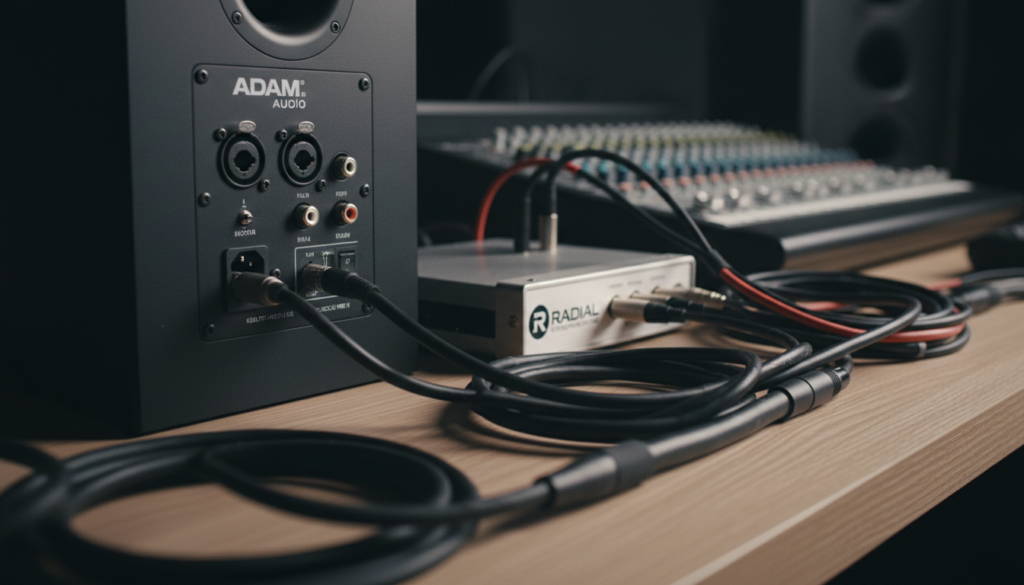
In my fifteen years as a live sound engineer and studio consultant, I have seen ground loops range from a faint 60Hz buzz to a violent “pop” that literally melted a client’s high-end tweeter. Understanding the threshold between “annoying noise” and “equipment killer” is vital for any audiophile or professional producer.
TL;DR: Quick Key Takeaways
- Damage Risk: Low-level hum is usually safe, but loud pops or sustained high-output “buzzing” can overheat and burn out voice coils.
- The Cause: Occurs when two or more devices are connected to different ground points with varying electrical potentials.
- First Step: Always check for balanced cables (XLR/TRS) before buying expensive filters.
- Pro Tip: Never use “cheater plugs” (3-to-2 prong adapters) as a permanent fix—they are significant fire and electrocution hazards.
- Best Fix: A dedicated Ground Loop Isolator or a DI Box with a ground-lift switch.
How Ground Loops Threaten Your Audio Hardware
When we ask can ground loop damage speakers, we have to look at the physics of the electrical signal. A ground loop creates an unintended path for current. This “stray” electricity manifests as a 60Hz (or 50Hz depending on your region) hum.
Thermal Stress on Voice Coils
Speakers convert electrical energy into mechanical movement and heat. A ground loop introduces a constant, unintended signal that the speaker tries to reproduce. Even if you aren’t playing music, the voice coil is vibrating and generating heat. Over hours or days, this thermal stress can cause the delicate wire insulation to fail.
Amplifier Clipping and Distortion
Ground loops often introduce enough “noise floor” to push your amplifier toward its limit. If the hum is loud enough, the amplifier may clip the signal. Clipping sends square-wave energy to your speakers, which is notoriously efficient at destroying drivers—especially tweeters.
DC Offset Issues
In rare, severe cases, a ground loop can coincide with a malfunctioning component to send Direct Current (DC) into the speaker line. While AC moves the speaker back and forth, DC holds the speaker in one position (extended or retracted). This prevents air from cooling the coil, leading to a near-instant burnout.
Identifying the Source of the Hum
Before you can fix the issue, you must confirm that you are actually dealing with a ground loop. Use the following table to differentiate between common audio noises.
| Noise Type | Common Sound | Primary Cause | Risk to Speakers |
|---|---|---|---|
| Ground Loop | Consistent low-frequency hum (60Hz/50Hz) | Multiple ground paths | Moderate to High |
| EMI / RFI | High-pitched chirps or radio signals | Shielding failure / Wi-Fi routers | Low |
| Hiss (White Noise) | Constant “Shhh” sound | Poor gain staging / cheap preamps | Low |
| Digital Jitter | Crackling or “robotic” static | USB/Computer processing noise | Low |
Step-by-Step Guide: How to Fix Ground Loops
Follow these steps in order. We start with the cheapest and safest solutions before moving toward hardware purchases.
Step 1: The “Process of Elimination” Test
Disconnect every input from your powered speakers or amplifier. If the hum disappears, the issue is coming from your source (PC, Mixer, or Turntable). If the hum remains even with nothing plugged in, the issue is likely the power outlet itself or the internal power supply of the speaker.
- Expert Insight: I always keep a 3-prong outlet tester in my kit. Frequently, the “ground loop” is actually a missing ground in the wall outlet of older buildings.
Step 2: Consolidate Power Sources
Plug all interconnected audio gear into a single, high-quality power strip or Power Conditioner. By using one “star” grounding point, you eliminate the potential difference between two different wall outlets.
Step 3: Switch to Balanced Cables
If you are using RCA or TS (unbalanced) cables, you are highly susceptible to ground loops.
- XLR and TRS (1/4″ Balanced) cables use a third wire specifically designed to cancel out noise and isolate the ground.
- In my experience, moving from RCA to XLR solves 80% of studio hum issues instantly.
Step 4: Use a Ground Loop Isolator
If you are using a car audio system or a PC-to-stereo setup, a Ground Loop Isolator is a small transformer-based device that breaks the physical connection between the grounds while allowing the audio signal to pass.
- Recommended Device: The Mpow Ground Loop Noise Isolator or Pyle PLI-01.
Step 5: The DI Box “Ground Lift”
For professional setups (mics, guitars, mixers), use a DI (Direct Injection) Box. Most professional DI boxes, like those from Radial Engineering, include a “Ground Lift” switch. This switch physically breaks the connection on Pin 1 of the XLR cable, effectively killing the loop without compromising safety.
Why You Should Never Use a “Cheater Plug”
You might see “experts” online suggesting a 3-prong to 2-prong adapter (the grey “cheater plug”) to fix hum. Do not do this.
These adapters remove the safety ground from your equipment. If an internal component fails, the metal chassis of your mixer or speaker could become “live.” If you touch it while grounded, you become the path to ground, which can result in fatal electrocution.
Safe Alternatives:
- HumX by Ebtech: This device filters the ground line without breaking it.
- Isolated Power Transformers: Professional-grade solutions for high-end home theaters.
Specific Scenarios: When Ground Loops Are Most Dangerous
PC to Studio Monitor Ground Loops
Computers are notorious for noisy grounding. When you connect a PC via USB to an audio interface, and then to powered monitors, you create a massive loop through the USB cable and the power cords.
- Actionable Advice: Use a USB Isolator (like the iFi iDefender+) to break the loop at the digital source.
Turntable Grounding
Turntables have a dedicated ground wire for a reason. If this isn’t connected to the “GND” terminal on your preamp, you will hear a massive hum.
- Caution: If you hear a loud “thump” when lowering the needle, can ground loop damage speakers? In this case, yes—that low-frequency energy can over-excurse your woofer and tear the surround.
Expert Tips for Prevention
- Keep Cable Runs Short: The longer the cable, the more resistance on the ground shield, which increases loop potential.
- Separate Power and Signal: Never run your power cables parallel to your audio cables. If they must cross, ensure they cross at a 90-degree angle to minimize induction.
- Invest in Furman: Using a Furman Power Conditioner provides a stable, common ground point and protects against the voltage spikes that often accompany grounding issues.
Frequently Asked Questions
Can a ground loop damage my computer’s motherboard?
Rarely, but it is possible. If a significant voltage differential exists between the PC and a powered peripheral (like a mixer), current can “back-feed” through the USB or HDMI ports, potentially frying the controller chips.
Does a ground loop affect sound quality?
Absolutely. Beyond the audible hum, ground loops raise the noise floor, which masks the “micro-details” in your audio. It also limits dynamic range, making your music sound compressed and muddy.
Why does my ground loop hum change when I move my mouse?
This is a “digital ground loop.” The power draw of your GPU and CPU changes as you move the mouse or run programs, causing fluctuations in the ground plane of the motherboard. An optical (Toslink) connection or a USB isolator is the only way to fix this specific issue.
Can I ignore a faint hum if it doesn’t bother me?
If the hum is very faint and doesn’t get louder when you turn up the volume, it is likely safe. However, keep an eye on your speakers. If the backplate of a powered monitor feels excessively hot even when no music is playing, the ground loop is working the internal amp too hard and needs to be fixed.