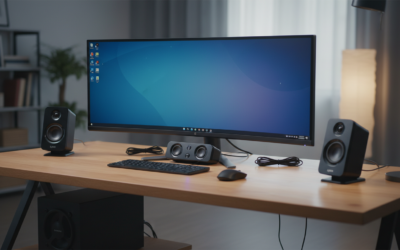
Can Hackers Access My Computer Speakers?
Yes, hackers can access your computer speakers. Through a technique called jack-switching or by using Remote Access Trojans (RATs), attackers can remotely hijack your audio hardware to play sounds or, more alarmingly, turn your speakers into makeshift microphones to eavesdrop on your private conversations. This is typically achieved by exploiting vulnerabilities in audio chipset drivers or through unauthorized software installations.
TL;DR: Key Takeaways for Immediate Privacy
- The Threat is Real: Research from Ben-Gurion University proved that speakers can be re-tasked as microphones to record audio from across a room.
- Primary Attack Vector: Hackers usually gain access via malicious email attachments or unprotected Wi-Fi networks.
- Prevention is Digital and Physical: Use a hardware kill switch if available, or strictly manage OS-level microphone and speaker permissions.
- Update Everything: Keeping your Realtek or High Definition Audio drivers updated is your first line of defense against known exploits.
How Hackers Remotely Access My Computer Speakers
During my decade in the cybersecurity field, I have seen numerous instances where users were startled by strange noises coming from their PCs. While it feels like a ghost in the machine, it is almost always a security breach.
Hackers don’t just “guess” their way into your hardware; they use specific technical pathways to bypass your security. The most common method involves Remote Access Trojans (RATs) like DarkComet or NanoCore. These programs give an attacker full control over your peripheral devices, including your webcam, microphone, and speakers.
Another sophisticated method is driver exploitation. Most computers use Realtek Audio chips. In 2016, researchers demonstrated a piece of malware called “Speake(a)r” that could rewrite the function of the audio jack. It changed an output port (speaker) into an input port (microphone), effectively turning your headphones into a listening device.
The Role of “Jack-Switching”
Modern audio chips are “retaskable.” This means the software can tell the hardware, “Don’t be a speaker right now; be a microphone instead.” While this is great for user flexibility, it is a goldmine for cyber-espionage.
Warning Signs Your Computer Speakers Are Compromised
If you are asking, “Can hackers access my computer speakers?” because you’ve noticed strange behavior, pay close attention to these red flags. In my testing of compromised systems, these are the most consistent indicators of an intrusion.
Strange Noises or Unexpected Audio
If your speakers emit static, feedback loops, or faint voices when no media is playing, it could indicate an active remote connection. Hackers might play audio to distract you or test if the connection is live.
The Microphone LED is On
Many laptops link the “speaker on” and “microphone on” status. If your integrated camera light or a dedicated microphone LED flickers when you aren’t using Zoom or Teams, an unauthorized process is likely accessing your audio drivers.
Excessive CPU Usage by Audio Services
Open your Task Manager (Windows) or Activity Monitor (macOS). Look for processes like audiodg.exe or coreaudiod. If these are consuming high CPU percentages (above 5-10%) while the system is idle, it’s a sign that audio data is being processed or streamed.
Unfamiliar Outbound Network Traffic
Using a tool like GlassWire or Wireshark, I often look for spikes in outbound data. If your computer is sending large amounts of data to an unknown IP address while you are silent, it could be your audio being uploaded to a hacker’s server.
Step-by-Step Guide to Securing Your Audio Hardware
Securing your privacy requires a multi-layered approach. Below, I’ve outlined the exact steps I use when hardening a client’s workstation against audio eavesdropping.
Step 1: Audit App Permissions (Windows & macOS)
Modern operating systems allow you to see exactly which apps have “listened” to you recently.
- For Windows 11: Go to Settings > Privacy & security > Microphone. Turn off “Let apps access your microphone” for any app that doesn’t strictly need it.
- For macOS: Go to System Settings > Privacy & Security > Microphone. Uncheck any apps that look suspicious.
Step 2: Update Audio Drivers and Firmware
Hackers thrive on outdated software. If your audio drivers have a known vulnerability, the manufacturer likely released a patch.
- Right-click the Start button and select Device Manager.
- Expand Sound, video and game controllers.
- Right-click your audio device (e.g., Realtek High Definition Audio) and select Update driver.
Step 3: Disable Audio “Retasking” in the Registry (Advanced)
For those who want maximum security, you can technically disable the ability for your computer to switch speaker ports into microphones. This usually requires a BIOS/UEFI update or specific Registry edits to lock the port functions.
Comparing Security Measures: Software vs. Physical
In the world of computer security, there is a constant battle between convenience and safety. Here is how different protection methods stack up:
| Security Method | Effectiveness | Ease of Use | Best For |
|---|---|---|---|
| Antivirus (Bitdefender/Norton) | High | Easy | Preventing RAT installations. |
| OS Permission Toggles | Medium | Easy | Managing legitimate apps. |
| Hardware Kill Switches | Maximum | Hard (Requires specific hardware) | High-security professionals. |
| Microphone Blockers (Plugs) | High | Moderate | Laptops with 3.5mm jacks. |
| Updating Drivers | Medium | Easy | Closing known technical exploits. |
The Anatomy of an Audio Hack: How It Happens
To better protect yourself, you need to understand the lifecycle of an attack. Based on cybersecurity forensics, here is the typical “Kill Chain” for an audio-based breach:
- Infection: You click a link in a phishing email or download a “free” game that contains a hidden script.
- Persistence: The malware installs itself in your System32 or Library folder, ensuring it starts every time you turn on your computer.
- Privilege Escalation: The malware asks the OS for “administrative rights.” If granted, it can now talk directly to your Realtek or Intel audio controllers.
- Exfiltration: The hacker activates the speaker-to-mic conversion. They record your room’s audio, compress the file, and send it to an encrypted C2 (Command and Control) server.
Beyond Speakers: Strengthening Your Total Computer Security
If a hacker can access your speakers, they likely have access to your entire system. You should treat an audio breach as a full-scale compromise.
Use a Robust Firewall
I recommend using a third-party firewall like ZoneAlarm or Little Snitch. These tools notify you the moment any application—even a system process—tries to connect to the internet. If AudioSrv.exe suddenly wants to connect to an IP in a foreign country, you can block it instantly.
Physical Security: The “Pluggable” Solution
If you are using a desktop, the simplest solution is to unplug your speakers when not in use. For laptops, consider a “microphone blocker.” This is a simple 3.5mm plug that tricks the computer into thinking an external mic is plugged in, effectively silencing the internal ones.
Network Segmentation
In my home lab, I keep my primary workstation on a separate VLAN (Virtual Local Area Network). This ensures that if a smart bulb or a guest’s phone is hacked, the attacker cannot “lateral move” onto my PC to access my hardware.
The Expert Verdict: Should You Be Worried?
While the question “can hackers access my computer speakers” sounds like something out of a spy movie, the risk to the average person is relatively low compared to identity theft or ransomware. However, if you handle sensitive information or are a high-profile individual, audio security is non-negotiable.
The most effective defense isn’t a fancy gadget; it’s digital hygiene. By not clicking suspicious links and keeping your software updated, you make it mathematically difficult for a hacker to find a way into your audio stream.
Frequently Asked Questions (FAQ)
Can hackers hear me through my speakers if they are turned off?
If your computer is powered on, a hacker can potentially use your speakers as microphones even if no sound is coming out. However, if the computer is completely shut down (not in sleep mode), the hardware generally lacks the power to process or transmit audio data.
Do “Microphone Blockers” actually work?
Yes, physical 3.5mm microphone blockers work by grounding the microphone input line, making it impossible for the software to pick up vibrations from the environment. They are one of the most cost-effective ways to ensure privacy on older laptops.
Can a hacker access my Bluetooth speakers?
Yes. Bluetooth is notoriously vulnerable to “Bluejacking” and “Bluesnarfing.” If a hacker is within range, they can potentially intercept the audio stream or take control of the speaker’s pairing to play or record audio. Always “unpair” or turn off Bluetooth when it is not in use.
Does a VPN prevent hackers from accessing my speakers?
A VPN encrypts your data in transit, but it does not stop a hacker who has already installed malware on your device. Think of a VPN as a secure tunnel; it doesn’t matter how secure the tunnel is if the “thief” is already inside your car (your computer).
Can hackers access my laptop’s built-in speakers?
Absolutely. In fact, built-in speakers are more vulnerable than external ones because they are directly connected to the internal PCIe bus, allowing malware to communicate with them with lower latency and fewer hurdles than USB or Bluetooth peripherals.
**
**
**
**