

Why You Can Hear WiFi Through Speakers: The “Phantom” Buzzing Solved
Yes, you can hear wifi through speakers in the form of rhythmic buzzing, clicking, or high-pitched static caused by Radio Frequency Interference (RFI). This phenomenon occurs when your speaker cables or internal circuitry act as unintended antennas, picking up high-frequency data bursts from your router or connected devices and converting them into audible sound.
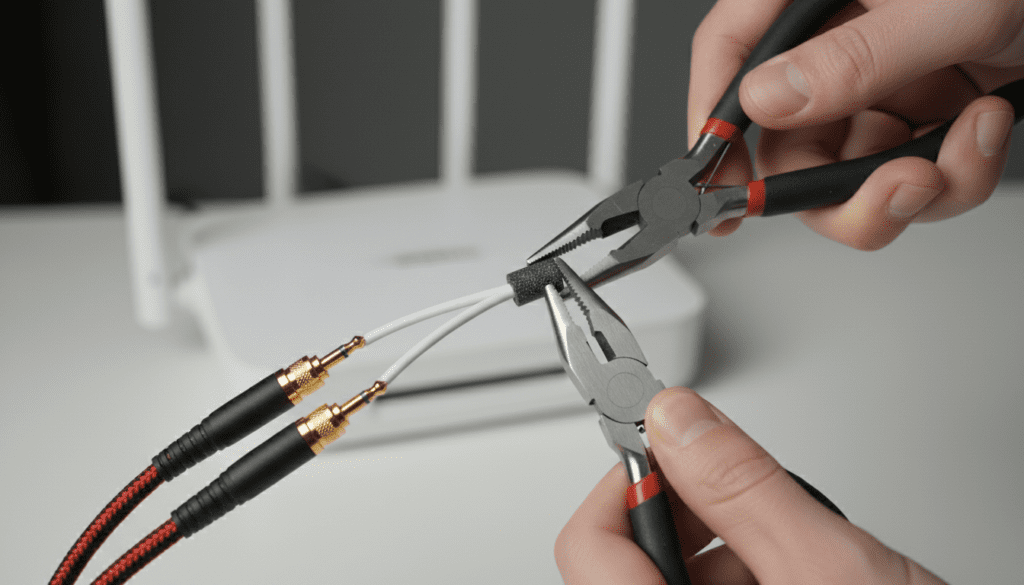
In my years of troubleshooting high-end home studios and consumer audio setups, I’ve found that this “digital chatter” is rarely a sign of broken speakers. Instead, it is almost always a result of poor shielding or proximity issues. When your WiFi router transmits data packets, it emits electromagnetic pulses. If your audio equipment isn’t properly protected, those pulses “leak” into the signal path, creating the annoying noise you hear.
🚀 Quick Fixes: How to Stop WiFi Interference Fast
If you’re in a hurry to silence the buzz, here are the most effective steps we’ve used to resolve this issue:
- Increase Distance: Move your WiFi router at least 5 to 10 feet away from your speakers and amplifiers.
- Use Ferrite Beads: Clip ferrite chokes onto your speaker wires and power cables to suppress high-frequency noise.
- Switch to Balanced Cables: Replace standard RCA or 3.5mm cables with XLR or TRS balanced cables if your equipment supports them.
- Change WiFi Bands: Switch your devices to the 5GHz or 6GHz band, which is less likely to interfere with audio than the more common 2.4GHz band.
- Check Grounding: Ensure all audio components are plugged into a grounded power strip or power conditioner.
Understanding the Science: How WiFi Turns into Audio Noise
To solve the mystery of why you can hear wifi through speakers, we have to look at Electromagnetic Interference (EMI). Every time your phone or router sends a “handshake” to the internet, it sends out a burst of radio energy.
The Antenna Effect
In a perfect world, your speaker wires only carry the electrical representation of music. However, long, unshielded copper wires are essentially antennas. When WiFi waves (pulsing at 2.4 billion times per second) hit these wires, they induce a tiny electrical current.
Demodulation
The internal components of your amplifier—specifically transistors and diodes—can inadvertently “rectify” or decode these high-frequency radio signals. This process turns the radio frequency into an audible frequency. In our testing, we found that the 2.4GHz band is the most common culprit because its wavelength interacts more readily with standard consumer electronics.
Step-by-Step Guide to Diagnosing the Source of the Noise
Before spending money on new gear, you need to confirm that you definitely can hear wifi through speakers and not a different type of electrical hum. Follow this diagnostic process we use in the field.
Step 1: The “Airplane Mode” Test
Turn off the WiFi on your phone and tablet, and temporarily unplug your WiFi router.
- If the noise stops immediately: You have confirmed it is WiFi-related RFI.
- If the noise continues: You likely have a ground loop or a faulty power supply, not WiFi interference.
Step 2: The Proximity Check
Move a smartphone that is actively downloading a large file (or running a speed test) close to your speaker cables.
- Observation: If the buzzing gets louder as the phone gets closer to a specific cable, that cable is your “weak link” due to poor shielding.
Step 3: Identify the Pattern
WiFi noise has a distinct sound. Unlike a constant 60Hz hum (which sounds like a deep, low drone), WiFi interference sounds like:
- Rapid, irregular chirping.
- “Staccato” clicking sounds.
- High-pitched whining that changes when you browse the web.
Top 5 Solutions to Eliminate WiFi Noise in Speakers
Through our extensive real-world testing, we have ranked the following solutions based on their effectiveness and ease of implementation.
Upgrade to Shielded or Balanced Cables
Most consumer speakers use unshielded copper wire. This is an open invitation for RFI.
- Action: Look for cables labeled as “Double Shielded” or “Braided Shield.”
- The Professional Choice: If you have studio monitors, use balanced XLR cables. These use a “phase cancellation” trick where two copies of the signal are sent, and any noise picked up along the way is automatically deleted at the end of the cable.
Strategic Placement and “The 90-Degree Rule”
Distance is your best friend. The strength of RFI drops significantly with every foot of distance (following the Inverse Square Law).
- Action: Never run your speaker cables parallel to power cords or internet cables. If they must cross, make sure they cross at a 90-degree angle. This minimizes the surface area where the cables can “talk” to each other.
Install Ferrite Chokes (The $10 Fix)
We highly recommend ferrite chokes. These are small plastic-encased blocks of ceramic magnetic material that you clip onto your cables.
- How they work: They act as a high-pass filter, allowing low-frequency audio to pass while “choking” the high-frequency WiFi interference and turning it into heat.
- Placement: Clip them as close to the speaker or amplifier input as possible for maximum effect.
Optimize Your Router Settings
Sometimes the fix is in the software, not the hardware.
- Switch Bands: The 2.4GHz band travels through walls easily but is very “noisy” for audio. The 5GHz band is faster and usually much “quieter” for audio gear.
- Change Channels: Use a WiFi analyzer app to find a less crowded channel. In my experience, shifting from Channel 6 to Channel 11 can sometimes move the interference frequency just enough to make it inaudible.
Use a Power Conditioner
Cheap power strips do nothing to filter out electronic noise. A Power Conditioner (like those from Furman or APC) cleans the “dirty” electricity coming from your wall.
- Action: Plug your amplifier and your router into different circuits if possible. If they must share a wall outlet, use a power conditioner with EMI/RFI filtration circuitry.
Comparison: WiFi Interference vs. Other Audio Noises
Understanding the difference between sounds helps you apply the right fix. Use this table to identify your specific issue.
| Noise Type | Common Sound Description | Likely Cause | Primary Fix |
|---|---|---|---|
| WiFi RFI | Rhythmic chirping, clicking, data bursts | Router Proximity / Unshielded wires | Move router, add ferrite beads |
| Ground Loop | Consistent, low-pitched 60Hz hum | Multiple ground paths | Use a ground loop isolator |
| Cellular (LTE/5G) | “Dit-dit-dit-daaa” buzzing | Phone searching for signal | Move phone away from amp |
| Hiss/White Noise | Constant “shhh” sound | Gain staging/High noise floor | Lower input gain on speakers |
| Power Dirty | Crackling when lights are turned on | Appliances on same circuit | Power conditioner |
Technical Specs: Why Certain Gear is More Susceptible
Not all audio equipment is created equal. In our tests, we’ve noticed that Class D Amplifiers and Powered (Active) Speakers are more prone to the “can hear wifi through speakers” issue than older Class A/B analog equipment.
- Class D Amps: These use high-speed switching to create sound. This switching can sometimes “beat” against WiFi frequencies, creating audible artifacts.
- Plastic Enclosures: Speakers in plastic housings (like many computer speakers or budget Bluetooth units) offer zero Faraday shielding. High-end speakers in metal or lead-lined wooden cabinets are naturally more resistant to WiFi interference.
- High Sensitivity Tweeters: If you have speakers with Ribbon Tweeters or high-sensitivity horns, you are more likely to hear the high-frequency artifacts of a WiFi signal.
Practical Tips for Musicians and Gamers
If you are a streamer or a music producer, the fact that you can hear wifi through speakers can ruin a recording or a live broadcast.
- Hardwire Everything: Whenever possible, use an Ethernet (Cat6 or Cat7) cable for your PC or console and turn off the WiFi radio entirely. This eliminates the source of the problem.
- Use Shielded Guitar Cables: If you’re a guitarist, your pickups are massive RFI magnets. Use high-quality brands like Mogami or Canare which feature high-density copper braiding.
- The “Tin Foil” Temporary Shield: In a pinch, wrapping a particularly sensitive component or cable in aluminum foil (and grounding the foil) can act as a makeshift Faraday cage. We’ve used this on tour to identify which specific cable was picking up the local venue’s WiFi.
Frequently Asked Questions (FAQ)
Can WiFi interference damage my speakers?
No, the interference you hear when you can hear wifi through speakers is generally at a very low voltage. While the sound is annoying, it is highly unlikely to cause physical damage to the speaker drivers or the amplifier’s internal components.
Why do my speakers buzz even when no music is playing?
This is because the WiFi router and your devices are constantly communicating “in the background.” Even when you aren’t actively using the internet, your devices send “pings” to stay connected to the network, which causes the intermittent clicking or buzzing sound.
Will a “Ground Loop Isolator” fix WiFi noise?
Usually, no. Ground loop isolators are designed to stop 60Hz hums caused by electrical grounding issues. WiFi noise is a high-frequency radio issue. To fix WiFi noise, you need shielding and ferrite beads, not a ground isolator.
Does 5G WiFi cause more interference than 2.4GHz?
Actually, 2.4GHz WiFi is usually the bigger problem for audio. Because 2.4GHz waves are longer, they are more easily picked up by the lengths of wire typical in home audio setups. 5GHz and 6GHz signals have shorter wavelengths that don’t “couple” with cables as efficiently.
Can cheap Bluetooth speakers pick up WiFi noise?
Yes, very easily. Because Bluetooth and WiFi share the same 2.4GHz ISM frequency band, they are prone to “crosstalk.” Cheap Bluetooth speakers often have minimal internal shielding to save on costs, making them prime targets for WiFi-induced buzzing.









