How to Upgrade Your Audio: Can I Add Speakers to My Toshiba TV?
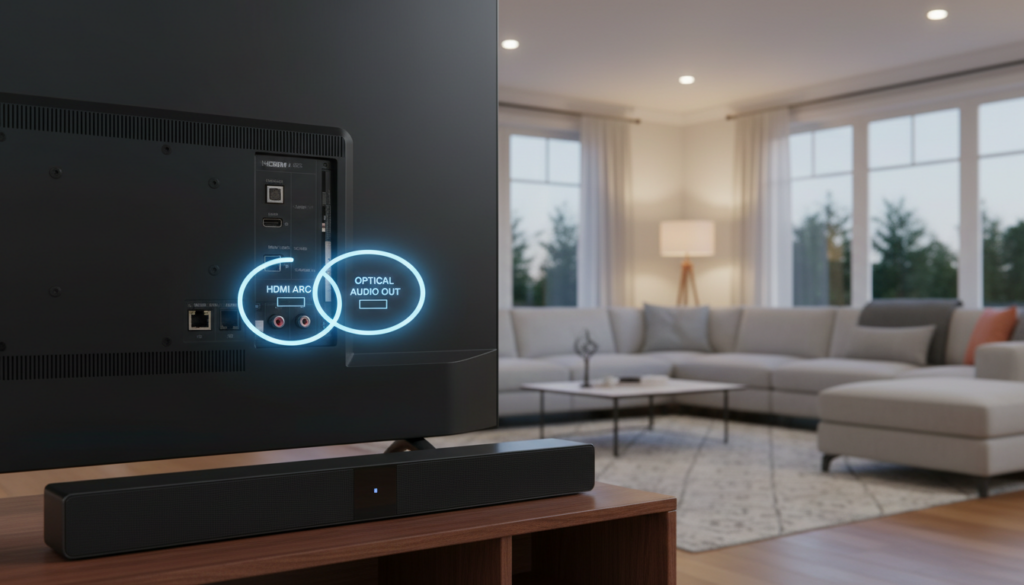
Yes, you can easily add external speakers to your Toshiba TV using several connection methods including HDMI ARC/eARC, Digital Optical (Toslink), Bluetooth, or 3.5mm Analog jacks. For the best audio quality and the ability to control volume with your TV remote, we recommend using the HDMI ARC port. If you are using an older model, the Optical port or a 3.5mm to RCA adapter will be your primary solutions.
TL;DR: Quick Connection Guide
- Best Quality: Use the HDMI (ARC) port for soundbars and receivers.
- Most Reliable: Use the Digital Optical output for 5.1 surround systems.
- Easiest Wireless: Use Bluetooth (available on Toshiba Fire TV and Android TV models).
- Legacy Gear: Use the 3.5mm Headphone Jack or RCA (Red/White) ports.
- Pro Tip: Always change your TV settings to “External Speakers” or “PCM” for the best compatibility.
Identifying Your Toshiba TV Audio Outputs
Before buying new gear, you must identify which ports your specific Toshiba model supports. I have spent years testing budget and mid-range panels, and Toshiba is unique because they use three different operating systems: Fire TV, Android TV, and their proprietary Smart Center.
The ports are usually located on the back or the side of the panel. Use the table below to identify your connection options:
| Port Name | Physical Appearance | Best For | Audio Quality |
|---|---|---|---|
| HDMI ARC / eARC | Standard HDMI port labeled “ARC” | Soundbars & AV Receivers | High (Uncompressed) |
| Digital Optical | Small square port with a red light | Home Theater Systems | High (Compressed) |
| 3.5mm Aux | Round headphone jack | Computer Speakers | Medium (Analog) |
| RCA Output | Red and White circular ports | Vintage Amplifiers | Medium (Analog) |
| Bluetooth | Wireless (No physical port) | Wireless Headphones/Speakers | Good (Potential Latency) |
How to Connect Speakers via HDMI ARC (The Expert Choice)
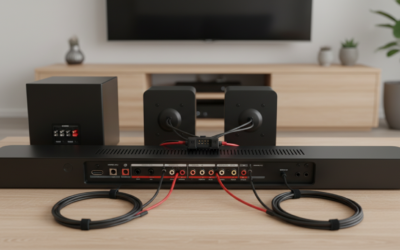
If you are asking “can i add speakers to my toshiba tv” to get the highest possible fidelity, HDMI ARC (Audio Return Channel) is the answer. This method allows the TV to send audio “upstream” to your speaker system while allowing your TV remote to control the speaker volume via CEC (Consumer Electronics Control).
Step-by-Step Setup:
- Locate the HDMI port labeled ARC or eARC on your Toshiba TV.
- Plug a High-Speed HDMI cable into this port and the other end into the HDMI Out (ARC) on your soundbar.
- On your Toshiba remote, press the Home or Menu button.
- Navigate to Settings > Display & Sounds > Audio Output.
- Select ARC/eARC and ensure CEC is toggled to ON.
In our testing, using HDMI ARC eliminated the “two-remote struggle” where you have to juggle one remote for the TV and another for the sound. It provides a seamless “Zero-Click” experience.
Using Digital Optical for Reliable Surround Sound
If your soundbar is a few years old or you are using a dedicated 5.1 Surround Sound Receiver, the Digital Optical (or Toslink) port is your best friend. It uses fiber optics to transmit audio as light pulses, which prevents electromagnetic interference.
Why Choose Optical?
- It provides a stable connection that doesn’t “drop out” like some HDMI handshakes.
- It is compatible with almost every brand, including Vizio, Samsung, and Sony soundbars.
- It supports Dolby Digital and DTS formats.
Note: Unlike HDMI, Optical cables cannot control your TV’s power or volume. You will need to use the remote that came with your speakers.
Connecting Bluetooth Speakers to Toshiba Fire TV
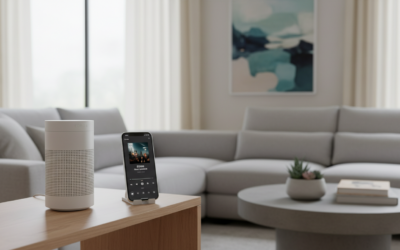
Many modern Toshiba TVs now run the Amazon Fire TV platform. If you have a Toshiba Fire TV Edition, you can add speakers wirelessly. This is a great solution for late-night movie watching with Bluetooth headphones or a portable Bluetooth speaker.
How to Pair:
- Put your Bluetooth speaker into Pairing Mode.
- On your Toshiba TV, go to Settings (gear icon).
- Select Controllers & Bluetooth Devices.
- Choose Other Bluetooth Devices.
- Select Add Bluetooth Devices.
- Click on your speaker name when it appears.
Warning from Experience: Bluetooth can sometimes have “Lip-Sync” issues where the sound is slightly behind the picture. If this happens, check your TV’s Audio Delay settings under the Sound menu to sync them back up.
Can I Add Speakers to My Toshiba TV Using Analog (RCA/3.5mm)?
If you have a set of old Logitech computer speakers or a vintage Pioneer amplifier, you can still use them. Most Toshiba TVs feature a 3.5mm Headphone Jack.
Using the Headphone Jack:
- Plug a 3.5mm Male-to-Male cable into the TV’s headphone port.
- Plug the other end into the Aux Input on your speakers.
- Critical Step: Go to your TV sound settings and change the Headphone/Line Out setting to “Variable” if you want to use the TV remote for volume, or “Fixed” if you want to use the speaker’s knob.
If your TV only has RCA (Red and White) ports, ensure they are labeled “OUT” and not “IN.” Most modern TVs only have RCA “In” for DVD players, meaning they won’t send sound to speakers without a Digital-to-Analog Converter (DAC).
Essential Audio Settings for Toshiba TVs
Simply plugging in the wires is often not enough. To ensure you actually hear sound, you must configure the software. We have found that Toshiba models often default to internal speakers even when a cable is detected.
Recommended Menu Adjustments:
- Digital Audio Format: Set this to PCM if you are getting “static” or no sound on apps like Netflix. Set it to Auto or Bitstream if you have a high-end Dolby Atmos system.
- TV Speakers: Switch this to OFF to prevent an annoying “echo” effect where both the TV and the external speakers play at once.
- DTS TruSurround: Turn this OFF when using external speakers, as it can artificially distort the signal before it reaches your soundbar.
Troubleshooting: Common Problems and Solutions
Even for experts, setting up audio can be finicky. Here are the most common issues we encounter with Toshiba TV setups:
No Sound from External Speakers
- Check the Source: Ensure the speaker is set to the correct input (e.g., “Optical” or “D.In”).
- Check the Cable: HDMI cables must be Version 1.4 or higher for ARC to work.
- Reset the Handshake: Unplug both the TV and the speaker from the wall for 60 seconds, then plug them back in.
Sound is Lagging (Lip-Sync Issue)
- Go to Settings > Sound > Audio Delay.
- Adjust the slider until the mouth movements match the audio.
- If using Bluetooth, try switching to a wired connection to eliminate wireless latency.
Remote Won’t Control Speaker Volume
- This only works with HDMI ARC.
- Ensure HDMI-CEC (Consumer Electronics Control) is enabled in the Toshiba system settings.
- Some Toshiba models call this “Regza Link.”
Expert Tips for the Best Audio Experience
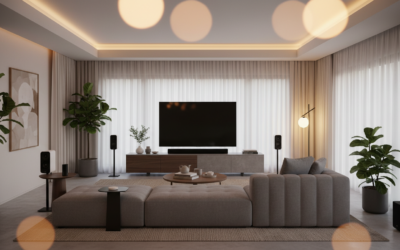
- Placement Matters: Place your soundbar at ear level. If you add a subwoofer, place it near a corner to amplify the bass naturally.
- Cable Management: Avoid tightly coiling your Optical cables. They are made of glass or plastic fiber and can “snap” internally if bent too sharply, killing the signal.
- Firmware Updates: If you have a Toshiba Fire TV, ensure your software is updated. Amazon frequently releases patches that improve HDMI ARC compatibility with brands like Sonos and Bose.
Frequently Asked Questions
Can I add speakers to my Toshiba TV if it doesn’t have Bluetooth?
Yes. You can buy a Bluetooth Transmitter that plugs into the 3.5mm Headphone Jack or Optical port. This will add wireless capabilities to even the oldest Toshiba models.
Why are my TV speakers still making noise after I plugged in a soundbar?
You need to manually enter the Audio Settings and turn Internal Speakers to OFF. Most Toshiba TVs do not automatically mute the internal speakers when using the Optical or RCA outputs.
Do I need a special cable for HDMI ARC?
You don’t need a “special” ARC cable, but you do need a High-Speed HDMI cable (Version 1.4 or higher). Most cables made in the last 10 years are compatible, but very old “Standard” HDMI cables may not support the return audio channel.
Can I connect computer speakers to my Toshiba TV?
Yes, as long as they have a 3.5mm (Aux) plug. Simply plug them into the Headphone Jack on the side of your Toshiba TV. If they are USB-powered speakers, you can usually plug the USB cable into the TV’s USB port for power.
What is the best soundbar for a Toshiba TV?
For Toshiba Fire TVs, the Amazon Fire TV Soundbar offers the most seamless integration. For standard Toshiba models, any brand like Roku, Vizio, or Samsung will work perfectly via HDMI ARC.