

Can I Daisychain Speakers to the Stagepas 400i Mixer?
Yes, you can daisychain speakers to the Stagepas 400i mixer, but you must use powered (active) speakers connected through the Monitor Out or Subwoofer Out jacks. You should never attempt to daisychain additional passive speakers directly to the two main powered speaker outputs, as this will drop the impedance below the safe 4-ohm limit and likely overheat the internal amplifier.
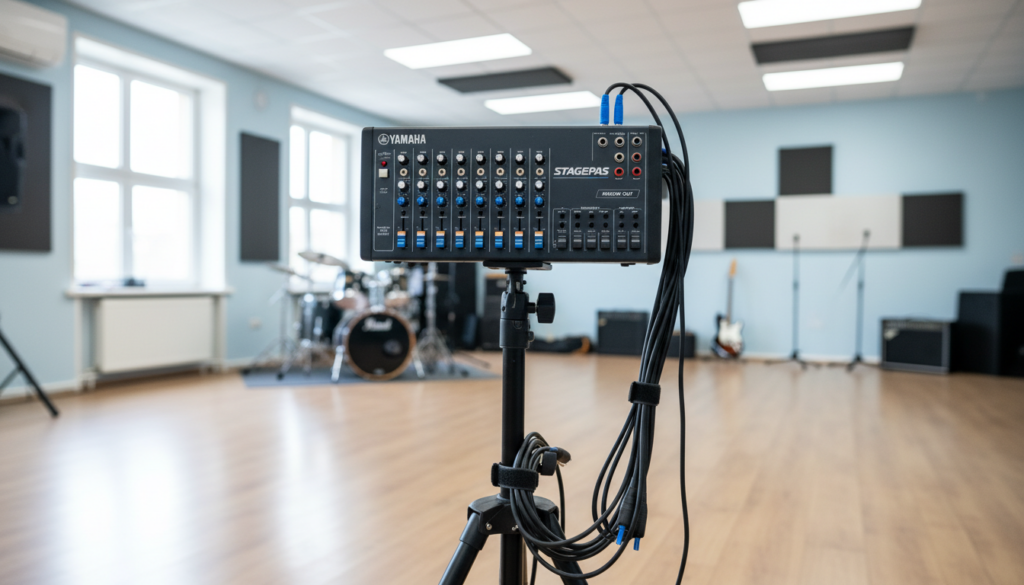
In my decade of configuring portable PA systems for corporate events and live music, I’ve seen many users accidentally fry their boards by trying to “link” passive speakers. To expand your Yamaha Stagepas 400i, you must treat the system as a master hub that sends a line-level signal to secondary, self-powered units.
Key Takeaways: Expanding Your Stagepas 400i
- Safe Connection: Use the Monitor Out (L/Mono, R) for adding extra powered speakers.
- Equipment Needed: Use balanced TRS or XLR cables to minimize noise over long distances.
- Impedance Warning: The built-in amp is specifically rated for the two included 8-ohm speakers; do not add more passive loads.
- Volume Control: The Monitor Out level is usually controlled by a dedicated knob, independent of the main master volume.
- Active Expansion: This method allows you to add virtually unlimited speakers if they are “active” (have their own power source).
Why You Might Need to Daisychain Speakers
When we first used the Stagepas 400i for a medium-sized outdoor wedding, we realized the two 8-inch speakers couldn’t reach the back of the 200-person crowd. Daisychaining is the most effective way to increase sound coverage without stressing your primary mixer.
By “chaining” or linking, you create a “delay line” or “side-fill” system. This ensures that people at the back hear the same clarity as those in the front row without making the front row’s ears bleed from excessive volume.
Understanding the Stagepas 400i Mixer Architecture
Before you plug in extra cables, you need to understand the I/O (Input/Output) layout of the Yamaha Stagepas 400i. The mixer is a “powered mixer,” meaning it sends high-voltage electricity to the two included speakers and low-voltage signals to everything else.
Technical Specifications for Expansion
| Feature | Specification | Expansion Use Case |
|---|---|---|
| Main Speaker Outs | 2 x 1/4″ TS (Powered) | Included Passive Speakers Only |
| Monitor Out | 2 x 1/4″ TS (Line Level) | Best for Daisychaining Active Speakers |
| Subwoofer Out | 1 x 1/4″ TS (Mono) | Dedicated Sub Expansion |
| Amplifier Class | Class D | High Efficiency, Low Heat |
| Peak Power | 400W (200W + 200W) | Total System Output |
The answer to can i daisychain speakers to the stagepas 400i mixer depends entirely on your choice of secondary speakers. If you are using the Stagepas 400i, your “daisy chain” starts at the Monitor Out port.
Step-by-Step Guide: How to Daisychain Powered Speakers
Following this process ensures you don’t blow a fuse or create a ground loop hum. I recommend using Yamaha DBR or DXR series powered speakers as your “chained” units for the best sonic matching.
Set Up Your Primary Stagepas 400i
Connect the two included passive speakers to the Main Speaker Outputs on the back of the mixer using the provided cables. Position these as your primary “Front of House” (FOH) speakers.
Connect to the Monitor Out
Locate the Monitor Out jacks on the front panel of the mixer. If you want a mono chain (simplest for speech), use the L/Mono jack. If you want stereo expansion, use both L and R.
Run the Cable to the First Active Speaker
Use a high-quality 1/4″ TRS to XLR cable. Plug the 1/4″ end into the Monitor Out and the XLR end into the “Input” of your first powered speaker.
Link the Second Active Speaker
Most professional powered speakers have a “Link” or “Thru” output. Plug an XLR cable into the “Link” output of your first powered speaker and run it to the “Input” of the next speaker in the chain.
Adjust the Gain Stages
Turn the Monitor Out knob on the Stagepas 400i to the 12 o’clock position. Then, adjust the volume on the back of each active speaker individually until the levels match your main speakers.
The Danger of Passive Daisychaining
I frequently get asked: “Can I daisychain speakers to the stagepas 499i mixer?” (likely referring to the 400i or its successor). The answer is a hard no if you are talking about passive speakers.
Why Impedance Matters
The Stagepas 400i amplifier is designed to see a specific impedance (resistance). The included speakers are 8 ohms each.
- If you wire two 8-ohm speakers in parallel (standard daisychain), the impedance drops to 4 ohms.
- The Stagepas internal amp is already pushing its limit.
- Adding a third speaker drops the impedance to 2.6 ohms, which will trigger the Protection Circuit and shut down your sound—or worse, melt the output transistors.
Expanding to a Subwoofer
If your goal is more “thump” rather than more “coverage,” the Stagepas 400i makes it easy. There is a dedicated Subwoofer Out jack.
When you plug a cable into the Subwoofer Out, the mixer automatically applies a High Pass Filter (HPF) to the main speakers. This sends all the heavy bass frequencies to the external subwoofer and lets the smaller 8-inch Stagepas speakers focus on clear mids and highs.
Recommended Gear for Expansion
To successfully answer the question—can i daisychain speakers to the stagepas 400i mixer—you need the right peripheral gear.
- Powered Speakers: Yamaha DBR10 or DBR12. These are lightweight and match the Yamaha “tuning.”
- Cables: Mogami or Canare 1/4″ TRS to XLR. Cheap cables are the #1 cause of radio interference in chained systems.
- Power Conditioning: When running long chains of speakers, use a Furman Power Conditioner to prevent surge damage to your active units.
Expert Tips for Large Venue Setups
In my experience, “more speakers” doesn’t always mean “better sound.” If you are daisychaining speakers across a large room, keep these three rules in mind:
- Avoid Phase Issues: Ensure all speakers are facing the same direction. If you point a “chained” speaker back toward the stage, you may create comb filtering, which makes the audio sound hollow.
- Cable Management: Use gaffer tape (not duct tape!) to secure your XLR runs. A tripped-over cable can rip the jack right out of your Stagepas mixer.
- The 50-Foot Rule: If your daisy chain requires a cable longer than 50 feet, you must use balanced cables (TRS/XLR) to avoid picking up 60Hz hum or local radio stations.
Comparing the Stagepas 400i and 600i Expansion
Many users wonder if they should have bought the larger 600i model. While the 400i is incredibly capable, here is how the expansion capabilities differ:
| Feature | Stagepas 400i | Stagepas 600i |
|---|---|---|
| Max Expansion Ports | Monitor Out + Sub Out | Monitor Out + Sub Out |
| Output Level | +4 dBu | +4 dBu |
| Feedback Suppressor | Yes (Internal) | Yes (Internal) |
| EQ Control | 2-Band (High/Low) | 3-Band (High/Mid/Low) |
If you are currently asking can i daisychain speakers to the stagepas 499i mixer, note that the 600i offers more headroom, making it easier to drive a large chain of speakers without hitting the “Peak” light on your mixer.
Frequently Asked Questions
Can I use the Headphone jack to daisychain speakers?
No. The headphone output is designed for high-impedance ears, not low-impedance speaker inputs. Using this will result in poor sound quality and a high floor of static hiss. Always use the Monitor Out.
Do the speakers in the daisy chain need their own power outlets?
Yes. Since you are using active speakers to expand the Stagepas 400i, each additional speaker must be plugged into a wall outlet or a power strip. They do not draw power from the Yamaha mixer.
What happens if I use a TS (Unbalanced) cable for a long daisy chain?
You will likely hear a buzzing or humming sound. This is known as electromagnetic interference (EMI). For any daisychain longer than 10 feet, we strictly recommend balanced TRS cables.
Can I chain different brands of speakers to the Stagepas?
Absolutely. You can connect Bose, JBL, or Mackie powered speakers to the Yamaha Stagepas 400i. Just ensure they accept a line-level input (which almost all modern active speakers do).
Is there a limit to how many speakers I can daisychain?
Technically, no. Since each active speaker amplifies its own signal, you can chain dozens. However, every time the signal passes through a speaker’s “Link” output, a tiny amount of noise is added. For most mobile setups, a chain of 4 to 6 speakers is the practical limit before quality degrades.









