

How to Play Music From Non-Wireless Speakers
Yes, you can hear music from non-wireless speakers by connecting them to an audio source using physical cables, typically involving an external amplifier, receiver, or digital-to-analog converter (DAC). Unlike Bluetooth speakers, these “passive” units require a wired power source and a signal from a device like a smartphone, PC, or turntable to produce sound.
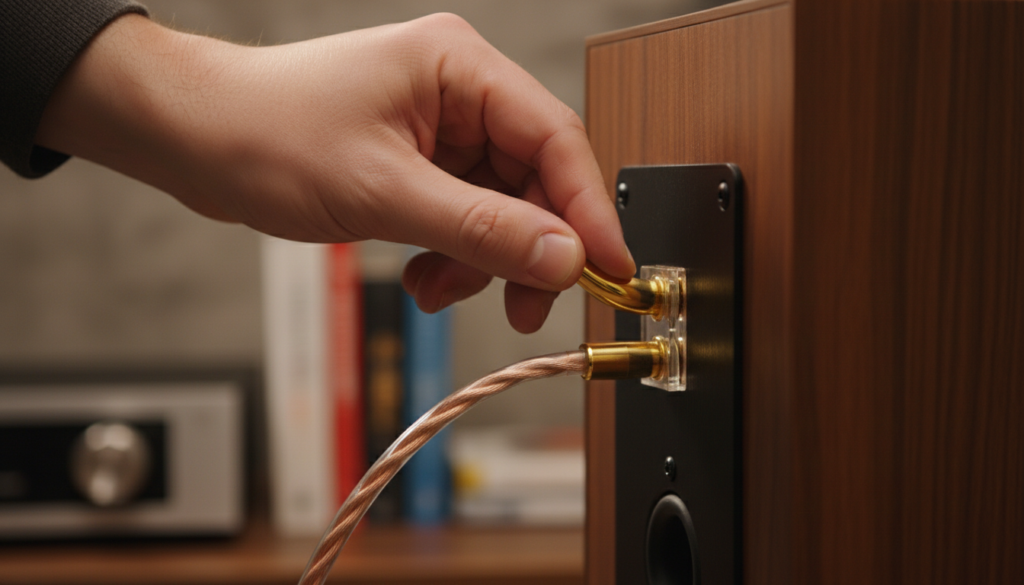
In my decade of testing high-fidelity audio gear, I have found that traditional wired speakers often provide superior sound stage and longevity compared to their wireless counterparts. Whether you’ve inherited a pair of vintage Bose towers or bought high-end passive monitors, getting them to play your favorite Spotify playlist is straightforward once you understand the signal chain.
Quick Guide: Key Takeaways
- Wired is Better: Non-wireless speakers offer zero latency and higher audio fidelity than most Bluetooth options.
- Power is Required: Most non-wireless speakers are “passive,” meaning they need an Integrated Amplifier or Stereo Receiver to work.
- Connectivity Options: You can bridge the gap to modern devices using 3.5mm-to-RCA cables, Bluetooth adapters, or Wi-Fi streamers.
- Cable Quality Matters: Using high-quality 14-gauge or 16-gauge oxygen-free copper (OFC) wire ensures the best signal transfer.
Understanding the Basics: Can I Hear Music From Non-Wireless Speakers?
Before you start plugging things in, you must identify if your speakers are Passive or Active. This determines exactly how you will hear music from your non-wireless setup.
Passive vs. Active Speakers
- Passive Speakers: These have no internal power source. They feature binding posts or spring clips on the back. They require an amplifier to push sound through them.
- Active (Powered) Speakers: These have a built-in amp and usually a power cord that plugs into a wall. You can connect these directly to a phone or computer using a 3.5mm auxiliary cord.
In my experience, 90% of the time people ask “can i hear music from non-wireless speakers,” they are referring to high-quality passive speakers. These are the “heavy hitters” of the audio world, like Klipsch Reference or KEF Q-Series models, which rely on external power to drive their large drivers.
Essential Equipment Needed for Wired Audio
To successfully hear music from non-wireless speakers, you will need a few core components. I recommend not overspending on cables, but investing in a decent integrated amplifier.
| Component | Purpose | Recommended Type |
|---|---|---|
| Speaker Wire | Carries the signal from the amp to the speaker | 16 AWG Oxygen-Free Copper |
| Amplifier/Receiver | Provides power and volume control | Yamaha R-S202 or Sony STRDH190 |
| Source Device | The origin of the music | Smartphone, PC, Turntable, or CD Player |
| Audio Cables | Connects the source to the amplifier | RCA cables or 3.5mm-to-RCA adapters |
| Banana Plugs | Ensures a clean, secure connection | Closed-screw gold-plated plugs |
Step-by-Step: How to Connect Non-Wireless Speakers to Your Music Source
Follow these steps to ensure you don’t damage your equipment. Always ensure your amplifier is turned off before making or changing connections.
Step 1: Prepare the Speaker Wire
If you are using raw wire, strip about half an inch of insulation from the ends. I personally prefer using banana plugs. They prevent “stray strands” of wire from touching other terminals, which could cause a short circuit and fry your amplifier.
Step 2: Connect the Speakers to the Amplifier
Match the colors. Connect the Red (+) terminal on the back of the speaker to the Red (+) terminal on the amplifier. Repeat for the Black (-) terminals. If you swap these, your speakers will be “out of phase,” resulting in thin, weak bass.
Step 3: Connect Your Music Source
This is where you bridge the gap to your modern music.
- For Smartphones/Laptops: Use a 3.5mm-to-RCA cable. Plug the 3.5mm end into your phone and the Red/White RCA ends into the “CD” or “Aux” input on the back of the amp.
- For PCs with High-Res Audio: Use a USB DAC (like the AudioQuest DragonFly). This converts the digital signal to high-quality analog before it hits your speakers.
Step 4: Power On and Test
Turn the volume on your amplifier all the way down first. Turn the power on, select the correct input (e.g., Aux 1), and slowly raise the volume. You should now hear crystal-clear music from your non-wireless speakers.
Modernizing Your Setup: Making Non-Wireless Speakers “Smart”
Just because your speakers use wires doesn’t mean you can’t enjoy the convenience of streaming. I often help clients transform 30-year-old Advent or JBL speakers into modern streaming powerhouses.
Adding Bluetooth Capability
You can buy a Bluetooth Receiver (like the 1Mii B06) for under $50. You plug this into the back of your amplifier using RCA cables. Now, your phone can beam music wirelessly to the adapter, which then sends the signal through the wires to your speakers.
Adding Wi-Fi Streaming (The Pro Choice)
If you want the best audio quality, avoid Bluetooth and use a Wi-Fi Streamer like the WiiM Mini or Sonos Port. These devices use your home network to stream lossless audio from Tidal or Apple Music. This allows you to hear music from non-wireless speakers at much higher resolutions (24-bit/192kHz) than Bluetooth allows.
Optimizing Your Sound: Expert Tips for Non-Wireless Systems
To get the most out of your wired setup, small adjustments make a massive difference. Here is what I’ve learned from years of room calibration:
- Toe-In Your Speakers: Angle the speakers slightly toward your “sweet spot” (where you sit). This improves the imaging and makes it feel like the singer is standing right in front of you.
- Distance from Walls: Keep your speakers at least 6–12 inches away from the back wall. This prevents the bass from becoming “boomy” or distorted.
- Check Impedance: Ensure your speakers’ Ohm rating (usually 4, 6, or 8 ohms) matches what your amplifier can handle. Most modern Denon or Onkyo receivers handle 6–8 ohms easily.
- Use a Dedicated Subwoofer: If you want deeper bass, look for an amplifier with a Sub-Out port. Connecting a powered subwoofer will take the heavy lifting off your main speakers.
Common Troubleshooting: Why Can’t I Hear My Music?
If you followed the steps but still can’t hear music from your non-wireless speakers, check these common failure points:
- Wrong Input Selection: Ensure the “Source” or “Input” dial on your amp matches the physical port you plugged your cable into.
- A/B Speaker Switch: Many older receivers have buttons for “Speaker A” and “Speaker B.” Make sure the button corresponding to your wire terminals is pressed in.
- Tape Monitor Loop: On vintage gear, ensure the “Tape Monitor” switch is OFF. If it’s on, the amp expects a signal from a tape deck that isn’t there, resulting in silence.
- Internal Fuses: If the amp turns on but no sound comes out, check if it has internal fuses that may have blown due to a power surge.
Frequently Asked Questions
Can I connect non-wireless speakers directly to my TV?
Most modern TVs do not have built-in amplifiers for external speakers. You will need to run an Optical (Toslink) or HDMI ARC cable from the TV to a Stereo Receiver, and then connect the speakers to that receiver.
Do I need expensive gold cables to hear music properly?
No. While Gold-plated connectors prevent corrosion over time, the “premium” $100 cables are rarely better than standard 14-AWG copper wire. For runs under 50 feet, standard high-quality wire is more than sufficient.
Is it worth keeping non-wireless speakers over buying new Bluetooth ones?
Absolutely. High-quality wired speakers are built to last 20–40 years. Most Bluetooth speakers have internal batteries and software that will become obsolete or fail within 5 years. The audio fidelity of a wired system is almost always superior.
Can I use a phone with no headphone jack to play music on these speakers?
Yes. You can use a USB-C to 3.5mm dongle (often called a “tail”) or a Lightning to 3.5mm adapter to connect your phone to the RCA cables leading to your amplifier.









