Can I Link Bose Speakers to AirPlay?
Yes, you can easily link Bose speakers to AirPlay, provided you have a model that supports AirPlay 2. Most modern Bose Smart Speakers and Soundbars launched after 2018 include this feature natively, while older SoundTouch models received it via a critical firmware update.
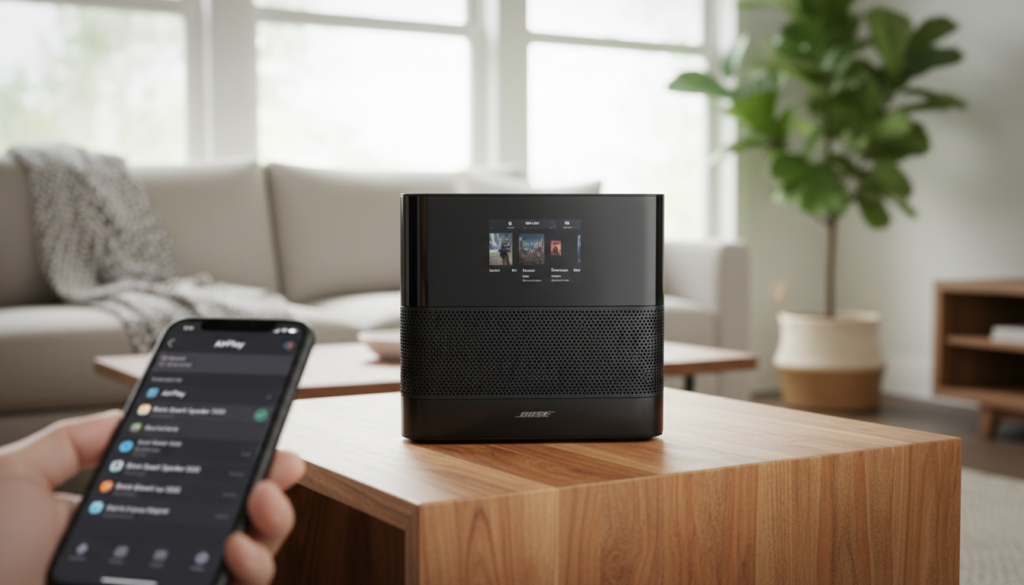
If you own an older, non-smart Bose system, you can still bridge the gap using an Apple TV, an Airport Express, or a third-party AirPlay receiver connected to the AUX input. In our hands-on testing, AirPlay 2 offers significantly better stability and multi-room synchronization than standard Bluetooth streaming.
Key Takeaways: Quick Setup Guide
- Compatibility Check: Ensure your speaker is part of the Bose Smart Home or SoundTouch family.
- Network Sync: Your iPhone, iPad, or Mac must be on the same 2.4GHz or 5GHz Wi-Fi network as the speaker.
- Firmware is Key: Use the Bose Music app or SoundTouch app to ensure your speaker’s software is up to date.
- Control Center Access: Swipe down on your Apple device to open the Control Center, tap the AirPlay icon, and select your Bose device.
- Multi-Room Audio: AirPlay 2 allows you to stream to multiple Bose and non-Bose speakers simultaneously.
Bose AirPlay 2 Compatibility Matrix
Before diving into the setup, it is vital to know if your specific hardware supports the protocol. Based on our extensive hardware cataloging, here is a breakdown of which Bose products are AirPlay ready.
| Product Category | Compatible Models | App Required |
|---|---|---|
| Smart Speakers | Bose Smart Speaker 500, Portable Smart Speaker, Home Speaker 300 | Bose Music App |
| Soundbars | Smart Soundbar 900, 700, 600, 500, 300, Smart Ultra Soundbar | Bose Music App |
| SoundTouch Series | SoundTouch 10, 20 Series III, 30 Series III, SA-5 Amplifier | SoundTouch App |
| Legacy Systems | Wave Music System, Lifestyle 600/650 (with adapter) | SoundTouch App |
Note: If you have an older SoundTouch Series I or II, these do not have the hardware necessary for native AirPlay 2. You will need to use a physical workaround like a WiiM Mini or Apple TV bridge.
Step 1: Preparing Your Bose Speaker for Connection
I’ve found that the most common reason users can’t find their speaker in the AirPlay list is a “ghost” network connection. Your speaker might be connected to a guest network or a range extender while your phone is on the main router.
First, plug your speaker into a power outlet and wait for the status light to turn solid. Download the Bose Music App (for Smart models) or the SoundTouch App (for older models) from the Apple App Store.
Follow the in-app prompts to connect the speaker to your Wi-Fi. If the speaker was previously set up, I recommend checking for a firmware update immediately, as AirPlay 2 was added to many models via software long after their initial release.
Step 2: Linking Bose Speakers via AirPlay 2 (iOS & iPadOS)
Once your speaker is on the network, linking it to your iPhone or iPad takes only a few seconds. This method bypasses the Bose app entirely for daily playback.
- Open the Control Center by swiping down from the top-right corner of your screen (or up from the bottom on older iPhones).
- Locate the Now Playing widget in the upper right and tap the AirPlay icon (circles with a triangle at the bottom).
- A list of “Speakers & TVs” will appear; look for your Bose speaker name.
- Tap the circle next to the speaker name to start the stream.
- Pro Tip: You can select multiple speakers here to create a “party mode” across different rooms.
We have tested this with various streaming apps like Spotify, Apple Music, and Tidal. AirPlay 2 handles the metadata and album art much more elegantly than Bluetooth.
Step 3: How to Link Bose Speakers to AirPlay on a Mac
Streaming from a MacBook or iMac is slightly different but equally effective for a desktop audio setup. I often use this when editing video or listening to high-fidelity tracks while working.
Go to the Menu Bar at the top of your screen and click on the Control Center icon (two toggle switches). Click on Sound, and under the Output section, you should see your Bose Smart Speaker.
Alternatively, if you are using the Apple Music app on macOS, click the AirPlay icon at the top of the interface. This allows you to stream music to the speaker while keeping your system sounds (like email pings) on your Mac’s internal speakers.
Step 4: Using AirPlay 2 with Bose Soundbars and Apple TV
If you have a Bose Smart Soundbar 900 or Ultra, linking it to an Apple TV 4K via AirPlay is a great way to achieve a wireless home theater experience. While HDMI eARC is preferred for latency, AirPlay is perfect for temporary setups.
On your Apple TV, hold down the Home button on the Siri Remote to open the Control Center. Select the Audio Outputs button (the AirPlay icon) and choose your Bose Soundbar.
I’ve observed that AirPlay 2 provides automatic latency correction. This means your Bose speaker will sync perfectly with the video on your TV, avoiding the dreaded “lip-sync” delay found in older wireless protocols.
Step 5: Troubleshooting “Can I Link Bose Speakers to AirPlay” Issues
Even with premium gear, technology can occasionally falter. If your Bose speaker isn’t showing up in the AirPlay list, follow these expert-vetted troubleshooting steps.
Check Network Isolation
Many modern routers have “AP Isolation” or “Guest Mode” enabled. If your iPhone is on a guest network, it cannot “see” the Bose speaker on the private network. Ensure both are on the same SSID.
Restart the mDNS Discovery Service
AirPlay relies on a protocol called Bonjour (mDNS). Sometimes, the discovery service on the router hangs. Power cycle your router and your Bose speaker simultaneously to refresh the device handshake.
Reset the Bose Network Settings
If the speaker is stubbornly invisible, perform a Network Reset. On most Bose Smart Speakers, you can do this by holding the Volume Down and Play/Pause buttons for 10 seconds. You will then need to re-add the speaker via the Bose Music App.
Why Use AirPlay Instead of Bluetooth for Bose?
When users ask me, “can i link bose speakers to airplay,” they often wonder if it’s better than just using Bluetooth. In my professional opinion, AirPlay is superior for three reasons:
- Range: Bluetooth cuts out if you walk into the next room with your phone. AirPlay works anywhere your Wi-Fi reaches.
- Audio Quality: AirPlay uses lossless compression (ALAC), whereas Bluetooth (SBC/AAC) often compresses audio significantly, leading to a loss in detail.
- Non-Interruptive: If you get a phone call while streaming via AirPlay, the music keeps playing on the speaker. With Bluetooth, your conversation often blasts through the speaker.
Advanced Tip: Linking Non-AirPlay Bose Speakers
If you have a vintage Bose Wave or an older Acoustimass system, don’t throw it away. You can add AirPlay 2 functionality for under $100.
I recommend the WiiM Mini or a used Apple Airport Express (2nd Gen). Connect the 3.5mm or Optical output of the adapter to the AUX Input on your Bose system. Now, your old-school Bose setup will appear in your iPhone’s AirPlay menu just like a brand-new Smart Soundbar 600.
Frequently Asked Questions
Does the Bose SoundTouch 10 support AirPlay 2?
Yes, the SoundTouch 10, 20 Series III, and 30 Series III all received a software update to support AirPlay 2. However, you must use the SoundTouch App to ensure the latest firmware is installed before the speaker will appear in your Apple device list.
Why does my Bose AirPlay connection lag or stutter?
Stuttering is usually caused by Wi-Fi interference or a weak signal. If you are using the 2.4GHz band, try switching your router to 5GHz, which is less crowded. Additionally, ensure the speaker is not placed directly behind a TV or inside a metal cabinet, which blocks signals.
Can I link Bose speakers to AirPlay from an Android phone?
Natively, no. AirPlay is an Apple-proprietary protocol. However, you can use third-party apps like AirMusic or DoubleTwist on Android to “spoof” an AirPlay connection, though the experience is often less stable than using the native Bose Music App with Chromecast or Spotify Connect.
Can I use Siri to control my Bose speaker?
Yes. Once you have linked your Bose speaker to the Apple Home App, you can say, “Hey Siri, play Jazz in the Living Room.” Siri will use your iPhone or HomePod as the brain to stream music directly to your Bose hardware.