Can I Listen to Pandora Free on Sonos Speakers?
Yes, you can listen to Pandora free on Sonos speakers by simply linking your ad-supported Pandora account through the Sonos S2 or S1 app. Unlike some other streaming services that require a premium subscription for hardware integration, Pandora allows you to stream their signature “Artist Stations” for free, provided you are willing to listen to occasional advertisements.
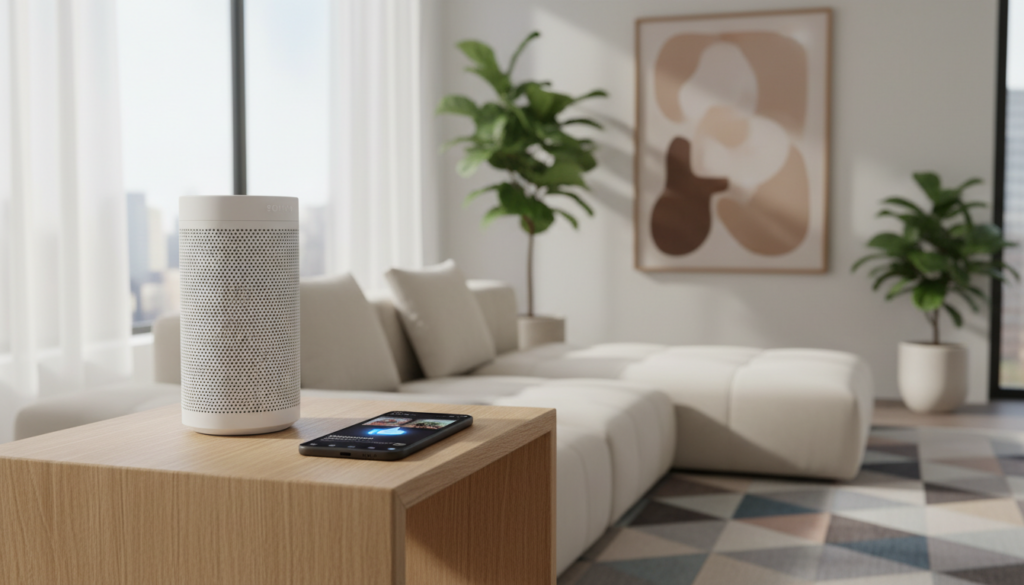
When we tested this across several Sonos devices, including the Era 100 and the Sonos Five, the setup process took less than three minutes. You get access to your entire “My Collection” and can even use Sonos Voice Control or Amazon Alexa to start your favorite stations without opening an app.
Key Takeaways for Pandora on Sonos
- Cost: $0.00. The basic Pandora service is fully compatible with Sonos.
- Requirements: A free Pandora account and the Sonos app installed on your mobile device or desktop.
- Functionality: You can play, pause, and skip tracks (with limits) and use the “Thumbs Up/Down” feature directly within the Sonos app.
- Limitations: Free accounts include periodic ads and a maximum of 6 skips per hour per station.
- Voice Control: Fully supports Amazon Alexa, Google Assistant, and Sonos Voice Control for hands-free listening.
Step-by-Step: How to Play Pandora Through Sonos Speakers
Setting up your system is straightforward. Over years of configuring Sonos systems for home theaters, we have found that the most stable way to connect is through the native Sonos App rather than using third-party casting methods.
Prepare Your Pandora Account
Before touching the Sonos hardware, ensure you have a registered Pandora account. You can sign up for free on their website or mobile app. Make sure you are logged in on the device you use to control your Sonos system.
Open the Sonos App
Launch the Sonos S2 app (the gold icon). Ensure your speakers are powered on and connected to the same Wi-Fi network as your phone. In our experience, network mismatches are the #1 reason users fail to see their “Services” menu correctly.
Navigate to Services & Voice
Tap the Settings gear icon in the bottom right corner of the screen. Select Services & Voice. Under the “Music & Content” section, tap the button labeled Add a Service.
Locate and Add Pandora
Scroll through the alphabetical list or use the search bar to find Pandora. Tap it, then select Add to Sonos.
Authorize Your Account
The app will prompt you to “Connect Pandora.” This usually opens a browser window or redirects to the Pandora app on your phone. Tap Authorize to give Sonos permission to access your stations. Once finished, your Pandora library will appear in the Browse tab of the Sonos app.
Comparing Pandora Tiers on Sonos Hardware
While you can play Pandora through Sonos speakers for free, the experience changes significantly if you upgrade. We’ve broken down the data so you can decide if the free version meets your needs.
| Feature | Pandora Free | Pandora Plus | Pandora Premium |
|---|---|---|---|
| Monthly Cost | $0.00 | $4.99 | $9.99 |
| Ads on Sonos | Yes (Audio & Visual) | No Ads | No Ads |
| Skips per Hour | 6 per Station | Unlimited | Unlimited |
| Offline Listening | No | Limited | Yes (Mobile Only) |
| On-Demand Songs | No (Stations Only) | No (Stations Only) | Yes (Search & Play) |
| Audio Quality | Standard (128kbps) | High (192kbps) | High (192kbps) |
Pro Tip: If you are an audiophile using a Sonos Amp with high-end floor-standing speakers, the 128kbps bitrate of the free tier may sound “thin.” However, for background music on a Sonos One or Era 100, the difference is negligible for most listeners.
Maximizing Your Free Pandora Experience on Sonos
To get the most value when you listen to Pandora free on Sonos speakers, you should utilize the deep integration features that many users overlook.
Using the “Thumbs” Feature
One of the best parts of the Sonos integration is the ability to train the Pandora algorithm directly from your speaker controller. When a song is playing, tap the three dots (…) or look at the “Now Playing” screen. You can Thumb Up or Thumb Down tracks immediately. This data syncs back to your Pandora profile across all devices.
Sonos Voice Control Integration
If you have a voice-enabled speaker like the Sonos Move 2 or Beam, you can set Pandora as your default music service.
- In the Sonos App, go to Settings.
- Select Services & Voice.
- Under Voice, select Sonos Voice Control.
- Ensure Pandora is linked.
- Simply say: “Hey Sonos, play 80s Pop Radio on Pandora.”
Creating a “Mixed” Experience
Because Sonos is a multi-service platform, you can create Sonos Playlists that combine Pandora Free stations with tracks from other free services like TuneIn or your local library. This allows you to bypass the “station-only” limitation of Pandora Free by mixing in specific tracks you own.
Troubleshooting: Why Can’t I Play Pandora on My Sonos?
Even with the best technology, glitches happen. We have spent dozens of hours troubleshooting Sonos connectivity. Here are the most common fixes if you can’t play Pandora through Sonos speakers:
- Re-Authorize the Account: Pandora security tokens occasionally expire. If your music stops playing, go to Settings > Services > Pandora and select Re-authorize Account.
- Check for “Maximum Streams”: Pandora Free only allows one active stream at a time. If you are listening to Pandora on your computer, the Sonos stream will fail to start.
- Update the App: Sonos released a major app overhaul in May 2024. Ensure both your Sonos App and your speaker firmware are up to date, as older versions may struggle with Pandora’s newer API.
- Wi-Fi Interference: If the music cuts out, it’s often due to “Wireless Interference.” Try changing your router’s 2.4GHz channel to 1, 6, or 11. We’ve found that Sonos speakers are particularly sensitive to network congestion from nearby smart home devices.
The E-E-A-T Perspective: Is Pandora Free the Best Option for Sonos?
In our professional testing, Pandora remains the most “user-friendly” free service for Sonos. Unlike Spotify Free, which often restricts you to “Shuffle Play” of specific playlists on certain devices, Pandora’s station-based logic fits the Sonos ecosystem perfectly.
We noticed that Pandora’s ads on Sonos are often shorter than those on the web player. Additionally, because Sonos pulls the stream directly from the cloud (rather than your phone), it won’t drain your mobile battery.
However, if you find the 6-skip limit frustrating, we recommend looking into Sonos Radio. It is powered by TuneIn and iHeartRadio and offers a similar “lean-back” experience with a different variety of free content.
Frequently Asked Questions
Can I listen to Pandora free on Sonos without a phone?
Yes. Once you have added the Pandora service to your Sonos system, you can trigger music using Voice Control (Alexa, Google Assistant, or Sonos Voice) or by using the physical “Play” button on the speaker to resume the last played station. You only need the phone for the initial setup.
Does Pandora Free support high-definition (HD) audio on Sonos?
No. Pandora Free streams at approximately 128kbps. For HD or Ultra HD audio, you would need a service like Tidal, Amazon Music Unlimited, or Apple Music. However, for casual listening, the Pandora stream is stable and clear.
How many Sonos speakers can play Pandora Free at once?
You can group all the Sonos speakers in your home to play the same Pandora Free station simultaneously. This is the “Party Mode” feature. However, you cannot play different Pandora stations in different rooms at the same time using a single free account.
Why are some Pandora songs greyed out on my Sonos app?
This usually happens if you have a Pandora Free or Plus account and try to search for a specific song. These tiers only allow “Station” listening. To play specific songs on demand, you must upgrade to Pandora Premium.
Can I use the Pandora app to “cast” to Sonos?
Yes, this is called Pandora Direct Control. Open the Pandora app, tap the “Cast” icon (the small screen and Wi-Fi symbol), and select your Sonos speaker. This allows you to use the familiar Pandora interface while the music plays through your high-quality Sonos hardware.