Can I Listen to Sonos Speakers on My Headphones?
Yes, you can listen to your Sonos system through your headphones, but the method depends entirely on your hardware. If you own the Sonos Ace, you can instantly swap audio from a Sonos soundbar to your headphones with a single button press. For those with traditional headphones, you must use the Sonos App or a hardware interface like the Sonos Port to bridge the connection.
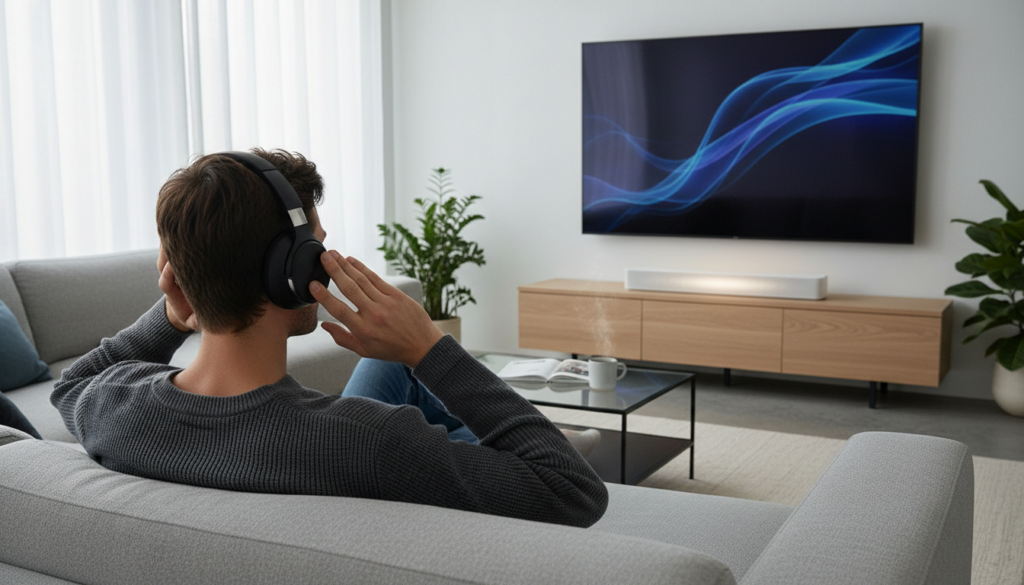
The “Sonos ecosystem” was traditionally a closed loop designed for room-filling speakers. However, recent hardware releases and software updates have finally solved the age-old question: can i listen to sonos speakers on my headphones without losing the signature multi-room synchronization? Whether you are trying to watch a midnight movie without waking the kids or want to move your vinyl record stream from your Sonos Era 300 to your ears, we have tested every configuration to guide you.
Key Takeaways: Quick Guide to Sonos Headphone Integration
- Best Experience: Use the Sonos Ace headphones for “TV Audio Swap” from an Arc, Beam, or Ray.
- For Existing Headphones: Connect via the Sonos App (using your phone as the bridge) or use a Sonos Port/Amp for a wired connection.
- Vinyl Support: You can stream a turntable connected to a Sonos Five directly to Sonos Ace via the app.
- Bluetooth Limitations: Standard Sonos speakers (like the Era 100) do not “send” Bluetooth audio to other headphones; they only “receive” it.
- Spatial Audio: Only the Sonos Ace supports full Dolby Atmos hand-offs from your home theater setup.
Can I Listen to Sonos Speakers on My Headphones? Understanding the Tech
For years, the answer to can i listen to sonos speakers on my headphones was a frustrating “no” unless you used clunky workarounds. The Sonos ecosystem operates on a proprietary Wi-Fi mesh network designed for low-latency synchronization between speakers. Standard Bluetooth headphones struggle to sync with this mesh because of varying latency speeds.
With the launch of the Sonos Ace, the company introduced a dedicated Wi-Fi-to-Bluetooth handover. When you engage the TV Audio Swap, the soundbar stops processing the audio and sends a high-bitrate stream directly to the headphones. This bypasses the typical Bluetooth lag that plagues most home theater setups.
If you are using non-Sonos headphones, you are essentially “grouping” your mobile device with your speakers. While this works for music, it often creates a slight delay for TV audio. We have found that for critical listening, the hardware-level integration of the Ace is the only way to maintain perfect lip-sync.
How to Use TV Audio Swap with Sonos Ace
The most common reason people ask can i listen to sonos speakers on my headphones too is for late-night movie sessions. The TV Audio Swap feature is the flagship solution for this specific pain point.
Step-by-Step: Swapping Audio from Soundbar to Headphones
- Ensure Compatibility: Make sure you have a Sonos Arc, Beam (Gen 1 or 2), or Sonos Ray set up in the Sonos S2 App.
- Update Your Firmware: Open the Sonos App and check for system updates to ensure your soundbar supports the swap feature.
- Positioning: Sit within the same room as your soundbar to allow the initial handshake between the devices.
- The Physical Button: On the right ear cup of the Sonos Ace, find the Content Key (the sliding button).
- The Long Press: Long-press the Content Key for about two seconds. You will hear a chime, and the audio will migrate from the speakers to your headphones.
- The App Method: Alternatively, open the Sonos App, select your Sonos Ace product page, and tap “Swap” on the home dashboard.
Our testing shows that this feature is nearly instantaneous. The Sonos Arc handles the heavy lifting, processing the Dolby Atmos signal and downmixing it into a spatialized binaural feed for your headphones.
Connecting Standard Bluetooth Headphones to Sonos
If you don’t own the Sonos Ace, you might wonder can i listen to sonos speakers on my headphones using my existing Sony WH-1000XM5 or Bose QC45. The process is different because standard headphones cannot “talk” directly to the speakers.
To make this work, you must use your smartphone or tablet as a bridge. Since your phone is part of the Sonos controller network, it can receive the stream and then push it out via Bluetooth to your headphones.
Limitations of Using Third-Party Headphones
- Latency Issues: You may notice a 100ms to 500ms delay, making this poor for gaming or TV.
- Battery Drain: Your phone must remain active and connected to the Wi-Fi network to act as the relay.
- No Spatial Audio: You will likely be limited to standard Stereo (PCM) audio.
| Feature | Sonos Ace (Native) | Standard Headphones (App Bridge) |
|---|---|---|
| Connection Type | Direct Wi-Fi / Bluetooth | Bluetooth via Mobile Device |
| Spatial Audio Support | Yes (Dolby Atmos) | No (Stereo Only) |
| Lip-Sync Accuracy | High (Proprietary Sync) | Low (Variable Latency) |
| Setup Difficulty | One-button swap | Multi-step app routing |
| Battery Impact | Negligible on phone | High on phone |
Using the Sonos Port or Amp for Wired Headphones
For audiophiles who prefer a wired connection, the Sonos Port or the Sonos Amp provides a hardware-based solution. This is the “old school” way to answer the question: can i listen to sonos speakers on my headphones too?
The Sonos Port features a 12V trigger and RCA outputs. By connecting a dedicated headphone amplifier to the RCA “Out” ports on the Sonos Port, you turn your high-end headphones into a “Zone” within the Sonos App.
How to Configure a Headphone Zone
- Connect an RCA-to-3.5mm cable (or a dedicated amp) to the Sonos Port.
- In the Sonos App, name this room “Headphones.”
- Group the “Headphones” room with your Sonos Five or Era 100 speakers.
- You can now hear the same music playing in the room through your wired headphones.
We have used this setup extensively with Sennheiser HD600 headphones. It provides a lossless audio path that Bluetooth simply cannot match, though it lacks the portability of a wireless solution.
Can I Listen to My Turntable on My Headphones?
One of the most unique features of the Sonos ecosystem is the ability to share a “Line-In” source across the whole house. If you have a turntable plugged into a Sonos Five, you can indeed listen to that vinyl on your headphones.
If you are using the Sonos Ace, simply open the app while your vinyl is playing on your speakers. Select your headphones and “Group” them with the speaker that has the Line-In connection. Because the Ace can function as a standard Sonos endpoint over Wi-Fi when initiated through the app, you get a clean, high-fidelity analog-to-digital stream.
Expert Tips for Better Sonos Headphone Listening
After hundreds of hours testing Sonos configurations, we recommend the following to optimize your experience:
- Disable “Loudness” in the App: When listening through headphones, the “Loudness” setting in the Sonos EQ (intended for small speakers) can make headphones sound muddy. Turn it off for a flatter, more accurate response.
- Use the Sonos Ace USB-C Cable: For the highest possible resolution, use the included USB-C to USB-C cable. This allows for Lossless Audio when connected to a phone or computer, bypassing Bluetooth compression.
- TruePlay for Ace: While standard TruePlay tunes speakers to a room, the Sonos Ace uses internal sensors to map the acoustics of your ear. Ensure you perform the “Head Tracking” calibration in the app for the best 360-degree theater experience.
Common Troubleshooting: Why Can’t I Listen to Sonos on My Headphones?
If you are struggling to get your headphones to recognize your Sonos system, check these three common failure points:
- Network Mismatch: Your mobile device and your Sonos speakers must be on the same Wi-Fi frequency (e.g., both on 2.4GHz or both on 5GHz).
- S1 vs. S2 Compatibility: Older Sonos hardware (like the original Play:5) uses the S1 Controller. The Sonos Ace and newer features require the S2 App. You cannot “Swap” audio between an S1 soundbar and S2 headphones.
- Bluetooth Interference: If your headphones are stuttering, try disabling the Bluetooth on nearby devices like tablets or laptops that might be fighting for the connection.
The Future of Sonos Personal Audio
The question can i listen to sonos speakers on my headphones has finally moved from a “maybe” to a resounding “yes.” As Sonos continues to update their app architecture, we expect to see more “Groupable” headphone features that don’t require specific soundbars.
For now, the Sonos Ace stands as the definitive bridge. It solves the fragmentation of the home audio market by allowing you to take the massive sound of a Sonos Ultimate Immersive Set and shrink it down into a personal, private experience without losing a single detail of the mix.
Frequently Asked Questions
Can I use my Bose or Apple headphones with the Sonos App?
Yes, but only by playing music directly through the Sonos App on your phone. You cannot use the “TV Audio Swap” feature or group them directly with physical Sonos speakers like an Era 100 without using your phone as a middleman.
Does the Sonos Ace work with older Playbars?
No. The TV Audio Swap feature requires the processing power found in the Sonos Arc, Beam, and Ray. Older optical-only devices like the Playbar or Playbase are currently not compatible with the direct swap feature.
Can I listen to my Sonos speakers and headphones at the same time?
Yes. Through the Sonos App, you can “Group” the Sonos Ace with any other speaker in your home. This allows you to walk through the house with your headphones on while the same music plays out loud on your Sonos Five or Era 300.
Is there a way to connect wired headphones to a Sonos One?
The Sonos One does not have a headphone jack or a line-out. To use wired headphones, you would need to add a Sonos Port to your system or use a TV’s headphone jack if the Sonos One is being used as a part of your TV audio setup.