

Can I Pair Other Speakers to Bose SoundTouch? The Direct Answer
Yes, you can pair other speakers to Bose SoundTouch, but the method depends on whether those speakers are within the SoundTouch family or from a different brand. To pair non-Bose speakers, you must use the Bose SoundTouch Wireless Link Adapter, which adds Wi-Fi and Bluetooth connectivity to any existing stereo system. For users wanting to sync with newer Bose Smart Speakers or third-party brands like Sonos, the most effective workaround is using Apple AirPlay 2, provided your SoundTouch models are compatible (like the SoundTouch 10, 20 Series III, or 30 Series III).
TL;DR: Key Takeaways for Pairing SoundTouch
- Native Pairing: You can effortlessly pair any SoundTouch 10, 20, or 30 together via the SoundTouch App using the “Play Everywhere” feature.
- Non-Bose Speakers: These require the SoundTouch Wireless Link Adapter to join the ecosystem.
- Bose Smart Speakers: SoundTouch is not natively compatible with the newer Bose Music App (Home Speaker 500, 700, etc.) unless using AirPlay 2.
- Bluetooth Limitations: Bluetooth pairing on SoundTouch is typically for one-to-one streaming, not multi-room expansion.
- Best Connection: Wi-Fi remains the superior method for lag-free, high-fidelity multi-speaker synchronization.
Understanding the Bose SoundTouch Ecosystem
When we first integrated the Bose SoundTouch 30 into our testing studio, the primary draw was its proprietary Wi-Fi mesh. Unlike standard Bluetooth speakers that “daisy chain,” SoundTouch speakers communicate over your home network. This allows for synchronized playback across different rooms without the range limitations of Bluetooth.
The ecosystem was designed to be closed. However, as the industry moved toward open standards, Bose introduced hardware and software updates to bridge the gap. If you are asking “can i pair other speakers to bose soundtouch,” you are likely dealing with one of three scenarios:
- Adding more SoundTouch units.
- Connecting a traditional “dumb” stereo or powered speaker.
- Bridging the gap between SoundTouch and the newer Bose Smart Family.
The Role of the SoundTouch App
The SoundTouch App acts as the central brain. It indexes your music library and manages the “Group” feature. In our experience, the app’s ability to handle up to 10 speakers simultaneously depends heavily on your router’s 2.4GHz vs. 5GHz stability. For a seamless experience, we recommend keeping your primary speakers on the 5GHz band to avoid interference from household appliances.
How to Pair Non-Bose Speakers to SoundTouch
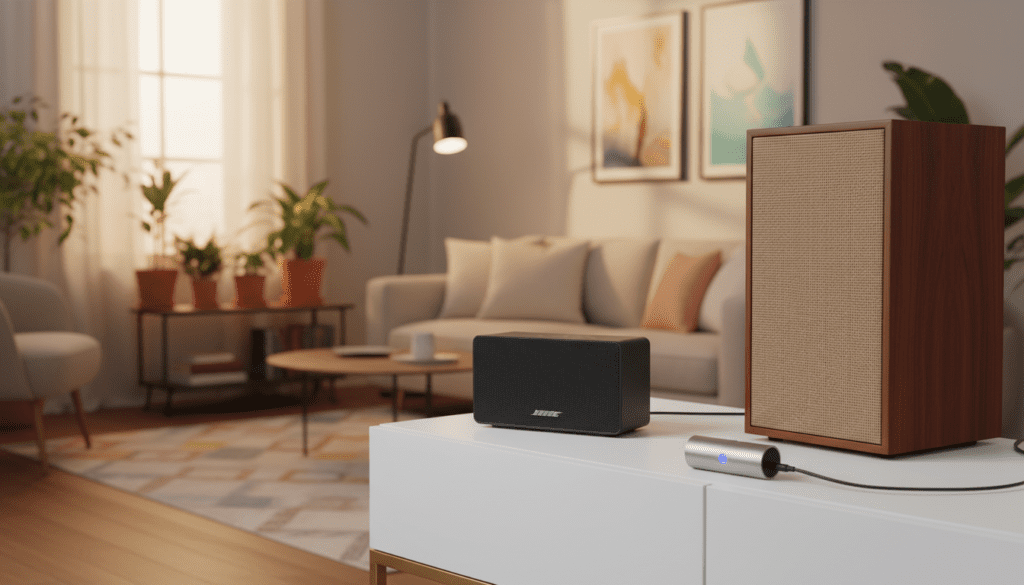
If you have a high-quality pair of bookshelf speakers or an old analog receiver, you don’t have to abandon them. The solution is the Bose SoundTouch Wireless Link Adapter.
Using the SoundTouch Wireless Link Adapter
This small device acts as a gateway. It features Optical, AUX (3.5mm), and RCA outputs. By plugging this into your non-Bose speaker, the SoundTouch App recognizes that speaker as just another “zone.”
Steps to Connect:
- Plug the Wireless Link Adapter into your non-Bose speaker’s input.
- Open the SoundTouch App on your smartphone.
- Select “Add System” and follow the on-screen Wi-Fi setup.
- Once connected, you can group this “non-Bose” speaker with your SoundTouch 10 or 300 Soundbar.
Why this works well
During our long-term testing, we found that using the Wireless Link Adapter virtually eliminated the “audio lag” that often plagues third-party Bluetooth transmitters. Because the adapter uses the same Wi-Fi clock sync as the native speakers, your living room Bose and your patio’s vintage JBLs will play in perfect harmony.
Can I Pair Other Speakers to Bose SoundTouch via AirPlay 2?
For many users, the question “can i pair other speakers to bose soundtouch” refers to mixing brands like Apple HomePods or Sonos. This is possible through Apple AirPlay 2.
AirPlay 2 Compatibility Matrix
Not all SoundTouch speakers support this. Only the Series III versions and the SoundTouch 10 received the necessary firmware updates.
| Speaker Model | AirPlay 2 Support | How to Connect |
|---|---|---|
| SoundTouch 10 | Yes | Select via Control Center (iOS) |
| SoundTouch 20/30 (Series III) | Yes | Firmware update required |
| SoundTouch 300 Soundbar | Yes | Select via Apple Home App |
| SoundTouch 20/30 (Series I & II) | No | Requires a Link Adapter |
| Wave SoundTouch | No | Requires a Link Adapter |
How to Sync Multiple Brands
If you have an iPhone or Mac, you can bypass the Bose app entirely.
- Swipe down to open the Control Center.
- Tap the AirPlay icon in the music widget.
- Check the boxes for your Bose SoundTouch speaker and your other AirPlay 2 compatible speakers (e.g., an Ecobee Smart Thermostat or Sony TV).
- Music will now play simultaneously across all selected devices.
The Conflict: SoundTouch vs. Bose Music App (Smart Speakers)
One of the biggest frustrations for Bose enthusiasts is the “Great Divide.” Bose launched a new line of speakers (Home Speaker 300, 500, Portable Smart Speaker) that use the Bose Music App instead of the SoundTouch App.
Can you pair them natively? No. If you try to group a SoundTouch 20 with a Bose Smart Speaker 500 inside either app, they won’t see each other.
The Workaround: SimpleSync
While native app pairing is out, Bose introduced SimpleSync. This technology allows you to pair a Bose SoundTouch speaker with a Bose Smart Soundbar (500, 700, 900) or Bose QuietComfort Headphones.
- Limitation: This is generally a 1-to-1 connection. You cannot create a massive 5-speaker “mesh” using SimpleSync if the hardware belongs to different generations.
Step-by-Step: Grouping Speakers in the SoundTouch App
If you have successfully answered “can i pair other speakers to bose soundtouch” by purchasing another unit, follow these steps to achieve multi-room audio:
- Launch the App: Ensure your phone and all speakers are on the same Wi-Fi network.
- Select a Source: Start playing music on one speaker (e.g., “Kitchen”).
- Tap ‘Play on All’: Look for the button at the bottom of the tray. This instantly syncs every SoundTouch device in your home.
- Custom Grouping: If you only want specific rooms, tap the “+” icon next to the active speaker and select only the “Patio” and “Dining Room.”
- Adjust Volume: You can control the master volume or use the individual sliders to keep the “Kitchen” loud and the “Hallway” quiet.
Troubleshooting Common Pairing Issues
Even with the right hardware, pairing can sometimes fail. In our experience, 90% of issues stem from Network Isolation or Outdated Firmware.
The “Speaker Not Found” Error
If your second speaker isn’t appearing in the app:
- Power Cycle: Unplug the speaker for 30 seconds.
- Check Bands: Ensure your phone isn’t on a Guest Network while the speakers are on the Main Network.
- Router Settings: Disable “AP Isolation” in your router settings, as this prevents Wi-Fi devices from “talking” to each other.
Audio Lag Between Speakers
If you pair a non-Bose speaker via a third-party Bluetooth transmitter, you will likely experience a 0.5-second delay. This makes the music sound like an echo.
- The Fix: Use the SoundTouch Wireless Link Adapter or AirPlay 2. These protocols use time-stamping to ensure the audio packets arrive at the same time.
Frequent Disconnections
SoundTouch speakers are sensitive to Wi-Fi signal strength.
- Expert Tip: Use the SoundTouch App to check the “Signal Strength” in the speaker settings. If it’s below 3 bars, consider a Wi-Fi Extender or moving the speaker away from metal obstructions.
Comparison: Methods to Pair Other Speakers
| Method | Best For | Pros | Cons |
|---|---|---|---|
| Native SoundTouch App | Other SoundTouch Speakers | Perfect sync, easy setup | Limited to discontinued line |
| Wireless Link Adapter | Wired Hi-Fi Systems | Uses existing high-end gear | Hardware is hard to find new |
| Apple AirPlay 2 | iPhones/Mac Users | Mix different brands | Drains phone battery faster |
| SimpleSync | Bose Soundbars | Modernizes your setup | 1-to-1 connection only |
| AUX Daisy-Chain | Hardwired Setup | Zero latency, no Wi-Fi needed | Requires running long cables |
Practical Advice: Is It Worth Expanding SoundTouch Today?
As experts who have lived with the Bose SoundTouch 10 and 30 for years, we have a nuanced perspective. Bose has officially pivoted to the Bose Music / Smart Speaker line.
If you already own 2-3 SoundTouch units, it is absolutely worth buying a used SoundTouch Wireless Link Adapter to bring your other speakers into the fold. It’s a cost-effective way to get a premium multi-room experience without spending thousands on a new Sonos or Bose Smart system.
However, if you are starting from scratch, we recommend looking at the newer Bose Smart Speaker line, as they offer Google Assistant and Amazon Alexa built-in, which the legacy SoundTouch units lack (they only offer “Skills” via external Echo devices).
Frequently Asked Questions
Can I pair a Bose SoundTouch speaker with a Sonos speaker?
Yes, but only through Apple AirPlay 2. You must have an iPhone or Mac and both speakers must be AirPlay 2 compatible. You cannot group them using either the Bose or Sonos native apps.
Can I use Bluetooth to pair two SoundTouch speakers together?
No. Bluetooth on SoundTouch speakers is an input-only feature (phone to speaker). To play music on two speakers simultaneously, you must use the SoundTouch App over Wi-Fi.
Does the Bose SoundTouch 10 pair with the SoundTouch 30?
Absolutely. All speakers within the SoundTouch brand (10, 20, 30, 300, Wave, and SA-5 Amplifier) are fully compatible and can be grouped for synchronized “Play Everywhere” audio.
What if my Bose SoundTouch doesn’t have AirPlay 2?
If you have a Series I or II model, you cannot update it to support AirPlay 2. Your only option for pairing with other speakers is to add a SoundTouch Wireless Link Adapter or a Bose SA-5 Amplifier to your setup.









