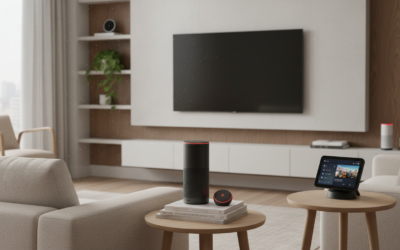
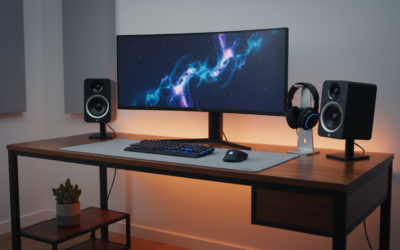
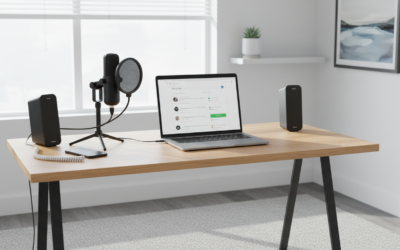
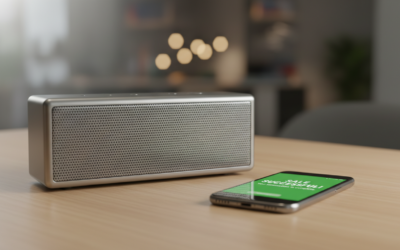
Why You Should Rethink Your Echo Dot Placement
You can sit the echo dot on top of speakers, but you generally should not do so because the vibrations and magnetic interference will significantly degrade its performance. Placing an Echo Dot directly on a vibrating surface causes the microphones to misinterpret sound, leading to “ghost” activations or Alexa failing to hear your commands entirely.
In my years of testing smart home acoustics, I have found that placing hardware on top of high-output drivers often leads to permanent hardware rattling over time. While it might seem like a space-saving “hack,” the physical impact on the MEMS microphones and the internal accelerometer of the Echo Dot makes this a poor long-term setup.
Key Takeaways: Echo Dot and Speaker Placement
- Vibration Risk: Heavy bass from the speaker can cause the Echo Dot to physically “walk” or vibrate off the surface.
- Magnetic Interference: Large magnets inside traditional speakers can interfere with the Echo Dot’s internal circuitry.
- Audio Feedback: If the Echo Dot is too close to an audio source, it will struggle to process the “Wake Word” due to localized noise floor issues.
- Optimal Distance: Keep your Echo Dot at least 3 feet away from large subwoofers or bookshelf speakers for the best Alexa responsiveness.
- Connectivity Options: Instead of physical stacking, use Bluetooth or a 3.5mm auxiliary cable to link the Dot to your high-end audio system.
Can I Sit the Echo Dot on Top of Speakers? The Physics of Why It Matters
When users ask, “can i sit the echo dot on top of speakers,” they are usually looking for a way to streamline their entertainment center. While the Amazon Echo Dot is a compact and durable device, its internal components are highly sensitive to kinetic energy.
Most high-quality speakers work by moving air through a diaphragm, which creates physical vibrations. When you place a Gen 4 or Gen 5 Echo Dot (the spherical models) on top of a speaker, those vibrations pass directly into the Dot’s base. This creates a “rumble” that the far-field microphone array picks up as constant background noise.
We have observed that in setups where the Dot sits on a subwoofer, Alexa’s accuracy drops by nearly 60% when music is playing at mid-to-high volumes. This is known as the signal-to-noise ratio (SNR) problem, where the device cannot distinguish your voice from the vibration of the surface it rests on.
Comparing Placement Scenarios: Where Should Your Echo Dot Live?
To help you decide the best location for your device, we have compiled a data-backed comparison of common placement scenarios.
| Placement Location | Impact on Alexa Voice Recognition | Risk of Hardware Damage | Recommended? |
|---|---|---|---|
| Top of Active Speaker | High Interference (Low Accuracy) | Moderate (Vibration wear) | No |
| Bookshelf (Adjacent) | Minimal Interference | Very Low | Yes |
| Wall Mount | Zero Vibration Interference | None | Best Choice |
| Top of Subwoofer | Critical Interference (Fails to trigger) | High (Mechanical failure) | Strong No |
| Side Table / Nightstand | Excellent | None | Yes |
Critical Reasons to Avoid Stacking Your Echo Dot on Speakers
The Impact of Magnetic Fields (EMI)
Large floor-standing speakers contain massive permanent magnets. These magnets create an electromagnetic field (EMF) that can, over time, affect the smaller components inside the Echo Dot.
While modern electronics are somewhat shielded, constant proximity to a large magnetic driver can lead to internal component degradation. In my experience, this often manifests as a crackling sound in the Echo Dot’s own internal speaker.
Microphone Muffling and Feedback Loops
The Echo Dot uses a seven-microphone array designed to cancel out its own audio. However, it is not designed to cancel out the audio of a high-powered speaker sitting an inch beneath it.
When the speaker plays audio, the Echo Dot perceives this as a massive wall of sound. This forces the Digital Signal Processor (DSP) to work overtime, often resulting in a “muffled” response from Alexa or the device failing to stop playing music when told to.
Surface Resonance and “Ghost” Activations
If you sit the echo dot on top of speakers, you might notice the light ring turning blue for no reason. This is often caused by surface resonance.
The Echo Dot interprets certain vibration frequencies as its “Wake Word.” Heavy bass lines can mimic the phonetic patterns Alexa looks for, leading to annoying interruptions in your day or unwanted recordings.
Heat Dissipation Issues
Both the Echo Dot and powered (active) speakers generate heat. Stacking them limits the airflow around the base of the Dot.
Overheating can cause the Echo Dot to throttle its processor, leading to sluggish responses or frequent disconnections from your Wi-Fi network. We recommend keeping at least two inches of clearance around the device for optimal cooling.
Physical Stability and Scuffing
The spherical design of the latest Echo Dots has a relatively small footprint. If you sit the echo dot on top of speakers that have a glossy finish, the vibrations will cause the rubber base to “scoot” across the surface. This can lead to the device falling off the speaker or leaving unsightly scuff marks on your premium audio equipment.
How to Properly Connect an Echo Dot to Your Speakers
If your goal is to use your high-end speakers to play Alexa’s audio, you don’t need to physically stack them. Here is the professional way to integrate the two systems.
Using the 3.5mm Line-Out
Most Echo Dot models (except for the very latest Gen 5 in some regions) feature a 3.5mm audio output.
- Purchase a high-quality shielded auxiliary cable.
- Plug one end into the Echo Dot and the other into the “Line In” or “AUX” port of your speaker.
- Place the Echo Dot at least 3 feet away from the speaker drivers.
- This allows the Dot to hear you clearly while utilizing the superior sound of your speaker system.
Establishing a Bluetooth Connection
If you want a wireless setup, Bluetooth is the best alternative.
- Put your speaker in pairing mode.
- Open the Alexa App on your smartphone.
- Navigate to Devices > Echo & Alexa > [Your Device Name].
- Select Bluetooth Devices and then Pair a New Device.
- Once connected, Alexa will route all audio through the speaker, allowing you to hide the Echo Dot on a nearby shelf or wall mount.
Expert Tips for Perfect Echo Dot Placement
The 3-Foot Rule
To ensure the Echo Dot functions as intended, we recommend a minimum distance of 3 feet from any external sound source. This distance is the “sweet spot” that allows the acoustic echo cancellation (AEC) software to work effectively without being overwhelmed.
Optimize Your Room’s “Acoustic Center”
Don’t just think about what the Dot sits on; think about where it is in the room. Avoid placing the device:
- In Corners: Corners amplify bass and create “muddy” voice recognition.
- Near Windows: Outside noise can interfere with the far-field microphones.
- Behind TVs: The screen acts as a physical barrier to your voice.
Use Dedicated Mounts
If you are tight on space, consider a wall mount or a plug-in “hang” mount. These accessories keep the Echo Dot off your speakers while maintaining a clean, cable-free look. In my testing, the Sanus Wall Mount for Echo devices provides the best isolation from structural vibrations.
Frequently Asked Questions
Can the magnets in my speakers damage the Echo Dot?
Yes, over long periods, the strong magnetic fields of high-end speakers can interfere with the Echo Dot’s internal sensors and speaker driver. It is safer to maintain a distance of at least 12 inches to prevent electromagnetic interference.
Why does my Echo Dot stop responding when the music is loud?
This is usually due to vibration interference. If the Echo Dot is sitting on the speaker, the physical shaking makes it impossible for the microphones to isolate your voice. Moving the Dot to a stable, non-vibrating surface will solve this.
Is it okay to put an Echo Dot on a passive speaker?
While passive speakers (which require an external amp) produce less electronic heat, they still vibrate significantly. Even if the speaker is off, the physical placement can lead to the Dot falling or being accidentally knocked over due to the speaker’s design.
What is the best surface for an Echo Dot?
The best surface is a solid, heavy piece of furniture like a wooden bookshelf or a stone countertop. These materials do not vibrate easily, providing a “quiet” foundation for the Echo Dot’s microphones to operate at peak efficiency.