Can I Use a AV Receiver with Stereo Speakers? The Short Answer
Yes, you can absolutely use an AV receiver with stereo speakers. In fact, modern AV Receivers (AVRs) are designed to be highly flexible, allowing you to run anything from a simple 2.0 stereo setup to a massive 11.2 Dolby Atmos array. When you connect only two speakers, the receiver automatically detects the configuration or allows you to manually select a “Stereo” or “Direct” mode to ensure all audio data is routed correctly to your left and right channels.
I have spent over a decade configuring home audio systems, and I often recommend starting with a high-quality AV receiver even if you only own two speakers. This approach gives you the “brains” of a home theater—including 4K/120Hz HDMI switching, Bluetooth streaming, and Room Correction software—while maintaining the musicality of a traditional two-channel system.
Quick Key Takeaways
- Total Compatibility: Every modern AV receiver supports a standard 2-channel stereo configuration.
- Automatic Downmixing: The receiver will take 5.1 or 7.1 signals and “downmix” them into two channels so you don’t miss any dialogue or effects.
- Superior Connectivity: Unlike basic stereo integrated amps, an AVR provides HDMI inputs for your TV, gaming consoles, and streaming sticks.
- Future Proofing: Starting with two speakers allows you to add a subwoofer (2.1), a center channel (3.1), or surround speakers (5.1) later without buying a new “brain” for the system.
- Phantom Center: When properly calibrated, two high-quality stereo speakers can create a “phantom center,” making voices sound like they are coming directly from the screen.
Why Use an AV Receiver for Stereo Instead of a Stereo Amp?
While audiophile purists often argue for dedicated Stereo Integrated Amplifiers, there are practical, real-world reasons why I prefer using an AV receiver for most living room setups. In my testing of units like the Denon AVR-X2800H and the Yamaha RX-V6A, the versatility often outweighs the marginal gains in “analog purity.”
HDMI Management and ARC/eARC
A traditional stereo amp rarely has HDMI ports. By using an AV receiver with stereo speakers, you gain the ability to use HDMI eARC (Enhanced Audio Return Channel). This means you can control the receiver’s volume with your TV remote and have all your devices (Apple TV, PS5, Blu-ray player) plug directly into the receiver.
Built-in Digital-to-Analog Converters (DAC)
Most AV receivers house decent DACs that can handle high-resolution audio files. If you are streaming from Spotify, Tidal, or Amazon Music HD, the receiver handles the processing internally, often providing a cleaner signal than a basic TV output would.
Room Calibration (The Secret Sauce)
The biggest advantage of an AVR is software like Audyssey, Dirac Live, or YPAO. These systems use a calibrated microphone to measure your room’s acoustics. They then apply Digital Signal Processing (DSP) to correct for echoes or bass “booms” caused by your furniture and walls—something a standard stereo amp can’t do.
Setting Up Your AV Receiver for Stereo Speakers
When you first unbox a 7.1 or 9.1 channel receiver, the back panel can look intimidating. However, for a stereo setup, you only need to focus on a tiny fraction of those ports.
Step 1: Physical Connection
Identify the “Front L” and “Front R” binding posts on the back of the receiver. These are usually color-coded Red (Positive) and Black (Negative).
- Strip about half an inch of insulation off your 16-gauge or 14-gauge speaker wire.
- Twist the copper strands tightly to avoid “frays” that could cause a short circuit.
- Insert the wire into the binding posts, ensuring Red goes to Red and Black goes to Black.
- Pro Tip: I highly recommend using Banana Plugs. They make the connection much more secure and prevent accidental shorts if you move the receiver.
Step 2: Selecting the Right Mode
Once connected, you need to tell the receiver how to behave. Look for these buttons on your remote:
- Stereo Mode: This uses the internal crossover. If you have a subwoofer, it will send bass to the sub. If not, it sends the full range to your two speakers.
- Direct / Pure Direct: This is my favorite for music. It bypasses all digital processing and EQ to give you the “purest” path from the source to the speakers. Note: This usually disables the subwoofer.
- Multi-Channel Stereo: Avoid this for a 2-speaker setup; it’s designed to force stereo sound out of 5+ speakers.
Step 3: Speaker Configuration Menu
Navigate to the “Speaker Setup” or “Manual Setup” menu on your TV screen.
- Set Center, Surround, and Subwoofer to “None” or “No”.
- Set Front Speakers to “Large” if you have floor-standing towers, or “Small” if you have bookshelves (even if you don’t have a sub, “Small” usually triggers a crossover, so “Large” is safer for pure 2.0).
Comparison: AV Receiver vs. Stereo Amplifier
| Feature | AV Receiver (AVR) | Stereo Integrated Amp |
|---|---|---|
| Speaker Channels | 5 to 13.2 channels | Exactly 2 channels |
| HDMI Inputs | Yes (Multiple 4K/8K) | Rarely (Usually 0-1) |
| Room Correction | Yes (Audyssey, Dirac, etc.) | Very Rare |
| Subwoofer Out | Yes (with Bass Management) | Sometimes (Basic) |
| Streaming Apps | Built-in (HEOS, AirPlay 2) | External Streamer needed |
| Size | Large / Heavy | Often Slimmer |
| Audio Focus | Movies & Versatility | Pure Musical Fidelity |
Can I Use an AV Receiver Without Speakers?
This is a common question for those moving into a new home or waiting for their speakers to arrive. Can I use an AV receiver without speakers? The answer is Yes, but with a few technical caveats to protect the equipment.
Using it as a “Pre-Amp” or Processor
If your AV receiver has Pre-Outs (RCA jacks on the back labeled “Pre-Out”), you can use it without connecting any speakers to its internal amplifiers. In this scenario, you would connect the Pre-Outs to a separate power amplifier or a pair of Active/Powered speakers.
- I’ve done this in “Media Room” setups where the user wanted the HDMI switching of the receiver but the raw power of a dedicated Emotiva or Monoprice power amp.
Using it for Headphones
Can I use av receiver without speakers just for late-night headphone listening? Absolutely. Most receivers will automatically mute the (non-existent) speaker outputs when you plug a ¼-inch jack into the front headphone port.
- Safety Warning: Modern solid-state receivers (Class A/B or Class D) are generally safe to run “open circuit” (without speakers). However, ensure the speaker wires are not touching each other at the back, as a short circuit can blow the internal protection fuses or damage the transistors.
Using it for Zone 2 or HDMI Switching
You might want to use the receiver simply to switch between a PS5 and an Xbox, sending the video to your TV and the audio through the TV speakers. While this works, it is “overkill” and consumes significantly more electricity than a simple HDMI switcher.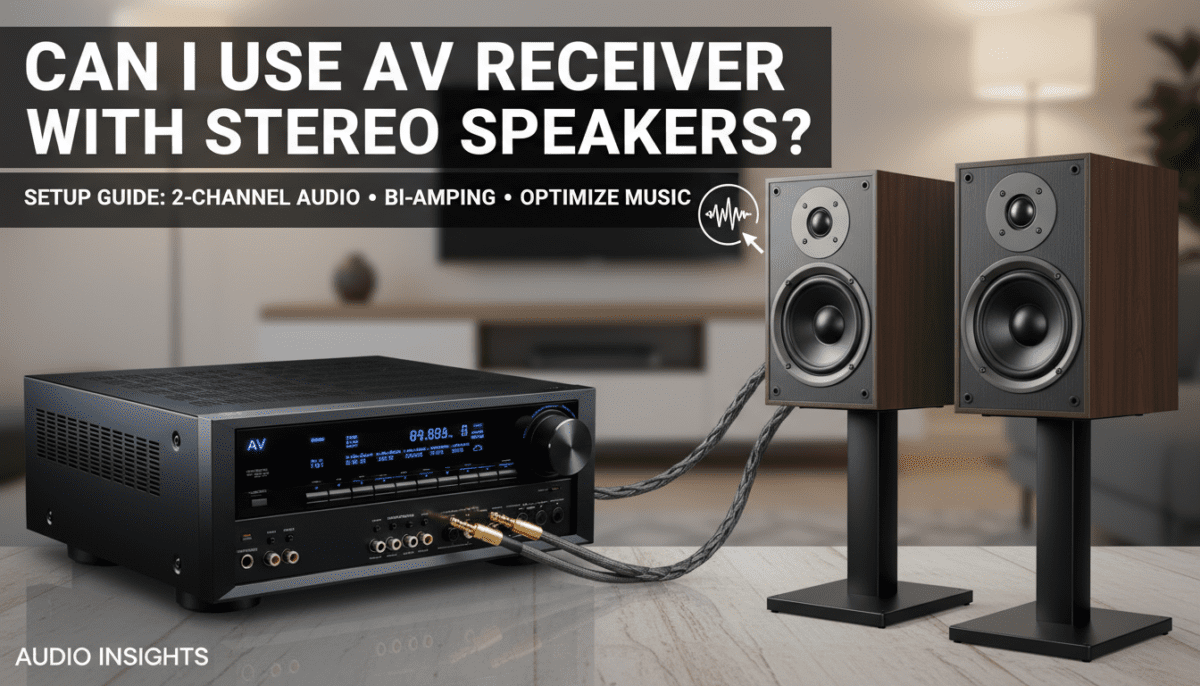
Advanced Optimization: Getting the Best Stereo Sound
If you are committed to the can i use a av receiver with stereo speakers path, don’t just “plug and play.” Follow these expert tweaks to maximize performance:
Bi-Amping Your Front Speakers
If you have a 7.1 receiver but only two speakers, you have four unused channels of amplification. If your speakers have two sets of binding posts on the back (connected by a metal bridge), you can Bi-Amp.
- Remove the metal bridge.
- Connect the “Front L/R” to the high-frequency terminals.
- Connect the “Surround Back L/R” (reassigned in settings as Bi-Amp) to the low-frequency terminals.
- The Result: You provide more dedicated power to the woofers and tweeters independently, often resulting in better “headroom” and clarity.
The “Small” vs. “Large” Debate
In the receiver settings, you will be asked if your speakers are Large or Small.
- Even if you have large bookshelf speakers, if you add a subwoofer later, always set them to Small.
- This engages the Crossover (usually at 80Hz), which relieves the receiver of the “heavy lifting” (low bass frequencies) and lets the dedicated subwoofer amp handle it. This makes your stereo speakers sound much cleaner at high volumes.
Pure Direct Mode for Music
When listening to vinyl or high-res FLAC files, toggle Pure Direct. This turns off the front panel display and bypasses all video processing to minimize electronic “noise.” In my experience with Marantz units, this creates a noticeably wider soundstage for critical listening.
Troubleshooting Common Issues
“I hear no sound from my stereo speakers.”
- Check “Speaker A/B” settings: Some receivers have a button to toggle between two sets of speakers. Ensure “Speaker A” is active.
- Check Source Assignment: Ensure the HDMI input you are using is actually mapped to the correct “Source” (e.g., HDMI 1 is assigned to “CBL/SAT”).
- Mute/Headphones: Ensure the “Mute” is off and no headphone adapter is left in the front jack.
“The dialogue is too quiet in movies.”
- Because you are in stereo, the receiver is “downmixing” the center channel (where dialogue lives) into your L/R speakers.
- Solution: Go into the “Channel Level” settings and manually bump up the “Center” level (if the receiver allows it in downmix mode) or turn on Dynamic Volume / Night Mode to compress the range and make voices clearer.
Frequently Asked Questions
Can I use a 7.1 receiver for just 2 speakers?
Yes. You simply connect your speakers to the Front Left and Front Right terminals and tell the receiver during the initial setup that you have no other speakers. It will intelligently route all audio to those two channels.
Is a stereo receiver better than an AV receiver for music?
Technically, a Stereo Receiver or Integrated Amp is built with a simpler signal path and a larger power supply dedicated to only two channels. For the same price, a stereo amp might sound “cleaner,” but it will lack the HDMI features and room correction of an AVR.
Can I use an AV receiver without speakers safely?
Yes, for modern solid-state receivers. Just ensure the bare ends of any connected speaker wires are not touching, as this will cause a short. Using the receiver for headphones or as a pre-amp is perfectly safe.
What gauge wire should I use for a stereo setup?
For runs under 50 feet, 16-gauge is fine. For longer runs or higher-end speakers, move to 14-gauge or 12-gauge oxygen-free copper wire to ensure no signal loss.
Will using an AV receiver damage my stereo speakers?
Only if the receiver’s power output (Watts) significantly exceeds the speakers’ maximum rating and you turn the volume to 100%. In most “normal” listening scenarios, an AV receiver provides clean, safe power for any standard stereo speaker.