Can I Use Any Speakers for My Denon HEOS? The Expert Answer
Yes, you can use any speakers for your Denon HEOS system, but you must use specific HEOS hardware to bridge the gap. To connect traditional passive speakers, you need the HEOS Amp; to connect powered (active) speakers or an existing stereo system, you require the HEOS Link.
While the HEOS ecosystem is famous for its standalone wireless speakers like the Denon Home 150, 250, and 350, it is designed to be highly flexible. During my years of home theater consulting, I’ve helped countless audiophiles integrate their beloved vintage Bowers & Wilkins or Klipsch floorstanders into a modern multi-room setup using HEOS integration.
Key Takeaways for HEOS Speaker Integration
- Passive Speakers: Require a HEOS Amp (provides power and streaming).
- Active/Powered Speakers: Require a HEOS Link (provides a pre-amp signal).
- AV Receivers: Many Denon and Marantz receivers have HEOS Built-in, allowing you to use any speakers connected to them.
- Compatibility: You can mix and match Denon Home wireless speakers with traditional wired speakers in the same app.
- High-Res Audio: HEOS supports FLAC, WAV, and ALAC up to 24-bit/192kHz across all connected speakers.
Understanding the HEOS Ecosystem
The HEOS (Home Entertainment Operating System) is a wireless audio platform developed by Denon. It competes directly with Sonos but offers a distinct advantage: better integration with high-end audio hardware and Hi-Res audio support.
In my experience, the biggest misconception is that you are “locked in” to buying only Denon-branded plastic boxes. This is false. By using the right components, the HEOS app becomes a universal remote for almost any piece of audio gear you own.
How to Use Any Passive Speakers with Denon HEOS
If you have a pair of “dumb” speakers (the kind that connect with standard copper speaker wire), you cannot connect them directly to your Wi-Fi. You need an intermediary that provides both a network connection and amplification.
The HEOS Amp (HS2)
The HEOS Amp is a powerhouse designed to turn any pair of speakers into a wireless zone.
- Power Output: It delivers 100W per channel, which is enough to drive even demanding bookshelf or tower speakers.
- Connections: It features high-quality binding posts on the back.
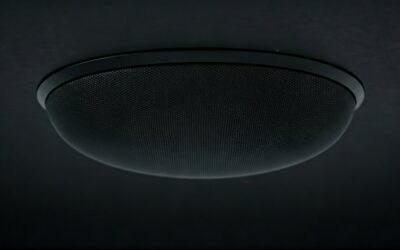
- Versatility: I have used these to power everything from outdoor all-weather speakers to high-end in-ceiling architectural speakers.
Step-by-Step: Connecting Passive Speakers
- Strip the ends of your speaker wire (14-gauge or 16-gauge is recommended).
- Connect the positive (+) and negative (-) terminals of your speakers to the corresponding terminals on the HEOS Amp.
- Plug the HEOS Amp into a power outlet.
- Open the HEOS App on your smartphone and select “Add Device.”
- Follow the in-app prompts to connect the Amp to your Wi-Fi network.
Using Powered Speakers with the HEOS Link
If you own active speakers (speakers with their own power cord, like Audioengine, Genelec, or studio monitors), the HEOS Amp would actually damage them because it provides too much power. Instead, you need the HEOS Link.
The HEOS Link (HS2)
The HEOS Link acts as a pre-amplifier. It adds HEOS streaming capabilities to any device with an input.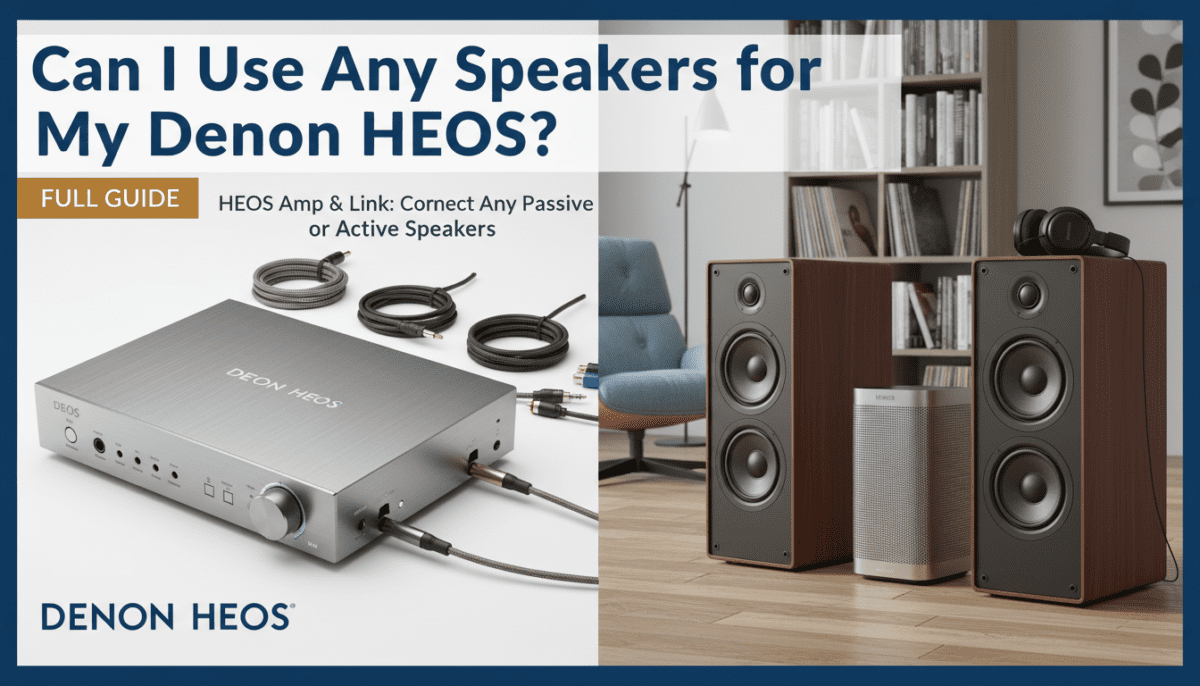
- Analog Outputs: Connect via RCA cables to your powered speakers.
- Digital Outputs: Includes Optical and Coaxial outputs for connecting to an external DAC.
- Trigger Out: It can even turn on your existing amplifier automatically when you start playing music in the app.
Why Choose the Link?
I often recommend the HEOS Link to clients who already own a high-end Hi-Fi stack (like a vintage McIntosh or Adcom amp). It allows you to keep that “warm” analog sound while gaining the ability to stream Spotify, Tidal, and Amazon Music HD.
Comparison: HEOS Amp vs. HEOS Link
| Feature | HEOS Amp (HS2) | HEOS Link (HS2) |
|---|---|---|
| Best For | Wired Passive Speakers | Powered Speakers / Existing Hi-Fi |
| Amplification | 100W x 2 (Class D) | None (Pre-amp only) |
| Connections | Speaker Binding Posts | RCA, Optical, Coax Out |
| Subwoofer Out | Yes | Yes |
| USB Input | Yes | Yes |
| Bluetooth | Yes | Yes |
Using Any Speakers via a Denon or Marantz AV Receiver
One of the most seamless ways to answer the question “can i use any speakers for my denon heos” is through a modern AV Receiver (AVR).
Since 2017, almost every mid-to-high-range Denon and Marantz receiver comes with HEOS Built-in. If you have a 5.1 or 7.1 home theater setup, those speakers are already part of your HEOS ecosystem.
Expert Tip: Zone 2 Integration
If your receiver has Zone 2 capabilities, you can use the HEOS app to play different music in your living room (via the AVR) and your kitchen (via a Denon Home 150), all perfectly synced. This is the most cost-effective way to achieve multi-room audio if you are already building a home theater.
Critical Technical Requirements
When choosing to use “any” speaker, you must pay attention to Impedance (Ohms).
- HEOS Amp Compatibility: The HEOS Amp is rated for speakers between 4 Ohms and 16 Ohms.
- Wiring Safety: Never connect more than one pair of speakers to a single HEOS Amp in a “parallel” configuration if their combined impedance drops below 4 Ohms, as this can overheat the unit.
- Cable Quality: For runs over 50 feet, I strongly suggest using 14-gauge oxygen-free copper (OFC) wire to prevent signal loss.
The Role of the HEOS App
Regardless of which speakers you use, the HEOS App (available on iOS and Android) is the brain of the operation.
- Grouping: You can “pinch” devices together in the app to group your HEOS Amp with a Denon Soundbar.
- EQ Settings: You can adjust Bass and Treble for your “non-HEOS” speakers directly through the digital interface.
- Source Switching: You can play audio from the Optical Input of a HEOS Link and stream it wirelessly to other HEOS speakers in the house. This is how I play my vinyl turntable throughout my entire home.
Troubleshooting Common Setup Issues
Even with the best gear, wireless audio can be tricky. Here is what I’ve learned from years of troubleshooting:
- Connectivity Drops: If your HEOS Amp keeps disappearing from the app, switch from 2.4GHz Wi-Fi to 5GHz, or better yet, use the Ethernet port for a hardwired connection.
- Latency: When grouping a HEOS Link with a wireless speaker, you might notice a slight echo. Use the “Audio Delay” setting in the app to sync them perfectly.
- App Recognition: Ensure your smartphone and your HEOS device are on the exact same SSID (Network Name). Many mesh routers (like Eero or Google Nest) can sometimes put devices on different subnets.
FAQ: Can I Use Any Speakers for My Denon HEOS?
Can I use Bose speakers with Denon HEOS?
Yes. If they are passive Bose speakers (like the Acoustimass series), connect them to a HEOS Amp. If they are powered Bose speakers with an AUX input, connect them to a HEOS Link.
Can I use Sonos speakers with a Denon HEOS system?
No. Sonos and HEOS are closed ecosystems and do not “talk” to each other directly. However, you can connect a Sonos Port to a HEOS Amp’s auxiliary input, though this is cumbersome and not recommended for daily use.
Do I need a special cable to connect my speakers?
For the HEOS Amp, you need standard speaker wire. For the HEOS Link, you typically need RCA cables or a Digital Optical (Toslink) cable.
Can I use 4-ohm high-end speakers with the HEOS Amp?
Yes, the HEOS Amp HS2 is stable down to 4 Ohms. It provides plenty of current for high-performance speakers, though ensure the unit has proper ventilation as 4-ohm loads generate more heat.
Can I use HEOS to play my TV sound through my old speakers?
Absolutely. Both the HEOS Amp and HEOS Link feature Optical Inputs. Connect your TV’s optical out to the HEOS device, and you can hear your TV audio through your traditional wired speakers.