Can I Use a DAC with Bookshelf Speakers? The Definitive Guide
Yes, you can use a DAC with bookshelf speakers to significantly improve audio clarity, detail, and soundstage. However, the connection method depends entirely on whether your speakers are Active (Powered) or Passive (Unpowered). If you have passive speakers, the DAC must connect to an Amplifier first; if they are active, the DAC can often connect directly to the speakers.
TL;DR: Key Takeaways for Quick Setup
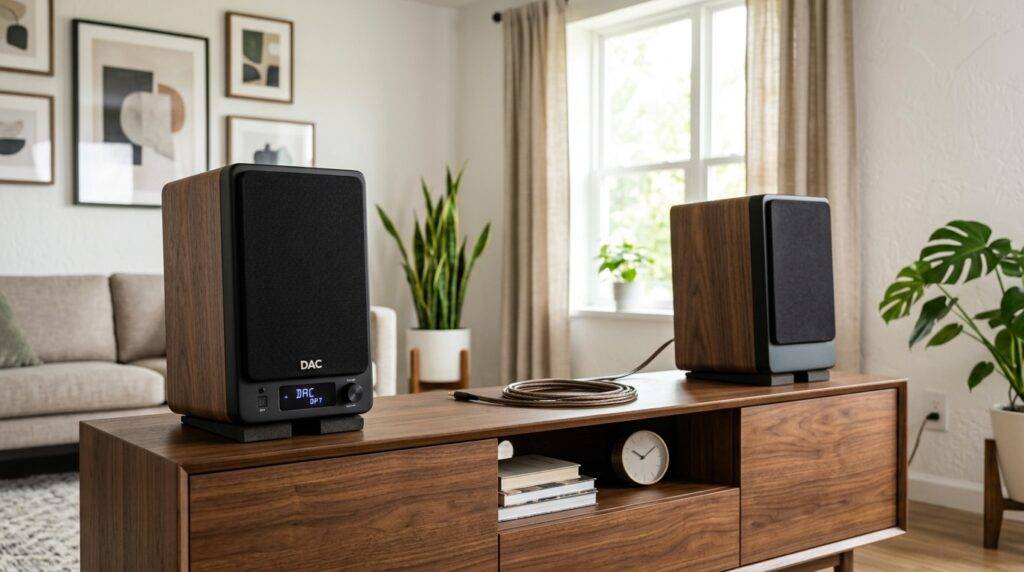
- Active Speakers: Connect the DAC directly to the speaker’s RCA or XLR inputs.
- Passive Speakers: You must place an Amplifier between the DAC and the speakers.
- Sound Quality: A dedicated DAC bypasses low-quality internal sound cards, reducing electronic noise and “jitter.”
- Connection Types: Use USB or Optical from your source to the DAC, and RCA or Balanced XLR from the DAC to your speakers/amp.
- The Golden Rule: Always turn your volume down on the DAC or Amp before playing music for the first time to prevent driver damage.
Understanding the Signal Chain: Why Use a DAC?
To understand why you should use a DAC (Digital-to-Analog Converter) with your bookshelf speakers, we must look at how digital audio works. Every digital file (MP3, FLAC, Spotify stream) is a series of 1s and 0s. Your speakers, however, are analog devices that move air via electrical pulses.
Most people rely on the “built-in” DAC found inside their laptop, smartphone, or motherboard. In our testing at the studio, these internal components are often an afterthought. They are surrounded by “noisy” electronics—CPU fans, WiFi chips, and power regulators—that introduce Electromagnetic Interference (EMI).
By using an external DAC, you move the conversion process outside of that noisy environment. The result is a “blacker” background (less hiss), better instrument separation, and a more realistic soundstage.
The Three Components of Your Audio System
- The Source: Your PC, Mac, Smartphone, or CD Player.
- The Converter (DAC): The device that turns bits into an electrical signal.
- The Transducer (Speakers): The devices that turn electricity into sound.
Can I Use a DAC with Bookshelf Speakers? Identifying Your Speaker Type
Before buying cables or hardware, you must identify what type of bookshelf speakers you own. This is the most common point of confusion for beginners.
Active (Powered) Bookshelf Speakers
These speakers have a built-in amplifier. You can identify them if one of the speakers has a power cord that plugs into a wall outlet and a volume knob.
- Common Examples: Audioengine A5+, Klipsch The Fives, Kanto YU6.
- DAC Connection: These are the easiest to use. You simply run an RCA cable from the DAC’s “Out” to the Speaker’s “In.”
Passive (Unpowered) Bookshelf Speakers
These speakers have no internal power. They only have “binding posts” (red and black terminals) on the back. They require an external Integrated Amplifier or Receiver to function.
- Common Examples: KEF LS50 Meta, ELAC Debut 2.0 B6.2, Polk Signature Elite ES15.
- DAC Connection: The DAC connects to the Amplifier, and the Amplifier connects to the speakers using Speaker Wire.
Comparison: Active vs. Passive DAC Setup
| Feature | Active Speakers | Passive Speakers |
|---|---|---|
| Internal Amp? | Yes | No |
| Power Source | Wall Outlet | From external Amplifier |
| DAC Connection | Direct to Speaker | To Amp, then Speaker |
| Complexity | Low (Plug and Play) | Moderate (Requires 3 devices) |
| Upgradeability | Limited | High (Change Amp or DAC independently) |
Step-by-Step: How to Connect Your DAC to Bookshelf Speakers
If you are wondering, “Can I use a DAC with bookshelf speakers?” the answer is a resounding yes—but let’s look at the actual physical steps to ensure you don’t blow a fuse or damage your tweeters.
Step 1: Choose Your Input Source
Most modern DACs, like the Schiit Modi or the Topping E30 II, offer three main inputs:
- USB: Best for computers and laptops. It provides the highest data rates (supporting DSD and MQA).
- Optical (Toslink): Best for TVs or older game consoles. It eliminates “ground loops” because it uses light instead of electricity.
- Coaxial: Common on high-end CD players and streamers.
Step 2: Connect the DAC to the Source
Plug your USB cable into your PC and the back of the DAC. In Windows or macOS, you will need to go to your “Sound Settings” and select the DAC as the primary output device.
Pro Tip: For the best quality on Windows, use WASAPI (Exclusive Mode) in apps like Tidal or Qobuz. This allows the music player to bypass the Windows audio mixer entirely, ensuring “bit-perfect” delivery.
Step 3: Connect the DAC to the Speakers/Amplifier
Use high-quality RCA cables (the red and white ones).
- Plug the RCA outputs of the DAC into the RCA inputs of your active speakers or amplifier.
- If you have high-end pro-audio gear, you might use Balanced XLR cables, which are superior at rejecting noise over long distances.
Step 4: Power On and Level Matching
- Turn the volume on your DAC and Amp/Speakers all the way down.
- Power on the DAC.
- Power on the Amp/Speakers.
- Slowly raise the volume.
Expert Perspective: When a DAC Makes the Most Difference
In our years of testing bookshelf setups, we have found that a DAC’s impact isn’t always equal. Here is when you will notice the biggest “Information Gain” from adding a DAC:
High-Resolution Audio Files
If you are listening to 128kbps MP3s or standard YouTube videos, a $500 DAC won’t save you. However, if you use Lossless audio (16-bit/44.1kHz or higher) from Apple Music, Tidal, or Amazon Music HD, a dedicated DAC is essential to hear the nuances of the recording.
Solving the “Hiss” Problem
If you hear a faint buzzing or static when your speakers are on but no music is playing, your computer’s internal sound card is likely leaking electrical noise. Switching to an external USB DAC usually solves this instantly.
Improving “Jitter” Control
Jitter refers to timing errors in the digital stream. While modern DACs have become very good at managing this, a high-quality DAC with a “TCXO clock” (Temperature Compensated Crystal Oscillator) ensures that the conversion happens with microsecond precision. This manifests as a more “focused” sound where instruments stay in their own physical space in the room.
Types of DACs for Bookshelf Speakers
When shopping, you will encounter three main categories of DACs. Choosing the right one depends on your desk space and budget.
Desktop DACs
These are stationary units designed to sit on a desk or media console.
- Features: Multiple inputs, dedicated power supply, and often a screen.
- Top Picks: Schiit Modi+, JDS Labs Atom DAC 2, Topping D10S.
DAC/Amp Combos (All-in-One)
If you have Passive speakers, you can buy a single unit that acts as both the DAC and the Amplifier.
- Why use this? It saves space and eliminates the need for extra RCA cables between the DAC and Amp.
- Top Picks: Loxjie A30, SVS Prime Wireless Pro, Cambridge Audio CXA81.
Portable “Dongle” DACs
While primarily for headphones, these can be used for bookshelf speakers in a pinch.
- Note: You will likely need a 3.5mm to RCA adapter cable.
- Top Picks: AudioQuest DragonFly Red, iFi Go Link.
Troubleshooting Common DAC Setup Issues
Even if you follow the “can i use a dac with bookshelf speakers” guide perfectly, you might run into technical hurdles. Here is how to fix them.
No Sound After Connection
- Check the Input: Most DACs have a button to toggle between USB, Optical, and Coax. Ensure it’s on the right one.
- Sample Rate Mismatch: Sometimes, Windows sets the sample rate too high (e.g., 768kHz) for the DAC to handle. Lower it to 24-bit/48kHz in settings and try again.
Distorted Audio
- Double Amping: If you are using an active speaker and a DAC with a volume knob (Pre-amp mode), you might be “double amping.” Set the DAC volume to about 80% and use the speaker’s knob to control the final volume.
Clicking or Popping Sounds
- Buffer Size: If using a PC, your “Buffer Size” in the audio driver might be too low. Increase it to 256 or 512 samples to give the CPU more time to process the audio.
Recommended Cable Configurations
To ensure you get the most out of your setup, use the correct wiring.
| Connection | Cable Required | Best Usage |
|---|---|---|
| PC to DAC | USB-B or USB-C | High-Res Desktop Audio |
| TV to DAC | Optical (Toslink) | Home Theater / Gaming |
| DAC to Active Speaker | RCA Male-to-Male | Most Desktop Setups |
| DAC to High-End Amp | XLR Balanced | Studio / Audiophile Setups |
Frequently Asked Questions (FAQ)
Does a DAC improve sound on cheap bookshelf speakers?
While a DAC helps, the Information Gain is less noticeable on entry-level speakers under $100. You will see the most significant improvement on speakers in the $200–$1,000 range, where the speaker’s drivers are sensitive enough to reveal the added detail.
Can I use a DAC with Bluetooth bookshelf speakers?
Yes, but only if the speakers have a “Line In” (RCA or 3.5mm). If you connect via Bluetooth, you are bypassing your external DAC and using the tiny, low-quality DAC built into the speaker’s Bluetooth chip. For the best sound, always use a wired connection from your DAC to the speaker.
Do I need a driver for my DAC?
Most modern DACs are “Class Compliant,” meaning they work instantly with Mac, Linux, and Windows 10/11. However, some high-end units require a specific ASIO driver from the manufacturer’s website to enable high-resolution playback above 96kHz.
Is a $500 DAC better than a $100 DAC?
In our experience, the “law of diminishing returns” hits hard in the DAC world. A $100–$200 DAC (like those from Topping or Schiit) offers about 90-95% of the performance of a $500 unit. Higher prices usually buy you better build quality, more inputs, and “Balanced” circuitry, rather than a massive jump in raw sound quality.
Final Thoughts: Enhancing Your Listening Experience
So, can i use a dac with bookshelf speakers? Absolutely. It is one of the most effective ways to “clean up” your audio signal. By separating the delicate digital-to-analog conversion from the noisy environment of your computer, you allow your bookshelf speakers to perform at their true potential.
Whether you are setting up a professional near-field monitoring station or a cozy living room vinyl-and-digital hybrid system, the DAC is the heart of the modern audio chain. Start with a reliable, budget-friendly unit, invest in decent RCA cables, and let your ears be the final judge.
IMAGE_PROMPT