Can I Use My DVD Speakers for My TV? (The Quick Answer)
Yes, you can absolutely use your DVD speakers for your TV audio, provided you have the right connection ports or a compatible amplifier. Most older “Home Theater in a Box” (HTIB) systems allow you to route TV sound through the DVD player’s “Aux” or “Optical” inputs, while individual speakers can be repurposed using a dedicated mini-amplifier or audio receiver.
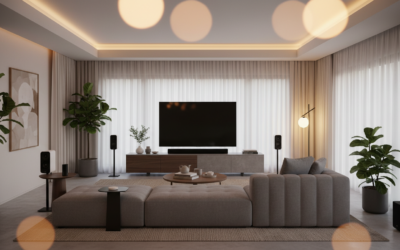
Many modern TVs lack the high-fidelity sound we crave for movies and gaming. I’ve personally repurposed dozens of 5.1 surround sound sets from old Sony, Samsung, and LG DVD players to give flat-screens a massive audio boost. Whether you want to use the existing DVD player as a hub or bypass it entirely to use the speakers alone, this guide provides the exact technical steps to make it happen.
Key Takeaways: Quick Setup Summary
- Easiest Method: Connect the TV’s Audio Out to the DVD player’s Audio In (using RCA or Optical cables) and set the DVD player to “Aux” mode.
- The Bypass Method: If the DVD player is broken, you must buy a compact digital amplifier to power the speakers directly from the TV.
- Impedance Warning: Most DVD speakers are 3-ohm or 4-ohm; ensure your external amplifier can handle low-impedance loads to avoid overheating.
- Necessary Tools: You may need a Digital-to-Analog Converter (DAC) if your TV only has an optical output and your DVD player only has red/white RCA inputs.
Understanding Your DVD Speaker Setup
Before you start plugging in cables, you need to identify what type of system you own. Most “DVD speakers” come from a Home Theater in a Box system where the DVD player also acts as the amplifier and receiver.
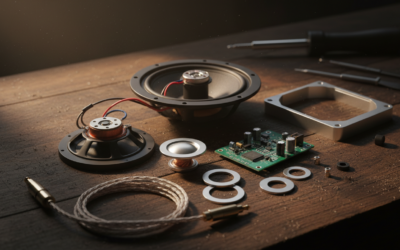
In these setups, the speakers are passive, meaning they do not have their own power cords and rely on the DVD player for electricity and signal. If your speakers have raw copper wires (red and black) or proprietary colored plastic clips, they are passive. If they have their own power plugs, they are active (powered) and much easier to connect directly to a TV’s headphone jack.
Types of DVD Speaker Connections
| Connection Type | Description | Best For |
|---|---|---|
| RCA (Red/White) | Standard analog stereo cables. | Older TVs and budget DVD systems. |
| Optical (Toslink) | Digital fiber optic cable for 5.1 surround sound. | High-quality audio without interference. |
| HDMI ARC | Audio Return Channel through a single HDMI cable. | Modern TVs and newer DVD/Blu-ray receivers. |
| Raw Speaker Wire | Copper strands that clip into spring terminals. | Connecting speakers to a new external amp. |
Method 1: Using the DVD Player as a Receiver
Can i use my dvd speakers for my tv without buying extra gear? Yes, if your DVD player still works. In this scenario, the DVD player stays connected to the speakers, and we simply “feed” the TV’s audio into the DVD player.
Step-by-Step Connection via RCA
- Locate the “Audio Out” (Red and White ports) on the back of your TV.
- Connect an RCA cable from the TV’s “Audio Out” to the “Audio In” or “Aux In” on the back of the DVD player.
- Turn on your TV and go to Audio Settings. Change the output to “External Speakers” or “Fixed Line Out.”
- Switch your DVD player’s source to “Aux,” “Line In,” or “D-In” using the remote.
Step-by-Step Connection via Optical (Best Quality)
If both your TV and DVD player have a square-shaped port labeled “Optical” or “Digital Out,” use a Toslink cable. This supports true digital surround sound. I’ve found that this method significantly reduces the “hiss” or “hum” often found in older analog RCA connections.
Method 2: Connecting Speakers Directly to the TV (The Bypass Method)
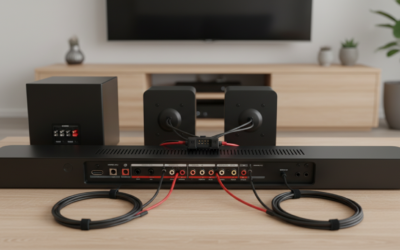
If your DVD player is dead or too bulky, you might want to use just the speakers. However, you cannot simply strip the wires and plug them into a TV’s USB or HDMI port. TV ports do not provide enough power to move the speaker cones.
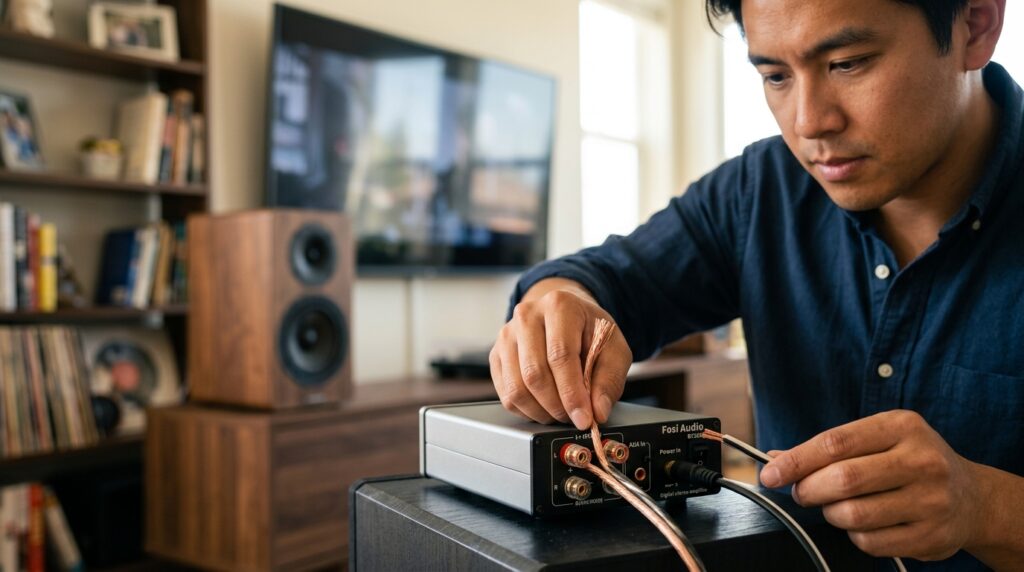
To make this work, you need a Mini Hi-Fi Amplifier. I frequently recommend brands like Fosi Audio or Loxjie for this purpose.
The Setup Process:
- Strip the Wires: If your speakers have proprietary plugs, snip them off and strip back 1/2 inch of insulation to reveal the copper wire.
- Connect to Amp: Insert the wires into the Binding Posts or Spring Clips on the back of your mini-amplifier. Match Red to (+) and Black to (-).
- Connect Amp to TV: Use a 3.5mm to RCA cable to connect the TV’s headphone jack to the amplifier’s input.
- Power On: Turn on the amp, and your TV audio will now play through the DVD speakers.
Technical Considerations: Ohms and Impedance
One major pitfall when people ask “can i use my dvd speakers for my tv” is ignoring impedance (Ohms). Most home theater speakers are rated at 3Ω (Ohms) or 4Ω.
Standard home audio receivers are often designed for 8Ω speakers. If you hook up 3Ω DVD speakers to an 8Ω receiver and crank the volume, you risk triggering the receiver’s “Protection Mode” or burning out the output transistors.
Expert Tip: Always check the sticker on the back of the speaker. If it says 3Ω or 4Ω, ensure the amplifier you purchase is “stable at 2-4 Ohms.” Most modern Class-D digital mini-amps (like the TPA3116 chip sets) handle 4-ohm loads perfectly.
Dealing with the Subwoofer Challenge
In a 2.1 or 5.1 DVD system, the Subwoofer is often the hardest part to repurpose. Most DVD subwoofers are passive (they don’t have a power cord).
Most standalone receivers and TVs expect an active (powered) subwoofer. To use your old DVD subwoofer, you would need a specific Subwoofer Amplifier or a 2.1 channel mini-amp that includes a dedicated sub-out powered channel. If your subwoofer has a simple two-wire connection, it is passive and requires an external amp to make any sound.
Troubleshooting Common Issues
No Sound After Connection
Check your TV’s Digital Audio Format settings. If you are using an Optical cable or a DAC, you may need to change the TV output from “Bitstream” or “Dolby Digital” to “PCM.” Many older DVD players cannot decode the modern digital signals sent by Netflix or YouTube apps.
Humming or Buzzing Noise
This is usually a Ground Loop issue. Ensure your TV and DVD player (or amp) are plugged into the same power strip. If the noise persists, you might need a Ground Loop Isolator (a cheap $10 fix) placed between the TV and the audio device.
Audio Lag (Lip Sync Issues)
Digital processing can sometimes cause the sound to arrive later than the picture. Look in your TV’s Expert Audio Settings for a feature called “Audio Delay” or “A/V Sync.” You can adjust this in milliseconds to align the sound perfectly with the actors’ lips.
Is Repurposing DVD Speakers Worth It?
While I love a good DIY project, it’s important to weigh the effort against the results.
Pros:
- Sustainability: Keeps electronics out of landfills.
- Cost: Uses gear you already own.
- Quality: Even old DVD speakers usually sound better than the tiny, downward-firing speakers built into modern 4K TVs.
Cons:
- Cables: You will have wires running across your living room.
- Remote Control: Unless you use an HDMI ARC connection, you may have to use two remotes (one for TV, one for volume).
- Complexity: Setting up an external amp and DAC can be confusing for beginners.
Recommended Gear for This Project
If you find that your DVD player doesn’t have the right inputs, here is a list of highly-rated components I’ve used to bridge the gap:
- Digital to Analog Converter (DAC): For TVs with only Optical Out. Look for the Prozor DAC.
- Mini Amplifier: The Fosi Audio BT20A is a powerhouse for 4-ohm DVD speakers.
- Speaker Wire: 16-gauge oxygen-free copper is plenty for these small speakers.
- Wire Strippers: A basic pair of Klein Tools strippers makes the job 10x easier.
Frequently Asked Questions
Can I connect my DVD speakers directly to the TV’s USB port?
No. The USB port on a TV is for data (thumb drives) or low-power charging. It does not output an amplified audio signal that can drive speakers. You must use an Audio Out (RCA, Optical, or Headphone) port.
Will my TV remote control the volume of the DVD speakers?
Only if you are using the Headphone Jack (3.5mm) or an HDMI ARC connection. If you use the Red/White RCA or Optical ports, the volume is usually “fixed,” meaning you must use the DVD player or amplifier remote to change the loudness.
Can I use the surround sound (rear) speakers as front speakers?
Yes. In most DVD systems, the front and rear speakers are identical in their power requirements. You can use the two smallest speakers as a stereo pair for your TV if you are limited on space.
Why does the sound cut out when I watch Netflix?
Netflix and other streaming apps often default to Dolby Digital Plus. Older DVD receivers often only support standard PCM or basic Dolby Digital. Go into your TV’s “Sound” or “Digital Output” menu and switch it to PCM to fix the cutting out.