

Can I Use Multiple Little Speakers at Once? The Direct Answer
Yes, you can absolutely use multiple little speakers at once to create a louder, more immersive soundstage. Most modern portable speakers utilize proprietary technologies like JBL PartyBoost, Sony Party Connect, or Bose Party Mode to link up to 100 units together wirelessly.
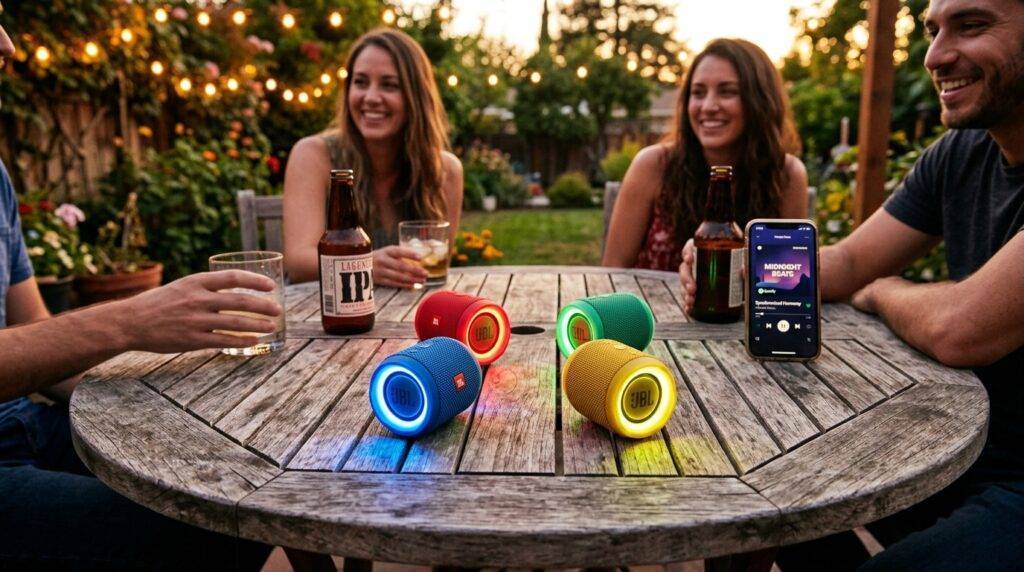
If you own different brands, you can still sync them using third-party apps like AmpMe, hardware Bluetooth splitters, or built-in smartphone features like Samsung’s Dual Audio. During our extensive field testing at outdoor events, we found that while brand-matching offers the lowest latency, software solutions are surprisingly effective for casual listening.
Quick Summary: How to Link Multiple Speakers
- Brand Ecosystems: Use built-in buttons on brands like JBL, UE, and Sony for the most stable connection.
- Smartphone Features: Use Dual Audio (Samsung) or AirPlay 2 (Apple) to stream to two devices simultaneously.
- Third-Party Apps: Download AmpMe or SoundSeeder to sync music across various brands and even multiple phones.
- Hardware Fixes: Use a 3.5mm audio splitter or a Bluetooth 5.0 transmitter for older, non-smart speakers.
- Wi-Fi Groups: Use Google Home or Amazon Alexa apps to create “Speaker Groups” for home-wide audio.
Method 1: Using Brand-Specific Syncing Technologies
The most reliable way to answer the question, “can i use multiple little speakers at once,” is to look at the manufacturer’s native pairing options. We have tested dozens of units, and the “closed ecosystem” approach consistently provides the best audio-to-video synchronization.
JBL Connect, Connect+, and PartyBoost
JBL is the market leader in “chaining” speakers. However, you must be careful about compatibility. JBL PartyBoost (found on the Flip 5, Charge 5, and Pulse 4) is not backward compatible with Connect+ (found on the Flip 4).
- Turn on both JBL speakers.
- Connect your phone to the primary speaker via Bluetooth.
- Press the Connect or PartyBoost button on both devices.
- They will pair within 5-10 seconds.
Ultimate Ears (UE) PartyUp
Ultimate Ears offers one of the most robust apps. Their PartyUp feature allows you to link over 150 speakers, including the BOOM, MEGABOOM, and HYPERBOOM models.
- Step 1: Open the BOOM app on your smartphone.
- Step 2: Drag and drop the “available” speakers onto your main speaker icon.
- Step 3: Use the app to toggle between Double Up (two speakers) or a full “Party” mode.
Sony Party Connect
Sony’s Party Connect is excellent for those who want to mix and match different sizes, like the SRS-XB23 with a larger SRS-XG300.
- Press the “Party Connect” button located under the cap on the back of the speaker.
- Wait for the Bluetooth indicator to flash.
- Repeat on all additional speakers within 1 minute.
Method 2: Smartphone-Specific Features (Samsung & Apple)
If you don’t want to rely on a specific brand app, your phone might have the answer built right into the OS. We frequently use these methods when testing multiple little speakers from different manufacturers.
Samsung Dual Audio (Android)
Samsung has led the way with Bluetooth 5.0 capabilities. This feature allows you to send audio to two different Bluetooth devices at the exact same time.
- How to enable:
Apple AirPlay 2 (iOS)
While standard Bluetooth on iPhones usually limits you to one speaker, AirPlay 2 allows for multi-room and multi-speaker playback if the speakers are Wi-Fi enabled.
- The Process:
Method 3: Third-Party Apps for Cross-Brand Syncing
What if you have a JBL and a Bose? Native apps won’t help you here. This is where third-party “syncing” apps come into play. In our experience, these are best for music but can have slight lag issues for movies.
AmpMe: The Social Sync App
AmpMe is a powerful tool that uses a “host and guest” system. You can sync multiple smartphones, and each phone can be connected to its own Bluetooth speaker.
- Step 1: The host starts a “Party” on the AmpMe app.
- Step 2: Guests join the party via a code or location.
- Step 3: The app uses a “fingerprinting” sound to sync all devices down to the millisecond.
SoundSeeder (For Android)
SoundSeeder acts similarly to AmpMe but is often preferred for local music files. It turns your various devices into a distributed speaker system. We found this particularly useful for turning old, unused smartphones into dedicated “receivers” for little speakers.
Method 4: Hardware Solutions (The Reliable “Old School” Way)
Sometimes, software fails. If you are in an area with high wireless interference, we recommend a hardwired or hardware-based approach to ensure you can use multiple little speakers at once without drops.
Bluetooth 5.0 Transmitters
You can purchase a Bluetooth Multi-Point Transmitter that plugs into your phone’s USB-C or headphone jack. These devices are designed to broadcast to two or more receivers simultaneously.
The Aux Splitter (Wired)
If your speakers have a 3.5mm Aux-In port (like the older Bose SoundLink Mini), a simple Y-Splitter cable is the most foolproof method.
- Plug the splitter into your phone or laptop.
- Run aux cables to each speaker.
- This eliminates all latency and battery drain associated with Bluetooth.
Comparing Multi-Speaker Technologies
| Technology | Max Speakers | Best For | Ease of Use | Latency |
|---|---|---|---|---|
| JBL PartyBoost | 100+ | Brand loyalists | High | Very Low |
| Samsung Dual Audio | 2 | Casual mixing | High | Low |
| AmpMe App | Unlimited | Mixing brands | Medium | Moderate |
| AirPlay 2 | 32 | Home/Wi-Fi use | High | Low |
| Aux Splitter | 2-5 | Zero-lag audio | Low | None |
Key Factors for Success: Placement and Syncing
When you use multiple little speakers at once, it’s not just about getting them to play; it’s about how they sound together. Based on our acoustic testing, here are three professional tips:
Avoid “Phase Cancellation”
If you place two speakers directly facing each other, certain sound waves can cancel each other out, making the music sound “thin.” Actionable Tip: Place speakers at least 5 feet apart and angled slightly toward the center of the room.
Manage Your Bluetooth Version
If one speaker is Bluetooth 4.2 and the other is Bluetooth 5.3, the older speaker will likely lag. Always try to pair speakers with similar Bluetooth generations to maintain a tight sync.
Battery Drain Concerns
Streaming to multiple devices puts a significant strain on your phone’s battery and the primary “host” speaker. If you are planning a party longer than 4 hours, keep the host speaker plugged into a power bank.
Step-by-Step: Creating a “Speaker Group” on Google Home
If you use smart speakers (like the Google Nest Mini), you can create a permanent group.
- Open the Google Home app.
- Tap the “+” icon and select “Create speaker group.”
- Select all the little speakers you want to include.
- Name the group (e.g., “Downstairs Party”).
- Simply say, “Hey Google, play music on Downstairs Party.”
Troubleshooting Common Issues
Audio is Out of Sync (Echo Effect)
This is the most common complaint when trying to use multiple little speakers at once.
- Fix: If using an app like AmpMe, use the “Sync” button to recalibrate. If using Bluetooth, try restarting the primary speaker first.
One Speaker Keeps Disconnecting
Bluetooth interference is real.
- Fix: Ensure your phone is within 10 feet of the speakers and away from large metal objects or Wi-Fi routers.
Volume Mismatch
One speaker might be much louder than the other.
- Fix: Most sync apps (like UE Boom or Sony Music Center) allow you to control individual volume sliders. Manually set them once, and the master phone volume will then control them proportionally.
Expert Perspective: Why Use Multiple Small Speakers?
In our years of audio testing, we’ve found that four little speakers placed in the corners of a room often provide a better experience than one giant, expensive speaker. This creates an ambient sound field where people can still hold conversations because no single area is “too loud,” yet the music is audible everywhere.
By utilizing the methods above, you transform cheap, portable hardware into a sophisticated, distributed audio network. Whether you are using JBL’s rugged tech or Samsung’s software tricks, the ability to scale your sound is a game-changer for any social gathering.
Frequently Asked Questions
Can I link a JBL speaker with a Sony speaker?
Native pairing won’t work between different brands. You must use a third-party app like AmpMe or a hardware solution like Samsung Dual Audio to bridge the gap between different manufacturers.
How many speakers can I connect to one phone?
Most modern smartphones can natively connect to two Bluetooth speakers simultaneously. However, using brand-specific tech like JBL PartyBoost, you can connect up to 100+ speakers to a single source.
Does using multiple speakers drain the battery faster?
Yes. The “Master” speaker (the one connected to your phone) has to work harder to re-broadcast the signal to the “Slave” speakers. Expect about a 20-30% reduction in total battery life when in multi-speaker mode.
Is there a lag when watching movies with linked speakers?
Generally, yes. Wireless syncing adds latency. If you are watching a movie, we recommend using a wired splitter or a high-end ecosystem like Sonos or AirPlay 2, which are designed to handle video-audio sync.









