

Can QSC K10 Speakers Be Used as Studio Monitors?
Technically, QSC K10 speakers can be used as studio monitors, but they are not recommended for critical mixing or mastering. While they provide exceptional clarity and volume for live sound, their frequency response is designed for high-impact performance rather than the “flat” accuracy required for professional audio engineering. Using them as your primary mixing monitors may result in mixes that do not translate well to other playback systems, as the K10 series often emphasizes mid-range presence and high-frequency “sheen” meant to fill a room.
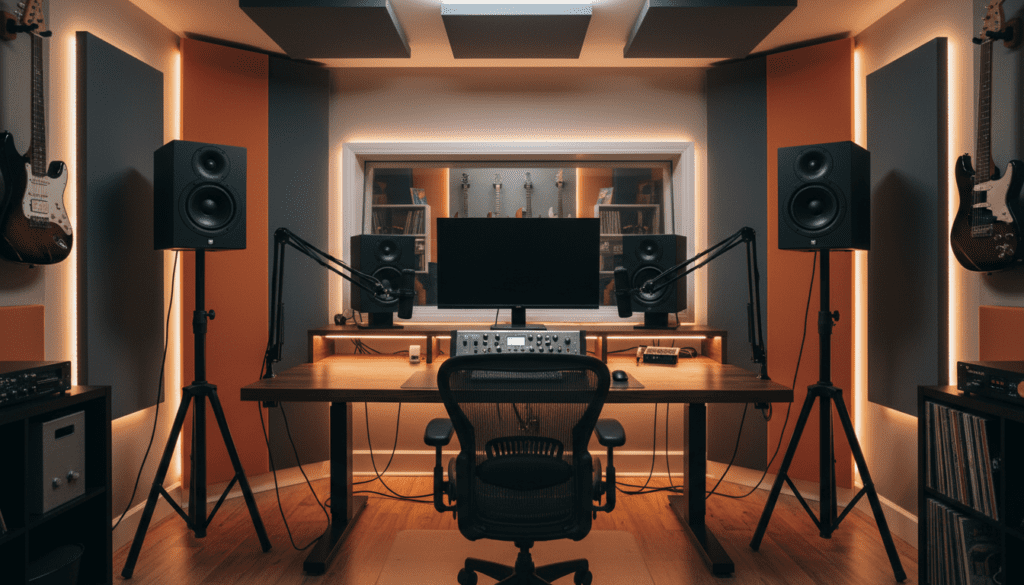
Quick Summary: Should You Use QSC K10s for Mixing?
- Primary Mixing: Not recommended due to colorization and non-linear frequency response.
- Secondary Reference: Excellent for checking how a mix sounds at high volume levels or in a live-style environment.
- Best Use Case: Live sound, DJ monitoring, event reinforcement, and large-room playback.
- Accuracy: They lack the surgical precision required to identify problematic surgical EQ cuts.
Understanding the Design Difference: PA vs. Studio Monitors
When evaluating if QSC K10 speakers can be used as studio monitors, you must understand the engineering intent behind each product type. Studio monitors are “reference” tools designed for transparency. They aim to reproduce the audio signal exactly as it was recorded, without adding color or bias.
In contrast, the QSC K10 (and the updated K10.2) is a Powered PA (Public Address) Speaker. These are built for:
- Efficiency: They are designed to project sound long distances to large audiences.
- DSP (Digital Signal Processing): They incorporate aggressive limiting and contouring to prevent clipping and enhance the “punch” of live instruments.
- Durability: They are built to withstand transport, heat, and high-SPL (Sound Pressure Level) environments.
Comparison: QSC K10.2 vs. Traditional Studio Monitors
| Feature | QSC K10.2 (PA) | Professional Studio Monitor |
|---|---|---|
| Frequency Response | Tailored (V-shape) | Flat (Neutral) |
| Dispersion Pattern | Wide (90° Axis) | Focused (Sweet Spot) |
| Primary Goal | Impact and Volume | Detail and Accuracy |
| DSP Processing | Heavy (Room Correction) | Minimal (Room EQ) |
The Impact of DSP on Your Mix
The QSC K10.2 includes sophisticated onboard DSP. While this is incredible for a live venue, it introduces variables that complicate the mixing process. If you use the “Live” or “Stage Monitor” presets, the speaker is actively altering the signal based on its own internal algorithms.
When you are mixing, you want your ears to be the only judge of the audio quality. If the speaker is “sweetening” your high-end or boosting the low-end sub-frequencies to make the room thump, you will find yourself “mixing against the speaker” rather than mixing the actual track. This often leads to dull, lifeless masters once you move your file to a standard pair of headphones or consumer speakers.
When Does it Make Sense to Use QSC K10s?
While I advise against using them for delicate surgical EQ, there are scenarios where the QSC K10 adds value to a studio workflow:
- Final Stage “Translation” Testing: After finishing a mix on near-field monitors, I often output the mix to my QSC K10s. This simulates how the music will sound in a venue or a high-volume club setting.
- Large Room Collaboration: If you are producing music for a live band and need to hear how the playback fills a rehearsal space, the K10s provide the realistic SPL levels that smaller studio monitors simply cannot match.
- Electronic Music Production: If you are a DJ-producer, the K10s provide the “club experience” in your studio, allowing you to feel the low-end energy of a track, which can be vital for bass-heavy genres.
Pro Tips for Integrating QSC K10s into a Studio
If you decide to incorporate these speakers into your studio setup, follow these best practices to maintain as much accuracy as possible:
- Use Flat DSP Settings: Always set your QSC K10.2 to the “Flat” or “Monitor” mode. This minimizes the amount of internal EQ processing applied to your signal.
- Gain Staging: Keep the volume levels consistent. PA speakers can get extremely loud; use a monitor controller between your audio interface and the speakers to ensure you aren’t overdriving the inputs.
- Positioning: Because they are designed for wide dispersion, do not place them right against a wall. Give them room to “breathe” to avoid unwanted low-end buildup.
- Use Room Correction Software: If you use a system like Sonarworks SoundID Reference, you can technically map the frequency response of the K10s and apply a correction curve. This can significantly flatten their response for better mixing results.
Frequently Asked Questions (FAQ)
Can I damage my QSC K10s by using them in a studio?
Not at all. In fact, studio usage is often much gentler on the components than high-volume live performance. The main risk is simply “ear fatigue” because these speakers are capable of producing much higher decibels than your ears can handle during an 8-hour mixing session.
Are QSC K10s too loud for a small home studio?
They can be, but they are also quite efficient at low volumes. However, their physical footprint is large, and the horn dispersion is designed to fill a room rather than provide a narrow “sweet spot.” You might find them overkill for a desk-based setup.
Should I sell my studio monitors and just use QSC K10s?
I strongly advise against this. Keep your dedicated near-field monitors (like those from Yamaha, KRK, or Genelec) for your detailed work. Use your QSC K10s as a secondary pair for translation checks and high-impact playback.
Do I need a subwoofer with my QSC K10s?
The QSC K10 has impressive low-end extension for a 10-inch woofer. For most studio applications, a subwoofer is not required unless you are mixing sub-bass-heavy genres like Dubstep or Trap and need to monitor frequencies below 50Hz with extreme accuracy.









