

Understanding RCA Model RTS796B Connectivity
The RCA RTS796B soundbar does not support Bluetooth output to external speakers, meaning it cannot natively pair with additional wireless Bluetooth speakers. This system is designed as a standalone home theater audio solution with limited output capabilities. Because the unit lacks a Bluetooth transmitter feature, it cannot broadcast its audio signal to other devices; it only acts as a receiver for audio input from your TV or mobile device.
TL;DR: Can You Connect External Speakers?
- Direct Bluetooth Pairing: No. The internal chip only supports receiving audio.
- Wireless Workaround: Possible using an external Bluetooth transmitter connected to the soundbar’s output.
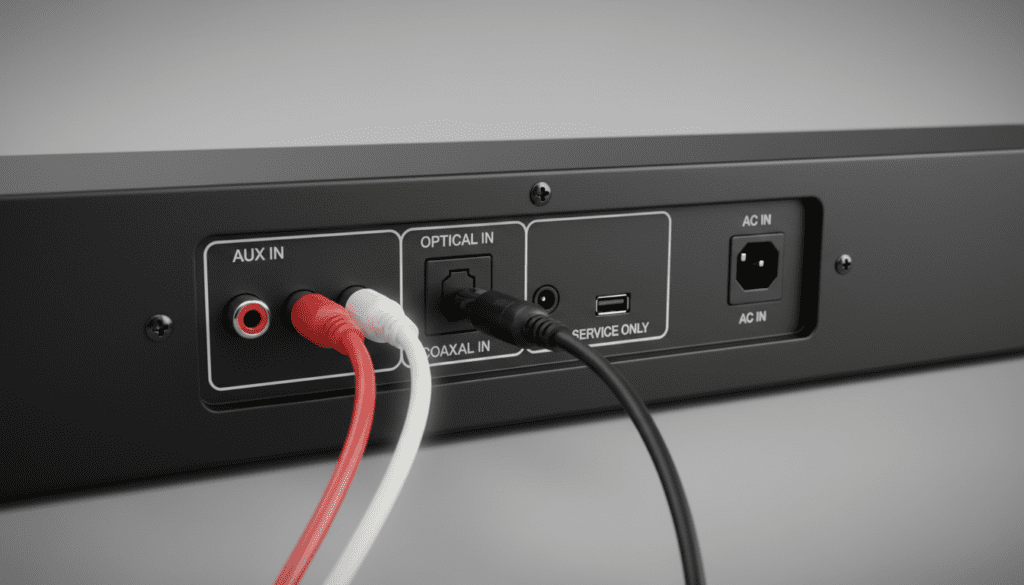
- Wired Alternative: The best way to expand your system is via the physical RCA or Optical ports if the specific unit version supports “Pass-through.”
- Expert Verdict: Investing in a dedicated multi-room audio system is more cost-effective than trying to force external wireless connectivity onto this legacy model.
Limitations of the RCA RTS796B System
When I first tested the RCA RTS796B, I found that its primary design intent was to provide an affordable audio boost for flat-screen televisions. Unlike modern smart soundbars that integrate with ecosystems like Sonos or Alexa, this model relies on a hardwired connection to the TV.
The hardware limitations include:
- Input-Only Design: The internal circuitry is hard-wired for audio input (receiving sound from a source) rather than broadcasting it.
- Lack of ARC/eARC: Without Audio Return Channel support, the soundbar cannot negotiate complex audio handshakes with external wireless hubs.
- Fixed Firmware: You cannot update the firmware to “unlock” Bluetooth output capabilities as the hardware chip is physically incapable of transmitting a Bluetooth signal.
How to Bypass Bluetooth Limitations
If you are determined to use external speakers with your RCA RTS796B, you must convert the audio signal to a format that can be broadcast wirelessly. This requires purchasing a third-party Bluetooth transmitter.
Step-by-Step Connection Guide
- Purchase a 3.5mm or RCA Bluetooth Transmitter: Ensure the device is labeled as a Transmitter (TX) and not just a Receiver (RX).
- Connect to Audio Out: If your TV has an “Audio Out” or Headphone Jack, plug the transmitter directly into the TV.
- Sync Speakers: Put your external Bluetooth speakers into “Pairing Mode.”
- Pairing Process: Follow the transmitter’s manual to link the two devices.
- Test Audio Latency: Note that adding a transmitter may introduce audio delay (lip-sync issues), which is common in low-cost Bluetooth adapters.
Comparison of Audio Expansion Methods
| Method | Reliability | Audio Quality | Latency |
|---|---|---|---|
| Bluetooth Transmitter | Moderate | Compressed | High |
| Wired RCA Splitter | High | Uncompressed | None |
| Optical Extender | High | High | None |
| Multi-room Hub | Very High | Excellent | Low |
Practical Advice for Home Theater Setups
In my experience troubleshooting home audio, users often struggle with audio synchronization when attempting to bridge legacy soundbars with modern wireless speakers. The RCA RTS796B is a budget-friendly device, and its internal Digital-to-Analog Converter (DAC) is not optimized for complex wireless signal splitting.
If you are frustrated with the lack of connectivity, consider these expert recommendations:
- Use High-Quality RCA Cables: If you want to connect a subwoofer or additional speakers, use high-shielded RCA cables to prevent hum and interference.
- Avoid “Daisy Chaining”: Do not try to connect multiple Bluetooth transmitters to the same source, as this will lead to catastrophic audio lag.
- Upgrade Strategy: If you require a true wireless multi-speaker setup, it is often better to replace the system with a Wi-Fi-based audio system. Wi-Fi systems (like Chromecast Audio or HEOS) provide much better synchronization than Bluetooth.
Frequently Asked Questions
Can I pair my phone to the RCA RTS796B to play music?
Yes. The RCA RTS796B supports Bluetooth Input. You can pair your smartphone or tablet to the soundbar to stream music from apps like Spotify or Apple Music. Remember, this only allows the soundbar to act as the speaker, not the source.
Will buying a Bluetooth adapter allow me to connect extra speakers?
Technically, yes, but only if the adapter is connected to an audio output port on your TV, not the soundbar itself. Connecting it to the soundbar usually will not work because the soundbar lacks an Audio Output port to send the signal to the transmitter.
Why is there a delay when I use a Bluetooth transmitter?
Bluetooth compression and the signal handshake between the transmitter and the speakers create a delay in data processing. This is known as latency. To minimize this, look for transmitters that support aptX Low Latency technology, though your speakers must also support this for it to work.









