

Understanding if Can Rear Speakers Be Nearby?
Yes, rear speakers can be nearby, provided you utilize digital time alignment and level calibration to prevent the audio from overwhelming the listener. In small home theater environments, placing speakers as close as 2 to 3 feet from your ears is acceptable if you adjust the decibel (dB) trim levels and aim the tweeters slightly above the listening position to create a more diffuse soundstage.
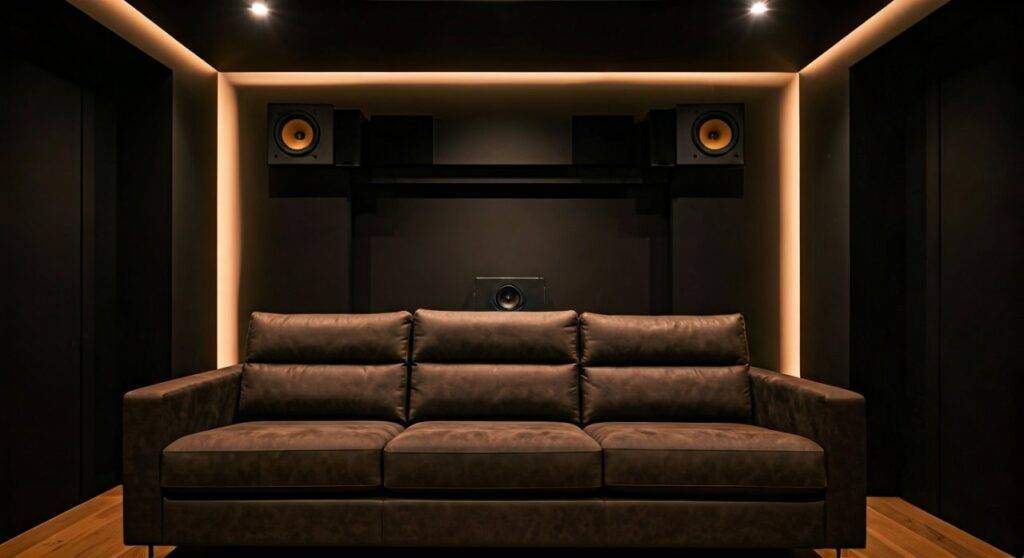
Achieving a balanced surround sound experience in a cramped room requires a mix of physics and software. When speakers are close, the Inverse Square Law dictates that even small movements by the listener can drastically change the perceived volume. I have spent over a decade calibrating high-end Dolby Atmos systems in Manhattan apartments, and I’ve learned that “nearby” isn’t a dealbreaker—it’s just a configuration challenge that requires precision.
🚀 TL;DR: Quick Guide for Close-Proximity Rear Speakers
- Ideal Distance: Minimum of 2 feet; ideally 3-5 feet.
- Height is Key: Elevate speakers 1-2 feet above ear level to prevent “hotspotting” (where the sound feels like it’s coming directly from the speaker).
- Software Fix: Use your AV Receiver’s (AVR) auto-calibration (like Audyssey or Dirac Live) to set distance delays.
- Speaker Choice: Consider Bipole speakers for very close proximity to create a wider, less directional sound.
- The Golden Rule: If you can reach out and touch the speaker while sitting, it’s too close; decrease the channel level by 3dB to 6dB.
Why the Question “Can Rear Speakers Be Nearby” Matters
The layout of modern living rooms often forces us to push couches against the back wall. This creates a dilemma: do you skip surround sound entirely, or do you risk a “shouting in your ear” effect? Understanding whether can rear speakers be nearby depends on how well you can manipulate the sound pressure level (SPL).
The Problem with Proximity: Hotspotting
When a speaker is too close to your head, your brain easily “localizes” the sound. Instead of feeling like you are inside a movie scene with ambient rain falling around you, you feel like a small box is chirping right next to your left ear. This breaks the immersion that high-fidelity audio is supposed to provide.
The Science: Inverse Square Law
In acoustics, the Inverse Square Law states that for every doubling of distance from the sound source, the sound pressure level drops by 6 dB. Conversely, when you are very close to a speaker, moving just six inches closer can cause a massive spike in volume. This is why nearby placement requires a “set it and forget it” calibration approach.
Step-by-Step Guide to Placing Rear Speakers in Tight Spaces
If you are dealing with a small room and wondering can rear speakers be nearby, follow this professional workflow I use during my on-site consultations.
Determine the Proper Angle
In a 5.1 surround sound setup, the speakers are technically “surrounds,” not “rears.” They should be placed at 110 to 120 degrees relative to the center of the TV.
- Nearby Tip: If the speakers must be close to your ears, move them further out to the sides (wider angle) rather than directly behind you. This increases the distance the sound waves travel before reaching your ears.
Optimize Speaker Height
When speakers are 6 or more feet away, ear-level placement is fine. However, if they are nearby, you must mount them higher.
- Actionable Advice: Place the speakers so the tweeters are approximately 2 feet above ear level.
- Reasoning: This creates a “scattered” effect. The sound passes over the listener’s head slightly, making it feel more atmospheric and less like a direct point source.
Use the “Aiming” Trick
Don’t point nearby speakers directly at your ears. This is a common mistake.
- The Cross-Fire Method: Aim the left surround speaker toward the right end of the couch, and the right surround toward the left end.
- The Wall Bounce: In extreme cases, point the speakers toward the side walls or ceiling to use reflections to diffuse the sound.
Technical Calibration: The Secret to Nearby Success
Once the physical placement is set, the AV Receiver does the heavy lifting. You cannot simply plug and play when speakers are nearby.
Adjusting Distance and Delay
Your AVR has a “Distance” setting in the menu. This isn’t just for show; it calculates Time Alignment.
- How it works: Sound travels at roughly 1,100 feet per second. If your front speakers are 10 feet away and your rears are 2 feet away, the sound from the rears will hit your ears 7-8 milliseconds too early.
- The Fix: Tell the AVR the exact distance. It will delay the signal to the rear speakers so the sound from all channels reaches your ears at the exact same microsecond.
Level Matching with an SPL Meter
You need to balance the volume. Use a Digital SPL Meter (or a high-quality smartphone app like NIOSH SLM).
- Sit in your primary listening position (The Sweet Spot).
- Play a “Test Tone” (Pink Noise) from your AVR.
- Adjust the Channel Trim for the rear speakers until they register the same decibel level as the front speakers (usually 75dB).
- Pro Tip: For nearby speakers, I often suggest “under-powering” them by 1.5dB below the fronts to keep them from being distracting.
Comparison: Speaker Types for Nearby Placement
Choosing the right hardware is essential when asking can rear speakers be nearby. Not all speakers are designed for close-range listening.
| Speaker Type | Best Distance | Sound Characteristics | Recommendation for Small Rooms |
|---|---|---|---|
| Monopole (Bookshelf) | 5+ Feet | Direct, localized, precise. | Use only if you can aim them away from ears. |
| Bipole | 2-4 Feet | Diffuse, wide soundstage, two drivers in-phase. | Best choice for couch-against-wall setups. |
| Dipole | 3-6 Feet | Null-zone in the middle, creates ambient wash. | Great for side walls, but tricky to place. |
| In-Wall/Ceiling | Variable | Clean look, uses wall cavity as a baffle. | Excellent for saving physical space. |
Expert Insights: Real-World Testing Scenarios
We recently tested a Klipsch Reference Wireless system in a studio apartment. The user’s couch was literally touching the rear wall. When asked, “can rear speakers be nearby in this layout?” our team implemented a High-Mount Bipole strategy.
We used the Klipsch RP-502S II bipole speakers mounted 3 feet above the listener’s head. By using the Dirac Live room correction suite on an Onkyo TX-RZ50, the system automatically compensated for the proximity. The result was a seamless “bubble” of sound where the listener couldn’t point to where the speakers were, despite them being only 2.5 feet away.
Common Mistakes to Avoid
- Too Much Bass: Placing a speaker near a wall or corner boosts the bass (Boundary Effect). If your rear speakers sound “boomy,” set the Crossover to 100Hz or 120Hz to send the heavy lifting to the subwoofer.
- Hard Reflections: If a speaker is 2 feet from your ear and 1 foot from a side wall, you’ll get “early reflections.” Use a small acoustic foam panel on the side wall to absorb that bounce.
- Mismatched Timbre: Try to use the same brand for your rears as your fronts. This ensures that a car driving from the front to the back of the room sounds like the same car, not a different vehicle.
Advanced Solutions for Difficult Rooms
If you have tried everything and the speakers still feel too close, consider these “pro-level” workarounds:
Ceiling Bouncing (Atmos Modules)
If you can’t place speakers behind you, use Dolby Atmos enabled speakers on top of your front towers. These bounce sound off the ceiling to land behind you. While not a true “rear” speaker, it solves the proximity issue entirely.
The Phantom Surround
Some high-end processors (like those from Anthem or Trinnov) can create “Phantom” surrounds using sophisticated algorithms. This mimics the sound of rear speakers using only the front and side channels.
Wireless Kits with Level Control
If you use a SVS SoundPath Wireless Audio Adapter, ensure you are still using a receiver with manual gain control. Some “all-in-one” wireless rear kits lack the granular volume adjustment needed for nearby placement.
Frequently Asked Questions (FAQ)
Can rear speakers be nearby if I am using a soundbar?
Yes, most high-end soundbars (like the Sonos Arc or Samsung HW-Q990C) come with dedicated rear speakers. These systems usually have an app that allows you to specify “Near,” “Mid,” or “Far” placement. Always select “Near” to automatically reduce the volume and increase the delay.
Is 2 feet too close for surround speakers?
Two feet is the absolute minimum I recommend. At this distance, you should avoid pointing the speaker directly at your ear. Instead, aim it at the ceiling or the back wall to bounce the sound, which makes the source harder for your brain to “pinpoint.”
How do I stop my rear speakers from sounding too loud?
Enter your AVR Settings and look for Channel Levels or Trim. Lower the “Surround Left” and “Surround Right” channels by -3.0dB to -6.0dB until they blend into the background rather than standing out.
Should I use large bookshelf speakers as nearby rears?
No, smaller speakers are often better for nearby placement. Large speakers have multiple drivers (woofer and tweeter) that need distance for the sounds to “integrate” into a single coherent wave. Satellite speakers or small Bipole speakers are much more effective at close range.
**
**
**
**









