

Understanding Speaker Compatibility with Audio Interfaces
You generally cannot plug passive regular speakers directly into an audio interface because standard consumer speakers lack the built-in amplification required to drive sound. Most audio interfaces are designed to output line-level signals, which are too weak to move the drivers in a passive speaker. To connect regular speakers, you must route the signal through an external power amplifier first. Using the wrong connection method can result in no sound, distorted audio, or even damage to your sensitive hardware components.
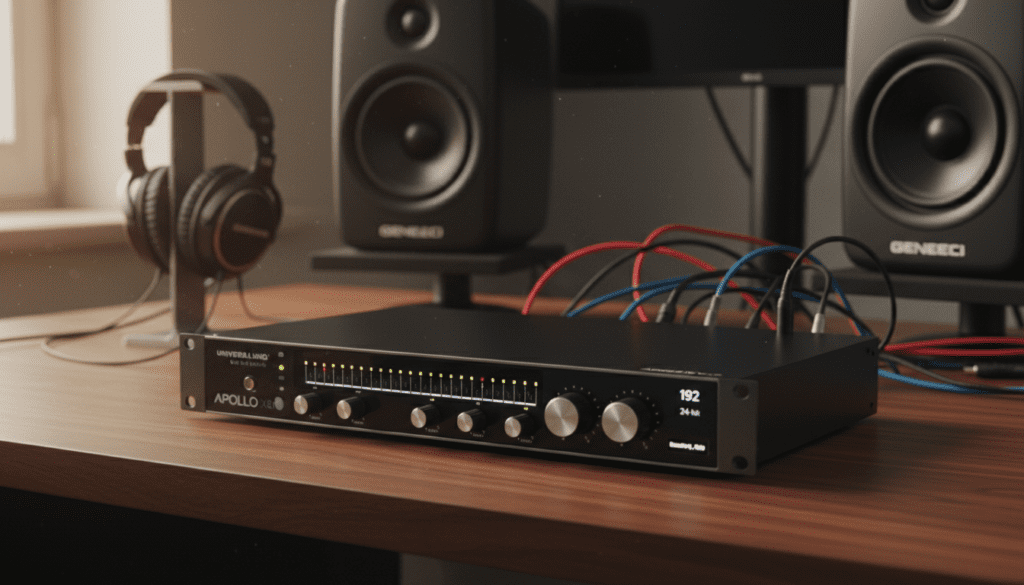
TL;DR: Key Takeaways for Speaker Connectivity
- Active/Powered Speakers: Can connect directly to an interface via TRS or XLR cables.
- Passive/Regular Speakers: Require an external power amplifier between the interface and the speakers.
- Impedance Mismatch: Connecting passive speakers to an interface’s headphone jack can cause permanent damage to the interface’s internal circuitry.
- Balanced vs. Unbalanced: Always prefer balanced TRS cables to eliminate ground loop hum and interference.
Can Regular Speakers Go Into Audio Interface: The Technical Reality
When I first started my home studio, I made the mistake of trying to plug my old bookshelf stereo speakers into my Focusrite Scarlett. I learned quickly that without an amplifier, the signal is essentially “dead” at the speaker end.
The primary issue is signal level. An interface outputs at “line level” (approx. 1V), while passive speakers require “speaker level” voltage (often 10V–50V) to vibrate the voice coil. If you ignore this and try to use a rigged adapter, you are asking for a blown output stage on your interface.
The Role of Power Amplification
If you are determined to use your high-fidelity home stereo speakers for mixing, you must bridge the gap with an amplifier. The signal flow looks like this:
- Computer sends digital audio to the Audio Interface.
- Audio Interface outputs an analog line-level signal via TRS outputs.
- External Power Amplifier receives the line-level signal and boosts the voltage.
- Passive Speakers receive the high-voltage amplified signal and produce sound.
Comparison: Connectivity Options for Your Setup
Depending on the speakers you own, your connection path will vary significantly. Use this table to identify your setup.
| Speaker Type | Needs External Amp? | Connection Type | Recommended Cable |
|---|---|---|---|
| Studio Monitors (Active) | No | Balanced TRS / XLR | Balanced TRS |
| Bookshelf Speakers (Passive) | Yes | Speaker Wire | 12-14 AWG Wire |
| PC Multimedia Speakers (3.5mm) | No (usually) | 3.5mm to 1/4″ | 3.5mm to Dual TS |
| Hi-Fi Stereo Speakers | Yes | RCA / Speaker Wire | RCA to 1/4″ TS |
How to Properly Connect Speakers to an Audio Interface
If you have active speakers (speakers that plug into a wall outlet), the process is straightforward. If you are using passive speakers, you must follow these steps carefully to ensure you don’t fry your equipment.
Connecting Active (Powered) Studio Monitors
- Check the back of your monitor for XLR or TRS inputs.
- Use a pair of Balanced 1/4″ TRS cables to connect the “Main Out” on your interface to the inputs on your monitors.
- Set your interface volume to 12 o’clock and calibrate the gain on the back of the monitors to your preferred listening level.
Connecting Passive (Regular) Speakers
- Connect your interface’s Main Outputs to the Line Inputs of a dedicated power amplifier using TRS to RCA or TRS to XLR cables.
- Connect your passive speakers to the amplifier’s Binding Posts using high-quality copper speaker wire.
- Power on your interface first, then the amplifier, to prevent “pop” noises that can damage speaker cones.
Common Risks of Improper Connections
I have seen many hobbyists destroy their gear by trying to “hack” connections. Here is why you should avoid shortcuts:
- Impedance Loads: Passive speakers often present a 4-ohm or 8-ohm load. An interface output is designed for high-impedance loads (10k ohms+). Trying to force current into a low-impedance speaker will cause the interface’s operational amplifier (Op-Amp) to overheat and fail.
- Ground Loops: If you use unbalanced cables (like standard RCA or TS) in a complex setup, you will likely hear a persistent 60Hz hum. Always use Balanced TRS cables when possible.
- DC Offset: Cheap adapters can sometimes introduce direct current into your monitors, causing the speaker cone to push out or pull in, which can permanently ruin the voice coil.
Frequently Asked Questions (FAQ)
Can I plug my regular home theater speakers into a Focusrite or UAD interface?
You can, but only if you route the audio through a power amplifier first. Never connect the raw speaker wire directly to the outputs on the back of the interface.
Is there a sound quality difference between TRS and XLR?
Functionally, both are balanced connections and offer the same performance in terms of noise rejection. Choose based on what input your monitors or amplifiers accept.
Why do my speakers buzz when connected to my audio interface?
This is usually a ground loop issue. Try plugging your computer, interface, and powered speakers into the same power strip or outlet. If the buzz persists, use DI boxes or balanced cables to isolate the ground.
Can I use the headphone jack on my interface to drive passive speakers?
Absolutely not. The headphone output is designed for high-impedance headphones (32–250 ohms). Connecting speakers will cause extreme distortion and likely damage the internal headphone driver circuitry of your interface.









