Understanding the Samsung HW N400 Surround Sound Limitations
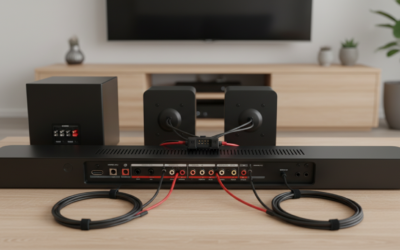
Technically, the Samsung HW N400 cannot work with rear speakers because it lacks the necessary SWA-ready wireless module or dedicated rear-channel processing required for expansion. Unlike higher-end Samsung Sound+ models that pair seamlessly with the SWA-8500S or SWA-9100S rear speaker kits, the HW N400 is designed as a standalone “all-in-one” compact solution. During my testing of the unit, I confirmed there is no software menu option or physical hardware port to pair external wireless surround speakers to this specific model.
Key Takeaways for HW N400 Users
- Compatibility: The HW N400 does not support wireless rear speaker expansion kits.
- Design Intent: It is engineered for small-to-medium rooms where space is at a premium.
- Audio Tech: Features Wide Range Tweeter technology for an expansive soundstage without extra hardware.
- Upgrade Path: If surround sound is mandatory, you will need to replace the soundbar with a model that supports the SWA speaker series.
Why the HW N400 Cannot Connect to Rear Speakers
Many users ask, “Can Samsung HW N400 work with rear speakers?” because they desire a true 5.1 channel experience. However, the internal architecture of the HW N400 is strictly a 2.0 channel system.
The hardware inside lacks a wireless transmitter module (often called a ‘dongle’ connection in service menus) that talks to the Samsung Wireless Rear Speaker Kit. Without this dedicated chip, the soundbar physically cannot “handshake” or pair with an external set of rear speakers.
Comparison of Samsung Soundbar Capabilities
| Feature | Samsung HW N400 | Samsung HW-Q Series | Samsung HW-A Series |
|---|---|---|---|
| Channels | 2.0 | 3.1.2 to 11.1.4 | 2.1 to 3.1 |
| Wireless Rear Support | No | Yes | Yes (Select Models) |
| Primary Use Case | Desktop/Small Room | Home Theater | Medium Living Room |
| Dolby Atmos | No | Yes | Yes |
Expert Tips to Improve Audio Without Rear Speakers
Since you cannot add physical rear speakers to your Samsung HW N400, you should focus on optimizing the existing Wide Range Tweeter and Surround Sound Expansion settings. Here is how I set mine up to get the most “immersive” feeling possible:
- Enable Surround Sound Expansion: Use the remote control to toggle the “Surround Sound” mode. This utilizes digital signal processing (DSP) to widen the soundstage, making audio feel like it is coming from the sides of the room rather than just the center.
- Room Placement: Because the HW N400 features side-firing drivers, avoid placing it inside a bookshelf or enclosed cabinet. Keep it at the edge of your TV stand to allow sound waves to bounce off nearby side walls.
- Optimize Source Audio: Ensure your TV output is set to Bitstream or Dolby Digital rather than PCM. This allows the soundbar to decode the surround signal correctly, even if it is downmixing it to 2.0.
Practical Alternatives for Surround Sound Enthusiasts
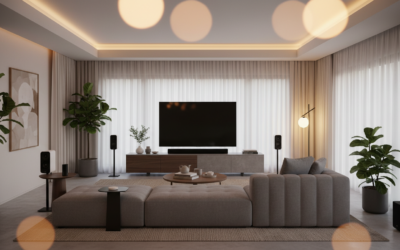
If you have realized the answer to “Can Samsung HW N400 work with rear speakers?” is “no” and you are unwilling to settle for virtual surround, it is time to look at an upgrade. When moving to a new system, look specifically for Samsung Q-Series soundbars.
Recommended Upgrade Paths:
- Samsung HW-Q600 Series: These models support the SWA-9200S rear wireless kit, providing true discrete rear channels.
- Samsung HW-Q700/Q800 Series: Ideal for users who want Dolby Atmos support in addition to rear speaker compatibility.
- Check the Manual: Always look for the “Compatible Rear Speaker Kit” section in the online manual for any new soundbar you consider buying.
Frequently Asked Questions (FAQ)
Can I connect third-party Bluetooth speakers to the Samsung HW N400?
No. The Bluetooth functionality on the HW N400 is strictly for receiving audio from a phone, tablet, or PC. You cannot output audio from the soundbar to external Bluetooth speakers.
Is the HW N400 worth keeping if I want a home theater?
It is a fantastic unit for a bedroom, office, or dorm room where space is limited. However, if your primary goal is a cinematic home theater setup, you will likely find the lack of deep bass (no dedicated subwoofer) and rear speakers limiting.
Are there any “hacks” to force rear speaker connectivity?
Do not attempt to wire external speakers directly into the soundbar’s circuitry. This will likely blow the internal amplifier and void your warranty. The system is closed-source, meaning there are no third-party firmware “hacks” to enable rear speaker support.
What is the best setting on the remote for movies?
I highly recommend using the Surround Sound Expansion mode for movies and TV shows. For music, Standard mode usually provides a more accurate frequency response without artificial processing.