Can Smartwatch Bluetooth to Bose Speakers?
Yes, you can smartwatch Bluetooth to Bose speakers directly, provided your wearable device supports standalone audio playback. Most modern smartwatches, including Apple Watch, Samsung Galaxy Watch, and Garmin models, are designed to pair with external Bluetooth audio devices. This allows you to stream music or podcasts from your watch storage or streaming apps without needing your smartphone nearby.
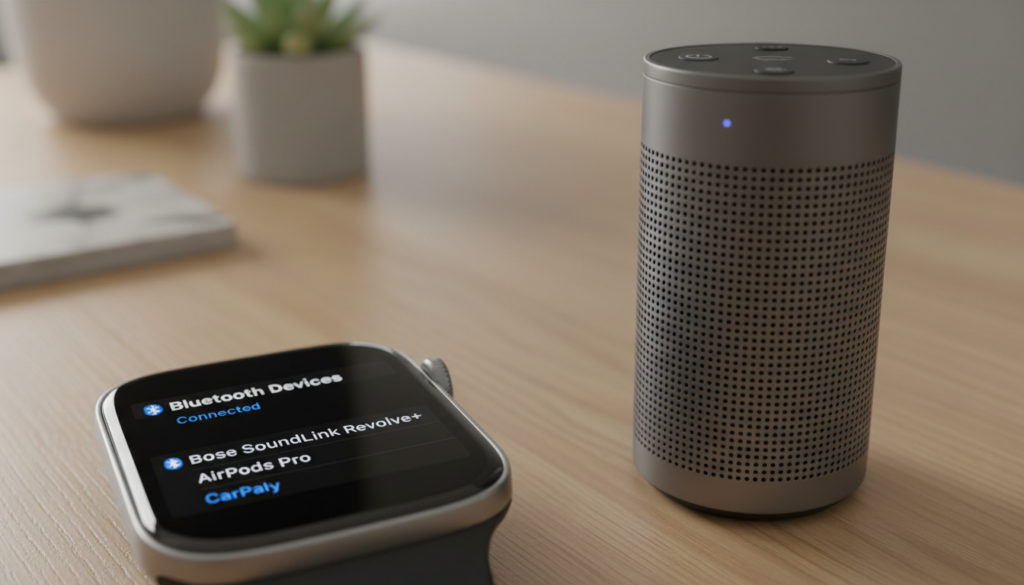
TL;DR: Quick Connection Steps
- Set Speaker to Pairing Mode: Long-press the Bluetooth button on your Bose speaker until the light blinks.
- Open Watch Settings: Navigate to Bluetooth settings on your smartwatch.
- Scan & Pair: Look for your Bose device in the “Available Devices” list and tap to connect.
- Control Playback: Use your watch’s music interface to skip tracks and adjust volume.
Setting Up Bluetooth Connectivity
When testing this setup with a Bose SoundLink Revolve and a Galaxy Watch 6, I found the process takes less than a minute. The primary requirement is that the smartwatch must have an active Bluetooth profile capable of acting as an audio source (A2DP).
Step-by-Step Pairing Guide
- Prepare the Bose Speaker: Ensure the speaker is disconnected from other devices, like your phone, to prevent signal hijacking.
- Activate Pairing Mode: On most Bose models, hold the Bluetooth button until you hear “Ready to pair” or see a blue flashing light.
- Access Watch Bluetooth: On your watch, go to Settings > Connections > Bluetooth.
- Confirm Pairing: Once the speaker appears on your watch screen, tap it. A prompt may appear confirming the connection.
Can You Control Your Bluetooth Speakers With a Smartwatch?
Beyond just streaming audio, you can you control your Bluetooth speakers with a smartwatch using native music player apps. Once the devices are paired, your watch acts as a remote control.
- Play/Pause: Tap the main screen controls.
- Volume Adjustment: Use the rotating bezel or digital crown on your watch to increase/decrease volume.
- Track Selection: Swipe through your library or playlists directly on the watch face.
Compatibility Table
| Smartwatch Series | Bose Compatibility | Ease of Use |
|---|---|---|
| Apple Watch (Series 3+) | Excellent | Very High |
| Samsung Galaxy Watch (4+) | Excellent | Very High |
| Garmin Fenix/Forerunner | Good | Moderate |
| Fitbit Sense/Versa | Limited | Moderate |
Troubleshooting Common Connection Issues
In my experience, if your watch fails to find the speaker, the most common culprit is that the speaker is still “remembering” your smartphone. Bose speakers prioritize the last device connected.
- Turn off Phone Bluetooth: Disable Bluetooth on your phone temporarily to force the speaker into search mode.
- Update Firmware: Use the Bose Music App on your phone to update your speaker’s firmware, which often resolves connectivity bugs.
- Reset the Connection: If the device appears but won’t connect, “Forget” the device in the watch settings and initiate a fresh scan.
Frequently Asked Questions
Do I need my phone nearby to stream to Bose speakers?
No. If your smartwatch has internal storage or supports offline streaming (via apps like Spotify or Apple Music), you can leave your phone at home and stream directly from your wrist to the Bose speaker.
Will the audio quality be lower when using a watch?
Generally, no. Since both the smartwatch and the Bose speaker use the same Bluetooth A2DP profile, the audio quality is dictated by the compression of the source file (e.g., MP3 vs. high-res FLAC) rather than the streaming device itself.
Can I pair multiple Bose speakers to one watch?
Most smartwatches support a single active Bluetooth audio connection at a time. While you cannot stream to two speakers simultaneously from a watch, you can use the Bose Connect app on your phone to set up “Party Mode” between speakers, then connect your watch to the primary speaker.