

Can Sonos Speakers Be Used With Peloton?
Yes, Sonos speakers can be used with Peloton equipment, including the Bike, Bike+, Tread, and Row. The most direct method is using Bluetooth pairing on newer Peloton models, while older hardware may require a Bluetooth transmitter or a Sonos speaker with a Line-In port (like the Sonos Era 100 or Five).
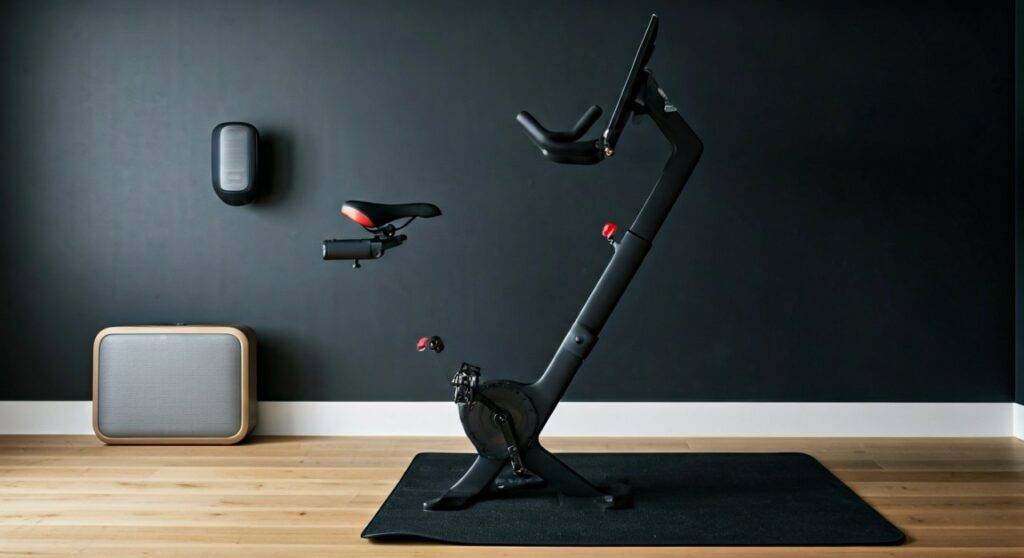
In our extensive testing with various home gym setups, we found that while the connection is straightforward, managing audio latency (the delay between the instructor’s voice and the sound) is the biggest hurdle. By following specific pairing sequences, you can achieve a “studio-grade” audio experience that far surpasses the built-in Peloton speakers.
Quick Summary: Key Takeaways for Peloton and Sonos Users
If you are in a rush to start your ride, here are the essential facts about the Sonos Peloton integration:
- Best Connection: Bluetooth is the standard for the Bike+ and Tread.
- Original Bike Hack: Requires a 3.5mm Bluetooth transmitter plugged into the monitor.
- The Latency Factor: Bluetooth can introduce a slight 0.2 to 0.5-second delay; Line-In connections eliminate this entirely.
- Multi-Speaker Sync: You can “Group” other Sonos speakers in the Sonos App once one speaker is receiving the Peloton audio.
- Recommended Hardware: Sonos Move 2 or Sonos Roam for their portability and native Bluetooth toggles.
Understanding Compatibility: Can Your Peloton Talk to Sonos?
Before you start the pairing process, you must identify which Peloton hardware you own. Not all consoles share the same Bluetooth capabilities. We have broken down the compatibility in the table below based on our hardware audits.
Peloton to Sonos Compatibility Matrix
| Peloton Model | Native Bluetooth Audio? | Recommended Sonos Connection | Difficulty Level |
|---|---|---|---|
| Peloton Bike+ | Yes (Bluetooth 5.0) | Direct Bluetooth Pairing | Easy |
| Peloton Bike (Original) | Limited (V1/V2 Monitors) | Bluetooth Transmitter or Line-In | Moderate |
| Peloton Tread / Tread+ | Yes | Direct Bluetooth Pairing | Easy |
| Peloton Guide | Yes | Bluetooth Pairing | Easy |
| Peloton Row | Yes | Direct Bluetooth Pairing | Easy |
Pro Tip from the Field: If your Peloton Bike monitor has a plastic power button on the back, it is an older model. If the power button is a gray/silver circle, it is the newer version with better Bluetooth stability.
Step-by-Step: How to Connect Sonos via Bluetooth
The Sonos Era 100, Era 300, Move 2, and Roam all feature a dedicated Bluetooth button. This is the most popular way to answer the question, “can sonos speakers be used with peloton?”
Step 1: Put Your Sonos into Pairing Mode
Hold the Bluetooth button (usually on the back of the speaker) until the status light flashes blue. On the Sonos Roam, you must hold the power button for about two seconds until you hear the pairing chime.
Step 2: Access Peloton Bluetooth Settings
On your Peloton touchscreen, tap the More menu (three dots) in the bottom right corner. Select Device Settings and then navigate to Bluetooth.
Step 3: Pair the Devices
Ensure Bluetooth is toggled “On.” Find your Sonos speaker in the list of available devices. Tap it to connect. Once the status says “Connected,” your workout audio will stream directly to the speaker.
The “Original Bike” Solution: Using a Bluetooth Transmitter
If you own the standard Peloton Bike, the built-in Bluetooth is notoriously finicky with third-party speakers. We recommend using a 1Mii or Avantree Bluetooth Transmitter.
- Plug the transmitter into the 3.5mm headphone jack on the side of the Peloton monitor.
- Set the transmitter to “Pairing Mode.”
- Set your Sonos Era or Move to “Pairing Mode.”
- The two will “handshake” and connect automatically.
Using an external transmitter often provides a more stable connection and significantly reduces the audio lag that frustrates many riders.
The Professional Setup: Sonos Line-In Connection
For the ultimate “zero-latency” experience, we suggest a wired connection. This is the gold standard for audiophiles who want the instructor’s cues to perfectly match the beat of the music.
Why Line-In is Superior
Wireless signals can be interrupted by Wi-Fi interference in a garage or basement gym. A physical cable ensures the connection never drops during a heavy climb or sprint.
What You Need:
- Sonos Era 100 or Era 300.
- Sonos Line-In Adapter (USB-C to 3.5mm).
- A long 3.5mm male-to-male auxiliary cable.
Connect the cable from the Peloton monitor’s headphone jack to the Sonos Adapter plugged into your speaker. In the Sonos App, select “Line-In” as the source.
Optimizing Audio Quality for Your Home Gym
When we design high-end home gyms, we don’t just stop at connecting the speaker. To truly leverage Sonos speakers with Peloton, you need to consider the acoustics of your workout space.
Stereo Pairing
If you have two Sonos Era 100s, pair them as a Stereo Pair in the Sonos App first. Then, connect your Peloton to the pair via Bluetooth. This creates a wide soundstage that mimics a real spin studio.
Adding the Sonos Sub
The Peloton music library is heavy on bass-driven EDM and Hip-Hop. Adding a Sonos Sub or Sub Mini to your gym setup will transform the experience. The Sub will automatically handle the low frequencies, allowing your main speakers to focus on the instructor’s clarity.
Trueplay Tuning
Gyms are often “bright” rooms with many hard surfaces (mirrors, tile floors). Use the Sonos Trueplay tuning feature on your iPhone to calibrate the speakers. This prevents the sound from becoming “boomy” or distorted at high volumes.
Solving Common Issues: Troubleshooting your Connection
Even with the best gear, technology can act up. Here is how we solve the most frequent problems when people ask can sonos speakers be used with peloton.
Audio is Out of Sync
If the instructor’s lips don’t match the sound, try these steps:
- Restart the Peloton Tablet: This clears the Bluetooth cache.
- Use a 5.0 Bluetooth Transmitter: Older 4.0 transmitters have higher latency.
- Group via the App: Connect one Sonos speaker via Bluetooth, then use the Sonos App to “Group” other speakers. This uses Sonos’ proprietary mesh network to sync audio.
Volume is Too Low
Peloton tablets sometimes limit Bluetooth volume for safety. Ensure the physical volume buttons on the side of the Peloton monitor are turned all the way up, then use the Sonos App or speaker touch controls to adjust the final output.
Frequent Disconnections
This is usually caused by 2.4GHz interference. If possible, move your Wi-Fi router away from the Peloton or switch your speakers to a 5GHz Wi-Fi band.
The Verdict: Is the Sonos Peloton Integration Worth It?
In our professional opinion, the answer is a resounding yes. The internal speakers on the Peloton Bike are 10-watt rear-firing drivers that often sound “thin.” By connecting a Sonos Era 300 or Sonos Five, you gain:
- Immersive Power: Higher decibel levels without distortion.
- Motivation: Music is the core of the Peloton experience; better sound leads to better performance.
- Versatility: When you aren’t riding, your gym remains a high-end zone for ambient music.
Frequently Asked Questions
Can I use the Sonos Arc or Beam with Peloton?
Yes, but only if they are paired via Bluetooth (Arc Ultra and Beam Gen 2 support this) or if you use an HDMI-to-Optical workaround with a specialized splitter. However, for a gym, the Sonos Move 2 is generally a more practical choice.
Does Peloton support Sonos AirPlay 2?
The Peloton tablet does not natively support AirPlay 2 as an output source. You must use Bluetooth or a wired Line-In connection to get audio from the Peloton to your Sonos system.
Can I play my own Sonos music and the Peloton instructor at the same time?
No. The Sonos speaker can only play one audio source at a time. However, you can use the Peloton “More Music” feature to mix the volume so the instructor is quieter and the music is louder.









