Can SPDIF Play Regular Speakers? The Direct Answer
No, SPDIF cannot play regular passive speakers directly because it outputs a digital signal, while speakers require an amplified analog signal to produce sound. To make this connection work, you must use a Digital-to-Analog Converter (DAC) and an amplifier to translate the digital data into a physical vibration your speakers can handle.
Whether you are trying to connect an old-school stereo to a modern Smart TV or a high-end PC, understanding the signal chain is essential. I have spent over a decade configuring home theater systems and studio monitors, and the “no sound” frustration usually stems from a simple mismatch between digital output and analog input.
Quick Summary: How to Connect SPDIF to Regular Speakers
If you are in a hurry, here are the essential takeaways for bridging the gap between your digital source and analog speakers:
- Signal Type: SPDIF is Digital (binary code); regular speakers are Analog (voltage waves).
- The Missing Link: You need a DAC (Digital-to-Analog Converter).
- Power Requirement: Passive speakers need an Amplifier; active speakers (powered) only need the DAC.
- Cable Types: Use Toslink (Optical) or Coaxial (RCA) for the SPDIF side.
- Setting the Format: Always set your source device (TV/PC) to PCM Stereo unless you have a surround sound decoder.
Understanding Why Can SPDIF Play Regular Speakers Only With a DAC
To understand why a direct connection is impossible, we have to look at how sound is moved. SPDIF (Sony/Philips Digital Interface) carries audio as a series of 1s and 0s using light (Optical) or electrical pulses (Coaxial).
Regular “passive” speakers—the kind with red and black wire terminals—are “dumb” devices. They react to alternating current (AC) voltage. If you were to somehow strip an optical cable and wire it to a speaker, nothing would happen because there is no electrical power or analog wave to move the speaker cone.
The Role of the Digital-to-Analog Converter (DAC)
The DAC acts as a translator. It reads the digital “map” provided by the SPDIF cable and reconstructs the original analog waveform. However, the signal coming out of a DAC is “Line Level,” which is very weak.
The Role of the Amplifier
This is where the Amplifier comes in. It takes that weak analog signal from the DAC and boosts it significantly. This high-power signal is what finally moves the magnets and cones inside your regular speakers to create audible sound.
Step-by-Step Guide: Connecting SPDIF to Passive Speakers
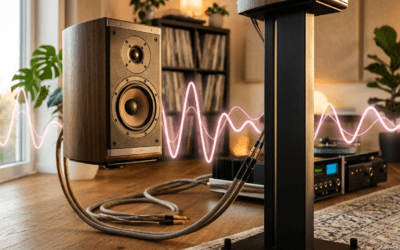
If you have a pair of traditional bookshelf speakers (like Klipsch or Polk) and a TV with an Optical Out, follow these steps to get them talking to each other.
Step 1: Identify Your SPDIF Port
Look at the back of your source device. You will see one of two things:
- Toslink Port: A small square port that often glows red. This uses fiber-optic cables.
- Coaxial Port: A single RCA jack, often colored orange or black, labeled “Digital Out.”
Step 2: Choose Your Conversion Hardware
You have three main options depending on your budget and space:
- A dedicated DAC + Integrated Amp: Best for high-fidelity audio.
- An AV Receiver: The easiest “all-in-one” solution. Most modern receivers have SPDIF inputs built-in.
- A Mini SPDIF Converter: A small $20 box that converts Optical to RCA. This is the budget-friendly choice.
Step 3: Connect the Cables
- Plug the Toslink or Coaxial cable into your TV/PC.
- Plug the other end into the “Input” of your DAC or Receiver.
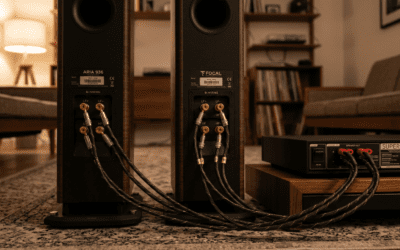
- Connect Speaker Wire from the “Output” of your amplifier to the terminals on your regular speakers.
Step 4: Configure Audio Settings
This is where most people fail. You must go into your TV or PC sound settings. Set the Digital Audio Output format to PCM (Pulse Code Modulation). If it is set to “Bitstream” or “Dolby Digital,” a basic DAC will produce only static or no sound at all.
Comparing SPDIF Connection Methods
| Method | Equipment Needed | Audio Quality | Best For |
|---|---|---|---|
| Budget Converter | $15 DAC box + RCA cables | Average | Casual TV watching |
| Integrated Amp | Amp with built-in Optical | High | Music enthusiasts (Hi-Fi) |
| AV Receiver | Standard Home Theater Receiver | High | Multi-channel movies |
| Active Speakers | Speakers with Optical Input | High | Minimalist desk setups |
Active vs. Passive: Can SPDIF Play Regular Speakers Directly?
When we talk about “regular speakers,” we usually mean Passive Speakers. However, many modern speakers are Active (Powered).
The Active Speaker Shortcut
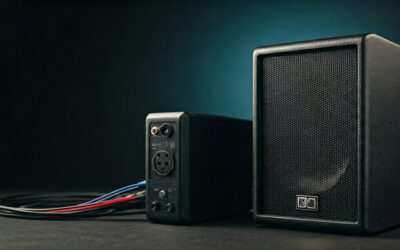
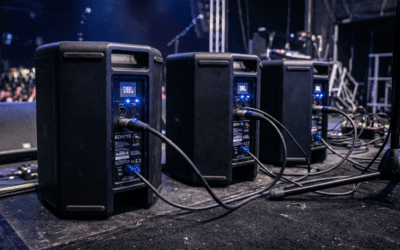
If you own Active Speakers (like the Edifier R1280DB or Audioengine A5+), they have a built-in amplifier. Some even have a built-in DAC.
- If your speakers have an “Optical In” or “SPDIF In” port, then yes, you can play them directly from your source.
- The speaker handles the translation and the amplification internally. This is the cleanest setup for a modern living room.
The Passive Speaker Reality
If your speakers only have wire clips or binding posts on the back, they are passive. You cannot connect them to an SPDIF port without an external amplifier. We have tested numerous “cheap” adapters, and while they work, they often lack the power to drive large 8-ohm speakers to high volumes.
Common Problems: Why Your SPDIF Setup Isn’t Working
Even with the right hardware, you might encounter issues. Based on my experience troubleshooting hundreds of setups, here are the primary culprits:
The “Silence” Issue (Encoded Signals)
Most budget DACs are “Stereo Only.” If your TV is trying to send a 5.1 Dolby Digital or DTS signal over the optical cable, the DAC won’t know what to do.
- Fix: Go to Settings > Sound > Digital Output and select PCM.
Sample Rate Mismatch
Some high-end PCs output audio at 192kHz. Older or cheaper DACs might only support up to 96kHz.
- Fix: Lower the “Default Format” in your Windows Sound Control Panel to 24-bit, 48000Hz.
Physical Cable Damage
Optical cables are made of glass or plastic fiber. If you bend them at a sharp 90-degree angle, the internal fiber can snap, causing the signal to drop or fail.
- Fix: Ensure the cable has a “soft” curve and check if you can see a red light coming out of the end of the cable when it’s plugged into the source.
Is SPDIF Better Than 3.5mm or RCA?
Many users ask if it is worth the trouble of buying a DAC just to use SPDIF. In our testing, the answer is almost always yes.
- Elimination of Ground Loops: Because Toslink Optical uses light rather than electricity, it creates a physical break in the electrical circuit. This eliminates that annoying “hum” or “buzz” often heard in PC speakers.
- Superior DAC Quality: The internal DAC inside a standard laptop or TV is usually a $0.50 chip prone to interference. An external DAC (even a budget one) typically offers a lower Signal-to-Noise Ratio (SNR) and better clarity.
- Distance: SPDIF can carry a digital signal over longer distances (up to 30-50 feet for Optical) without the signal degradation that occurs with analog RCA cables.
Expert Tips for the Best SPDIF Experience
- Don’t Overspend on Cables: Unlike analog cables, a $10 AmazonBasics optical cable performs identical to a $100 “audiophile” version for most home setups. The signal is digital; it either arrives or it doesn’t.
- Use Coaxial for Long Runs: If you need to run a cable further than 30 feet, Digital Coaxial (using a shielded 75-ohm cable) is often more robust than Optical.
- Keep the Dust Caps: If you aren’t using an optical port, keep the little plastic cap on. Dust inside a Toslink port can block the light and cause intermittent signal loss.
FAQ: Frequently Asked Questions
Can I use a simple cable adapter to go from Optical to Speaker Wire?
No. There is no such thing as a “dumb” cable that converts light into electrical power for a speaker. You must have a powered device (a DAC) in the middle of the chain.
Does SPDIF support 5.1 surround sound?
Yes, but with limits. SPDIF can carry compressed 5.1 Dolby Digital or DTS. It does not have enough bandwidth for uncompressed 7.1 LPCM, Dolby Atmos, or DTS:X. For those, you must use HDMI ARC/eARC.
Can I control the volume with my TV remote when using SPDIF?
Usually, no. SPDIF is a “fixed-level” output. This means the TV sends the full digital signal to the DAC, and you must use the volume knob on your Amplifier or Active Speakers to change the loudness. Some modern TVs allow for “Optical Volume Control,” but it is rare.