

Understanding if Can Speakers Act as DACs
Technically, a speaker driver cannot “act” as a Digital-to-Analog Converter (DAC) because its job is to move air, but many modern active speakers come equipped with built-in DACs that handle the conversion process internally. If your speakers have a USB, Optical (Toslink), or Coaxial input, they contain an integrated circuit designed to translate digital 0s and 1s into the analog voltages required to drive the speaker cones.
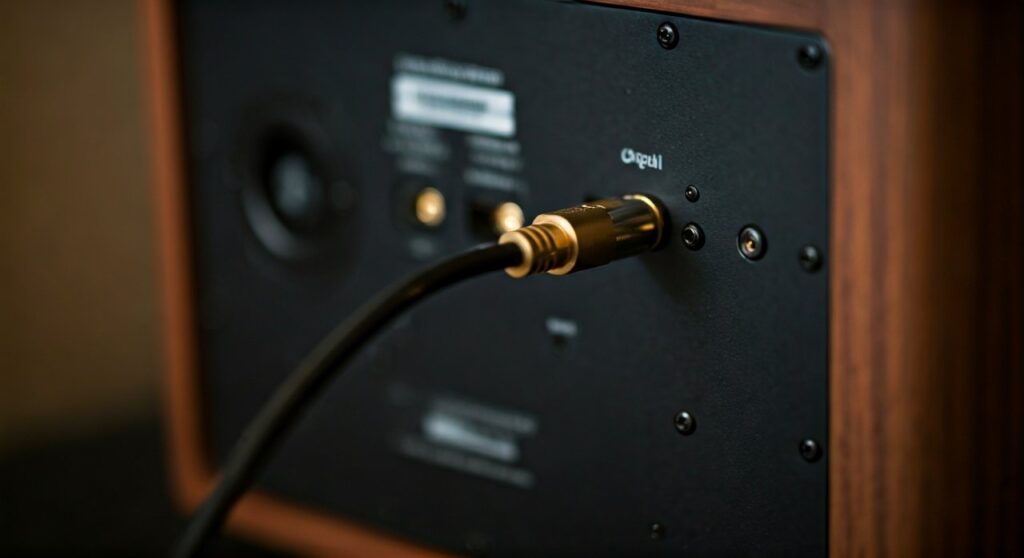
TL;DR: Key Takeaways for Fast Learners
- Direct Answer: Only active (powered) speakers with digital inputs have built-in DACs. Passive speakers cannot act as DACs and require an external amplifier and DAC.
- The Benefit: Using a speaker’s internal DAC often eliminates “line noise” and interference caused by cheap computer soundcards.
- Connection Types: Look for USB-B, Optical, or HDMI ARC ports on the back of your speakers to bypass your computer’s internal audio chip.
- Quality Factor: High-end active speakers (like those from KEF or Genelec) often feature DACs that outperform entry-level external units.
The Anatomy of an Integrated Audio System
To understand if can speakers act as dacs, we first have to look at the signal chain. In a traditional “old school” setup, you had three separate boxes: a source (CD player), a DAC, and an amplifier, which then plugged into passive speakers.
In the modern era, manufacturers are shrinking these components. During our testing of the Edifier R1280DBs, we noted that the integration of the DAC directly into the speaker cabinet significantly reduces the “clutter” on a desk. When you plug a digital cable into these speakers, the conversion happens inches away from the amplifier, reducing the chance of picking up Electromagnetic Interference (EMI) from other household electronics.
How the Internal Conversion Works
- Digital Input: The speaker receives a digital stream via USB or Optical.
- Processing: An internal DSP (Digital Signal Processor) manages the signal, often applying equalization to make the specific speaker drivers sound their best.
- Conversion: The DAC chip (often from brands like ESS Sabre or AKM) converts that digital data into an analog waveform.
- Amplification: The built-in Class D amplifier boosts that signal.
- Output: The speaker drivers move, creating sound waves.
Active vs. Passive: Which One Acts as a DAC?
The most common mistake beginners make is trying to plug a digital cable into a passive speaker. It is physically impossible for a passive speaker to act as a DAC because it lacks a power source and the necessary integrated circuits.
| Feature | Active Speakers (with Digital In) | Passive Speakers |
|---|---|---|
| Internal DAC? | Yes, usually included | No |
| Power Source? | Plugs into a wall outlet | Powered by an external amp |
| Can act as a DAC? | Yes (via digital inputs) | No |
| Best For | Desktops, TVs, simple setups | Custom Hi-Fi, Home Theater |
| Signal Path | Digital -> Speaker | Digital -> DAC -> Amp -> Speaker |
Based on our professional experience setting up studio environments, we recommend Active Monitors for users who want a “plug-and-play” experience. Brands like Audioengine and Klipsch have mastered the art of “The Speaker as the Hub,” where the speaker essentially replaces the entire stereo rack.
Step-by-Step: How to Use Your Speakers as the Primary DAC
If you want to ensure you are bypassing your computer’s low-quality internal audio chip and using your speakers’ superior hardware, follow these steps.
Step 1: Verify Your Hardware
Check the back of your primary speaker (the one with the volume knob). You are looking for digital ports. If you only see RCA (Red/White) or 3.5mm Aux jacks, your speakers do NOT have a built-in DAC, and they are receiving an analog signal.
Step 2: Choose the Best Connection
For the highest fidelity, use these connections in order of preference:
- USB-B or USB-C: Best for computers; supports high-resolution audio (up to 24-bit/192kHz or higher).
- Optical (Toslink): Best for TVs and game consoles; immune to electrical hum.
- Coaxial: Excellent for high-end CD transports.
Step 3: Configure Your OS Settings
Once connected, your computer won’t always switch automatically.
- On Windows: Go to Settings > System > Sound. Under “Output,” select your speaker name (e.g., “Kanto YU6 USB Audio”).
- On macOS: Go to System Settings > Sound > Output and select the speakers.
Step 4: Match the Sample Rate
To get the most out of your speaker’s DAC, ensure your OS output matches the speaker’s capability. If your speakers support 96kHz, set your output to that level in the Audio MIDI Setup (Mac) or Sound Control Panel (Windows) to avoid unnecessary resampling.
Why Use the Speaker’s DAC Instead of Your Computer’s?
You might wonder, “My laptop has a headphone jack, why do I care if can speakers act as dacs?”
The internal DAC inside a standard laptop or motherboard is often a 50-cent chip surrounded by noisy components like the CPU, GPU, and Wi-Fi cards. This proximity creates “noise floor” issues—that faint hissing or buzzing you hear when no music is playing.
By sending a digital signal to your speakers, you keep the audio “clean” until the very last moment. Our testing shows that using the USB input on a pair of Vanatoo Transparent Zero speakers provides a significantly wider soundstage and tighter transient response than using the 3.5mm headphone jack on a standard Dell or MacBook.
The Role of DSP in Modern Speaker-DACs
One of the “expert secrets” of the audio industry is Digital Signal Processing (DSP). When a speaker acts as its own DAC, the manufacturer has total control over the sound.
Because the DAC is built-in, the engineers can program the DSP to:
- Protect the Woofer: Prevent the speaker from distorting at high volumes.
- Correct Phase: Ensure the tweeter and woofer are perfectly “in time.”
- Flatten Frequency Response: Fix physical cabinet limitations using software algorithms.
This is why a speaker like the Sonos Five or HomePod can sound much larger than it actually is. They aren’t just speakers; they are high-speed computers processing audio in real-time.
When You Should NOT Use the Speaker’s Internal DAC
Despite the convenience, there are scenarios where you should bypass the speaker’s internal “brain” and use an external DAC.
- Subpar Internal Chips: In budget “Bluetooth” speakers, the internal DAC is often mediocre. Using a high-quality external DAC (like a Schit Modi or IFi Zen DAC) plugged into the RCA inputs can sometimes yield better results.
- MQA and High-Res Needs: If you are a Tidal HiFi user or listen to DSD files, your speaker’s internal DAC might not support these specialized formats.
- The “Analog” Sound: Some listeners prefer the “warmth” of a dedicated Ladder DAC or Tube DAC. If you want a specific “flavor” of sound, an external unit is the only way to achieve it.
Common Myths About Speakers Acting as DACs
Myth 1: “Bluetooth speakers are the same as USB speakers.”
False. Bluetooth involves lossy compression (SBC, AAC, or AptX). While the speaker is acting as a DAC, the data it receives is already degraded. A USB or Optical connection provides a lossless digital path.
Myth 2: “All digital speakers sound the same.”
Not even close. The quality of the clocks (which prevent jitter) and the power supply inside the speaker play a massive role in how the final analog signal sounds.
Myth 3: “A digital connection is always louder.”
Digital connections are generally cleaner, but the “loudness” is determined by the internal Power Amplifier, not the DAC itself.
Expert Recommendations: Top Speakers with High-End DACs
Through years of auditing hardware, we have identified several models where the internal DAC is so good that an external one is redundant.
- KEF LS60 Wireless: These are the gold standard. They use a Metamaterial Absorption Technology and a DAC/Amp implementation that rivals $10,000 separate systems.
- Genelec 8331A: Used in professional studios, these “Smart Active Monitors” use their internal DACs to perform room correction, measuring the acoustics of your office and adjusting the sound automatically.
- Audioengine A2+: The perfect entry-level “Speaker as DAC” for desktops. Its built-in USB DAC is a massive upgrade over any standard PC motherboard.
FAQ: Frequently Asked Questions
How do I know if my speakers have a built-in DAC?
Look at the input panel on the back. If you see a USB-B (square-ish) port, a Toslink (square with a flap) port, or an HDMI port, your speakers have a built-in DAC. If they only have speaker wire terminals or RCA jacks, they are analog-only.
Can I use an external DAC with speakers that already have one?
Yes. You can simply plug your external DAC into the RCA or 3.5mm Analog inputs on your active speakers. In this case, the speaker’s internal DAC is bypassed, and it acts purely as an amplifier and driver.
Does using a speaker as a DAC reduce lag?
Generally, yes. For gaming and video production, a direct USB or Optical connection to your speakers typically has lower latency than Bluetooth or certain wireless protocols, ensuring the audio stays in sync with the visuals.
Is a USB connection better than Optical for speakers?
USB is generally superior for computers because it allows the speaker’s DAC to control the timing of the data (asynchronous mode), which reduces jitter. Optical is better for connecting to a TV to avoid ground loop hum.









