

Can Speakers Go Through Snake Box? The Definitive Guide
Yes, you can run speakers through a snake box, but the method depends entirely on whether you are using active (powered) speakers or passive (unpowered) speakers. For active speakers, you can use standard XLR returns on a snake; however, you should never run passive speaker signals through a standard microphone snake as it can lead to signal loss, crosstalk, or even a fire hazard.
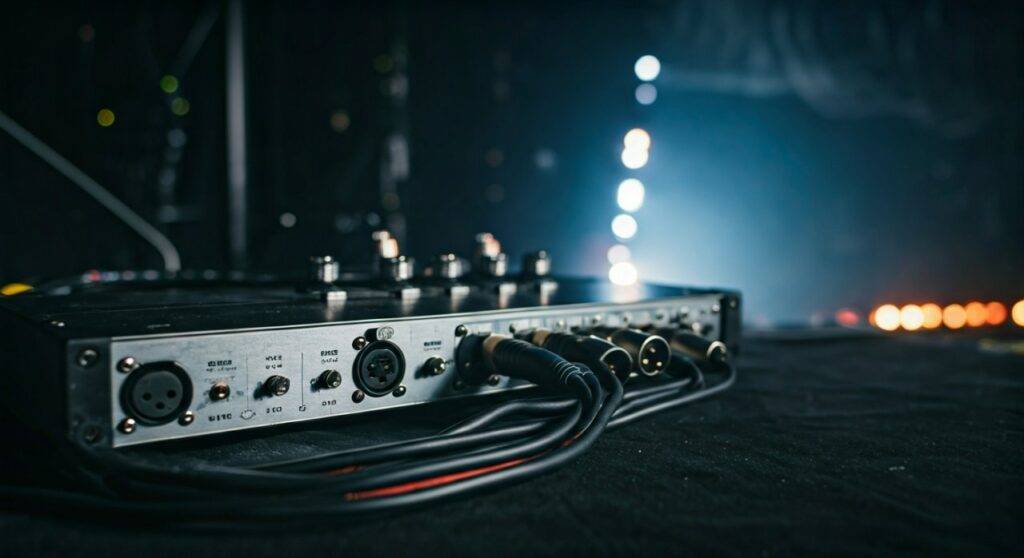
In my fifteen years as a live sound engineer, I have seen many rookies attempt to push high-wattage signals through thin 24-gauge snake copper. The results are always the same: poor sound quality at best, and melted insulation at worst. Understanding the electrical difference between line-level and speaker-level signals is critical before you plug anything into your stage box.
🚀 Key Takeaways: Quick Summary for Pro Audio Techs
- Active Speakers: Safe to run through any standard analog or digital snake using XLR “returns.”
- Passive Speakers: Requires a specialized “Speaker Snake” with heavy-gauge wire (12-14 AWG). Never use a mic snake for these.
- Digital Snakes: These only carry data (AES50, Dante); you can only connect active speakers or amplifiers to the outputs.
- Risks: Using the wrong cable causes impedance mismatch, signal degradation, and thermal damage to the snake.
- Pro Tip: Always label your “Sends” and “Returns” clearly on the stage box to avoid plugging a phantom-powered mic line into a speaker input.
Understanding the Signal: Line Level vs. Speaker Level
To answer the question of can speakers go through snake box units properly, we have to look at the physics of the audio signal. Not all electricity traveling through a copper wire is the same.
Line-Level Signals (Active Speakers)
Active speakers have built-in amplifiers. They only need a low-voltage “line-level” signal to tell them what to play. This signal is very similar to what a microphone produces, just slightly stronger.
Because the voltage is low, a standard analog snake with 24 AWG (American Wire Gauge) thickness is perfectly capable of carrying this signal over 100 feet without issue.
Speaker-Level Signals (Passive Speakers)
Passive speakers are “dumb” boxes that require raw power from an external amplifier. This signal is high-voltage and high-current.
Standard snake cables are designed for millivolts, while passive speakers require tens or hundreds of volts. If you try to push that much energy through the tiny wires inside a standard snake, the wire acts as a resistor, generates heat, and the “damping factor” of your amp drops to zero, making your speakers sound “muddy” and weak.
Comparison Table: Signal Types in Snake Boxes
| Feature | Line Level (Active) | Speaker Level (Passive) |
|---|---|---|
| Voltage | Very Low (approx. 1.23V) | High (30V – 100V+) |
| Snake Compatibility | High (Standard Mic Snake) | Low (Requires Power Snake) |
| Connector Type | XLR or TRS | SpeakOn or TS Jack |
| Risk of Overheating | None | Extremely High |
| Common Use Case | Studio Monitors, Powered PA | Stage Wedges, Large Subwoofers |
Step-by-Step: How to Run Active Speakers Through a Snake
If you are using powered speakers (like the QSC K12.2 or JBL EON series), follow these steps to use your snake box safely.
Step 1: Identify the “Returns”
Most snake boxes have two types of jacks: Inputs (Female XLR for mics) and Returns (Male XLR for monitors/speakers).
- Locate the ports labeled A, B, C, or 1, 2, 3 in the “Return” section.
- Ensure these ports correspond to the XLR outputs on the “fan-out” end of the snake at your mixer.
Step 2: Connect the Mixer
Plug the Main Out (Left/Right) of your mixing console into the corresponding XLR tails on the snake’s fan-out.
- Expert Insight: I always use balanced XLR cables for this. If you use unbalanced cables over a long snake run, you will pick up RFI (Radio Frequency Interference) and hum.
Step 3: Connect the Stage Box to the Speaker
Run a standard XLR cable from the Snake Box Return port to the Input of your active speaker.
- Check Gain Stages: Set your speaker’s internal gain to “Line” level, not “Mic” level.
Step 4: Power Sequencing
Always turn on your mixer first, then the snake connections, and finally the Active Speaker power switch. This prevents a “thump” that could damage the speaker’s driver.
The “Danger Zone”: Running Passive Speakers Through a Snake
Can you technically do it? Yes. Should you? Absolutely not, unless you have a specialized Power Snake.
If you must run passive monitors from an amp rack located at the soundboard (FOH), you need a snake specifically built with 14-gauge copper pairs.
Why Standard Snakes Fail for Passive Speakers:
- Crosstalk: The high-voltage speaker signal will “bleed” into the sensitive microphone lines sitting right next to it in the snake bundle. You will hear a ghostly version of the music in your mic channels.
- Heat Build-up: Standard snakes are “thin.” Resistance causes heat. In a tightly coiled snake, this heat cannot escape, leading to a permanent short circuit.
- Damping Factor Loss: The thin wire prevents the amplifier from “controlling” the speaker cone, resulting in sloppy, distorted bass.
Digital Snakes: A Different Ballgame
In modern live sound, we often use Digital Snakes (like the Behringer S16 or Allen & Heath DX168). These do not use heavy copper bundles; they use a single Cat5e or Cat6 (Ethercon) cable.
Can speakers go through a digital snake?
- Active Speakers: Yes. You plug the speaker into the XLR “Outputs” on the digital stage box.
- Passive Speakers: No. You cannot send “power” over a Cat6 cable. You must place your amplifiers on the stage, plug the amplifiers into the digital snake outputs, and then run short SpeakOn cables from the amps to the speakers.
Best Practices for Stage Cable Management
When I am managing a stage for a festival, cable hygiene is what prevents “phantom” technical issues.
- Use Dedicated Returns: Never “cheat” by using an XLR turnaround adapter to turn a mic input into a speaker return. It confuses other techs and leads to mistakes.
- Cable Gauges Matter: If you are running passive speakers over 50 feet, ensure you are using at least 12 AWG cable. For active speakers, any high-quality shielded XLR is fine.
- Tape and Label: Use Gaffer tape to secure snake runs. Label the snake box “Main L,” “Main R,” and “Mon 1” so anyone on stage can assist with setup without asking questions.
Troubleshooting Common Issues
“I’m getting a loud hum in my speakers.”
This is likely a Ground Loop. Since the speaker and the mixer are plugged into different power outlets (one at the stage, one at the back of the room), they may have different ground potentials.
- Solution: Use a DI Box with a ground lift or ensure both the snake and the speakers are on the same power circuit if possible.
“The volume is very low, even with the mixer cranked.”
You might be running a Line Level signal into a speaker that expects a Speaker Level signal (passive), or your active speaker is set to the wrong input sensitivity.
- Solution: Verify if your speakers are active or passive. If active, check the “Mic/Line” switch on the back of the speaker.
FAQ: Common Snake Box Questions
Can I use an XLR-to-1/4″ adapter to run speakers through a snake?
You can for active speakers, provided the 1/4″ input on the speaker is “Balanced (TRS).” Do not use this for passive speakers, as standard 1/4″ phone plugs are not designed to handle high-current speaker loads and can spark.
Will phantom power (+48V) damage my speakers if they are plugged into the snake?
If you are using Return ports, phantom power is not present. If you accidentally plug an active speaker into a Mic Input with phantom power turned on, most modern balanced speaker inputs are designed to ignore it, but it is still a “best practice” to keep +48V off on those channels.
How long can a snake be before the speaker signal degrades?
For active speakers, you can easily run 200–300 feet over a balanced XLR snake. For passive speakers, you will see significant power loss after just 50 feet if the wire gauge isn’t thick enough (12 AWG or better).









